
1. Introduzione
The BoxWave ClearTouch Anti-Glare Screen Protector is designed to protect the display of your Foxwell NT650 (4.3 in) device. This screen protector features an anti-glare matte finish to reduce reflections, an anti-fingerprint surface to minimize smudges, and provides a layer of defense against scratches. This manual provides instructions for proper installation, usage, and care to ensure the longevity and effectiveness of your screen protector.
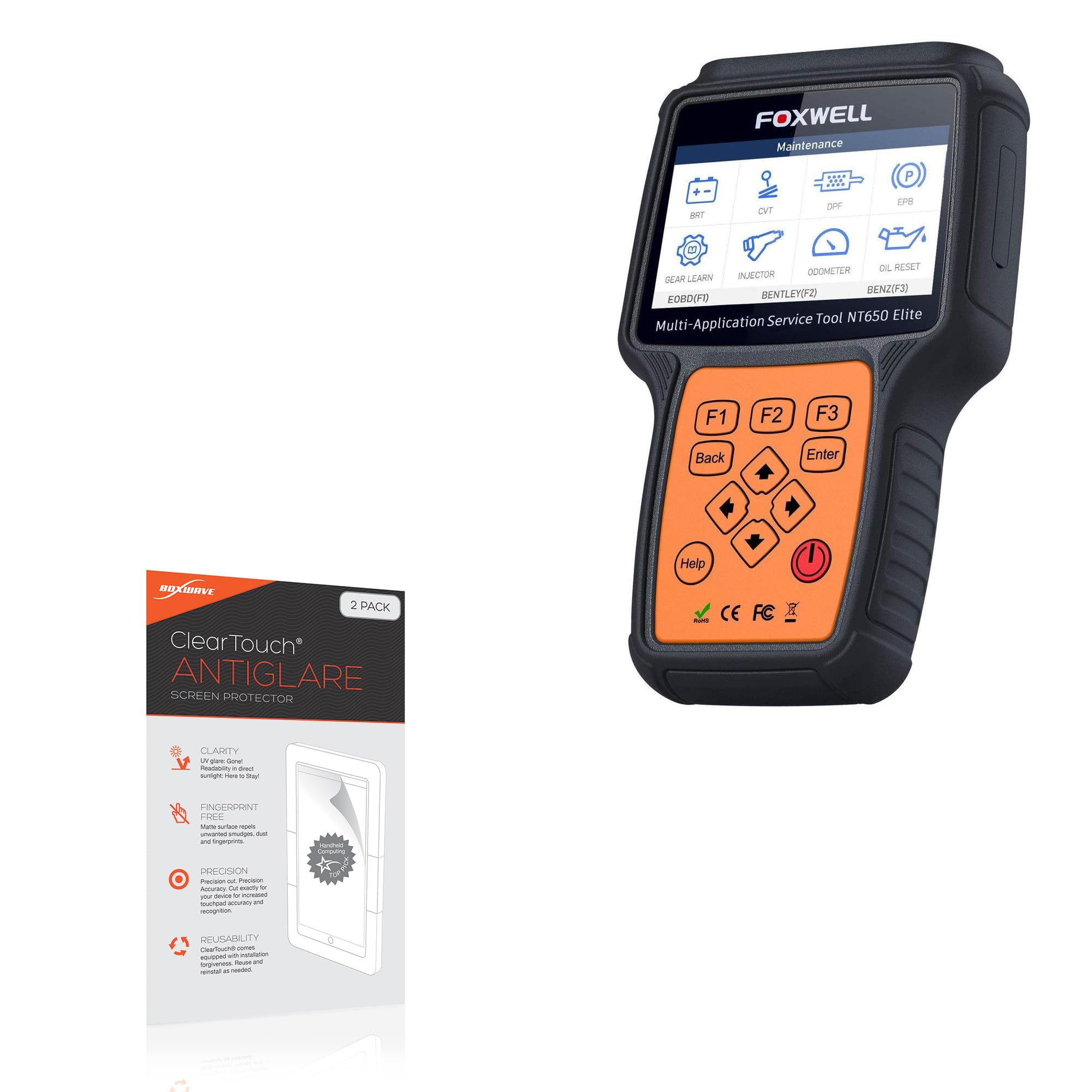
Image 1.1: BoxWave ClearTouch Anti-Glare Screen Protector packaging.
2. Contenuto della confezione
Verifica che tutti gli articoli siano presenti nel tuo pacco:
- Two (2) BoxWave ClearTouch Anti-Glare Screen Protectors
- One (1) Applicator Card
- One (1) Microfiber Cleaning Cloth
- One (1) Dust Removing Sticker

Image 2.1: Included accessories for screen protector installation.
3. Installazione (istruzioni per l'installazione)
Follow these steps for a clean and bubble-free installation:
- Clean the Device Screen: Use the included microfiber cleaning cloth to thoroughly clean the Foxwell NT650 screen. Ensure there are no dust particles, smudges, or fingerprints. For stubborn marks, a screen cleaner (not included) can be used, followed by drying with the microfiber cloth.
- Rimuovere la polvere: Use the dust removing sticker to lift any remaining dust particles from the screen. Gently press the sticker onto the screen and peel it off. Repeat as necessary.
- Peel Back Layer 1: Carefully peel back a small portion of the protective film labeled 'Layer 1' from one end of the screen protector. Avoid touching the adhesive side.
- Allinea il protettore: Align the exposed adhesive edge of the screen protector with one edge of your Foxwell NT650 screen. Ensure precise alignment with all cutouts and edges of the device.
- Apply and Smooth: Slowly and steadily lower the rest of the screen protector onto the device screen while simultaneously using the applicator card to smooth it down. Apply gentle, even pressure from the aligned edge outwards to prevent air bubbles.
- Rimuovere le bolle d'aria: If air bubbles appear, gently push them towards the nearest edge using the applicator card. For persistent bubbles, you may carefully lift a corner of the protector and reapply that section. The glueless adhesive allows for reapplication without leaving sticky residue.
- Remove Layer 2: Once the screen protector is fully applied and free of bubbles, carefully peel off the top protective film labeled 'Layer 2'.

Image 3.1: Illustration of screen protector alignment during installation.
4. Funzionamento (utilizzo)
Once installed, the BoxWave ClearTouch Anti-Glare Screen Protector enhances your device's usability:
- Anti-Glare Functionality: The matte surface disperses light, significantly reducing glare from direct sunlight or overhead lighting. This improves screen readability in various environments.
- Sensibilità al tocco: The screen protector maintains the original touch sensitivity of your Foxwell NT650, ensuring smooth and responsive interaction with the device.
- Sensazione simile alla carta: The unique matte texture provides a tactile experience similar to writing on paper, which can be beneficial for stylus use or precise touch input.

Image 4.1: Demonstrating the paper-like feel for enhanced interaction.

Image 4.2: Comparison of screen glare with and without the anti-glare protector.
5. Manutenzione
Per mantenere la trasparenza e l'efficacia della pellicola protettiva per lo schermo:
- Pulizia: Use the provided microfiber cleaning cloth to gently wipe the screen protector. For more thorough cleaning, lightly dampPulisci il panno con acqua o una soluzione detergente adatta allo schermo. Evita prodotti chimici aggressivi o materiali abrasivi.
- Anti-Fingerprint Properties: The oleophobic layer helps resist oil smudges and fingerprints. Regular wiping with the microfiber cloth will keep your screen clean.
- Protezione antigraffio: While the protector offers defense against scratches, avoid placing your device with sharp objects to prevent damage to the protector itself.

Image 5.1: Anti-smudge feature of the ClearTouch screen protector.
6. Risoluzione Dei Problemi
Problemi comuni e soluzioni:
- Bolle dopo l'installazione: Small bubbles can often be pushed out to the edges using the applicator card. For larger bubbles, carefully lift the nearest edge of the protector and reapply slowly, smoothing with the card.
- Protezione antipolvere: If dust particles are trapped, carefully lift the nearest edge of the protector. Use the dust removing sticker to gently dab the dust off both the screen and the adhesive side of the protector, then reapply.
- Sensibilità al tocco ridotta: Ensure the screen protector is applied smoothly without any gaps or trapped air. If issues persist, re-installation might be necessary.
- Protezione non aderente: Ensure the screen was thoroughly cleaned and dry before application. The glueless adhesive is designed for easy application and removal; if it's not adhering, check for debris or excessive oils on the screen.
7. Specifiche
| Caratteristica | Dettaglio |
|---|---|
| Nome del prodotto | ClearTouch Anti-Glare Screen Protector |
| Compatibilità | Foxwell NT650 (4.3 inch) |
| Quantità | Confezione da 2 |
| Fine | Matte, Anti-Glare, Anti-Fingerprint |
| Tipo di adesivo | Glueless |
| Peso dell'articolo | 0.7 once |
| ASIN | B0CW3W2G3X |
| Produttore | ScatolaWave |
8. Garanzia e supporto
For warranty information or technical support regarding your BoxWave ClearTouch Anti-Glare Screen Protector, please contact BoxWave Corporation directly. Refer to the contact information provided on the product packaging or visit the official BoxWave websito per assistenza.