
Introduzione
Thank you for choosing the eufy LR20 Robot Vacuum. This manual provides essential information for the safe operation, maintenance, and troubleshooting of your device. Please read it thoroughly before using the product and retain it for future reference.
Importanti istruzioni di sicurezza
Before using this product, read all safety instructions. Failure to follow these instructions may result in electric shock, fire, or serious injury.
- Questo apparecchio può essere utilizzato da bambini di età pari o superiore a 8 anni e da persone con capacità fisiche, sensoriali o mentali ridotte o prive di esperienza e conoscenza, solo se sorvegliati o istruiti sull'uso sicuro dell'apparecchio e se comprendono i pericoli connessi.
- I bambini devono essere sorvegliati per assicurarsi che non giochino con l'apparecchio.
- La pulizia e la manutenzione da parte dell'utente non devono essere eseguite da bambini senza supervisione.
- Utilizzare solo l'adattatore di alimentazione originale fornito dal produttore.
- Do not use the appliance in wet environments or on wet surfaces.
- Tenere capelli, abiti larghi, dita e tutte le parti del corpo lontano dalle aperture e dalle parti mobili.
- Non raccogliere nulla che stia bruciando o che stia producendo fumo, come sigarette, fiammiferi o cenere calda.
- Non utilizzare senza contenitore della polvere e/o filtri in posizione.
- Riporre l'apparecchio al chiuso.
Contenuto della confezione
Verificare che tutti i componenti siano presenti nella confezione:
- eufy LR20 Robot Vacuum
- Base di ricarica
- Adattatore di alimentazione
- Spazzole Laterali (x2)
- Strumento di pulizia
- Manuale d'uso
Prodotto finitoview
Familiarize yourself with the components of your eufy LR20 Robot Vacuum.
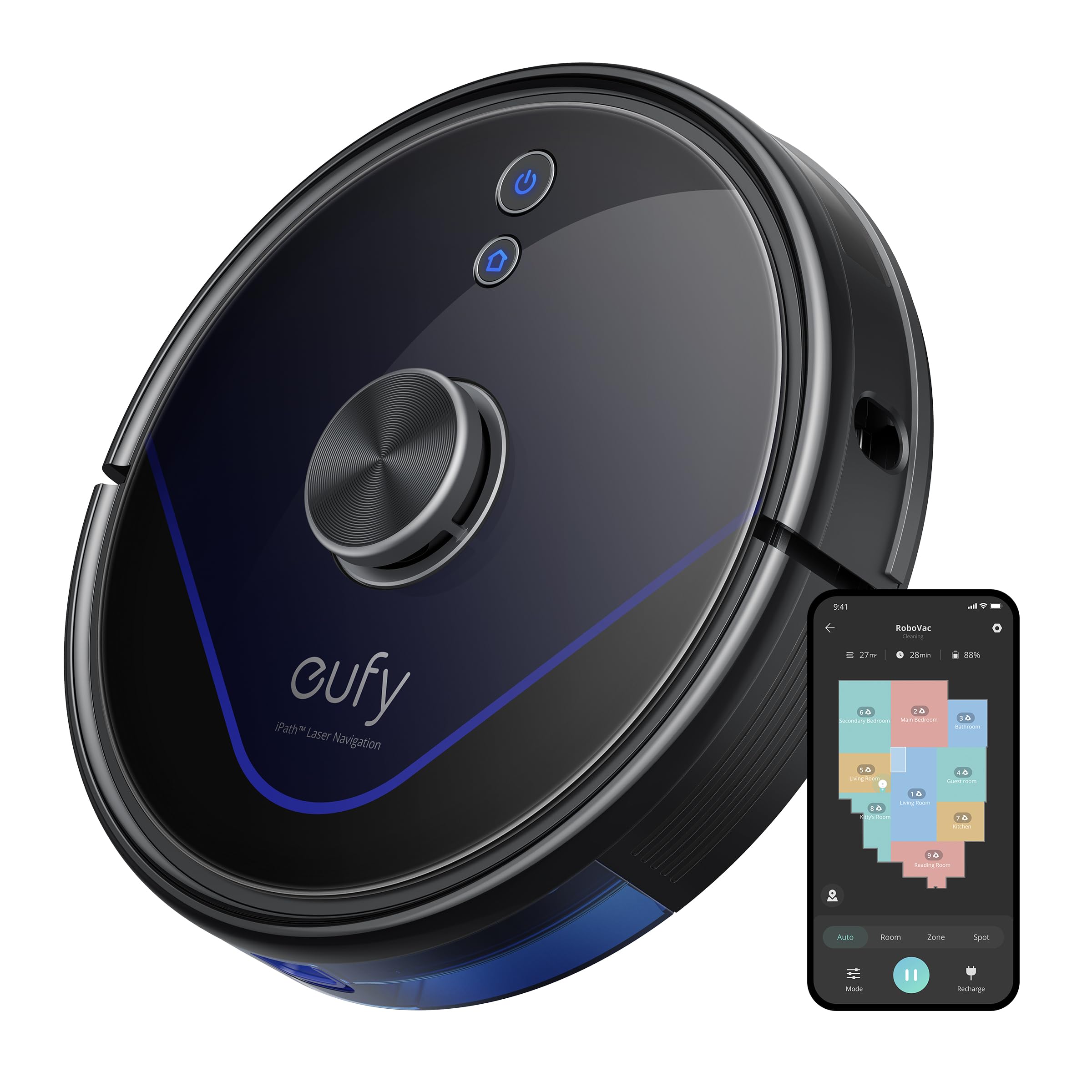
Image: The eufy LR20 Robot Vacuum shown with its charging base. The robot is black, circular, and features a laser navigation dome on top. The charging base is compact and designed for the robot to dock automatically.
Componenti del robot aspirapolvere:
- Superiore: Laser Navigation Sensor (LiDAR), Power/Clean Button, Wi-Fi Indicator.
- Davanti: Bumper Sensor.
- Metter il fondo a: Side Brushes, Main Brush, Driving Wheels, Universal Wheel, Drop Sensors, Charging Contacts.
- Cestino della spazzatura: Located under the top cover, includes a filter.
Componenti della base di ricarica:
- Perni di ricarica
- Indicatore di alimentazione
- Porta di alimentazione
Impostare
1. Prepare the Cleaning Area
- Remove power cords, small objects, and anything that could entangle the robot.
- Fold tasseled edges of area rugs underneath to prevent tangling.
- Avoid placing the robot on very dark-colored carpets or surfaces, as this may interfere with drop sensors.
2. Installare le spazzole laterali
- Premere le spazzole laterali sui montanti nella parte inferiore del robot finché non scattano in posizione.
3. Place the Charging Base
- Posizionare la base di ricarica su una superficie dura e piana, contro una parete.
- Ensure there is at least 3 ft (1 m) of clear space to the front and 1 ft (0.3 m) to each side of the charging base.
- Collegare l'adattatore di alimentazione alla base di ricarica e collegare l'altra estremità a una presa a muro.
- Do not place the charging base near stairs or open doorways.
4. Ricarica iniziale
- Place the robot onto the charging base, ensuring its charging contacts align with the pins on the base.
- The robot will automatically turn on and begin charging. The LED indicator on the robot will breathe orange while charging and turn solid blue when fully charged.
- Caricare completamente il robot prima del primo utilizzo (circa 5-6 ore).
5. Download the EufyHome App
- Download the "EufyHome" app from the App Store (iOS devices) or Google Play (Android devices).
- Open the app and follow the on-screen instructions to create an account and add your LR20 robot vacuum.
- Ensure your Wi-Fi network is 2.4GHz, as the LR20 only supports 2.4GHz Wi-Fi.
Utilizzo del robot aspirapolvere
Avvio di un ciclo di pulizia
- Tramite Robot: Press the Power/Clean button once to start cleaning in Auto mode. Press again to pause.
- Tramite App: Open the EufyHome app, select your LR20, and tap "Start" or choose a specific cleaning mode.
Modalità di pulizia
- Pulizia automatica: The robot cleans automatically using iPath Laser Navigation, following a Z-shaped path for efficient coverage.
- Pulizia delle macchie: Cleans a specific area intensely. Place the robot in the center of the desired area and select Spot Clean in the app.
- Pulizia della zona: Define a specific area on the map in the EufyHome app for the robot to clean.
Tecnologia BoostIQ
The LR20 automatically increases suction power within 1.5 seconds when it detects extra vacuuming strength is needed, such as on carpets.
Mappatura multipiano e zone vietate
- The robot can recognize and store up to three different floor maps.
- Use the EufyHome app to set virtual boundaries or "No-Go Zones" on your map to prevent the robot from entering specific areas.
Pianificazione
Set cleaning schedules through the EufyHome app for automated cleaning at preferred times.
Manutenzione
Regular maintenance ensures optimal performance of your eufy LR20. Always turn off the robot and disconnect it from the charging base before performing any maintenance.
Emptying the Dust Bin (After each use)
- Premere il pulsante di rilascio del contenitore della polvere ed estrarre il contenitore della polvere.
- Aprire il coperchio del contenitore della polvere e svuotarne il contenuto nel cestino.
Cleaning the Filter (Weekly)
- Rimuovere il filtro dal contenitore della polvere.
- Tap the filter to remove dust and debris. Do not wash the filter with water.
- Sostituire il filtro ogni 3-6 mesi, a seconda dell'utilizzo.
Cleaning the Main Brush (Weekly)
- Rimuovere la protezione della spazzola premendo le linguette di rilascio.
- Sollevare la spazzola principale.
- Use the cleaning tool to remove hair and debris wrapped around the brush.
- Reinstallare la spazzola principale e la protezione della spazzola.
Cleaning the Side Brushes (Monthly)
- Pull the side brushes off their posts.
- Rimuovere eventuali peli o detriti.
- Sostituire se danneggiato o usurato.
Cleaning Sensors and Charging Contacts (Monthly)
- Wipe the drop sensors, bumper sensor, and charging contacts on both the robot and the charging base with a dry cloth.
Risoluzione dei problemi
If the robot vacuum encounters an issue, refer to the following table for common problems and solutions.
| Problema | Soluzione |
|---|---|
| Il robot non si accende. | Ensure the robot is fully charged. Check if the power switch is ON. |
| Il robot non può caricare. | Verify the charging base is powered on. Clean the charging contacts on both the robot and the base. |
| Il robot si blocca spesso. | Clear obstacles from the cleaning path. Use No-Go Zones in the app for problematic areas. Clean driving wheels. |
| La potenza di aspirazione è debole. | Empty the dust bin. Clean or replace the filter. Clean the main brush. |
| Il robot non riesce a connettersi al Wi-Fi. | Ensure your Wi-Fi is 2.4GHz. Restart your router and the robot. Follow app instructions for re-pairing. |
| Il robot emette rumori insoliti. | Check the main brush and side brushes for tangled hair or debris. Inspect the universal wheel for obstructions. |
Specifiche
| Caratteristica | Specificazione |
|---|---|
| Modello | Modello LR20 |
| Potenza di aspirazione | 3200Pa (Ultra-strong) |
| Sistema di navigazione | iPath Laser Navigation (LiDAR) |
| Capacità del contenitore della polvere | 600 millilitri |
| Tipo di batteria | Ioni di litio |
| Durata della batteria | Fino a 145 minuti |
| Livello di rumore | 57.9 decibel |
| Supporto Wi-Fi | Solo 2.4 GHz |
| Metodo di controllo | App Control, Alexa, Google system |
| Caratteristiche speciali | BoostIQ Technology, Multi-Floor Mapping, HEPA Filtration |
Garanzia e supporto
eufy fornisce una garanzia limitata per questo prodotto. Per informazioni dettagliate sulla garanzia, consultare la scheda di garanzia inclusa nella confezione o visitare il sito ufficiale di eufy. websito.
Per supporto tecnico, assistenza per la risoluzione dei problemi o per acquistare parti di ricambio, contattare il servizio clienti eufy:
- Websito: www.eufylife.com
- E-mail: Fare riferimento alla scheda di garanzia o websito per e-mail di contatto specifiche.
- Telefono: Fare riferimento alla scheda di garanzia o websito per un numero di contatto specifico.
Please have your model number (LR20) and purchase information ready when contacting support.