
1. Introduzione
1.1 Prodotto finitoview
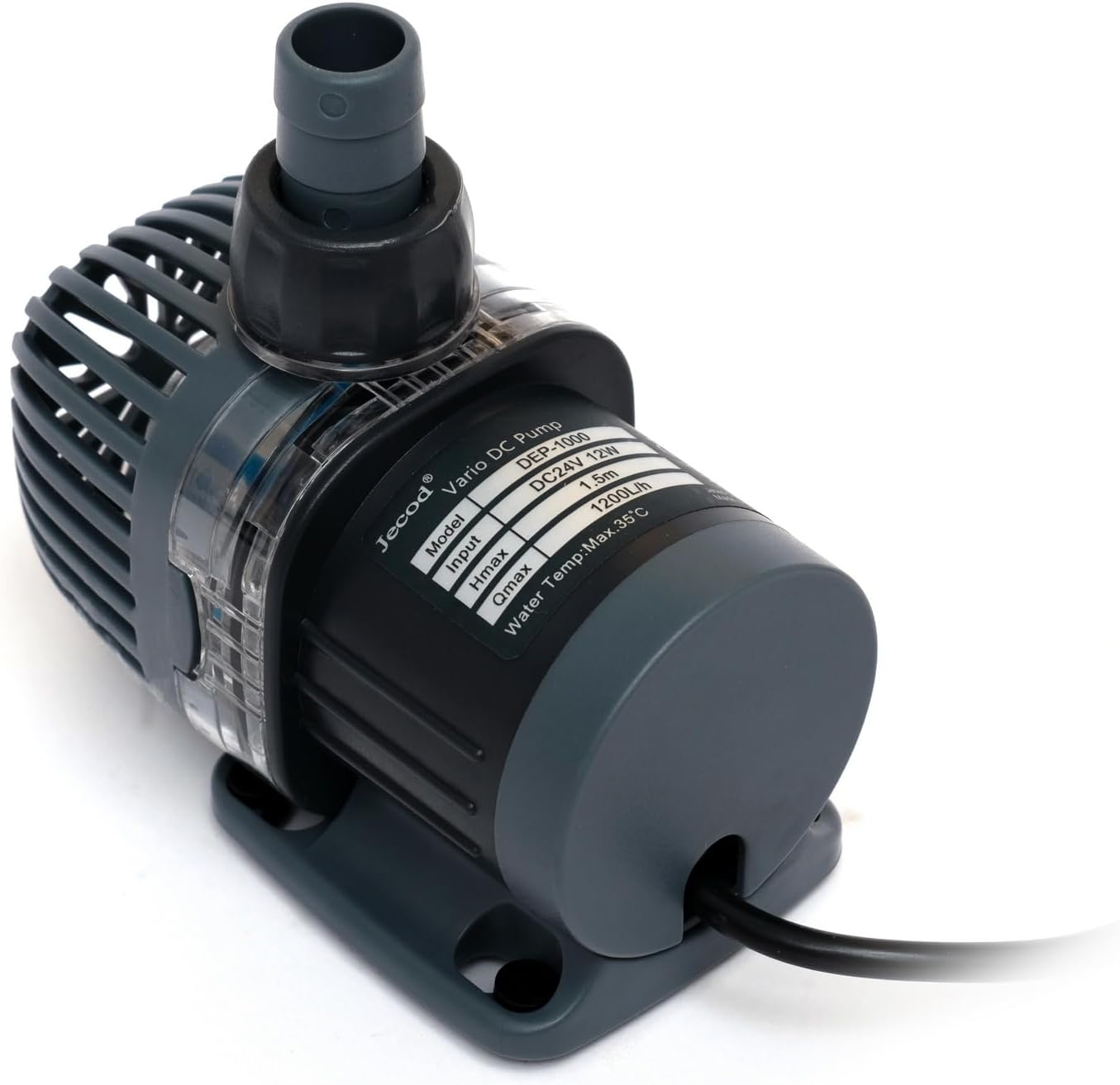
The Jebao DEP-1000 is a high-efficiency, energy-saving submersible DC pump designed for both saltwater and freshwater aquarium environments. It utilizes advanced frequency conversion electronic technology to achieve significant energy savings and operates with an ultra-quiet sine wave technology. The pump features a Bluetooth connection for APP control and a visual LCD display for manual adjustments. Key functionalities include a 10-minute feeding suspension and a delayed restart feature.
1.2 Caratteristiche principali
- Bluetooth connection for APP control.
- Manual and APP control system with a visual LCD display.
- Bottom-suction water intake for low water-level operation.
- Sine wave technology for ultra-quiet operation.
- IC electronic detection for dry/locked rotor protection.
- Feeding suspension function for 10 minutes.
- Suitable for saltwater and freshwater conditions without copper elements.
2. Istruzioni di sicurezza
Please read and understand all safety instructions before operating this pump. Failure to follow these instructions may result in electric shock, fire, or serious injury.
- Scollegare sempre l'alimentazione elettrica prima di effettuare qualsiasi operazione di manutenzione o installazione.
- Questa pompa è progettata esclusivamente per uso sommerso. Non utilizzarla a secco.
- Assicurarsi che il cavo di alimentazione e la spina siano in buone condizioni. Non utilizzare se danneggiati.
- Do not use this pump in flammable liquids or environments.
- The pump is intended for indoor use in aquariums.
- Assicurare il volumetage supplied matches the pump's requirements (110 volts).
- Keep the controller and power adapter away from water.
- I bambini devono essere sorvegliati per assicurarsi che non giochino con l'apparecchio.
3. Contenuto della confezione
Disimballare con cura la scatola e assicurarsi che tutti gli articoli siano presenti e in buone condizioni. Se alcuni articoli risultano mancanti o danneggiati, contattare il rivenditore.
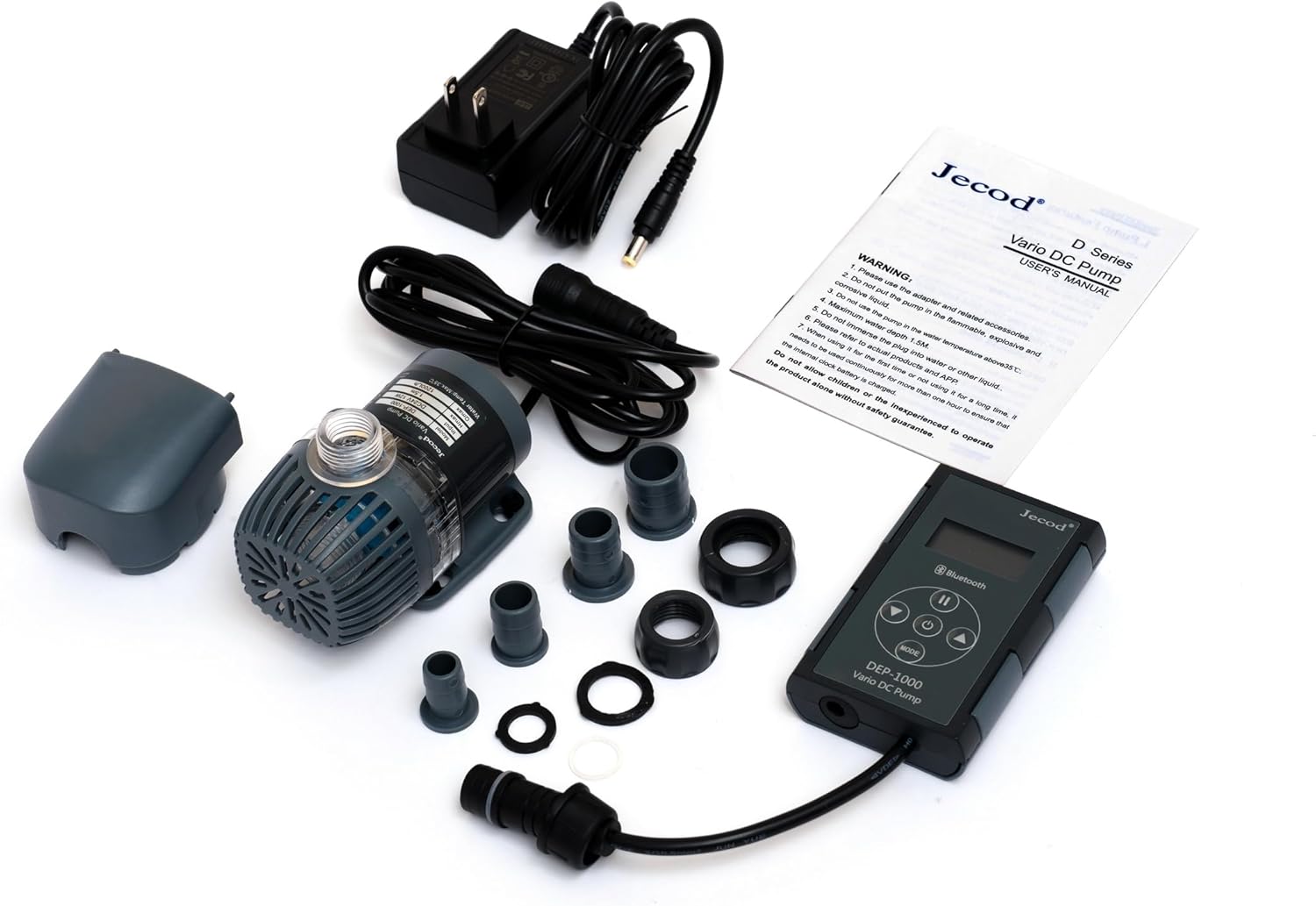
- Jebao DEP-1000 DC Pump
- LED Screen Display Controller with Bluetooth function
- Adattatore di alimentazione
- Hose Adapters (1/2", 5/8" for outlet; 3/4", 1" for intake)
- Manuale d'uso
4. Guida all'installazione
4.1 Pump Placement and Hose Connection
- Scegli la posizione: Place the pump fully submerged in your aquarium or sump. Ensure it rests on a stable, flat surface. The bottom-suction design allows for operation in low water levels.
- Collegare il tubo di scarico: Select the appropriate hose adapter (1/2" or 5/8") for your plumbing and securely attach it to the pump's outlet. Connect your return plumbing hose to this adapter.
- Attach Intake Hose (Optional): If using an intake hose, select the appropriate adapter (3/4" or 1") and attach it to the pump's intake.


4.2 Collegamento elettrico
- Connect the pump's cable to the LED screen display controller.
- Connect the power adapter to the LED screen display controller.
- Collegare l'adattatore di alimentazione a una presa elettrica standard da 110 volt.
- Assicurarsi che il cavo di alimentazione formi un anello di gocciolamento per impedire all'acqua di scorrere lungo il cavo e raggiungere la presa elettrica.
4.3 Bluetooth Pairing (APP Control)
- Download the official Jebao/Jecod APP from your device's app store.
- Assicurati che il Bluetooth sia abilitato sul tuo dispositivo mobile.
- Open the APP and follow the on-screen instructions to search for and pair with your DEP-1000 pump. The controller's LCD display will indicate successful pairing.
5. Istruzioni per l'uso
5.1 Accensione/spegnimento
- Once connected to power, the pump will automatically turn on and display its current settings on the LCD screen.
- To turn off the pump, press the power button on the controller or use the APP. Press again to turn on.
5.2 Regolazione della portata
- Controllo manuale: Use the '+' and '-' buttons on the controller to increase or decrease the flow rate. The LCD screen will show the current setting.
- Controllo APP: Open the Jebao APP on your paired device. Navigate to the pump control interface and use the sliders or buttons to adjust the flow rate.
5.3 Feeding Suspension Function
The pump features a 10-minute feeding suspension mode to allow for feeding without water circulation. During this mode, the pump will temporarily stop and then automatically resume operation after 10 minutes.
- Attivare: Press the 'FEED' button on the controller or select the feeding mode in the APP.
- Disattivare: The pump will automatically restart after 10 minutes. To manually resume earlier, press the 'FEED' button again.
5.4 Delayed Restart
The pump incorporates a delayed restart function to prevent damage from power fluctuations or brief power outages. After a power interruption, the pump will wait a short period before restarting to ensure stable power supply.
6. Manutenzione
Una manutenzione regolare garantisce prestazioni ottimali e prolunga la durata della pompa.
- Scollegare l'alimentazione: Prima di effettuare qualsiasi intervento di manutenzione, scollegare sempre la pompa dalla presa di corrente.
- Girante pulita: Periodically remove the pump's front cover and impeller assembly. Clean any debris, algae, or calcium buildup from the impeller and its housing using a soft brush and warm water. For stubborn calcium deposits, a mild vinegar solution can be used. Rinse thoroughly.
- Ispezionare Casing: Controllare la pompa casing and intake screen for any blockages or damage. Clean as necessary.
- Controllare le connessioni: Ensure all hose connections are secure and free from leaks.
- Rimontare: Rimontare con attenzione la pompa, assicurandosi che tutti i componenti siano posizionati correttamente.
7. Risoluzione Dei Problemi
| Problema | Possibile causa | Soluzione |
|---|---|---|
| Pompa non funzionante |
|
|
| Bassa portata |
|
|
| Rumore eccessivo |
|
|
| Problemi di connessione Bluetooth |
|
|
8. Specifiche
| Caratteristica | Dettaglio |
|---|---|
| Numero di modello | DEP-1000 |
| Marca | Jebao |
| Dimensioni del prodotto (L x P x A) | 3.75" x 2.25" x 3" (Pump only) |
| Fonte di alimentazione | Elettrico con cavo |
| Voltage | 110 volt |
| Consumo energetico | 12 watt |
| Portata massima | 317 GPH (1200 l/h) |
| Altezza massima di sollevamento (H-max) | 4.9 piedi |
| Outlet Hose Adapter Sizes | 1/2", 5/8" |
| Intake Hose Adapter Sizes | 3/4", 1" |
| Materiale | Plastica |
| Colore | Nero |
| Compatibilità | Saltwater and Freshwater |
9. Informazioni sulla garanzia
Specific warranty details for the Jebao DEP-1000 pump are not provided in this manual. For information regarding warranty coverage, duration, and claims, please refer to the product packaging or contact the manufacturer directly. Keep your proof of purchase for any warranty-related inquiries.
10. Assistenza clienti
If you encounter any issues or have questions not covered in this manual, please contact Jebao customer support. Contact information can typically be found on the product packaging, the manufacturer's official websito o tramite il tuo rivenditore.
Produttore: Jebao


