
1. Introduzione
Thank you for choosing the VCHICS Digital Audio Amplifier Receiver Module. This device is designed to provide versatile audio playback options, including Bluetooth, USB, TF card, and FM radio, with adjustable bass and treble controls. This manual will guide you through the setup, operation, and maintenance of your ampmodulo lificatore.
2. Caratteristiche principali
- MP3 music playback from TF card, USB disk, and Bluetooth.
- Adjustable Treble, Bass, and Master Volume controls.
- Integrated Bluetooth receiver for wireless audio streaming.
- Funzione radio FM integrata.
- AUX port for connection to PC, phone, or CD players.
- Supports AC 110-220V or DC 12-24V input voltage.
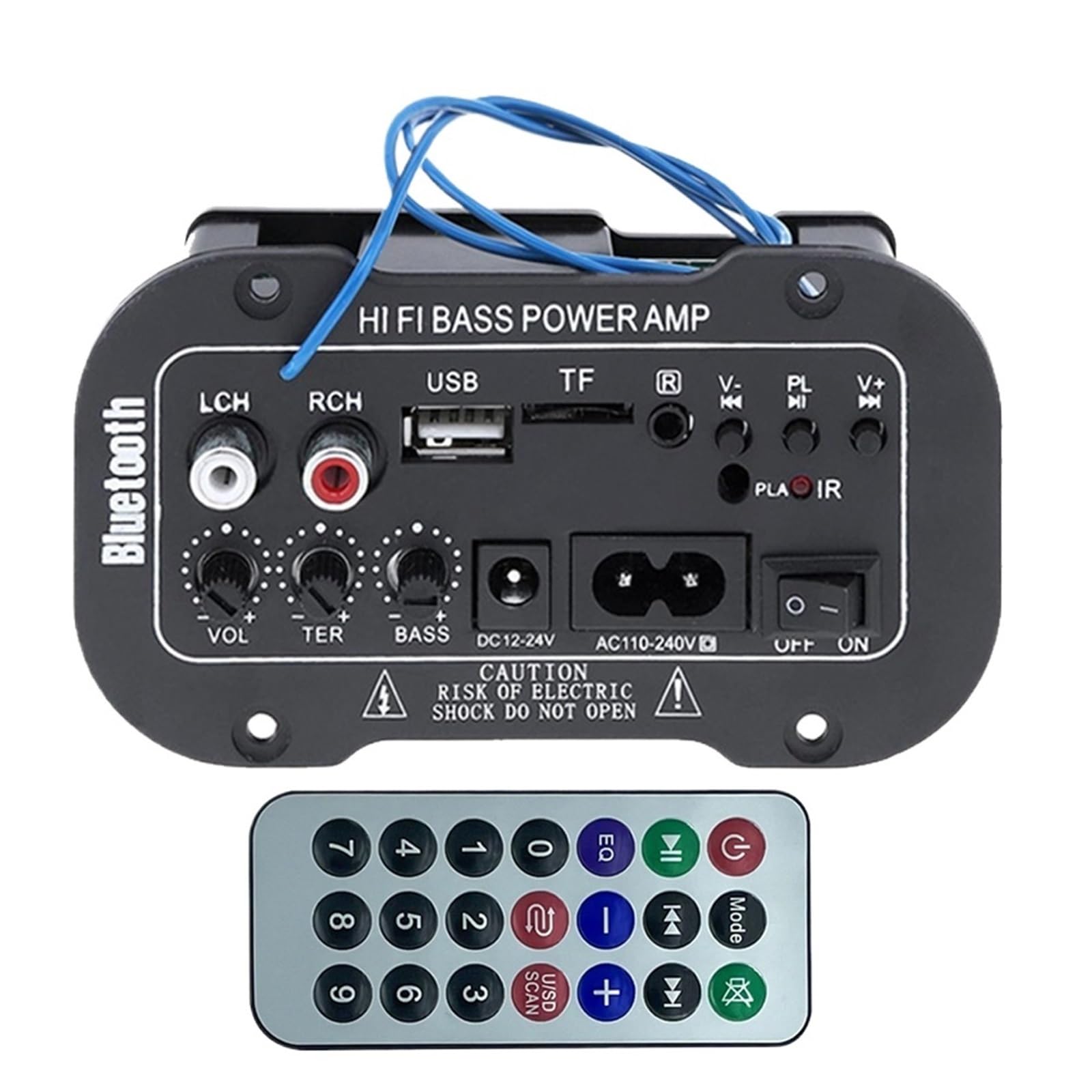
Figura 1: Oltreview of the VCHICS Digital Audio Amplifier Receiver Module.
3. Specifiche
| Specificazione | Valore |
|---|---|
| Versione Bluetooth | 2.1+EDR |
| Volume di eserciziotage | 9-20 V DC |
| Potenza di lavoro | 25-30 Watt |
| Codice di codifica | SBC |
| Impedenza | 4 Ohm |
| Dimensioni dell'unità altoparlante | 133 millimetri |
| Sensibilità | 200hv |
| Risposta in frequenza | Frequenza |
| Peso dell'articolo | 400 grammi |
| Numero di canali | 1 |
| Numero di modello | 1005005454581585 |

Figure 2: Product dimensions (11.7cm x 6.5cm x 4.5cm / 10cm x 4cm).
4. Controlli e collegamenti
Familiarize yourself with the various controls and connection ports on your ampmodulo lificatore:

Figura 3: dettagliata view of controls and connection points.
- LCH / RCH (Audio Input): Left and Right channel audio input for external devices.
- Porta USB: Per collegare unità flash USB per la riproduzione di MP3.
- Slot TF: Per inserire schede TF (MicroSD) per la riproduzione di MP3.
- Previous / Next (V- / V+): Navigate tracks or adjust volume in certain modes.
- Play / Pause (PL/IR): Play/pause audio, or initiate FM scan. IR indicates Infrared Sensor for remote control.
- Indicatore: Luce di stato.
- Sensore a infrarossi: For receiving signals from a remote control (if included or compatible).
- SPENTO ACCESO: Power switch for the module.
- AC110-240V: Ingresso di alimentazione CA.
- CC 12-24 V: Ingresso di alimentazione CC.
- Regolazione dei bassi: Rotary knob to adjust bass levels.
- Regolazione degli alti: Rotary knob to adjust treble levels.
- Regolazione del volume: Rotary knob to adjust master volume.
- Pulsante Bluetooth: Attiva la modalità Bluetooth.
5. Impostazione
5.1 Collegamento di alimentazione
- Assicurare il amplifier module is switched OFF.
- Connect the appropriate power supply to either the AC110-240V ingresso o il DC12-24V input. Use only the specified voltage gamma per evitare danni.
5.2 Collegamento degli altoparlanti
Connect your speakers to the output terminals of the amplifier module. Ensure correct polarity (+/-) for optimal sound quality.
5.3 Antenna Connection (for FM Radio)
If using the FM radio function, connect the provided FM antenna to the designated antenna port for better reception.
6. Istruzioni per l'uso
6.1 Accensione/spegnimento
Attiva/disattiva SPENTO ACCESO switch to power on or power off the module.
6.2 Connessione Bluetooth
- Premere il tasto MODALITÀ button (or the Bluetooth button if labeled) to switch the amplifier to Bluetooth mode.
- On your mobile phone or Bluetooth device, open the Bluetooth settings and search for available devices.
- Selezionare il amplifier's Bluetooth device name (usually "Bluetooth" or similar) from the list to connect.
- Once successfully paired, you can play audio from your device through the amppiù vivace.
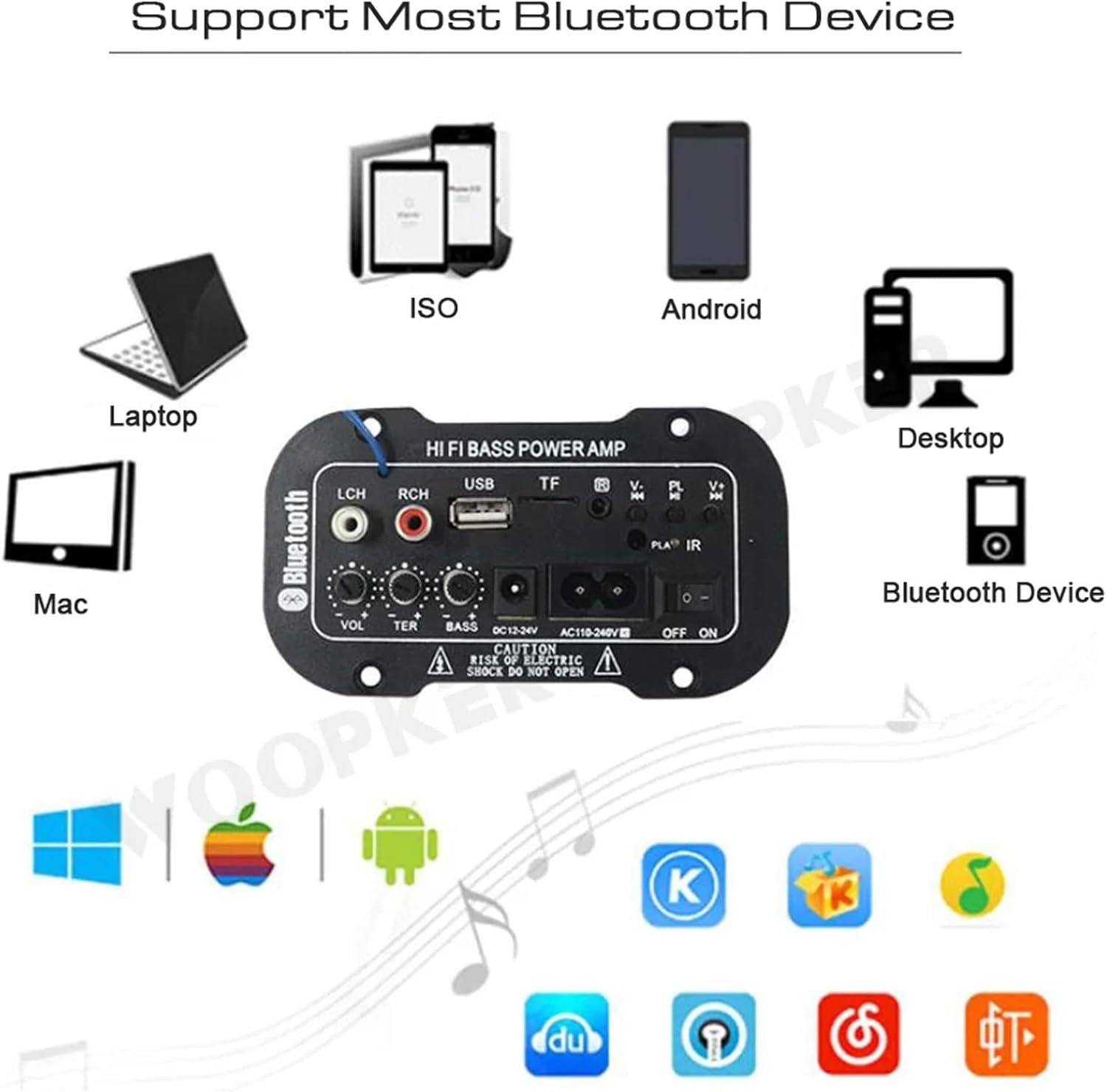
Figura 4: Il amplifier module supports various Bluetooth devices including laptops, phones, and desktops.
6.3 Funzionamento della radio FM
- Assicurarsi che l'antenna radio sia collegata correttamente.
- Premere il tasto MODALITÀ pulsante per cambiare il amplifier to FM radio mode.
- Premere il tasto Riproduci / Pausa button to initiate an automatic scan for all available FM channels. The module will save them automatically.
- Utilizzare il Precedente Successivo buttons to switch between saved radio stations.
6.4 Riproduzione tramite scheda USB/TF
- Inserisci un'unità flash USB nel Slot USB or a TF (MicroSD) card into the Slot TF.
- The module should automatically detect the storage device and begin playing MP3 files. In caso contrario, premere il tasto MODALITÀ button to cycle through input sources until USB or TF mode is active.
- Utilizzare il Precedente Successivo buttons to change tracks and the Riproduci / Pausa pulsante per controllare la riproduzione.
6.5 Ingresso AUX
Connect an external audio source (e.g., PC, phone, CD player) to the LCH / RCH (Audio Input) ports using an appropriate audio cable. Press the MODALITÀ button to select the AUX input source.
6.6 Regolazione dell'audio
Utilizzare il Regolazione del volume, Regolazione degli alti, E Regolazione dei bassi rotary knobs to fine-tune your audio output to your preference.
7. Risoluzione Dei Problemi
- Nessun potere: Ensure the power cable is securely connected and the power switch is in the ON position. Verify the power source is active and providing the correct voltage (AC 110-240V or DC 12-24V).
- Nessun suono: Check speaker connections for correct polarity. Ensure the volume is turned up. Verify the correct input mode (Bluetooth, FM, USB, TF, AUX) is selected. Test with a different audio source.
- Bluetooth non si connette: Assicurati che il amplifier is in Bluetooth mode. Ensure your device's Bluetooth is enabled and within range. Try restarting both the amplifier e il tuo dispositivo Bluetooth.
- Scarsa ricezione FM: Ensure the FM antenna is properly connected and extended. Try repositioning the antenna or the amplifier per un segnale migliore.
- La scheda USB/TF non funziona: Ensure the USB drive or TF card contains compatible MP3 audio files. Check that the storage device is inserted correctly and not corrupted.
8. Manutenzione
- Mantieni il amplifier module clean by wiping it with a soft, dry cloth.
- Evitare di esporre il dispositivo a umidità, temperature estreme o luce solare diretta.
- Do not attempt to disassemble or repair the module yourself, as this may void any warranty and cause damage.
9. Garanzia e supporto
Per informazioni sulla garanzia e assistenza tecnica, consultare la documentazione fornita al momento dell'acquisto o contattare il rivenditore. Conservare la prova d'acquisto per eventuali reclami in garanzia.