
1. Prodotto finitoview
The Amkette Hush Pro Astra is a wireless mouse designed for comfort and efficiency. It features 2.4 GHz wireless connectivity, silent switches for quiet operation, an ergonomic design, and adjustable DPI settings for precise control. The mouse also includes an On/Off switch and a smart auto-sleep function to conserve battery life.
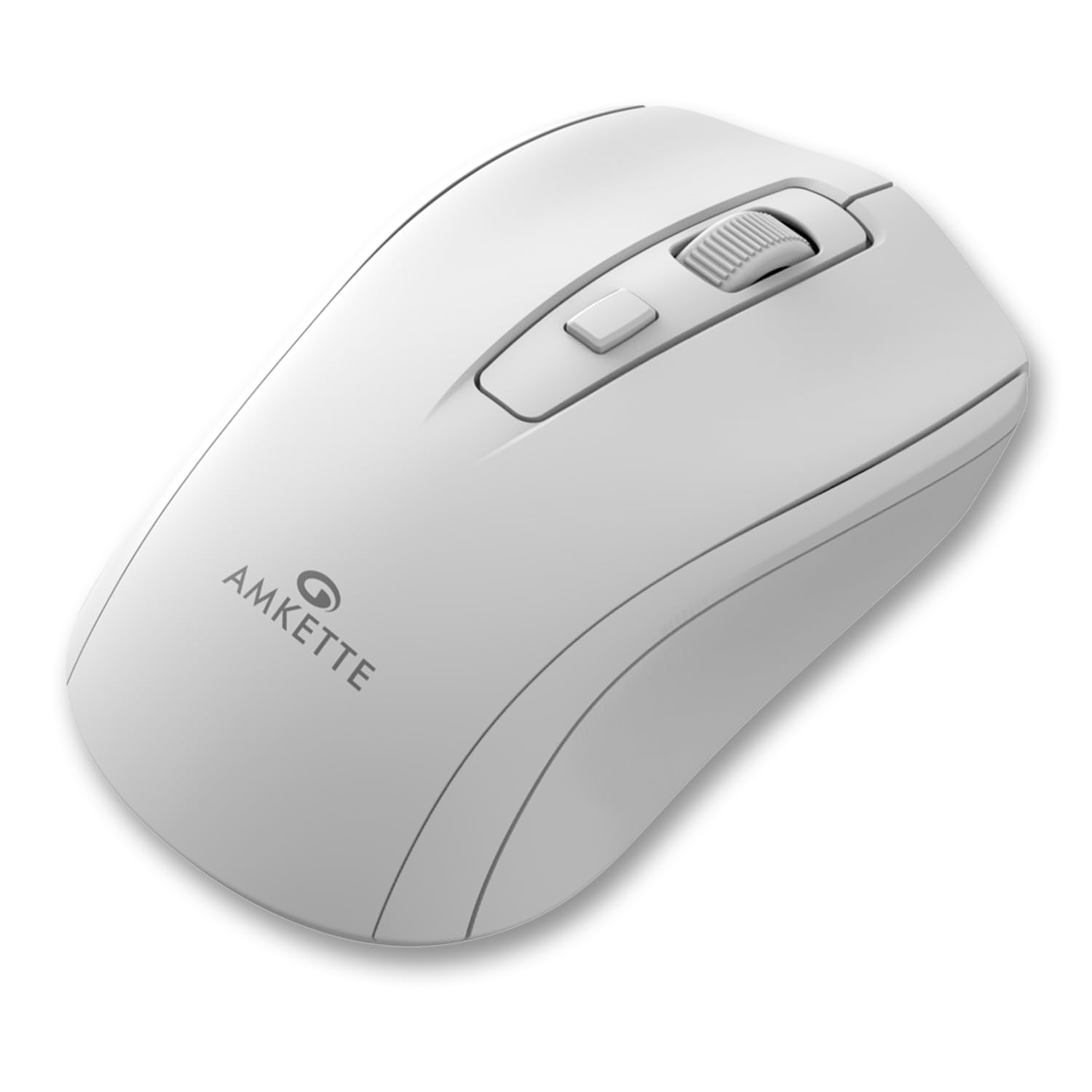
Figure 1: Amkette Hush Pro Astra Wireless Mouse (White)
Caratteristiche principali:
- Connettività wireless avanzata a 2.4 GHz: Ensures a stable, lag-free connection.
- Interruttori silenziosi: Provides noiseless clicks for an undisturbed work environment.
- Design ergonomico: Shaped for comfortable long-term use.
- Impostazioni DPI regolabili: Three levels (800-1000-1200 DPI) for customizable cursor sensitivity.
- Interruttore On/Off: For manual power control.
- Smart Auto Sleep Function: Conserva automaticamente la batteria quando non è in uso.
- Compatto e portatile: Easy to carry in a laptop bag.

Figure 2: Ergonomic grip design with matte finish for enhanced comfort.

Figure 3: Silent click switches for quiet operation.

Figure 4: Universal compatibility with Windows, Mac OS, Chrome OS, and Linux.
2. Istruzioni per l'installazione
2.1 Contenuto della confezione
Before you begin, ensure your package contains the following:
- Amkette Hush Pro Astra Wireless Mouse
- Ricevitore nano USB
Note: 1 AA battery is required and not included in the box.
2.2 Installazione della batteria
- Individuare il vano batteria sul lato inferiore del mouse.
- Far scorrere delicatamente il coperchio della batteria per aprirlo.
- Inserire una batteria AA, assicurandosi che i terminali positivo (+) e negativo (-) siano allineati correttamente con le marcature all'interno del vano.
- Chiudere il coperchio della batteria finché non scatta saldamente in posizione.

Figure 5: Battery compartment and On/Off switch location.
2.3 Collegamento del mouse
- Remove the USB Nano receiver from its storage slot, usually located within the battery compartment or on the underside of the mouse.
- Plug the USB Nano receiver into an available USB port on your computer (PC, Mac, Laptop, etc.).
- Accendere il mouse utilizzando l'interruttore On/Off situato nella parte inferiore.
- Il computer dovrebbe rilevare e installare automaticamente i driver necessari. Il mouse sarà pronto all'uso entro pochi secondi.

Figure 6: Connecting the USB Nano receiver to a laptop.
3. Istruzioni per l'uso
3.1 Accensione/spegnimento
To turn the mouse on or off, use the slide switch located on the underside of the mouse. Slide it to the 'ON' position for use and 'OFF' to conserve battery when not in use.
3.2 Regolazione DPI
The mouse features a dedicated DPI button, usually located behind the scroll wheel. Press this button to cycle through three different DPI (Dots Per Inch) settings: 800, 1000, and 1200. A higher DPI setting results in faster cursor movement, while a lower DPI setting provides more precise control.

Figure 7: DPI button and available sensitivity levels.
3.3 Funzione clic silenzioso
The Amkette Hush Pro Astra is equipped with silent switches, significantly reducing the clicking noise. This feature is ideal for quiet environments, ensuring minimal disturbance during use.
3.4 Smart Auto Sleep Function
To extend battery life, the mouse will automatically enter a sleep mode after a period of inactivity. To wake the mouse, simply move it or click any button.
4. Manutenzione
4.1 Pulizia
- Utilizzare un panno morbido e asciutto per pulire la superficie del mouse.
- Per sporco ostinato, leggermente dampPulisci il panno con acqua o una soluzione detergente delicata. Evita prodotti chimici aggressivi.
- Non immergere il mouse in acqua o in altri liquidi.
- Clean the optical sensor on the underside periodically with a cotton swab to ensure smooth tracking.
4.2 Conservazione
- When not in use for extended periods, turn off the mouse using the On/Off switch.
- Store the USB Nano receiver inside the mouse's designated slot to prevent loss.
- Keep the mouse in a cool, dry place away from direct sunlight and extreme temperatures.
5. Risoluzione Dei Problemi
5.1 Il mouse non risponde
- Controllare la batteria: Assicurarsi che la batteria AA sia installata correttamente e abbia una carica sufficiente. Sostituirla se necessario.
- Interruttore di alimentazione: Verify that the On/Off switch on the underside of the mouse is in the 'ON' position.
- Collegamento del ricevitore: Ensure the USB Nano receiver is securely plugged into a working USB port on your computer. Try a different USB port.
- Riassociazione: In rare cases, the mouse and receiver might lose connection. Try unplugging and re-plugging the receiver, then turn the mouse off and on again.
5.2 Movimento irregolare del cursore
- Sensore pulito: Pulisci il sensore ottico sul lato inferiore del mouse.
- Superficie: Utilizzare il mouse su una superficie pulita, non riflettente e uniforme. Evitare superfici in vetro o altamente riflettenti.
- Interferenza: Move the mouse closer to the USB receiver. Other wireless devices or large metal objects might cause interference.
5.3 Durata breve della batteria
- Spegnere quando non in uso: Always turn off the mouse using the On/Off switch when not in use for extended periods.
- Qualità della batteria: Use high-quality AA alkaline batteries.
- Sospensione automatica: The mouse has an auto-sleep function, but manual power-off provides maximum battery conservation.
6. Specifiche
| Caratteristica | Specificazione |
|---|---|
| Marca | Amkette |
| Numero di modello | 516 |
| Serie | Hush Pro Astra |
| Tecnologia di connettività | Wireless a 2.4 GHz (ricevitore nano USB) |
| Tecnologia di rilevamento del movimento | Ottico |
| Impostazioni DPI | 800-1000-1200 DPI (regolabile) |
| Caratteristica speciale | Silent Clicks, Ergonomic Design, On/Off Switch, Smart Auto Sleep Function |
| Fonte di alimentazione | Alimentato a batteria (richiede 1 batteria AA, non inclusa) |
| Compatibilità del sistema operativo | Linux, Windows 7, Windows XP, Mac OS, Chrome OS |
| Dimensioni del prodotto | Dimensioni: 11 x 6 x 0.1 cm |
| Peso dell'articolo | 30 grammi |
| Colore | Bianco |
7. Garanzia e supporto
7.1 Informazioni sulla garanzia
The Amkette Hush Pro Astra Wireless Mouse comes with a hassle-free Garanzia di fabbricazione di 1 anni dalla data di acquisto. La presente garanzia copre i difetti di fabbricazione in normali condizioni d'uso.
7.2 Assistenza clienti
For any assistance, queries, or warranty claims, please contact our support team. You can reach them via call or WhatsApp for prompt assistance with any issues.
Please refer to the product packaging or the official Amkette websito per i dettagli di contatto più aggiornati.
8. Video di prodotto
Video 1: Amkette Hush Pro Astra Wireless Mouse Overview. This video highlights the ergonomic design, adjustable DPI settings, and silent click features of the mouse.
Video 2: Amkette Hush Pro Astra Wireless Mouse Features. This video demonstrates the advanced 2.4 GHz connectivity, silent operation, and portability of the mouse.