
Introduzione
This manual provides detailed instructions for the setup, operation, maintenance, and troubleshooting of your ZTE MC888 Ultra 5G Router. The MC888 Ultra is a high-performance 5G router designed to deliver fast and reliable internet connectivity. It supports download speeds up to 3.8 Gbps and upload speeds up to 280 Mbps, features dual Gigabit LAN/WAN ports, and includes an RJ11 port for voice calls via VoIP, VoLTE, or VoNR.
Informazioni sulla sicurezza
- Leggere attentamente tutte le istruzioni prima di utilizzare il dispositivo.
- Do not open or modify the device. Unauthorized modifications can void your warranty and create safety hazards.
- Use only the power adapter and accessories supplied with the router.
- Tenere il dispositivo lontano da acqua, umidità e temperature estreme.
- Assicurare una ventilazione adeguata attorno al router per evitare il surriscaldamento.
- Evitare di posizionare il router vicino a forti campi elettromagnetici.
Contenuto della confezione
Verifica che tutti gli articoli siano presenti nel tuo pacco:
- Router ZTE MC888 Ultra 5G
- Adattatore di alimentazione
- Cavo Ethernet
- Guida rapida (non inclusa in questo manuale)
Dispositivo suview
Familiarize yourself with the ports and indicators on your ZTE MC888 Ultra 5G Router.
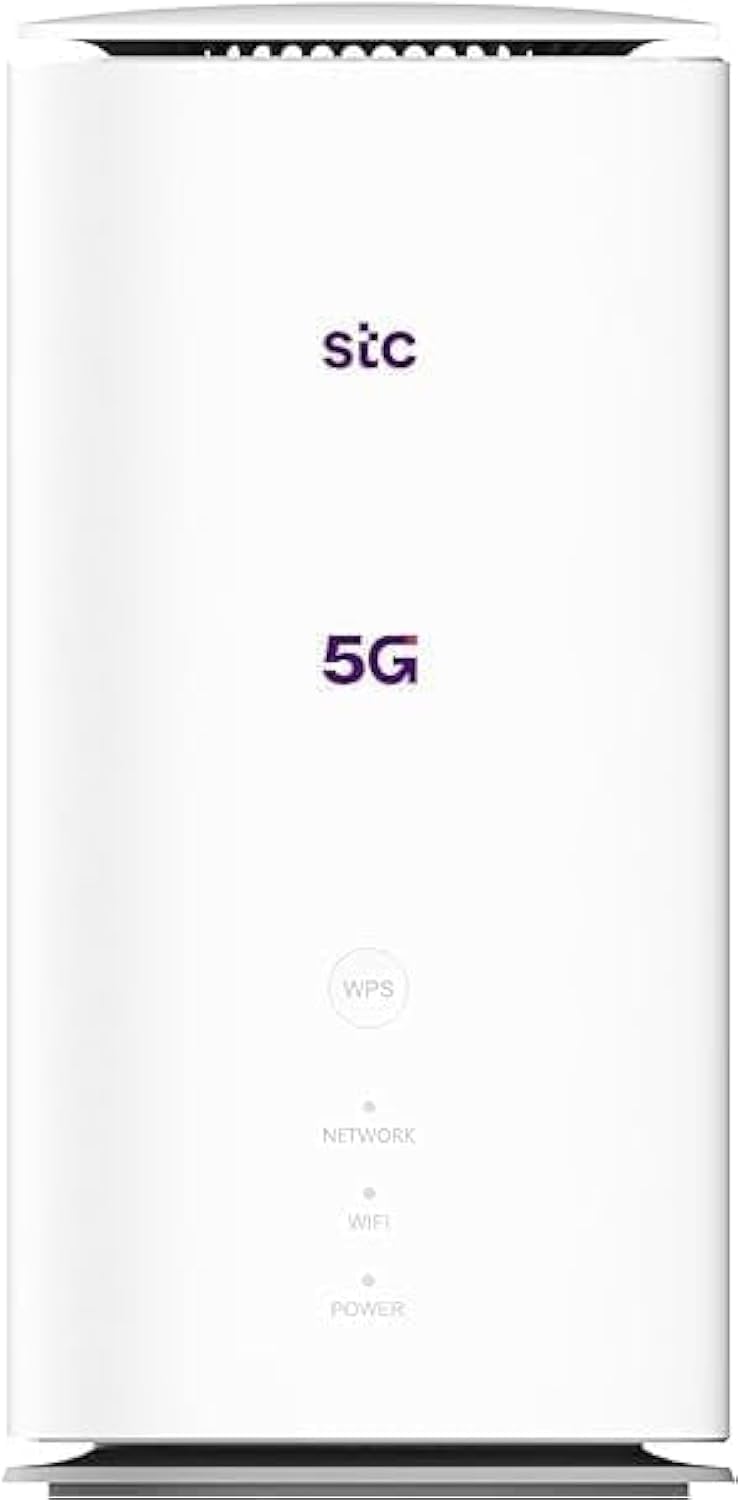
Immagine: anteriore e posteriore view of the ZTE MC888 Ultra 5G Router, showing LED indicators, SIM card slot, power port, LAN/WAN ports, and RJ11 port.
Indicatori del pannello frontale:
- LED di potenza: Indica lo stato dell'alimentazione.
- LED di rete: Indica lo stato della connessione di rete 5G/4G.
- LED Wi-Fi: Indica l'attività Wi-Fi.
Porte del pannello posteriore:
- Porta di alimentazione: Si collega all'alimentatore.
- LAN/WAN Ports (x2): Gigabit Ethernet ports for wired connections or WAN input.
- Porta RJ11: For connecting a telephone for VoIP, VoLTE, or VoNR calls.
- Slot per scheda SIM: Per inserire la tua scheda SIM 5G/4G.
- Pulsante di reset: Utilizzato per ripristinare le impostazioni predefinite di fabbrica.
Impostare
1. Inserisci la scheda SIM
- Assicurarsi che il router sia spento.
- Individuare lo slot per la scheda SIM sul pannello posteriore.
- Inserisci una scheda Nano-SIM standard nello slot con i contatti dorati rivolti verso il basso e l'angolo dentellato orientato correttamente. Spingi finché non scatta in posizione.
2. Collegare l'alimentazione
- Connect the supplied power adapter to the router's power port.
- Collegare l'altra estremità dell'alimentatore a una presa a muro.
3. Accensione
- The router will automatically power on. Wait for the Power LED to turn solid, and the Network LED to indicate a stable 5G/4G connection. This may take a few minutes.
4. Connetti i dispositivi
- Connessione Wi-Fi: Find the Wi-Fi network name (SSID) and password printed on the label at the bottom of the router. Select this network on your device (smartphone, laptop, etc.) and enter the password.
- Connessione Ethernet: Use the provided Ethernet cable to connect your computer or other network device to one of the LAN/WAN ports on the router.
Operativo
Accesso al Web Interfaccia
- Aprire un web browser su un dispositivo connesso al router.
- Inserisci l'indirizzo IP predefinito del router (ad esempio, 192.168.0.1 or 192.168.1.1) into the address bar and press Enter. The exact IP address is usually found on the router's label.
- Per effettuare l'accesso, inserisci il nome utente e la password predefiniti (presenti anche sull'etichetta del router).
Changing Wi-Fi Settings
Dal web interface, navigate to the Wi-Fi settings section to change your SSID, password, security type, or enable/disable guest networks.
RJ11 Voice Call Functionality
The RJ11 port allows you to connect a standard analog telephone. You can manage sending and receiving calls via a configured VoIP account, or through VoLTE or VoNR, depending on your mobile operator's compatibility and SIM card support. Refer to your service provider for specific setup details.
Modalità Access Point
The router supports Access Point (AP) mode, allowing it to extend an existing wired network wirelessly. This feature can be configured through the web interfaccia nelle impostazioni di rete.
Manutenzione
Aggiornamenti del firmware
Controllare periodicamente il router web interface for available firmware updates. Keeping your firmware up-to-date ensures optimal performance, security, and access to new features. Follow the on-screen instructions for safe updating.
Pulizia
Clean the router with a soft, dry cloth. Do not use liquid cleaners or aerosols. Ensure the device is powered off before cleaning.
Ripristino delle impostazioni di fabbrica
If you experience persistent issues or forget your login credentials, you can perform a factory reset. With the router powered on, use a pin to press and hold the Reset button on the rear panel for approximately 5-10 seconds until the indicators flash. The router will restart with default settings.
Risoluzione dei problemi
- Nessuna connessione internet: Check the Network LED. If it's off or red, ensure the SIM card is correctly inserted and has an active data plan. Try restarting the router.
- Velocità Wi-Fi lenta: Ensure your devices are within range. Reduce interference from other electronic devices. Try changing the Wi-Fi channel in the web interfaccia.
- Impossibile accedere Web Interfaccia: Verify your device is connected to the router via Wi-Fi or Ethernet. Double-check the IP address and login credentials. Try clearing your browser's cache.
- Disconnessioni Wi-Fi: Update router firmware. Ensure the router is placed in a central location. Check for conflicting Wi-Fi networks.
Specifiche
| Marca | ZTE |
| Nome del modello | MC888 Ultra |
| Numero di modello | MC888 ULTRA |
| Tecnologia di connettività | Wi-Fi, 5G/4G Cellular |
| standard wireless | 802.11ac |
| Classe di banda di frequenza | Doppia banda |
| Velocità di download massima | 3.8 Gbps |
| Velocità di caricamento massima | 280 Mbps |
| Larghezza di banda della porta LAN | 1000 Mbps (Gigabit) |
| Numero di porte | 2 x Gigabit LAN/WAN, 1 x RJ11 |
| Tipo di antenna | Interno |
| Protocollo di sicurezza | WPS |
| Caratteristiche speciali | Access Point Mode, RJ11 for VoIP/VoLTE/VoNR |
| Memoria RAM | 4 GB |
| Dispositivi compatibili | PC, Laptop, Smartphone, Tablet, Gaming Console, Smart TV, Surveillance Camera, Printer, Ethernet-enabled devices |
| Componenti inclusi | Router, Ethernet Cable, Charger |
Garanzia e supporto
Informazioni sulla garanzia
The ZTE MC888 Ultra 5G Router comes with a 2-year agent warranty. Please retain your proof of purchase for warranty claims. The warranty covers manufacturing defects and malfunctions under normal use. It does not cover damage caused by misuse, accidents, unauthorized repairs, or acts of nature.
Assistenza clienti
For technical assistance, warranty service, or further inquiries, please contact your local ZTE authorized service center or the retailer from whom you purchased the product. You may also visit the official ZTE websito per risorse di supporto e FAQ.