
1. Introduzione
This manual provides essential information for the proper setup, operation, and maintenance of your GenMachine Mini PC with AMD Ryzen 3 2200U processor. Please read this manual thoroughly before using the device to ensure optimal performance and longevity. This Mini PC is designed for various applications including office work, design tasks, and light gaming, offering a compact and efficient computing solution.
2. Contenuto della confezione
Verifica che tutti gli articoli elencati di seguito siano inclusi nel pacco. Se alcuni articoli risultano mancanti o danneggiati, contatta l'assistenza clienti.
- GenMachine Mini PC Unit
- Cavo HDMI
- Adattatore di alimentazione
- Manuale d'uso

Image: The package contents including the Mini PC, HDMI cable, power adapter, and user manual.
3. Istruzioni per l'installazione
Follow these steps to set up your GenMachine Mini PC:
- Collegamento a un display: Connect the Mini PC to a monitor or TV using the provided HDMI cable. The device supports dual HDMI output for extended display configurations.
- Connetti le periferiche: Plug in your USB keyboard and mouse into the available USB ports (2x USB 3.0, 2x USB 2.0).
- Connettiti alla rete (facoltativo): For a wired internet connection, connect an Ethernet cable to the LAN port. For wireless connectivity, the device supports Wi-Fi 5.
- Accensione: Connect the power adapter to the DC IN port on the Mini PC, then plug the adapter into a power outlet. Press the power button located on the front of the device.
- Avvio iniziale: The Mini PC will boot up. Follow any on-screen instructions for initial operating system setup.

Immagine: Un dettaglio view of the GenMachine Mini PC's front and rear ports, including DC IN, LAN, DP, HDMI, USB 3.0, USB 2.0, and audio jack.
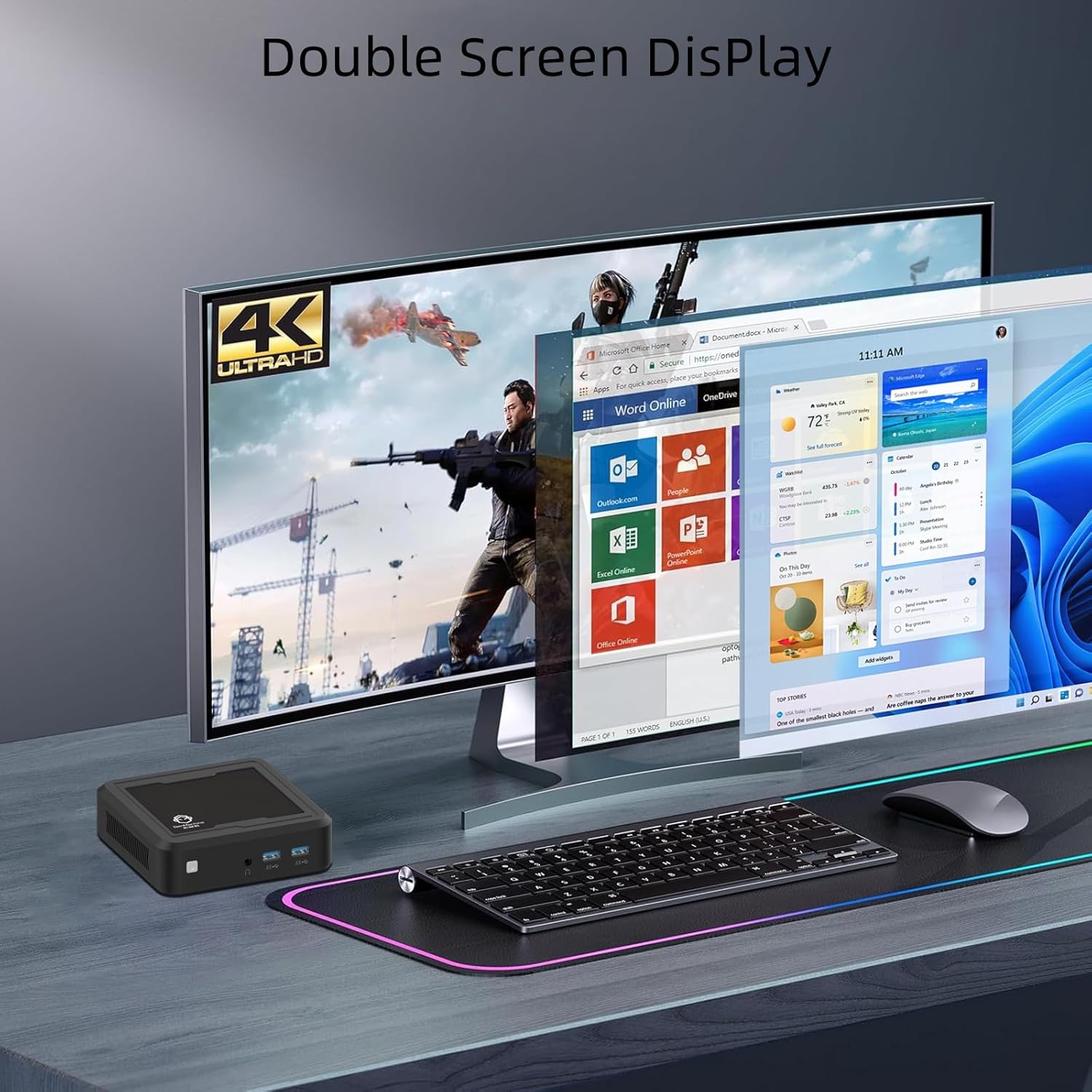
Image: The GenMachine Mini PC connected to a dual monitor setup, demonstrating its 4K Ultra HD display capabilities for multitasking.
Video: This video demonstrates the GenMachine Mini PC's capability to support two monitors simultaneously, enhancing productivity and user experience.
4. Istruzioni per l'uso
4.1 Accensione/spegnimento
- Per accendere: Premere il pulsante di accensione sulla parte anteriore del Mini PC.
- Per spegnere: Utilizzare la funzione di spegnimento del sistema operativo. In alternativa, tenere premuto il pulsante di accensione per 5 secondi per forzare lo spegnimento (utilizzare solo quando necessario).
4.2 Configurazione del display
The Mini PC supports dual HDMI output for connecting two displays. You can configure display settings (e.g., extend, duplicate) through your operating system's display settings menu.
4.3 Connettività di rete
- Connessione cablata: Connect an Ethernet cable to the LAN port for a stable 1.0 Gbps internet connection.
- Connessione wireless: The Mini PC is equipped with Wi-Fi 5 (802.11ac) for wireless internet access. Connect to your preferred Wi-Fi network through the operating system's network settings.
- Bluetooth: Bluetooth 4.2 allows for connection to wireless peripherals such as keyboards, mice, and headphones. Pair devices through the operating system's Bluetooth settings.

Immagine: un primo piano view of the 1.0 Gbps Ethernet port on the GenMachine Mini PC, highlighting its high-speed network capability.
5. Manutenzione
Una manutenzione regolare contribuisce a garantire la longevità e le prestazioni ottimali del tuo Mini PC.
- Pulizia: Use a soft, dry cloth to clean the exterior of the Mini PC. Avoid using liquid cleaners or solvents. For dust accumulation in vents, use compressed air.
- Ventilazione: Ensure the Mini PC is placed in a well-ventilated area. Do not block the ventilation openings to prevent overheating. The device features a silent cooling system.
- Aggiornamenti software: Aggiorna regolarmente il sistema operativo e i driver per garantire sicurezza e prestazioni.
- Gestione della memoria: Pulire periodicamente ciò che non è necessario filee applicazioni per mantenere prestazioni di archiviazione ottimali.
6. Risoluzione Dei Problemi
This section addresses common issues you might encounter with your GenMachine Mini PC.
6.1 Nessun potere
- Assicurarsi che l'adattatore di alimentazione sia collegato saldamente sia al Mini PC sia a una presa di corrente funzionante.
- Verificare che la presa di corrente funzioni collegandovi un altro dispositivo.
- Se disponibile, provare una presa di corrente diversa.
6.2 Nessuna uscita di visualizzazione
- Verificare che il cavo HDMI sia collegato saldamente sia al Mini PC che al monitor.
- Assicurarsi che il monitor sia acceso e impostato sulla sorgente di ingresso corretta (HDMI/DP).
- Se possibile, prova un cavo HDMI o un monitor diverso.
6.3 Nessuna connessione Internet
- Per le connessioni cablate, assicurati che il cavo Ethernet sia collegato correttamente e che il router funzioni.
- For wireless connections, verify that Wi-Fi is enabled in your operating system and you are connected to the correct network with the correct password.
- Riavvia il router e il Mini PC.
6.4 Prestazioni lente
- Chiudere le applicazioni non necessarie in esecuzione in background.
- Check for available operating system updates.
- Assicurati che ci sia spazio libero sufficiente sul tuo SSD.
- Monitor system temperatures to ensure the device is not overheating.
7. Specifiche
Detailed technical specifications for the GenMachine Mini PC (Model: 2200U/8GB/256GB):
| Caratteristica | Dettaglio |
|---|---|
| Processore | AMD Ryzen 3 2200U (2 Cores, 4 Threads, 2.5 GHz Base, up to 3.4 GHz Boost, 4MB L3 Cache) |
| Grafica | Scheda grafica AMD Radeon Vega 3 integrata (1100 MHz) |
| Memoria RAM | 8 GB DDR4 |
| Magazzinaggio | 256GB SSD (M.2 NVME support) |
| Uscita di visualizzazione | 2x HDMI (Supports 4K @ 60Hz, 3840 x 2160 resolution) |
| Connettività wireless | Wi-Fi 5 (802.11ac), Bluetooth 4.2 |
| Connettività cablata | 1x Gigabit Ethernet (LAN) |
| Porte USB | 2x USB 3.0, 2x USB 2.0 |
| Audio | 1x jack audio da 3.5 mm |
| Dimensioni (L x P x A) | 4.32 x 3.93 x 1.57 pollici (114 x 106 x 37 mm) |
| Peso | 2 libbre (0.5 kg) |
| Sistema operativo | Sistema operativo (preinstallato o installabile dall'utente) |
| Caratteristiche speciali | Silent Cooling System, Wake-on-LAN, PXE Boot |

Image: An infographic displaying key features and specifications of the GenMachine Mini PC, including Ryzen 2200U, DDR4 support, SSD support, silent fan, Bluetooth & Dual-Band WiFi, Radeon Vega 3 Graphics, and core/thread count.
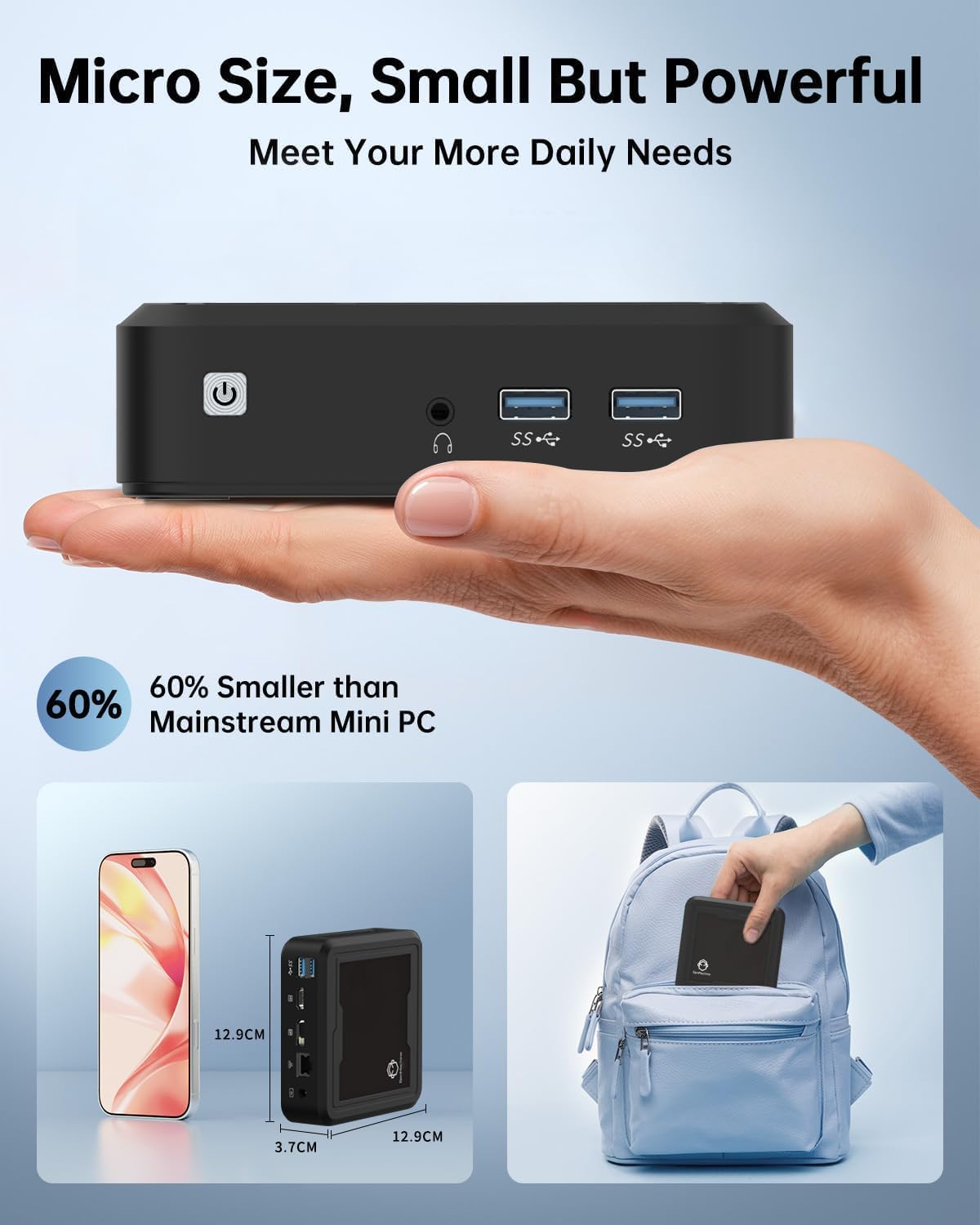
Image: The GenMachine Mini PC held in a hand and shown next to a smartphone and inside a backpack, illustrating its micro size and portability.
8. Garanzia e supporto
For warranty information and technical support, please refer to the documentation included with your purchase or visit the official GenMachine website. If you encounter any issues not covered in this manual, please contact GenMachine customer service for assistance.