
1. Importanti istruzioni di sicurezza
Please read all instructions carefully before using this dehumidifier and retain this manual for future reference. Failure to follow these instructions may result in electric shock, fire, or serious injury.
- Always unplug the dehumidifier from the power outlet before cleaning, performing maintenance, or when not in use.
- Do not operate the dehumidifier with a damaged cord or plug. If the power cord is damaged, it must be replaced by the manufacturer, its service agent, or similarly qualified persons to avoid a hazard.
- Questo apparecchio è solo per uso interno. Non utilizzare all'aperto.
- Assicurarsi che il deumidificatore sia posizionato su una superficie stabile e piana per evitare ribaltamenti e fuoriuscite di acqua.
- Non ostruire l'ingresso o l'uscita dell'aria. Mantenere almeno 20 cm di distanza da pareti o altri oggetti.
- Do not immerse the dehumidifier, power cord, or plug in water or other liquids.
- Keep children and pets away from the dehumidifier during operation.
- Non utilizzare il deumidificatore in aree in cui sono conservati liquidi o gas infiammabili.
- Svuotare regolarmente il serbatoio dell'acqua per evitare che trabocchi.
2. Prodotto finitoview
The VEWIOR PC-450B Dehumidifier is designed to efficiently remove excess moisture from your indoor environment, improving air quality and comfort. It features a large water tank, quiet operation, and convenient functions like auto shut-off and a night light.
Identificazione dei componenti
- Pannello di controllo con display digitale
- Presa d'aria
- Uscita aria
- Serbatoio dell'acqua rimovibile
- Porta del cavo di alimentazione


3. Impostazione
Follow these steps to set up your dehumidifier for the first time.
- Disimballare: Estrarre con cautela il deumidificatore dall'imballaggio. Conservare tutto il materiale di imballaggio per un eventuale stoccaggio o trasporto futuro.
- Posizionamento: Place the dehumidifier on a firm, level surface in the desired location. Ensure there is at least 8 inches (20 cm) of clear space around the air inlet and outlet for optimal airflow. Avoid placing it directly against walls or furniture.
- Collegamento elettrico: Collegare l'adattatore di alimentazione alla porta di alimentazione del deumidificatore, quindi collegare l'altra estremità a una presa elettrica standard (100-240 V CA, 50/60 Hz).
- Operazione iniziale: L'unità è ora pronta per il funzionamento.

4. Istruzioni per l'uso
Familiarizzare con il pannello di controllo e le sue funzioni.
Funzioni del pannello di controllo
- Pulsante di accensione (⏻): Premere per accendere o spegnere il deumidificatore.
- Pulsante luce notturna (☀): Press to cycle through 7 different LED light colors or turn the night light off. This can create a warm ambiance.
- Pulsante Timer (◷): Press to set an auto-off timer from 1 to 24 hours. Each press increases the timer by one hour. The unit will automatically shut off after the set time.
- Speed/Sleep Mode Button (⇋): Press to switch between different fan speeds or activate Sleep Mode. In Sleep Mode, the unit operates at a lower fan speed for quieter operation (approximately 30dB).
- Display digitale: Shows the current humidity level in the room and timer settings.
Modalità operative
- Deumidificazione standard: The unit will operate to reduce humidity based on its internal sensor.
- Modalità risparmio: Activates quiet operation, ideal for bedrooms or quiet environments.
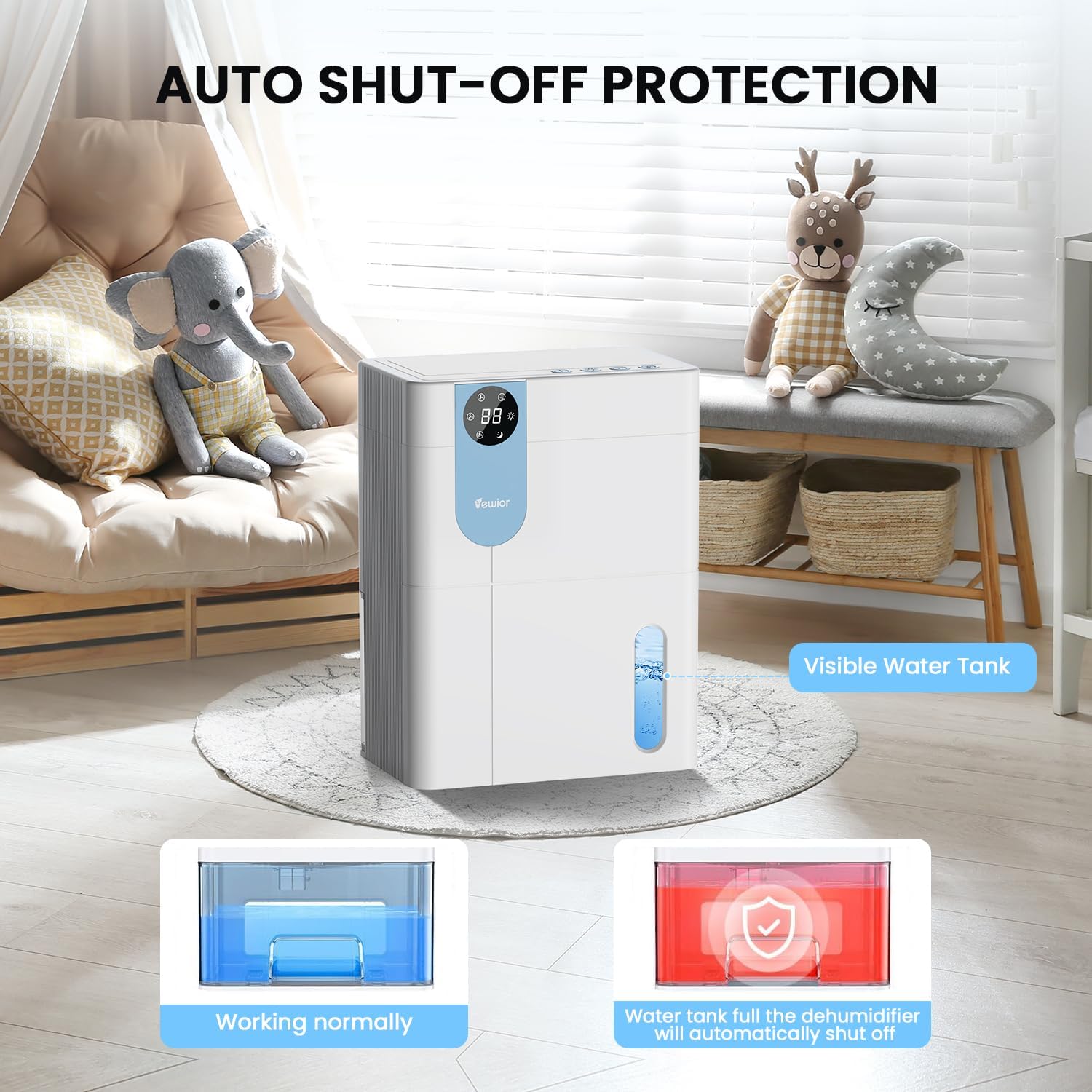
- Spegnimento automatico: The dehumidifier will automatically stop operating when the water tank is full to prevent overflow. The digital display may flash a red light to indicate the tank needs emptying.

5. Gestione del serbatoio dell'acqua
The dehumidifier features a 4500ml (152 oz) water tank and an auto shut-off function when the tank is full.
Svuotamento del serbatoio dell'acqua
- When the water tank is full, the dehumidifier will automatically stop operating, and the internal red light will flash to remind you to empty the water.
- Gently pull out the water tank from the side of the dehumidifier.
- Rimuovere il coperchio del serbatoio.
- Versare l'acqua raccolta.
- Replace the tank lid securely.
- Reinserire il serbatoio dell'acqua vuoto nel deumidificatore finché non scatta in posizione. L'unità riprenderà a funzionare automaticamente.

6. Manutenzione
Una manutenzione regolare garantisce prestazioni ottimali e longevità del deumidificatore.
Pulizia dell'esterno
- Scollegare sempre l'unità prima di pulirla.
- Pulisci l'esterno con un panno morbido eamp panno. Non usare detergenti abrasivi o solventi.
- Assicurarsi che non penetri acqua nel pannello di controllo o in altri componenti elettrici.
Cleaning the Air Filter (Recommended Monthly)
- Locate the air filter (typically at the back or side air inlet).
- Rimuovere il filtro.
- Pulire il filtro con un aspirapolvere oppure lavarlo delicatamente con acqua calda e sapone.
- Lasciare asciugare completamente il filtro all'aria prima di reinstallarlo. Non esporre alla luce solare diretta o a fonti di calore elevate.
- Reinstallare il filtro asciutto nell'unità.
Conservazione a lungo termine
- Svuotare e pulire accuratamente il serbatoio dell'acqua.
- Pulire il filtro dell'aria.
- Scollegare il cavo di alimentazione e arrotolarlo ordinatamente.
- Store the dehumidifier in a cool, dry place, preferably in its original packaging, away from direct sunlight and extreme temperatures.
7. Risoluzione Dei Problemi
If you encounter issues with your dehumidifier, refer to the following common problems and solutions.
| Problema | Possibile causa | Soluzione |
|---|---|---|
| Il deumidificatore non si accende. | No power supply. Power button not pressed. | Assicurarsi che il cavo di alimentazione sia saldamente collegato a una presa di corrente funzionante. Premere il pulsante di accensione. |
| L'unità è in funzione ma non raccoglie acqua. | Room humidity is too low. Temperature is too low. Air filter is clogged. | Dehumidifiers are most effective in higher humidity. Ensure room temperature is above 41°F (5°C). Clean the air filter. |
| Water tank full indicator (red light) is on, but tank is not full. | Water tank not properly seated. Float sensor malfunction. | Remove and reinsert the water tank, ensuring it is correctly aligned. If the issue persists, contact customer support. |
| L'unità è rumorosa. | Unità non posizionata su una superficie piana. Filtro dell'aria intasato. | Place the unit on a flat, stable surface. Clean the air filter. Ensure no objects are obstructing the fan. |
| Humidity level not decreasing significantly. | Room size exceeds capacity. High external humidity. Doors/windows open. | Ensure the dehumidifier is suitable for the room size. Close all doors and windows. Consider running the unit for longer periods. |
Se il problema persiste dopo aver provato queste soluzioni, contattare l'assistenza clienti VEWIOR.
8. Specifiche
Detailed technical specifications for the VEWIOR PC-450B Dehumidifier.
| Caratteristica | Specificazione |
|---|---|
| Marca | VEICOLI |
| Nome del modello | PC-450B |
| Capacità di deumidificazione | Fino a 1060 ml (36 oz) al giorno (a 86 °F, 80% RH) |
| Capacità del serbatoio dell'acqua | 4500 Milliliters (152 OZ) |
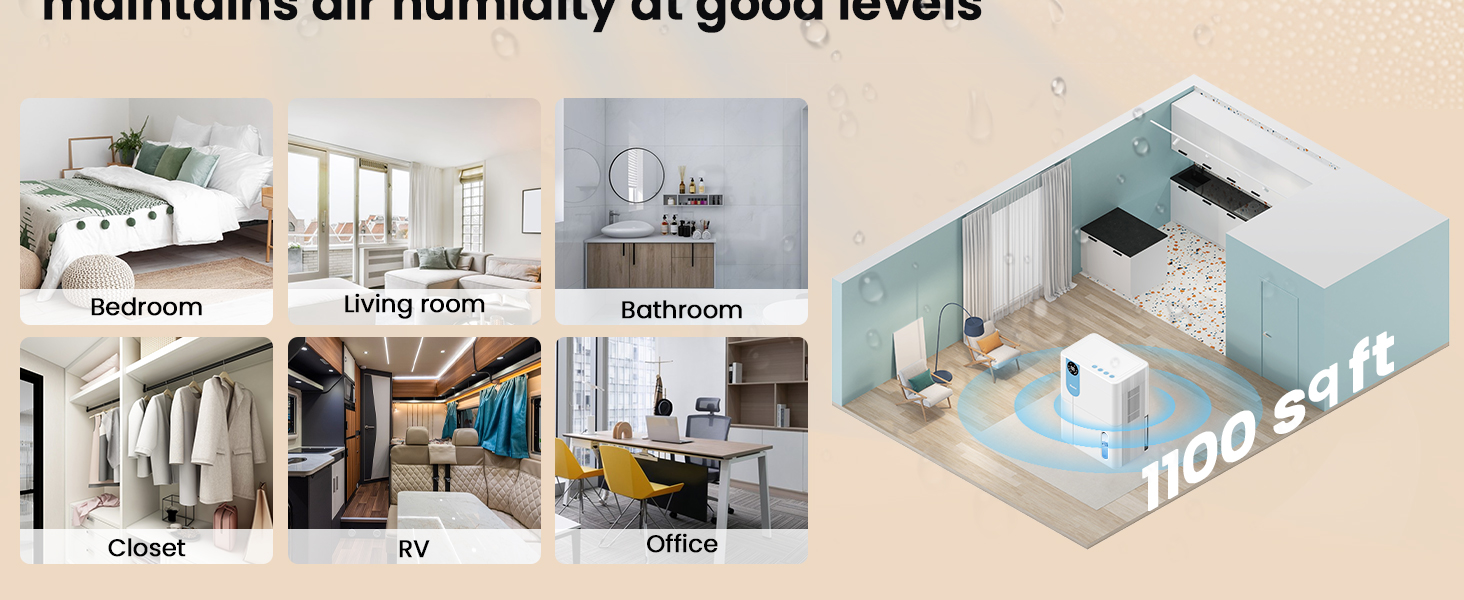
| Area di copertura | Fino a 1100 piedi quadrati |
| Dimensioni del prodotto (P x L x A) | 6.3" x 9.84" x 12.6" |
| Peso dell'articolo | 2.27 libbre |
| Caratteristiche speciali | Automatic Shutoff, Colorful Lights, Digital Display, Removable Tank, Timer |
| Modalità di funzionamento | Sonno |
| Capacità del flusso d'aria | 900 piedi cubi all'ora |
| Fonte di alimentazione | Elettrico con cavo |

9. Garanzia e supporto
VEWIOR is committed to providing quality products and customer satisfaction.
Informazioni sulla garanzia
- Sostituzione gratuita per 3 anno: Your VEWIOR PC-450B Dehumidifier is covered by a 3-year free replacement policy for manufacturing defects.
- Supporto a vita: VEWIOR offers lifetime technical support and satisfied solutions for its products.
Assistenza clienti
For any questions, troubleshooting assistance, or warranty claims, please contact VEWIOR customer service:
- E-mail: [Insert VEWIOR Support Email Here]
- Telefono: [Insert VEWIOR Support Phone Number Here]
- In linea: Visit the official VEWIOR websito per FAQ e risorse di supporto.
Our customer service team is available for quick service via phone or email within 24 hours.
Politica di ritorno: A 30-day no-reason return policy is available for purchases.