
1. Prodotto finitoview
The CATLINK Self Cleaning Automatic Litter Box is designed to provide a hands-free and convenient solution for cat waste management. This smart robot litter box features app control, double odor removal, and is suitable for cats weighing between 3.3 lbs and 22 lbs. Its extra-large capacity accommodates multiple cats and offers comprehensive health monitoring features.

Figure 1: CATLINK Self Cleaning Automatic Litter Box (Standard+20 Liners model).
Caratteristiche principali:
- Accommodates Multiple Cats: Detects and recognizes individual cats, recording their toilet usage for multi-cat households.
- Comodo controllo dell'app: Remote control and comprehensive data reports, including 24-hour records and 7-day/12-month health reports.
- Ensured Safety: Equipped with radars, infrared sensors, and anti-pinch features to stop operation if a cat is detected.
- Modalità di pulizia versatili: Auto, Manual, Timer, and Empty Modes for flexible management.
- Design premuroso: Features a Do Not Disturb mode and panel lock to prevent accidental touches.
- Doppia rimozione degli odori: Utilizes advanced systems for effective odor control.
2. Guida all'installazione
Disimballaggio e posizionamento iniziale:
Carefully remove all components from the packaging. Place the litter box on a firm, level surface. Ensure it is not leaning against a wall or furniture to allow the pressure sensors to function correctly.

Figura 2: Posteriore view of the litter box, showing power input and ventilation.
Riempimento della lettiera:
The CATLINK litter box is compatible with various clumping cat litters, including bentonite litter, mineral stone litter, and mixed litter. Ensure the litter level is within the recommended range inside the globe.

Figure 3: Compatible cat litter types and sifting filters.
Connessione all'app:
Download the CATLINK App from your device's app store. Register and log in. Power on the litter box. Long press the Mode button to activate the Scooper and wait for the self-test to complete. Then, long press the Mode button and the Clean button simultaneously to enter WiFi connection mode. In the app, click 'Add Device' and follow the prompts to complete the WiFi connection.

Figure 4: Step-by-step guide for WiFi connection.
3. Modalità operative
The CATLINK litter box offers four distinct operating modes to suit your preferences and your cat's habits:
- Modalità automatica: The litter box automatically cleans after your cat uses it, based on a set delay time (e.g., 1, 3, 5, 7, 10, 15, or 30 minutes).
- Modalità manuale: Initiate a cleaning cycle manually via the control panel or the CATLINK App.
- Modalità timer: Pianificare orari di pulizia specifici durante la giornata.
- Modalità vuota: Fully empties the litter from the globe into the waste bin, simplifying litter changes and deep cleaning.
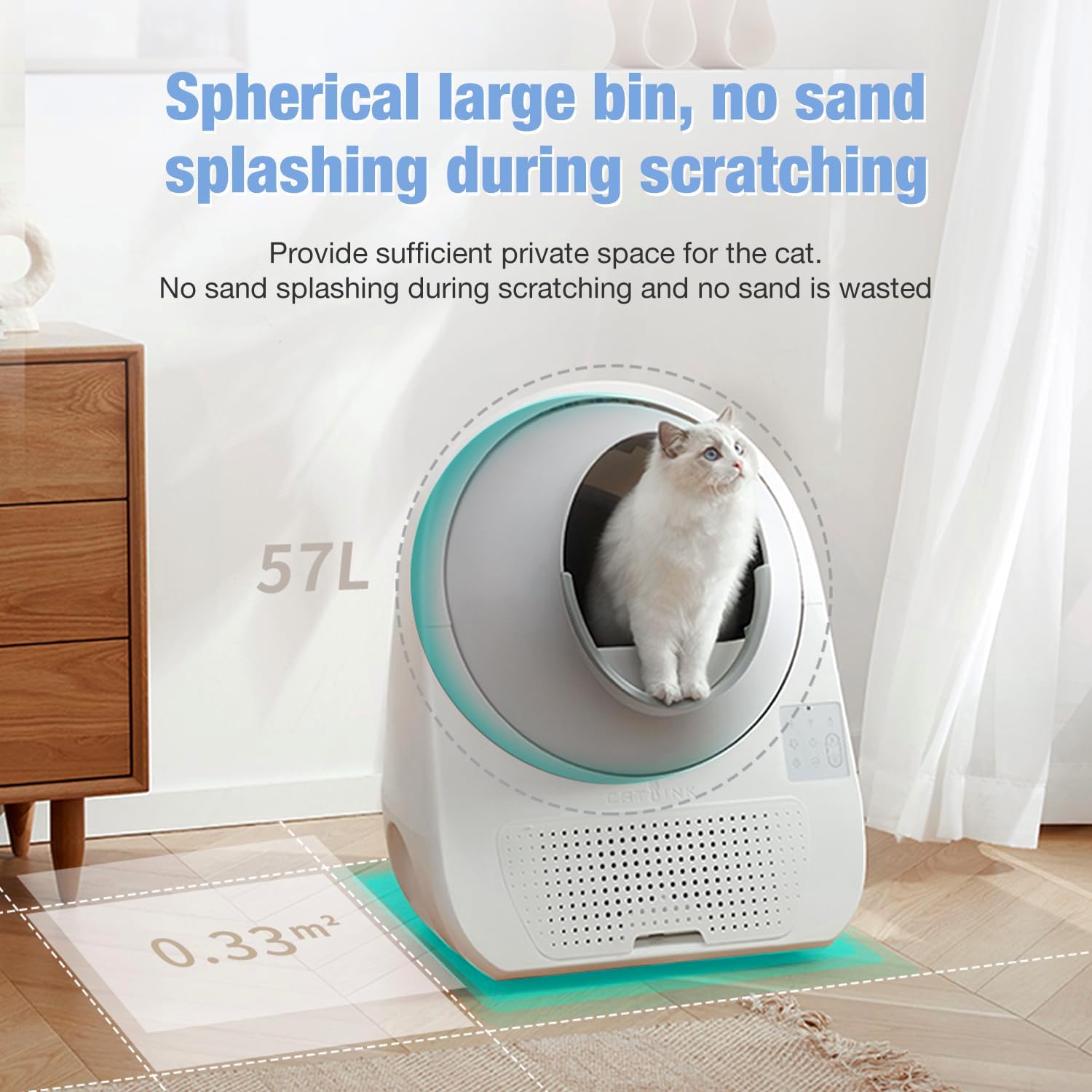
Figure 5: App interface displaying the four available operating modes.
Funzionalità di controllo delle app:
The CATLINK App provides comprehensive control and monitoring:
- Activate Clean Cycle
- Monitor Litter Box Usage
- Monitor Cat Health (weight, toilet frequency, duration)
- View Waste Drawer Level

Figure 6: App-controlled features for the litter box.
Official Product Video: LUXURY PRO-X Automatic Cat Litter Box
Video 1: Questo video fornisce una panoramicaview of the CATLINK LUXURY PRO-X Automatic Cat Litter Box, demonstrating its features and functionality.
4. Caratteristiche di sicurezza
The CATLINK litter box prioritizes your cat's safety with multiple integrated protection mechanisms:
- Microwave Radar Sensor: Detects cat presence and stops operation immediately if a cat enters or attempts to enter during a cycle.
- Anti-Lock Sensors: Prevents the globe from rotating if an obstruction is detected.
- Sensore di peso: Monitors cat weight and ensures safe operation based on the cat's presence.
- Spazio non chiuso: Progettato per prevenire il soffocamento se un gatto rimane intrappolato.
- Pyramid Structure: Enhances stability and avoids collapsing.
- Blocco pannello: Impedisce l'attivazione accidentale da parte di animali domestici o bambini.
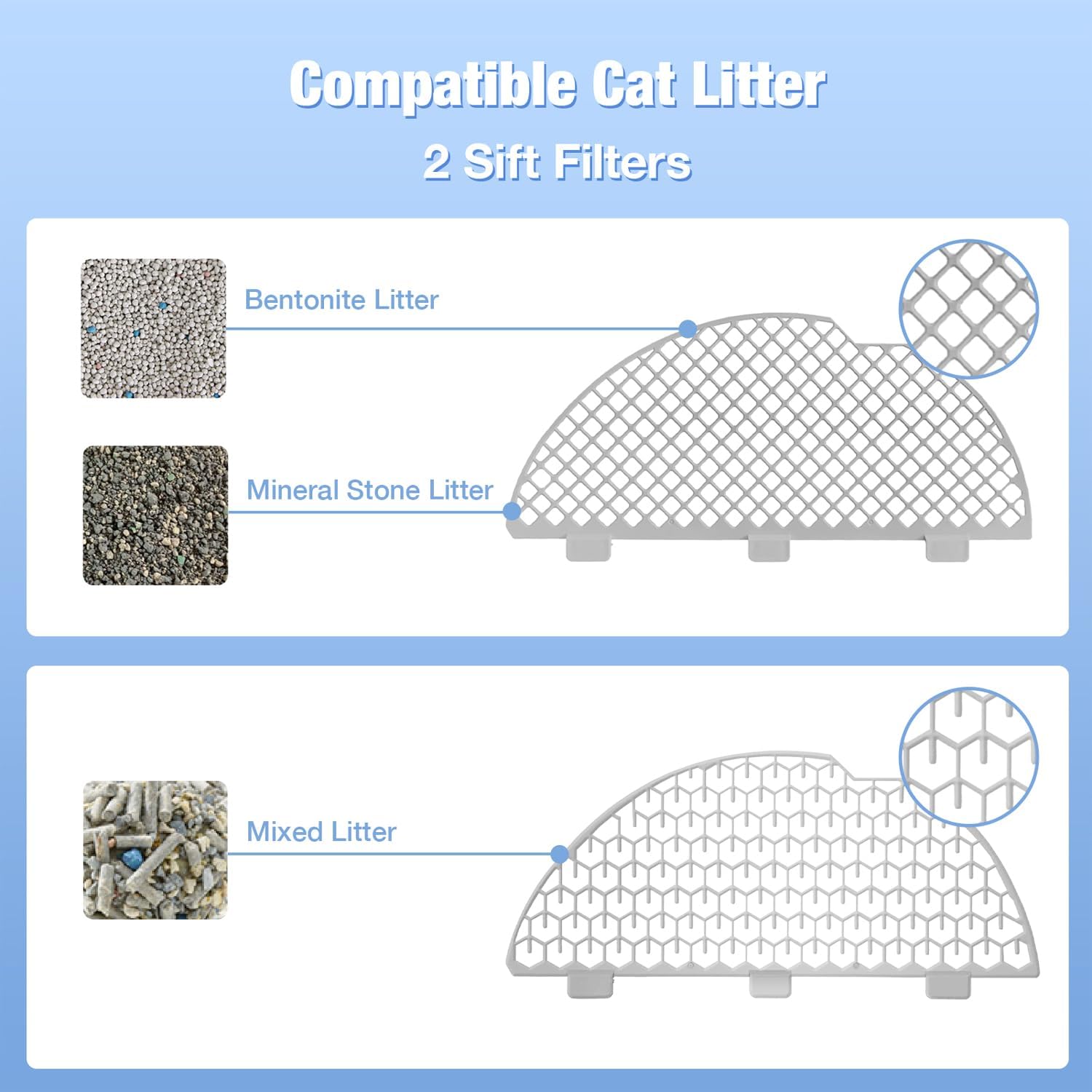
Figura 7: Oltreview of the multiple safety sensors and design features.
5. Manutenzione
Smaltimento dei rifiuti:
The litter box features a 13L waste bin, capable of holding waste for up to 15 days for a single cat. To empty, simply pull out the waste drawer, tie the trash bag, and replace it with a new one. The product includes 3 rolls of trash bags.

Figure 8: Large interior space and waste box capacity.
Pulire il globo:
For thorough cleaning, the globe can be disassembled and washed. Ensure all parts are completely dry before reassembling. The sifting filter is also removable for easy cleaning.
Sostituzione del filtro:
The litter box incorporates a carbon filter for odor removal. Replace the carbon filter periodically to maintain optimal odor control. Refer to the user manual for specific replacement instructions and frequency.
Official Product Video: CATLINK Globe Liner Replacement Guide Step-by-Step Tutorial
Video 2: This video demonstrates the step-by-step process for replacing the globe liner in the CATLINK litter box.
6. Risoluzione Dei Problemi
If you encounter any issues with your CATLINK litter box, refer to the following common troubleshooting tips:
- Macchina non funzionante: Check power connection. Ensure the litter box is on a flat, stable surface and not leaning against anything that might interfere with sensors.
- Problemi di odore: Verify that the waste bin is emptied regularly and the carbon filter is replaced as needed.
- Problemi di connettività dell'app: Ensure your home WiFi network is stable and the litter box is within range. Re-attempt the app connection process if necessary.
- Monitoraggio dei rifiuti: The litter box features a high entrance, litter barrier, and deep litter placement to reduce tracking. Consider using the optional CATLINK Step accessory for further reduction.

Figure 9: Design features aimed at reducing litter tracking.
For more detailed troubleshooting or persistent issues, please contact customer support with your serial and order number.
7. Specifiche
| Attributo | Dettaglio |
|---|---|
| Nome del modello | CL-05-VC |
| Peso dell'articolo | 38.3 libbre |
| Dimensioni del prodotto (L x P x A) | 23.62" x 23.62" x 27.95" |
| Capacità della lettiera | 57L (Globe) |
| Capacità del cestino dei rifiuti | 13L |
| Limite di peso | 3.3 - 22 lbs (Cat Weight) |
| Materiale | Plastica, Acrilonitrile Butadiene Stirene (ABS) |
| Colore | Bianco |
| Codice UPC | 810105180664 |
8. Garanzia e supporto
Informazioni sulla garanzia:
La lettiera automatica autopulente CATLINK è dotata di un Garanzia di 1 anno. Please retain your purchase receipt and serial number for warranty claims.
Assistenza clienti:
For any questions, concerns, or technical assistance, please reach out to our dedicated customer service team. Have your serial and order number ready for faster service.
Visita il sito ufficiale Negozio CATLINK su Amazon per prodotti e accessori aggiuntivi.