
Toputure TP8
Toputure TP8 Electric Treadmill User Manual
Brand: Toputure | Model: TP8
Introduzione
Thank you for choosing the Toputure TP8 Electric Treadmill. This manual provides essential information for the safe and efficient use, setup, operation, and maintenance of your new fitness equipment. Please read this manual thoroughly before first use and keep it for future reference.
Informazioni importanti sulla sicurezza
- Prima di iniziare un nuovo programma di esercizi, consultare sempre un medico.
- Assicurarsi che il tapis roulant sia posizionato su una superficie piana e stabile, con spazio sufficiente attorno.
- Tenere i bambini e gli animali domestici lontani dal tapis roulant durante il funzionamento.
- Non utilizzare il tapis roulant se è danneggiato o non funziona correttamente.
- Always use the safety key/lanyard during operation. The treadmill will not start without it.
- Indossare calzature sportive adatte.
Contenuto della confezione
Dopo aver disimballato il prodotto, verificare che tutti i seguenti articoli siano inclusi nella confezione:
- Toputure TP8 Electric Treadmill
- Tool Kit (for minor adjustments)
- Cavo di alimentazione
- Telecomando
- Olio lubrificante
- Manuale d'uso

Figura 1: Included accessories with the Toputure TP8 Electric Treadmill.
Impostare
The Toputure TP8 Electric Treadmill features a no-installation design, making it ready for use almost immediately after unboxing.
Svolgimento e posizionamento
- Estrarre con cautela il tapis roulant dalla confezione.
- Place the treadmill on a flat, level surface. Ensure there is at least 0.6 meters (2 feet) of clear space on all sides and 2 meters (6.5 feet) behind the treadmill for safety.
- If using the handlebar, lift it into the upright position and secure it using the provided locking pins or screws.
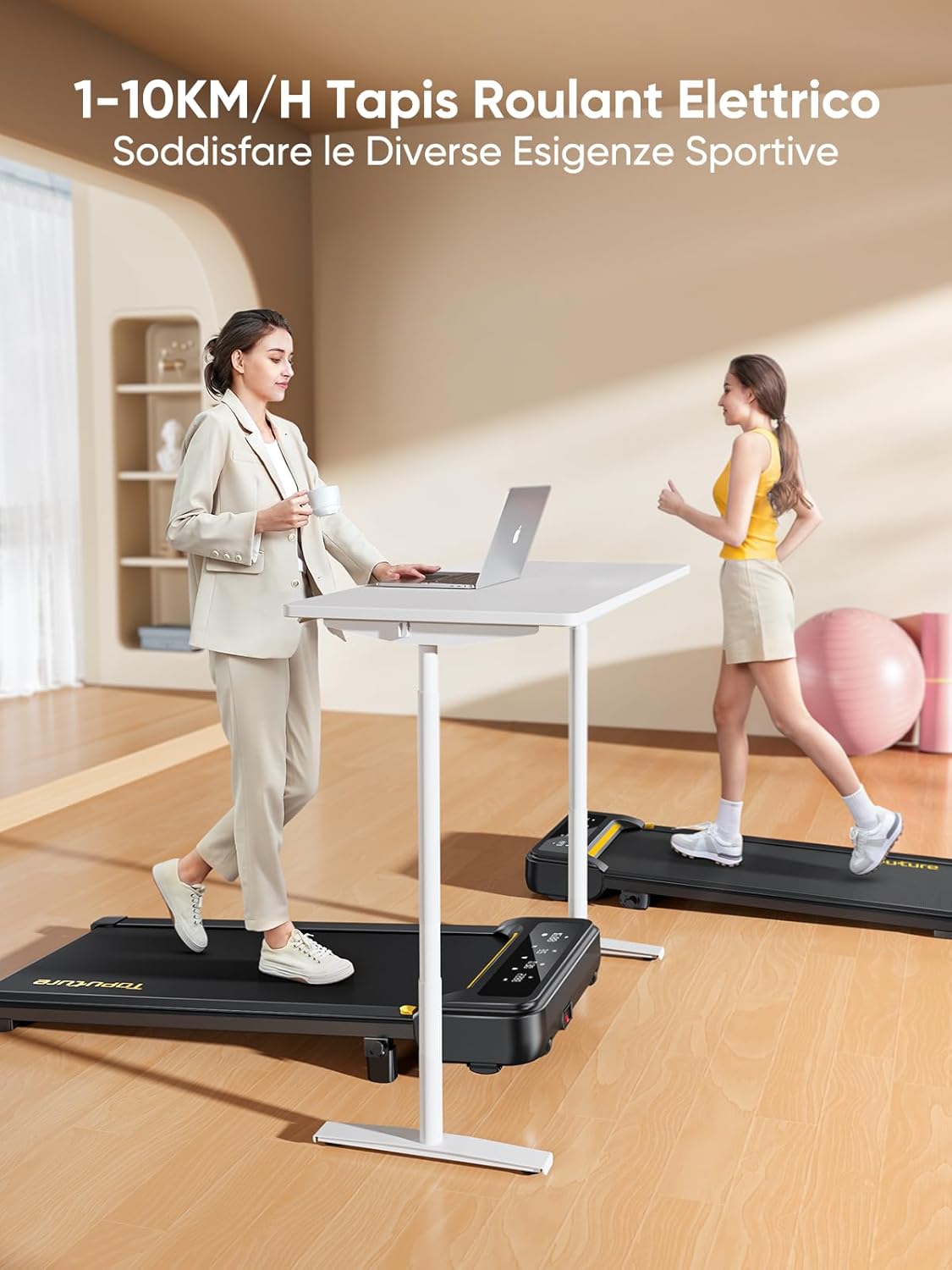
Figura 2: Treadmill ready for use in a home environment.
Regolazione dell'inclinazione
The treadmill offers a 10% incline feature, adjustable in 2 steps to simulate varied terrain and increase calorie burn. To adjust the incline:
- Individuare il meccanismo di regolazione dell'inclinazione nella parte posteriore del tapis roulant.
- Pull out the bolt and rotate the incline block to the desired position.
- Insert the bolt securely into the corresponding hole to lock the incline in place.

Figura 3: Manual incline adjustment mechanism.
Collegamento di potenza
Connect the power cable to the treadmill and then to a suitable power outlet. Ensure the power switch is in the 'OFF' position before plugging in.
Istruzioni per l'uso
Avviare il tapis roulant
- Ensure the safety key is properly inserted into its designated slot on the console. The treadmill will not operate without it.
- Sali sul tapis roulant.
- Press the 'Start' button on the console or remote control. The treadmill will begin at a low speed.
Adjusting Speed and Mode
The speed range is 1-10 km/h, suitable for walking, jogging, and running. You can adjust the speed using the console buttons or the remote control.
- Consolle: Use the '+' and '-' buttons to increase or decrease speed.
- Telecomando: The remote allows for easy speed adjustments and stopping the machine. It features magnets on the back for convenient attachment to the treadmill, preventing loss.
- Funzione Pausa: The remote control includes a pause button. Pressing this button will temporarily stop the belt while preserving your workout data.

Figura 4: Multifunction LED display and remote control storage.
Multifunction LED Display
The integrated LED display clearly shows real-time workout data, including time, distance, speed, and calories burned, providing a clear overview of your exercise progress.

Figura 5: Clear display of workout metrics.
Connettività intelligente delle app
This walking pad can connect to multiple exercise apps, offering various training courses and allowing you to interact with other users online. Refer to the app's instructions for pairing and usage.

Figura 6: Treadmill connected to a smart fitness app.
Arresto del tapis roulant
To stop the treadmill, press the 'Stop' button on the console or remote control. For emergency stops, pull the safety key from its slot.
Manutenzione
Regular maintenance ensures the longevity and optimal performance of your Toputure TP8 Electric Treadmill.
Pulizia
- Scollegare sempre il tapis roulant prima di pulirlo.
- Pulisci la console e le superfici esterne con un panno morbido eamp panno. Evitare detergenti abrasivi o solventi.
- Passare periodicamente l'aspirapolvere sotto il tapis roulant per evitare l'accumulo di polvere e detriti.
Lubrificazione
The unique lubrication hole design makes maintenance more convenient. Apply the provided lubrication oil to the running belt as instructed in the detailed manual or when the treadmill indicates it's needed. Proper lubrication reduces friction and extends belt life.
Regolazione della cinghia
If the running belt becomes misaligned or too loose/tight, refer to the detailed manual for instructions on how to adjust it using the included tool kit. Incorrect adjustment can damage the treadmill.
Risoluzione dei problemi
Questa sezione affronta i problemi più comuni che potresti riscontrare con il tuo tapis roulant. Per problemi non elencati qui, contatta l'assistenza clienti.
| Problema | Possibile causa | Soluzione |
|---|---|---|
| Il tapis roulant non si avvia | Safety key not inserted; Power cable not connected; Power switch off. | Insert safety key; Check power connections; Turn power switch ON. |
| La cinghia scivola o esita | Cinghia troppo lenta; lubrificazione insufficiente. | Adjust belt tension (refer to manual); Apply lubrication oil. |
| Rumore insolito durante il funzionamento | Componenti allentati; disallineamento della cinghia; problema al motore. | Check and tighten all bolts; Adjust belt alignment; Contact customer support. |
Specifiche
| Caratteristica | Dettaglio |
|---|---|
| Marca | Toputure |
| Numero di modello | TP8 |
| Classe di prodotto | Tapis roulant elettrico |
| Colore | Nero |
| Materiale | Acciaio legato |
| Dimensioni del prodotto (L x P x A) | 130P x 60l x 14H cm (circa 51.2 x 23.6 x 5.5 pollici) |
| Peso dell'articolo | 34.5 chilogrammi (circa 76 libbre) |
| Velocità massima | 10 chilometri all'ora |
| Velocità minima | 1 Kilometer per hour |
| Percentuale di inclinazione massimatage | 9% (regolazione manuale) |
| Potenza del motore | 2.5 cavalli |
| Peso massimo consigliato | 130 kg (circa 300 libbre) |
| Lunghezza del ponte di corsa | 100 centimetri (circa 39.4 pollici) |
| Larghezza del ponte di corsa | 40 centimetri (circa 15.7 pollici) |
| Tipo di visualizzazione | GUIDATO |
| Tecnologia di connettività | Power Cable (App connectivity via Bluetooth) |
| Numero di programmi | 12 |
| Caratteristiche speciali | Pre-installed workouts, Wheels for portability, Compact design, Manual incline, Portable |
| Usi consigliati | Walking, jogging, running, home workouts, office workouts |
| Pubblico di destinazione | Adulto |
| Assemblaggio richiesto | NO |
Garanzia e supporto
Garanzia del prodotto
The Toputure TP8 Electric Treadmill comes with a Garanzia di 2 anno dalla data di acquisto. La presente garanzia copre difetti di fabbricazione e malfunzionamenti in condizioni di normale utilizzo. Si prega di conservare la prova d'acquisto per eventuali reclami in garanzia.
Assistenza clienti
For any questions, technical assistance, or warranty claims, please contact Toputure customer support through the retailer's platform or the official Toputure website. Our support team is available to assist you with any issues you may encounter.
Risorse aggiuntive
Prodotto finitoview Video
1 video: Un oltreview of the WalkingPad foldable electric treadmill, demonstrating its compact design, ease of use, and various features. This video highlights how the treadmill can be easily stored and used in different home or office settings.
Ask a question about this manual
Ask about setup, troubleshooting, compatibility, parts, safety, or missing instructions. Manuals+ will review the question and use this page’s manual context to help answer it.