
1. Introduzione
Thank you for choosing the Yunir MP3 Player. This device is designed to provide a portable and versatile music experience with its Bluetooth 5.0 connectivity, 2.4-inch TFT touch screen, and support for various audio formats. This manual will guide you through the setup, operation, and maintenance of your new MP3 player.
2. Contenuto della confezione
Si prega di controllare la confezione per verificare la presenza dei seguenti elementi:
- Yunir MP3 Player
- Cuffie cablate
- Cavo di ricarica (USB)
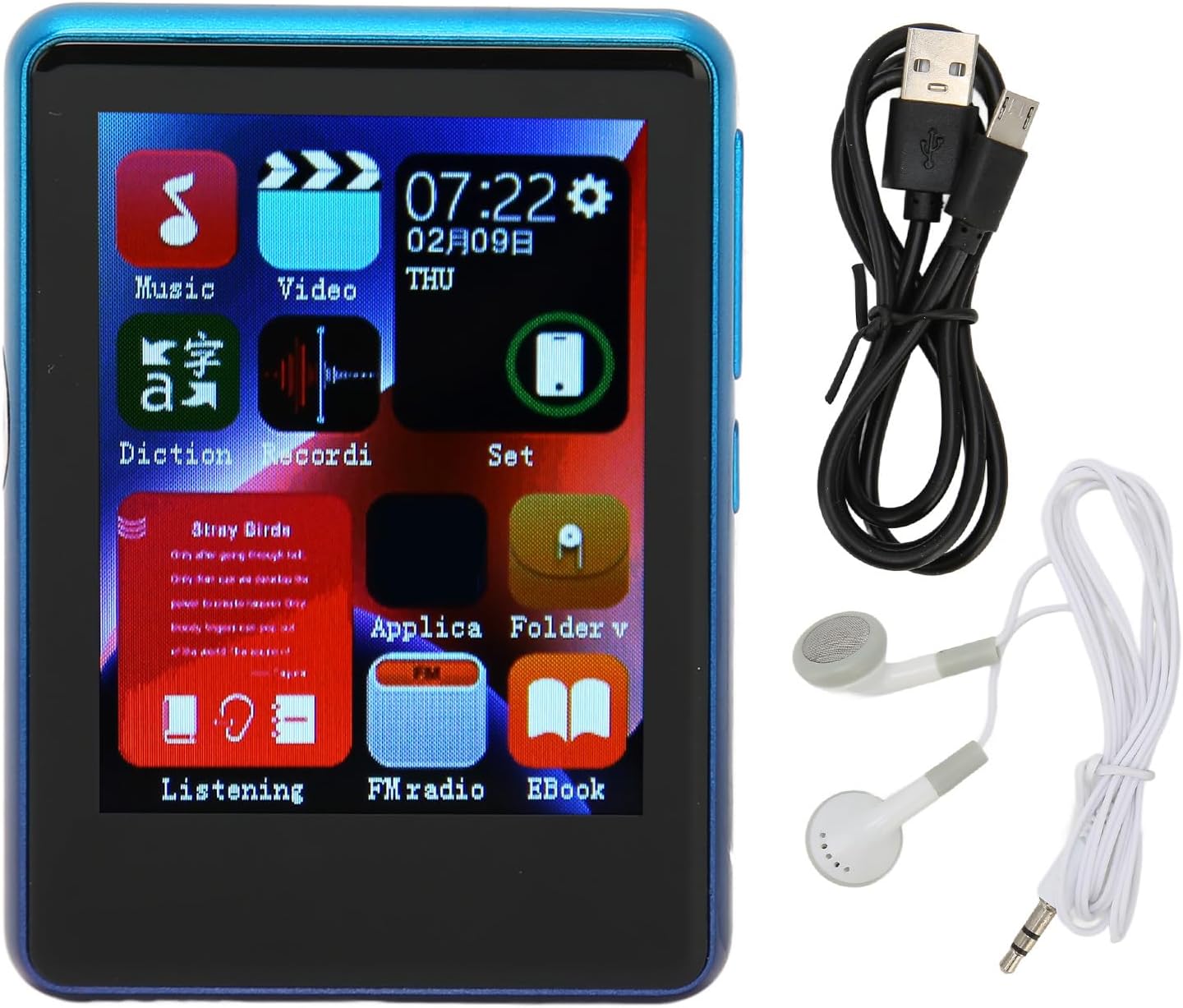
Image: The Yunir MP3 Player, accompanied by its wired headphones and USB charging cable, as included in the package.
3. Prodotto finitoview
3.1 Disposizione del dispositivo
Familiarize yourself with the buttons, ports, and screen of your MP3 player.

Image: Multiple side views of the MP3 player, highlighting the volume control buttons (+ and -) and the power button on the side.

Image: A close-up of the bottom edge of the MP3 player, displaying the speaker grille, 3.5mm headphone jack, and Micro USB charging/data port.
- 2.4-inch TFT Touch Screen: Per la navigazione e l'interazione.
- Pulsanti del volume (+/-): Regola il livello di uscita audio.
- Pulsante di accensione: Turn the device on/off or lock/unlock the screen.
- Jack per cuffie da 3.5 mm: Collegare le cuffie cablate.
- Porta micro USB: Per la ricarica e il trasferimento dei dati.
- Slot per scheda microSD: Expand storage up to 256GB (card not included).
4. Impostazione
4.1 Ricarica del dispositivo
- Connect the small end of the included USB charging cable to the Micro USB port on the MP3 player.
- Collegare l'estremità più grande del cavo USB a un adattatore di alimentazione USB (non incluso) o alla porta USB di un computer.
- The device will indicate that it is charging. Allow sufficient time for a full charge before first use.
Nota: Ensure the charging port is clean and free of debris to prevent connection issues.
4.2 Inserimento di una scheda Micro SD
The device has 4GB of built-in memory and supports expansion up to 256GB via a Micro SD card (not included).
- Individuare lo slot per la scheda Micro SD sul lato del lettore.
- Inserire delicatamente la scheda Micro SD nello slot con i contatti dorati rivolti verso il basso finché non scatta in posizione.
- Per rimuoverla, spingere leggermente la scheda finché non scatta fuori.
5. Istruzioni per l'uso
5.1 Accensione/spegnimento
- Per accendere: Tieni premuto il pulsante di accensione finché lo schermo non si accende.
- Per spegnere: Tenere premuto il pulsante di accensione, quindi selezionare "Spegni" sullo schermo.
- Blocco/sblocco schermo: Premere brevemente il pulsante di accensione per bloccare o sbloccare lo schermo.
5.2 Navigazione
The MP3 player features a 2.4-inch TFT touch screen for intuitive navigation. Tap icons to open applications or settings, and swipe to scroll through lists.

Image: The MP3 player's main menu interface, showing various application icons such as Music, Video, FM Radio, and EBook, indicating touch screen functionality.
5.3 Riproduzione di musica
The player supports a wide range of audio formats including MP3, APE, FLAC, WMA, WAV, and AAC, up to 24-bit quality.

Image: The MP3 player screen showing a music playback interface, with text indicating support for multiple audio formats like MP3, APE, FLAC, WMA, WAV, and AAC.
- Dal menu principale, tocca l'icona "Musica".
- Sfoglia la tua libreria musicale per artista, album, genere o cartella.
- Tocca un brano per avviarne la riproduzione.
- Utilizza i controlli sullo schermo per riprodurre/mettere in pausa, saltare le tracce e regolare il volume.
5.4 Connettività Bluetooth
Connect to Bluetooth headphones or speakers for wireless audio.

Image: The MP3 player connected to wired headphones, illustrating its audio output capabilities, including the 3.5mm stereo line output jack for stable transmission.
- From the main menu, tap the "Set" or "Bluetooth" icon (if available).
- Attiva il Bluetooth e cerca i dispositivi disponibili.
- Seleziona il tuo dispositivo Bluetooth dall'elenco per associarlo.
- Una volta effettuato l'abbinamento, l'audio verrà trasmesso in streaming wireless al dispositivo connesso.
5.5 Radio FM
The MP3 player includes an FM radio function.
- Connect wired headphones to the 3.5mm jack; they act as the antenna.
- From the main menu, tap the "FM Radio" icon.
- Utilizzare i comandi sullo schermo per cercare le stazioni o sintonizzarle manualmente.
5.6 E-book Function
Leggi il testo filedirettamente sul tuo dispositivo.
- From the main menu, tap the "EBook" icon.
- Browse for compatible text files stored on your device or Micro SD card.
- Tocca un file da aprire e leggere.
6. File Gestione
6.1 Trasferimento Files
- Connect the MP3 player to your computer using the USB charging cable.
- Il lettore dovrebbe apparire come un'unità disco rimovibile sul computer.
- Drag and drop music, video, or e-book files into the appropriate folders on the device's internal storage or the Micro SD card.
- Prima di scollegare il cavo USB, espellere in modo sicuro il dispositivo dal computer.
7. Manutenzione
- Pulizia: Use a soft, dry cloth to clean the screen and body of the player. Avoid liquid cleaners.
- Magazzinaggio: Conservare il dispositivo in un luogo fresco e asciutto, lontano dalla luce solare diretta e da temperature estreme.
- Cura della batteria: Per prolungare la durata della batteria, evitare di scaricarla completamente frequentemente. Caricare il dispositivo regolarmente, anche se non viene utilizzato per periodi prolungati.
- Evitare gocce: Proteggere il dispositivo da urti e cadute.
8. Risoluzione Dei Problemi
| Problema | Possibile soluzione |
|---|---|
| Il dispositivo non si accende. | Assicurarsi che la batteria sia carica. Collegare a una fonte di alimentazione e riprovare. |
| Impossibile trasferire files al dispositivo. | Check USB cable connection. Ensure the device is recognized by the computer. Try a different USB port or cable. |
| Nessun suono dalle cuffie. | Check headphone connection. Ensure volume is not muted or too low. Test with different headphones. |
| Il dispositivo Bluetooth non si associa. | Ensure Bluetooth is enabled on both devices. Place devices close to each other. Try unpairing and re-pairing. |
| Problemi con la porta di ricarica. | Inspect the charging port for debris or damage. Use the original charging cable. If issues persist, contact support. |
9. Specifiche
| Caratteristica | Dettaglio |
|---|---|
| Nome del modello | Yunirc3gg08n9f6-12 |
| Display | 2.4 Inches TFT, Touch Screen |
| Connettività | Bluetooth 5.0, USB |
| Memoria interna | 4 GB |
| Memoria espandibile | Fino a 256 GB (scheda Micro SD) |
| Formati audio supportati | MP3, APE, FLAC, WMA, WAV, AAC (up to 24-bit) |
| Caratteristiche speciali | FM Radio, E-book Function |
| Peso | 0.11 chilogrammi |
| Componenti inclusi | Wired Headphone, Charging Cable |
10. Garanzia e supporto
This product comes with a standard manufacturer's warranty. For detailed warranty information, please refer to the warranty card included in your package or contact your retailer.
For technical support or customer service, please contact the vendor through your purchase platform or refer to the contact information provided with the product.