
1. Introduzione
This manual provides instructions for the installation and care of your BoxWave ClearTouch Anti-Glare Privacy Screen Protector, designed specifically for the Anytone AT-5189 device. This product is engineered to protect your device's screen while enhancing privacy and reducing glare.
2. Prodotto finitoview
The BoxWave ClearTouch Anti-Glare Privacy Screen Protector offers multiple benefits:
- Tutela della privacy: The screen protector limits viewing angles, making your screen content visible only to those directly in front of the device.
- Anti-Glare Surface: A matte finish disperses light, reducing reflections and glare for improved visibility in various lighting conditions.
- Resistenza ai graffi: Made from a strong, flexible material, it guards your screen against scratches and minor abrasions.
- Fingerprint Reduction: The matte surface helps to repel smudges and fingerprints, keeping your screen cleaner.
- Vestibilità precisa: Custom-cut for the Anytone AT-5189, ensuring full access to all ports and buttons.
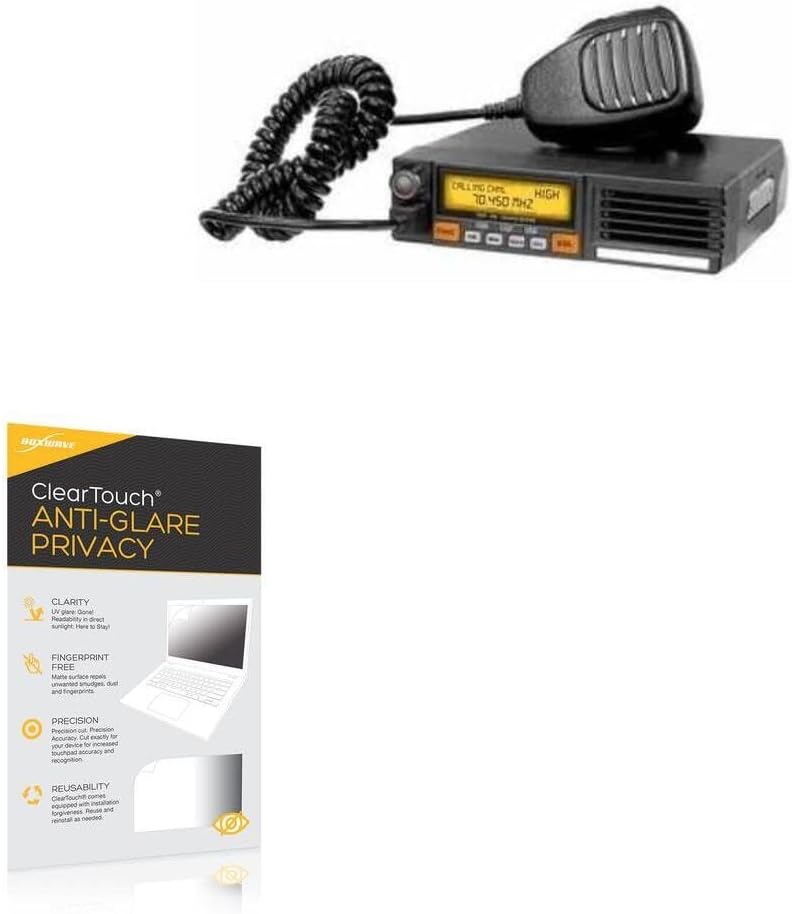
Image 2.1: BoxWave ClearTouch Anti-Glare Privacy Screen Protector applied to a device screen.

Image 2.2: Visual representation of the privacy feature, showing how the screen content is visible only from a direct viewangolo di ing.

Image 2.3: Comparison demonstrating the anti-smudge properties of the screen protector.
3. Contenuto della confezione
Your BoxWave ClearTouch Anti-Glare Privacy Screen Protector package includes:
- Two (2) ClearTouch Anti-Glare Privacy Screen Protectors
- One (1) Microfiber Cleaning Cloth
- One (1) Applicator Card

Image 3.1: Contents of the BoxWave ClearTouch Anti-Glare Privacy Screen Protector 2-pack.
4. Istruzioni per l'installazione
Per un'installazione ottimale, seguire questi passaggi:
- Pulisci lo schermo: Use the included microfiber cloth to thoroughly clean your device's screen. Ensure there are no dust particles, smudges, or fingerprints. A clean screen is crucial for bubble-free application.
- Allinea il protettore: Carefully align the screen protector with your device's screen. Pay attention to the edges, cutouts for speakers, cameras, and buttons to ensure a perfect fit.
- Rimuovere il supporto: Once aligned, gently peel off the bottom protective layer of the screen protector. Avoid touching the adhesive side.
- Apply to Screen: Slowly lower the screen protector onto your device's screen. The glueless adhesive will automatically cling. If bubbles appear, use the applicator card to gently push them towards the nearest edge.
- Ultimi ritocchi: Smooth out any remaining small bubbles with the microfiber cloth or applicator card. Small bubbles may dissipate over 24-48 hours.
5. Principi operativi
Once installed, the screen protector functions passively to enhance your device experience:
- Riservatezza: The specialized filter embedded in the protector restricts the viewing angle. Your screen will appear dark or obscured to anyone attempting to view it from an angle greater than approximately 25 degrees from the center.
- Antiriflesso: The matte finish reduces reflections from ambient light sources, making your screen easier to read in bright environments.
- Sensibilità al tocco: The protector is designed to maintain the original touch sensitivity of your Anytone AT-5189 screen.
6. Manutenzione
Per mantenere la trasparenza e l'efficacia della pellicola protettiva per lo schermo:
- Pulizia: Use the provided microfiber cloth or a similar soft, lint-free cloth to gently wipe the screen protector. For stubborn smudges, slightly dampPulisci il panno con acqua o una soluzione detergente adatta allo schermo. Evita prodotti chimici aggressivi o materiali abrasivi.
- Evitare oggetti appuntiti: While the protector offers scratch resistance, extreme pressure or sharp objects can still damage it.
- Sostituzione: If the screen protector becomes heavily scratched or damaged, it can be carefully removed and replaced with a new one from the 2-pack.
7. Risoluzione Dei Problemi
Se riscontri problemi durante o dopo l'installazione, tieni presente quanto segue:
- Bolle: Most bubbles are caused by dust particles. If large bubbles persist, carefully lift a corner of the protector (using a piece of tape if necessary) to remove the dust with the microfiber cloth, then reapply. Small bubbles often disappear within 24-48 hours.
- Disallineamento: If the protector is significantly misaligned, gently peel it off and reapply, ensuring proper alignment before fully pressing it down.
- Sensibilità al tocco ridotta: Ensure the screen protector is fully adhered without air gaps. If issues persist, verify your device's touch settings.
8. Specifiche
| Caratteristica | Dettaglio |
|---|---|
| Marca | ScatolaWave |
| Compatibilità del modello | Anytone AT-5189 |
| Materiale | Polietilene tereftalato (PET) |
| Superficie dello schermo | Matte, Anti-Glare, Privacy Filter |
| Peso dell'articolo | 0.7 once (circa) |

Image 8.1: Demonstration of the screen protector's scratch resistance.
9. Supporto
For further assistance or inquiries regarding your BoxWave ClearTouch Anti-Glare Privacy Screen Protector, please refer to the contact information provided with your product packaging or visit the official BoxWave websito.