
1. Introduzione e avvertenze di sicurezza
Thank you for choosing the Devoko Height Adjustable Desk. This manual provides essential information for the safe assembly, operation, and maintenance of your new desk. Please read it thoroughly before use and retain it for future reference.
Avvertenze di sicurezza:
- Do not exceed the recommended load capacity of 85 kg (static) / 70 kg (dynamic). Overloading can cause damage to the desk and potential injury.
- Use the desk by alternating between sitting and standing positions to avoid health problems associated with prolonged sitting.
- Per evitare incidenti, tenere bambini e animali domestici lontani dalla scrivania durante il funzionamento.
- Ensure all cables are properly managed and secured to prevent tripping hazards or damage to the motor mechanism.
- Non versare liquidi direttamente sul pannello di controllo o sui componenti del motore.
- If any unusual noise, smell, or malfunction occurs, immediately unplug the desk from the power outlet and contact customer support.
2. Prodotto finitoview e Caratteristiche principali
The Devoko Height Adjustable Desk is designed to promote a healthier work environment by allowing seamless transitions between sitting and standing positions. It features a robust construction and intelligent functionalities.
Caratteristiche principali:
- Design attento alla salute: Promotes alternating between sitting and standing to reduce fatigue and improve focus.
- Qualità affidabile: Industrial-grade steel frame, FSC-certified solid MDF wood tabletop, with a static load capacity of 85 kg and dynamic load capacity of 70 kg.
- Easy Height Adjustment: Electric adjustment with a range of 71 cm to 119 cm.
- Preimpostazioni di memoria: Two programmable memory slots for preferred sitting and standing heights.
- Motore durevole e silenzioso: Powerful, energy-efficient motor operating at less than 50 dB, tested for over 10,000 cycles.
- Intelligent Anti-Collision System: Automatically stops and slightly reverses if an obstruction is detected during height adjustment.
- Gestione cavi integrata: Features cable grommets and a foldable cable tray to keep your workspace tidy.
- Accessori aggiuntivi: Includes a free hook for headphones or bags.
Componenti:
The desk consists of a sturdy metal frame, a multi-part tabletop, an electric motor system, a control panel, and various accessories for assembly and cable management.

Figura 2.1: generale view of the Devoko height-adjustable desk in white, showcasing its spacious surface and clean design with multiple monitors, a laptop, keyboard, mouse, and headphones.

Figure 2.2: The desk in a modern office setting, illustrating its intuitive design and key performance metrics: automatic rebound for safety, noise level below 50 dB for quiet operation, and a lifting speed of 22mm/s.

Figura 2.3: Un dettaglio view of the desk's control panel, featuring up and down adjustment buttons, two memory preset buttons (1 and 2), and an automatic reset function. It also highlights the intelligent anti-collision system for enhanced safety.

Figure 2.4: An illustration demonstrating the versatile height adjustment range of the desk, from a minimum of 71 cm suitable for sitting to a maximum of 119 cm for comfortable standing.
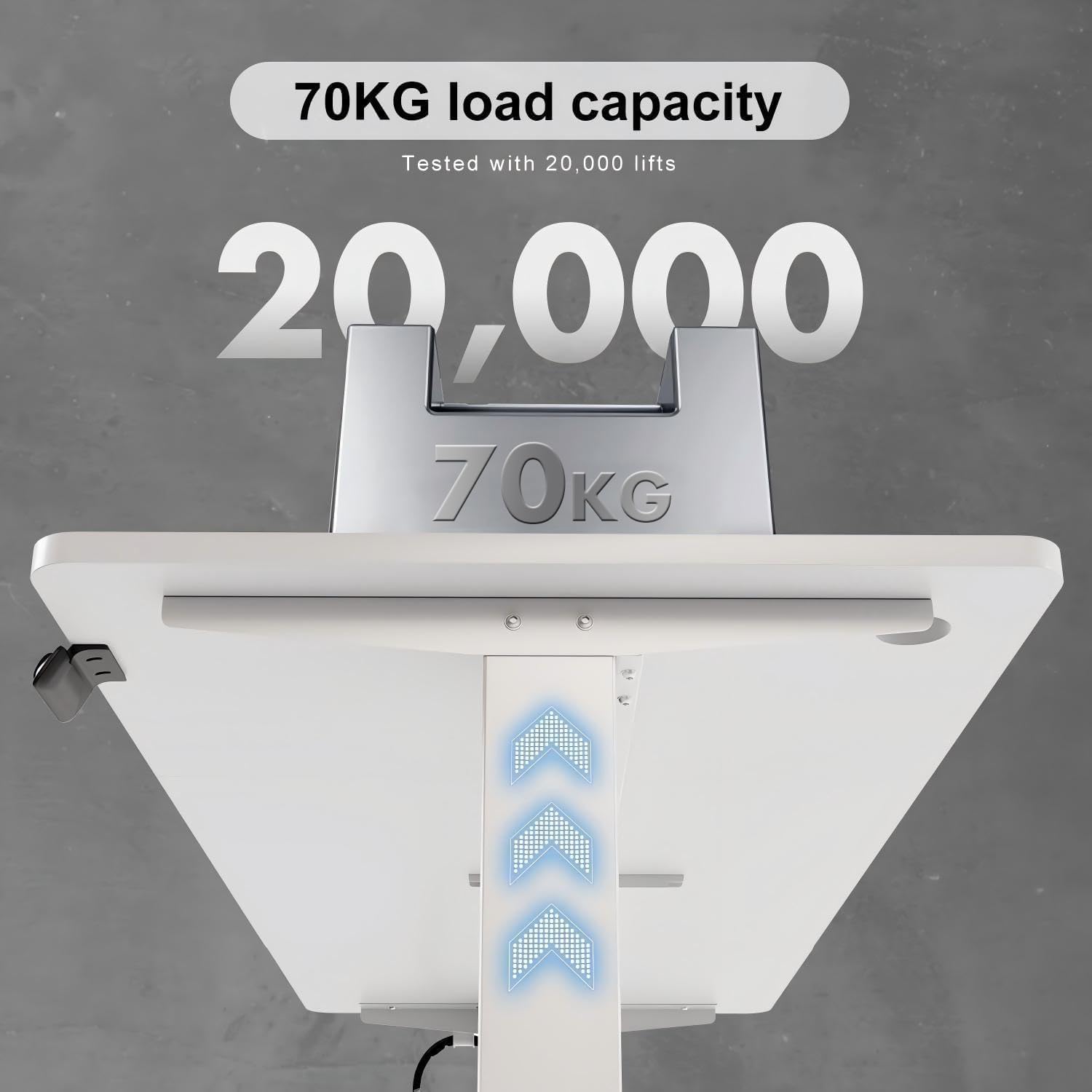
Figure 2.5: Visual representation of the desk's robust construction, indicating a tested load capacity of 70 kg, ensuring stability for various workstation setups.

Figure 2.6: A comparative graphic illustrating the desk's quiet operation, with a noise level below 50 dB, comparable to light rain and significantly quieter than normal conversation or truck noise.
3. Installazione e assemblaggio
The Devoko Height Adjustable Desk requires assembly. Please follow the instructions provided in the separate assembly guide included with your product. Ensure all parts are present before beginning assembly.
Fasi dell'Assemblea Generale:
- Disimballare tutti i componenti e verificarli rispetto all'elenco delle parti.
- Montare la struttura della scrivania seguendo gli schemi forniti.
- Attach the tabletop sections securely to the frame. Note: The tabletop may come in multiple parts.
- Install the motor and control panel, ensuring all electrical connections are firm.
- Attach the cable tray and any additional accessories like the headphone hook.
- Connect the power cable and perform an initial test of the height adjustment.

Figura 3.1: Un esploso view showing all components of the height-adjustable desk, including the three-part tabletop, frame elements, motor, and control unit. A warning advises checking the parts list before installation.
4. Istruzioni per l'uso
Regolazione dell'altezza:
- To raise the desk, press and hold the UP arrow button on the control panel.
- To lower the desk, press and hold the GIÙ arrow button on the control panel.
- Rilasciare il pulsante una volta raggiunta l'altezza desiderata.
Preimpostazioni di memoria:
The desk features two memory presets (1 and 2) to store your preferred sitting and standing heights.
- Regolare la scrivania all'altezza desiderata utilizzando i pulsanti SU/GIÙ.
- Press and hold the desired memory button (1 or 2) until you hear a beep or see the display flash. This indicates the height has been saved.
- Per richiamare un'altezza salvata, è sufficiente premere il pulsante di memoria corrispondente (1 o 2). La scrivania si sposterà automaticamente nella posizione memorizzata.
Funzione di ripristino automatico:
If the desk encounters an error or needs to be recalibrated, use the automatic reset function.
- Premere e tenere premuto il tasto M button (or the button indicated for reset on your control panel, often a combination or specific symbol) until the desk moves to its lowest position and then slightly back up. This completes the reset cycle.
Intelligent Anti-Collision System:
The desk is equipped with an anti-collision system. If the desk encounters an obstruction while moving up or down, it will automatically stop and reverse slightly to prevent damage to the desk or objects.
5. Manutenzione
Una manutenzione regolare garantisce la longevità e le prestazioni ottimali della tua scrivania Devoko.
- Pulizia: Pulisci la superficie e la struttura della scrivania con un panno morbido e asciutto.amp panno. Evitare detergenti abrasivi o prodotti chimici aggressivi che potrebbero danneggiare la finitura.
- Gestione dei cavi: Periodically check that all cables are securely routed through the cable tray and grommets to prevent tangling or damage.
- Connessioni: Ensure all screws and bolts remain tight. Re-tighten if necessary.
- Cura del motore: The motor is designed for durability and requires no special lubrication. Keep the motor area free from dust and debris.
6. Risoluzione Dei Problemi
If you encounter issues with your Devoko Height Adjustable Desk, refer to the following common problems and solutions:
| Problema | Possibile causa | Soluzione |
|---|---|---|
| La scrivania non si muove | No power, loose cable, motor overload, or system error. | Check power connection. Ensure all cables are securely plugged in. Unplug for 10 minutes and plug back in. Perform a reset (see Operating Instructions). Reduce load if overloaded. |
| La scrivania si muove in modo non uniforme | Uneven load distribution, or system imbalance. | Distribute weight evenly on the desk surface. Perform a reset. |
| Il sistema anticollisione si attiva frequentemente | Obstruction in the path of movement, or sensitivity setting. | Clear any objects from the desk's path. Refer to the full assembly guide for potential sensitivity adjustments (if applicable). |
| Rumore insolito durante il funzionamento | Loose components, or motor issue. | Check all screws and connections for tightness. If noise persists, discontinue use and contact customer support. |
Se il problema persiste dopo aver provato queste soluzioni, contattare l'assistenza clienti Devoko per ulteriore assistenza.
7. Specifiche
Detailed technical specifications for the Devoko Height Adjustable Desk (Model 0427).
| Caratteristica | Dettaglio |
|---|---|
| Marca | Devoko |
| Numero di modello | 0427 |
| Colore | Bianco |
| Dimensioni assemblate (L x P x A) | 140 x 70 x 72 cm (Note: Product title states 140x60cm, but specifications indicate 140x70cm. Please verify actual product dimensions.) |
| Dimensioni imballo (L x P x A) | Dimensioni: 81 x 17.5 x 51 cm |
| Peso dell'articolo | 19 chilogrammi |
| Materiale | Metal (frame), Engineered Wood (tabletop) |
| Gamma di regolazione dell'altezza | da 71 cm a 119 cm |
| Capacità di carico (statica) | 85 kg |
| Capacità di carico (dinamica) | 70 kg |
| Livello di rumore | < 50 dB |
| Caratteristiche | Height Adjustable, Electric, Memory Presets, Anti-Collision System, Cable Tray |
| Tipo di finitura | Verniciato |
| Paese di origine | Cina |
8. Garanzia e supporto
Devoko products are manufactured to high-quality standards. While specific warranty details are not provided in this manual, please retain your proof of purchase for any warranty claims.
Assistenza clienti:
For technical assistance, troubleshooting beyond this manual, or warranty inquiries, please contact Devoko customer support through the retailer where you purchased the product or visit the official Devoko websito per le informazioni di contatto.
Quando contatti l'assistenza, tieni a portata di mano il numero del modello (0427) e la data di acquisto.