
1. Informazioni importanti sulla sicurezza
Please read all instructions carefully before using your AMEIFU F1 Air Purifier. Keep this manual for future reference.
- Scollegare sempre il purificatore d'aria prima di spostarlo, pulirlo o eseguirne la manutenzione.
- Do not operate the appliance if the cord or plug is damaged. Contact customer support for assistance.
- Keep the air purifier away from water or wet areas. Do not immerse in water or other liquids.
- Assicurare una ventilazione adeguata attorno all'unità. Non ostruire le prese d'aria o le uscite.
- Questo apparecchio non è destinato all'uso da parte di persone (bambini compresi) con ridotte capacità fisiche, sensoriali o mentali, o prive di esperienza e conoscenza, a meno che non siano supervisionate o abbiano ricevuto istruzioni riguardanti l'uso dell'apparecchio da una persona responsabile della loro sicurezza.
- Use only official AMEIFU replacement filters to ensure optimal performance and maintain warranty.
- The AMEIFU F1 Air Purifier is ETL/FCC/EPA/CARB Certified, ensuring high safety and quality standards.
2. Prodotto finitoview
The AMEIFU F1 H13 HEPA Air Purifier is designed to provide clean and fresh air in large rooms up to 3000 sq ft. It features a double-sided air intake system for faster purification, intelligent controls, and quiet operation.

Image: AMEIFU F1 Air Purifier, showcasing its sleek design and top-mounted control panel.
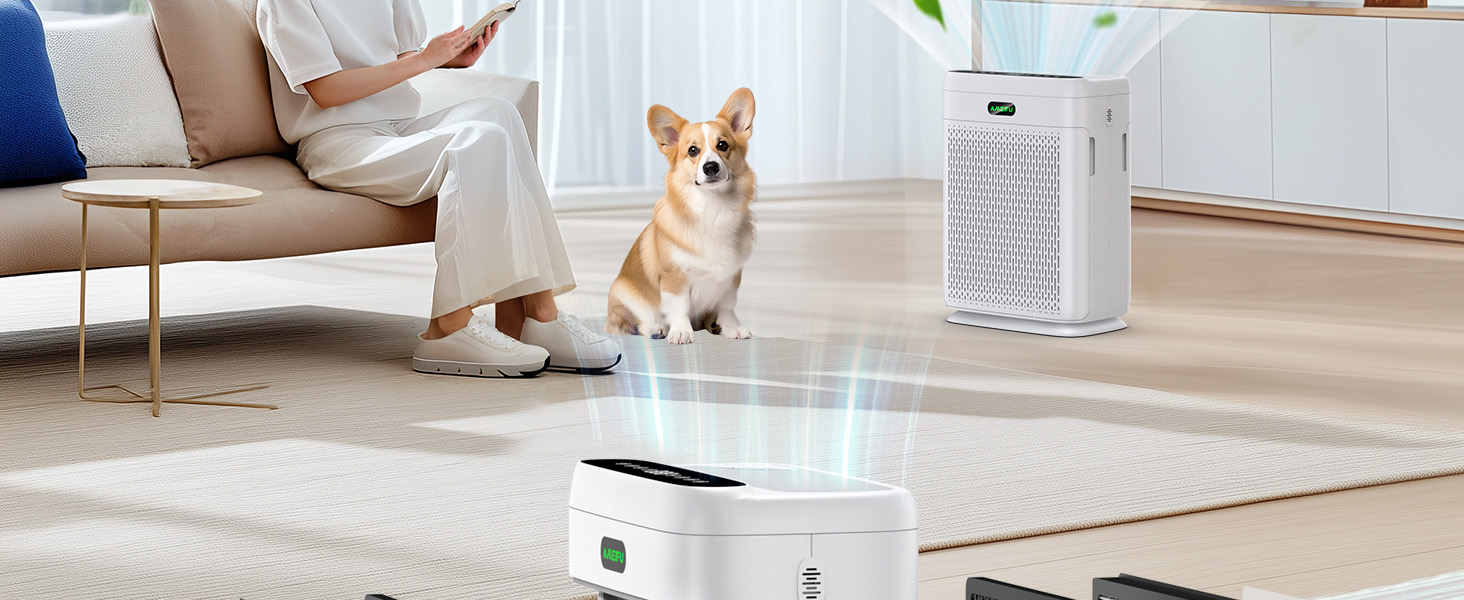
Image: Illustration of the air purifier's double-sided air intake design, highlighting air flowing in from both sides.
Video: Un oltreview of the AMEIFU Air Purifier, demonstrating its features and filter installation process.
3. Guida all'installazione
3.1 Disimballaggio e installazione del filtro
- Estrarre con cautela il purificatore d'aria dalla confezione.
- Locate the filter compartments on both sides of the unit. Gently pull the covers to open.
- Remove the new filters from their protective plastic bags.
- Insert the filters into the compartments, ensuring they are correctly oriented (usually indicated by an arrow or 'FRONT' label).
- Chiudere bene i coperchi dei filtri.
3.2 Placement and Power
- Posizionare il purificatore d'aria su una superficie solida e piana.
- Assicurarsi che ci siano almeno 15 cm di spazio attorno a tutti i lati dell'unità per una circolazione ottimale dell'aria.
- Collegare l'adattatore di alimentazione all'unità e poi a una presa elettrica standard.
Video: A user demonstrating the unboxing and filter installation process for the AMEIFU Air Purifier.
4. Istruzioni per l'uso
4.1 Pannello di controllo e telecomando
The air purifier can be operated using the touch control panel on the top of the unit or the included remote control.

Immagine: dettagliata view of the air purifier's control panel, showing buttons for power, fan speed, sleep mode, timer, auto mode, light control, child lock, and filter reminder.
- Pulsante di accensione: Premere per accendere o spegnere l'unità.
- Velocità della ventola: Cycle through 3 fan speeds (Low, Medium, High).
- Modalità risparmio: Activates ultra-quiet operation (15dB) with all indicator lights off for undisturbed sleep.
- Timer: Set the operating time for 2, 4, 6, or 8 hours.
- Modalità automatica: The purifier automatically adjusts fan speed based on real-time air quality detected by the PM 2.5 sensor.
- Controllo della luce: Turn the display lights ON or OFF.
- Blocco bambini: Tenere premuto per attivare/disattivare, evitando modifiche accidentali alle impostazioni.
- Promemoria filtro: An indicator light will illuminate when it's time to replace the filters.
4.2 Air Quality Monitoring
The built-in PM 2.5 display and infrared sensor provide real-time air quality feedback. The AMEIFU logo light changes color to indicate air quality:
- Verde: Good air quality (0-75 PM 2.5)
- Blu: Moderate air quality (75-150 PM 2.5)
- Rosso: Poor air quality (>150 PM 2.5)

Image: Visual representation of the air quality indicator light, changing colors based on PM 2.5 levels.
4.3 Diffusore per aromaterapia
Enhance your environment by adding essential oils:
- Locate the small aromatherapy pad compartment on the top of the unit.
- Add 2-3 drops of your favorite essential oil onto the pad.
- Close the compartment. The fan will distribute the aroma throughout the room.

Image: Close-up of the aromatherapy diffuser compartment on the top of the air purifier.
Video: A demonstration of the AMEIFU Air Purifier's control panel, fan speeds, and aromatherapy feature.
5. Manutenzione
5.1 Sostituzione del filtro
The air purifier features a filter replacement reminder light. When this light illuminates, it indicates that the filters need to be replaced to maintain optimal performance.
- Si consiglia di sostituire i filtri ogni 3-6 mesi, a seconda dell'utilizzo e della qualità dell'aria.
- Use only official AMEIFU replacement filters. Cercare B0D17S8SKT on Amazon to purchase.

Image: An official AMEIFU replacement HEPA filter, showing its multi-layer design.
5.2 Pulizia del prefiltro lavabile
The pre-filter, which captures larger particles like pet hair and dust, is washable and reusable.
- Disconnect the power before cleaning the pre-filter.
- Remove the filter covers and carefully take out the pre-filters.
- Rinse the pre-filters under running water until clean.
- Ensure the pre-filters are completely dry before reinstalling them into the unit.

Image: A person cleaning the washable pre-filter under a faucet, demonstrating the ease of maintenance.
6. Risoluzione Dei Problemi
If you encounter any issues with your AMEIFU F1 Air Purifier, please refer to the following common troubleshooting steps:
- L'unità non si accende: Check if the power adapter is securely plugged into both the unit and the electrical outlet. Ensure the outlet is functional.
- Flusso d'aria ridotto o purificazione: Check if the filters are installed correctly and not blocked. The filters may need to be cleaned (pre-filter) or replaced (HEPA filter).
- Filter replacement indicator light is on: This indicates it's time to replace the HEPA filters. Follow the filter replacement instructions in Section 5.1.
- Rumore insolito: Ensure the unit is placed on a flat, stable surface. Check for any obstructions in the air inlets or outlets. If the noise persists, contact customer support.
- La lettura della qualità dell'aria sembra imprecisa: Ensure the air quality sensor is clean and not obstructed. Allow the unit to run in Auto Mode for a period to recalibrate.
If these steps do not resolve the issue, please contact AMEIFU customer support for further assistance.
7. Specifiche
| Caratteristica | Specificazione |
|---|---|
| Dimensioni del prodotto | 11.81 x 6.89 x 16.14 pollici |
| Peso dell'articolo | 9.25 libbre |
| Area di copertura | Fino a 3000 piedi quadrati (rinfresca l'ariaurly) |
| CADR | 400 m³/ora |
| Tipo di filtro | H13 HEPA Double-Sided Air Filter |
| Livello di rumore | 15 decibel (modalità sospensione) |
| Metodo di controllo | Telecomando, tocco |
| Caratteristiche speciali | Auto Mode/Sleep Mode, Child Lock, Dual Purification, Remote Control, Aromatherapy |
| Certificazioni | ETL/FCC/EPA/CARB Certified |
8. Garanzia e supporto
AMEIFU stands behind the quality of its products.
- The AMEIFU F1 H13 HEPA Air Purifier comes with a 1 year+ warranty.
- Lifetime technical support is available for all AMEIFU products.
- For any inquiries or support needs, please feel free to contact AMEIFU customer service.