
1. Introduzione
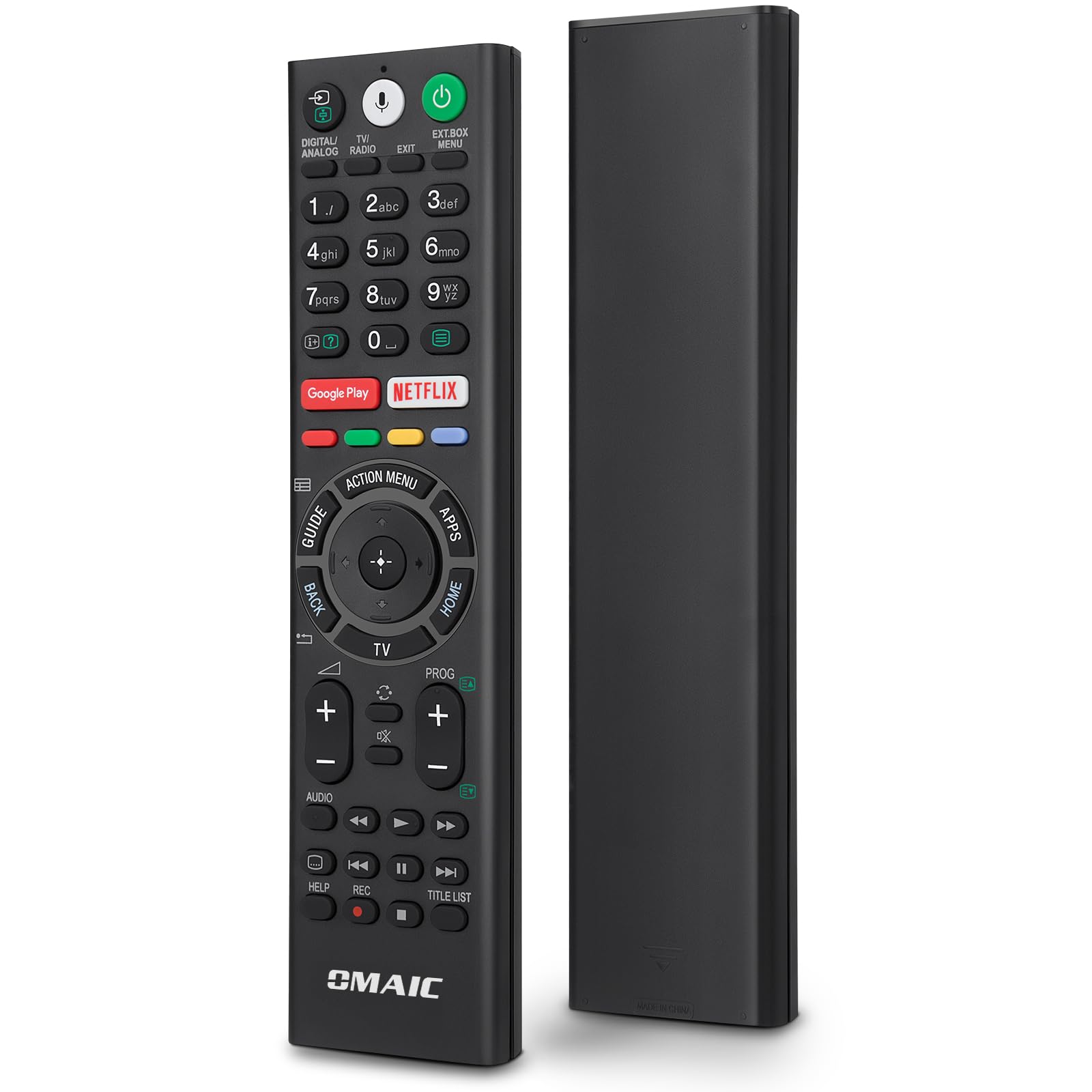
This manual provides comprehensive instructions for the OMAIC RMF-TX310E replacement voice remote control. This remote is designed to function as a direct replacement for your original Sony Smart TV remote, offering voice control capabilities and dedicated shortcut buttons for popular streaming services. Please read this manual carefully before use to ensure proper setup and operation.
2. Note importanti sulla compatibilità
This remote control is specifically designed for Sony TVs that feature a voice control function. If your Sony TV does not support voice commands, the voice features of this remote will not function. This remote is intended for television control only and is non compatibile with Blu-ray players, DVD players, home theater systems, sound bars, AV receivers, or audio amplificatori.
This remote is not compatible with Blu-ray players, DVD players, home theater systems, sound bars, AV receivers, or subwoofers.
Modelli di TV Sony compatibili:
- Sony Bravia Android TVs
- Sony 4K UHD Crystal HDR TVs
- Sony OLED Ultra HDTVs
- XBR KDL Series TVs
Specific compatible models include: KD-43XE8004, KD-43XE8005, KD-43XE8077, KD-43XE8088, KD-43XE8096, KD-43XE8099, KD-43XE8396, KD-43XF7596, KD-43XF8096, KD-43XF8505, KD-43XF8577, KD-43XF8588, KD-43XF8596, KD-43XF8599, KD-43XF8796, KD-49XE8004, KD-49XE8005, KD-49XE8077, KD-49XE8088, KD-49XE8096, KD-49XE8099, KD-49XE8396, KD-49XF7596, KD-49XF8096, KD-49XF8505, KD-49XF8577, KD-49XF8588, KD-49XF8596, KD-49XF8599, KD-49XF8796, KD-49XF9005, KD-55XE8096, KD-55XE8396, KD-55XF7596, KD-55XF8096, KD-55XF8505, KD-55XF8577, KD-55XF8588, KD-55XF8596, KD-55XF8599, KD-55XF8796, KD-55XF9005, KD-60XF8305, KD-65XF7596, KD-65XF8505.
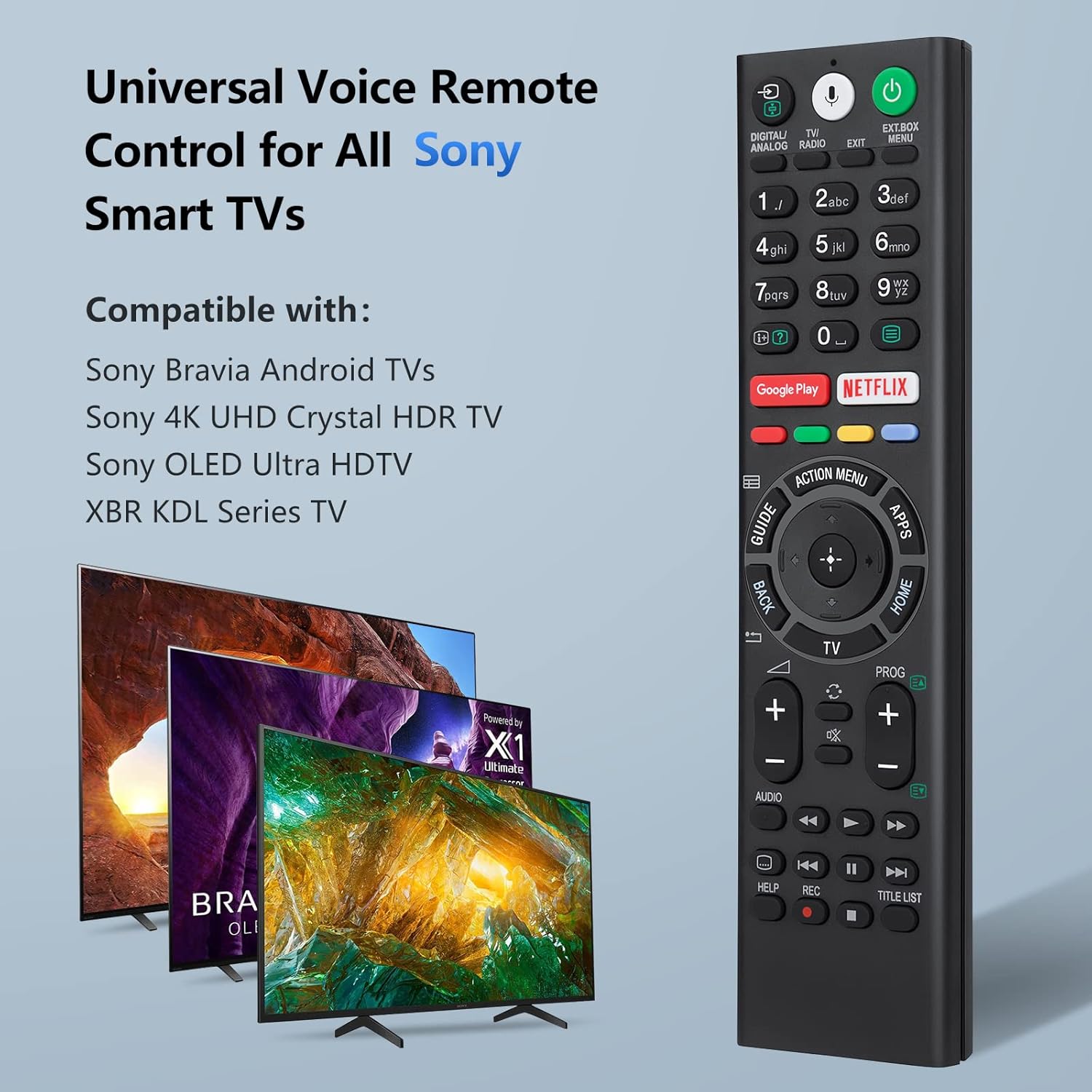
The OMAIC RMF-TX310E remote is a universal voice remote control for various Sony Smart TV models.
3. Configurazione e installazione della batteria
Before using the remote control, you must install batteries.
3.1 Installazione della batteria
The remote control requires two (2) 1.5V AAA batteries. Batteries are not included with the product.
- Individuare il coperchio del vano batterie sul retro del telecomando.
- Far scorrere il coperchio aperto nella direzione indicata dalla freccia.
- Inserire due batterie AAA, assicurandosi che i terminali positivo (+) e negativo (-) siano allineati correttamente con le marcature all'interno del vano.
- Riposizionare il coperchio del vano batteria finché non scatta in posizione.

Insert two 1.5V AAA batteries into the remote control. Batteries are not supplied.
4. Istruzioni per l'associazione
To enable full functionality, including voice control, you must pair the remote control with your Sony Smart TV. Follow these steps:
- Ensure your Sony TV is powered on. If it is off, press the Energia button on the remote to turn it on.
- Premere e tenere premuto contemporaneamente il tasto vol- (Volume Down) button and the Microfono pulsante per circa 3 secondi.
- The remote will initiate the pairing process automatically in the background. No further on-screen setup is typically required.
- Once paired, you can use all functions, including voice control.

To pair, hold the 'VOL-' button and the 'Microphone' button for 3 seconds.
5. Operating Instructions (Button Functions)
Familiarize yourself with the buttons on your OMAIC RMF-TX310E remote control:

Diagram illustrating the functions of each button on the remote control.
- ENERGIA: Turns the TV on or off (standby mode).
- DIGITALE/ANALOGICO: Selects the video source.
- TV/RADIO: Passa dalla modalità TV alla modalità Radio.
- EXT.BOX MENU: Accesses the menu for external devices.
- PULSANTI NUMERICI (0-9): Used to select digital channels or input numbers.
- DISPLAY (Info/Text Reveal): Displays information about the current channel or program.
- Netflix: Direct access to the Netflix streaming service. (Functionality may vary by region/country/TV model).
- Giocare a Google: Direct access to the Google Play online service.
- MEN AZIONE: Displays a list of contextual functions.
- APPLICAZIONI: Accesses various services and applications.
- GUIDA: Displays the digital program guide.
- DIRECTION PAD (Up/Down/Left/Right): For on-screen menu navigation and selection.
- SELECT (Center Button): Conferma le selezioni nei menu.
- INDIETRO: Ritorna alla schermata precedente.
- TV: Switches to a TV channel or input and displays the TV Menu Bar.
- CH +/-: Selects the channel.
- volume +/-: Regola il volume.
- MUTE: Mutes the sound. Press again to restore sound.
- AUDIO: Changes the language for the program currently being viewed.
- SUBTITLE (CC): Turns subtitles on or off (when the feature is available).
- AIUTO: Displays the Help menu. Help Guide can be accessed from here.
- PLAYBACK CONTROLS (BACKSPACE / PLAY / FAST FORWARD / PREV / PAUSE / NEXT / STOP): Operates media content on the TV and compatible BRAVIA Sync-compatible devices.
- RICORDA: Records content (if supported by your TV and setup).
- ELENCO TITOLI: Accesses a list of recorded titles or other content.
6. Voice Control Feature
The voice control feature allows for easier and more convenient interaction with your smart TV. Once paired, you can use voice commands to find content, launch applications, and control various TV functions.
- Premere il tasto Microfono pulsante sul telecomando.
- Parlare chiaramente nel microfono situato sul telecomando.
- Your TV will process the command, allowing you to search for movies, open apps, or adjust settings using your voice.

Use the microphone button to activate voice control and easily find, launch, and control content.
The voice function is designed to enhance your viewing experience, making it easier to navigate your smart TV from anywhere in the room.

The remote control provides convenient use in various settings, including the living room, bedroom, and kitchen.
7. Risoluzione Dei Problemi
- Il telecomando non risponde: Ensure batteries are correctly installed and not depleted. Replace with new AAA batteries if necessary.
- Il controllo vocale non funziona: Verify that your Sony TV has a voice control function. Ensure the remote is properly paired with the TV (refer to Section 4).
- Funzionalità limitata: Confirm that your TV model is listed as compatible. Some advanced features may require specific TV settings or internet connectivity.
- Interferenza: Assicurarsi che non vi siano ostacoli tra il telecomando e il ricevitore a infrarossi del televisore.
- Riassociazione: If issues persist, try re-pairing the remote control with your TV by following the steps in Section 4.
8. Specifiche
| Marca | OMAICO |
| Numero di modello | Modello RMF-TX310E |
| Dispositivi compatibili | Television (Sony Smart TVs with voice function) |
| Tecnologia di connettività | Infrarossi |
| Caratteristiche speciali | Voice search, Universal, Comfortable design |
| Colore | Nero |
| Portata massima | 10 metri |
| Fonte di alimentazione | 2 batterie AAA da 1.5 V (non incluse) |
| Dimensioni | Dimensioni: 23.5 x 12.2 x 2.3 cm |
| Peso | 110 grammi |
9. Garanzia e supporto
We offer a 30-day return guarantee for this product. If you encounter any issues or have questions regarding your order, please contact our customer support directly. We aim to respond to all inquiries within 12 business hours.