
1. Introduzione
Thank you for choosing the LanLuk 200W GaN IV 8-Port USB-C Charging Station. This device is designed to provide efficient and safe charging for a wide range of electronic devices, including laptops, smartphones, tablets, and more. Please read this manual carefully before use to ensure proper operation and to maximize the lifespan of your product.
2. Istruzioni di sicurezza
- Non esporre il dispositivo ad acqua, umidità o temperature estreme.
- Evitare di far cadere o sottoporre il dispositivo a forti impatti.
- Non smontare, modificare o tentare di riparare il dispositivo autonomamente. Ciò invaliderà la garanzia e potrebbe causare danni o lesioni.
- Utilizzare solo il cavo di alimentazione fornito.
- Ensure proper ventilation around the charging station during use to prevent overheating.
- Tenere fuori dalla portata dei bambini.
- Unplug the charging station from the power outlet when not in use or during electrical storms.
3. Contenuto della confezione
Verifica che tutti gli articoli siano presenti nel tuo pacco:
- 1 x LanLuk 200W 8-in-1 USB-C Charging Station
- 1 x cavo di alimentazione
- 1 x Manuale di istruzioni
4. Prodotto finitoview
The LanLuk 200W GaN IV 8-Port USB-C Charging Station features advanced GaN IV technology for higher energy efficiency, upgraded heat dissipation, and a compact design. It provides a total of 200W power output across 8 ports, allowing you to charge multiple devices simultaneously.
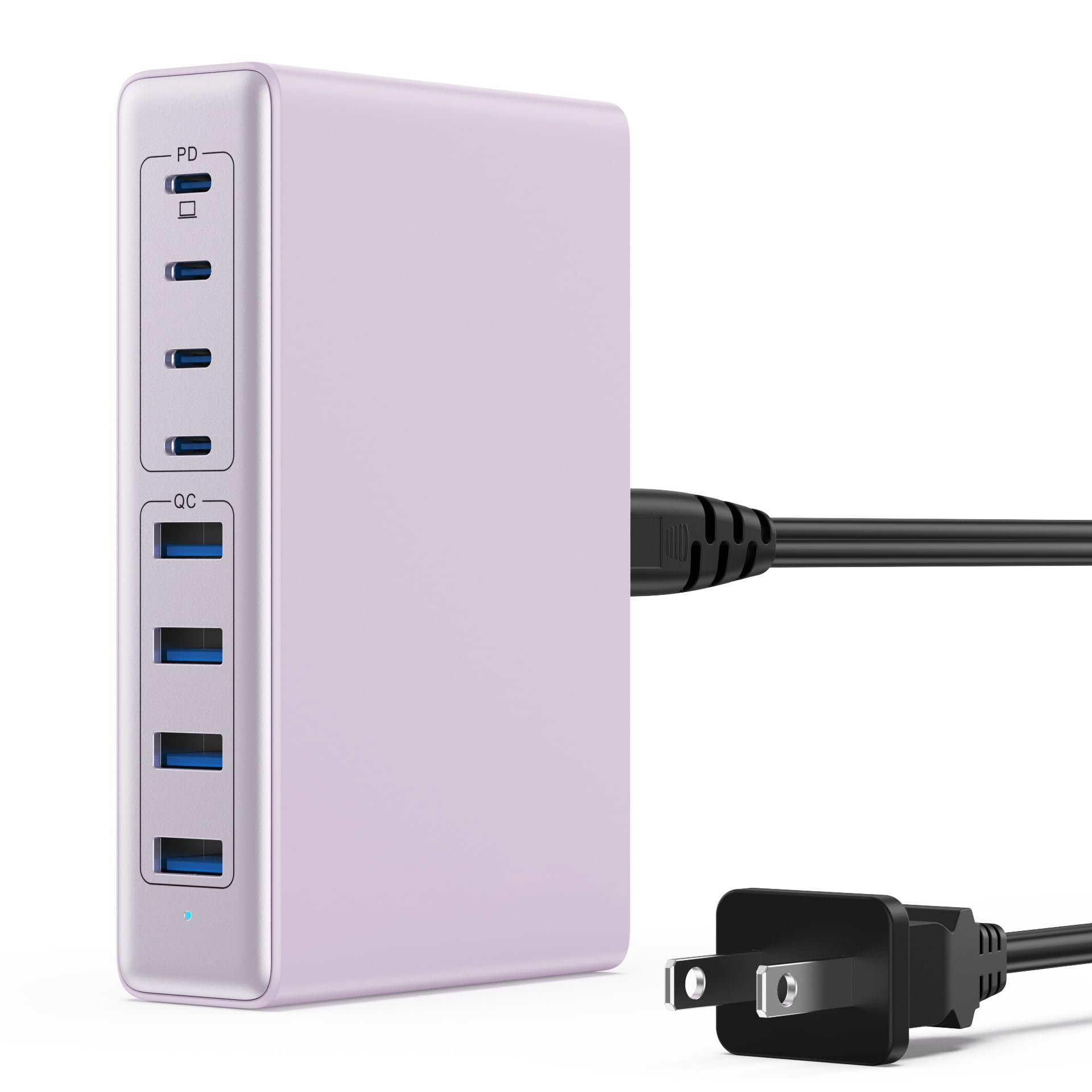
Image: The LanLuk 200W GaN IV 8-Port USB-C Charging Station in purple.
Caratteristiche principali:
- GaN IV Technology: Utilizes the latest Gallium Nitride (GaN) IV chip for enhanced efficiency, reduced heat, and a smaller form factor.
- Potenza totale in uscita 200 W: Delivers optimal power to charge up to 8 devices simultaneously at full speed.
- 8 porte di ricarica: Includes 4 USB-C ports (PD 3.0) and 4 USB-A ports (QC 4.0) for broad compatibility.
- Erogazione di potenza (PD) da 65 W: One dedicated USB-C port provides up to 65W, capable of fast-charging laptops like MacBook Pro/Air, Dell XPS, and more.
- Sistema di sicurezza multiprotezione: Built-in intelligent IC with six safety protections: over-voltage, over-current, over-charge, over-temperature, static electricity, and short circuit.
- Compatibilità universale: Supports a wide range of devices including iPhones, iPads, Android phones, laptops, gaming consoles (Steam Deck, Nintendo Switch), smartwatches, and headphones.
- Design portatile: Compact size (approximately 5 inches by 3 inches) with a 1.5M/5FT AC extension power cord for flexible placement.
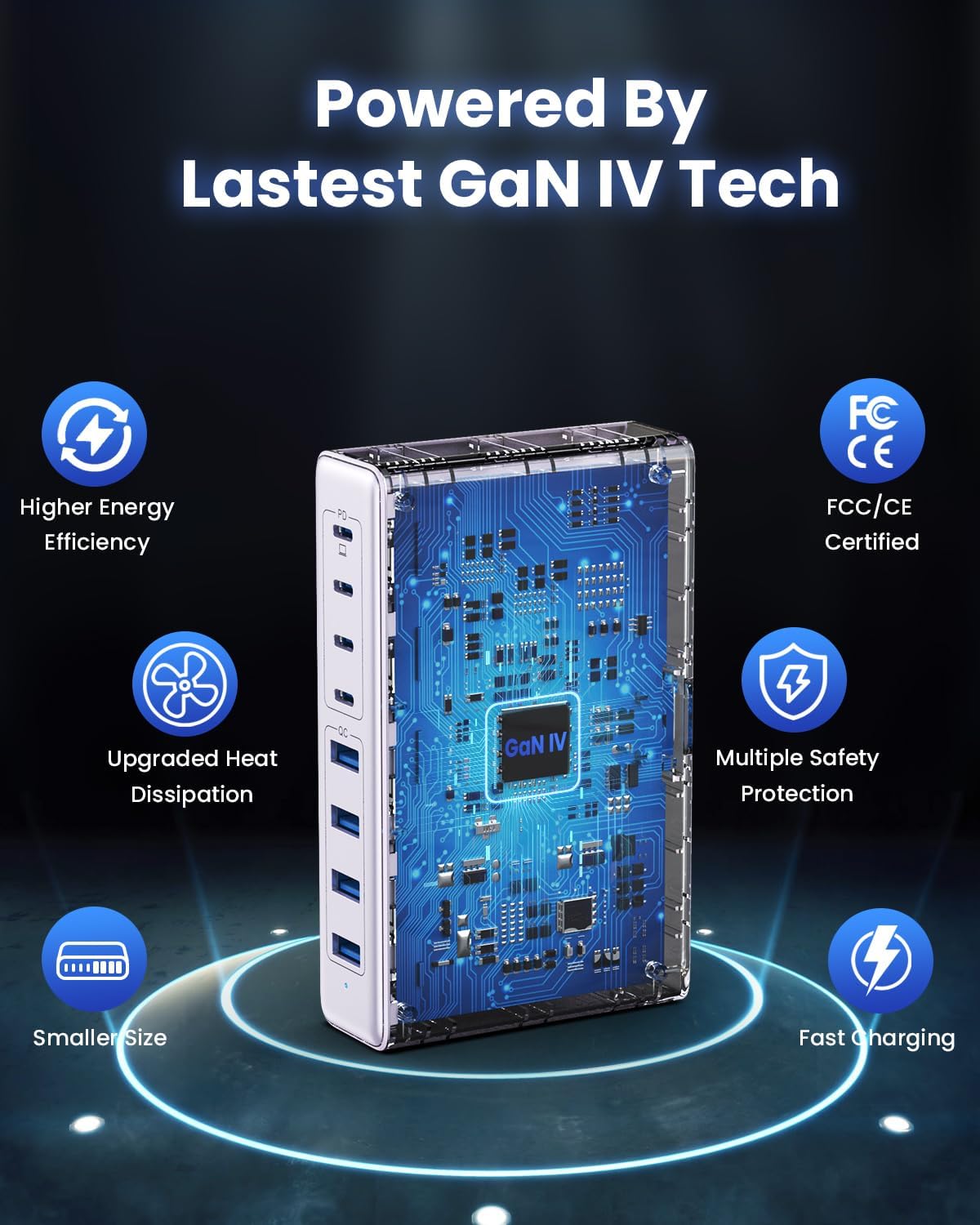
Image: Diagram illustrating the benefits of GaN IV technology, including higher energy efficiency, upgraded heat dissipation, smaller size, multiple safety protections, and fast charging.

Image: Visual representation of the charging station connecting to 8 different devices (4 USB-C, 4 USB-A).

Image: Infographic showing the universal compatibility with laptops/tablets (MacBook Pro, Dell XPS, iPad Pro), smartphones (iPhone, Samsung Galaxy, Google Pixel), and gaming devices/others (ROG ALLY, Steam Deck, AirPods, Switch).

Image: Illustration highlighting the USB-C1 port's 65W output, perfect for laptops, showing a MacBook charging.
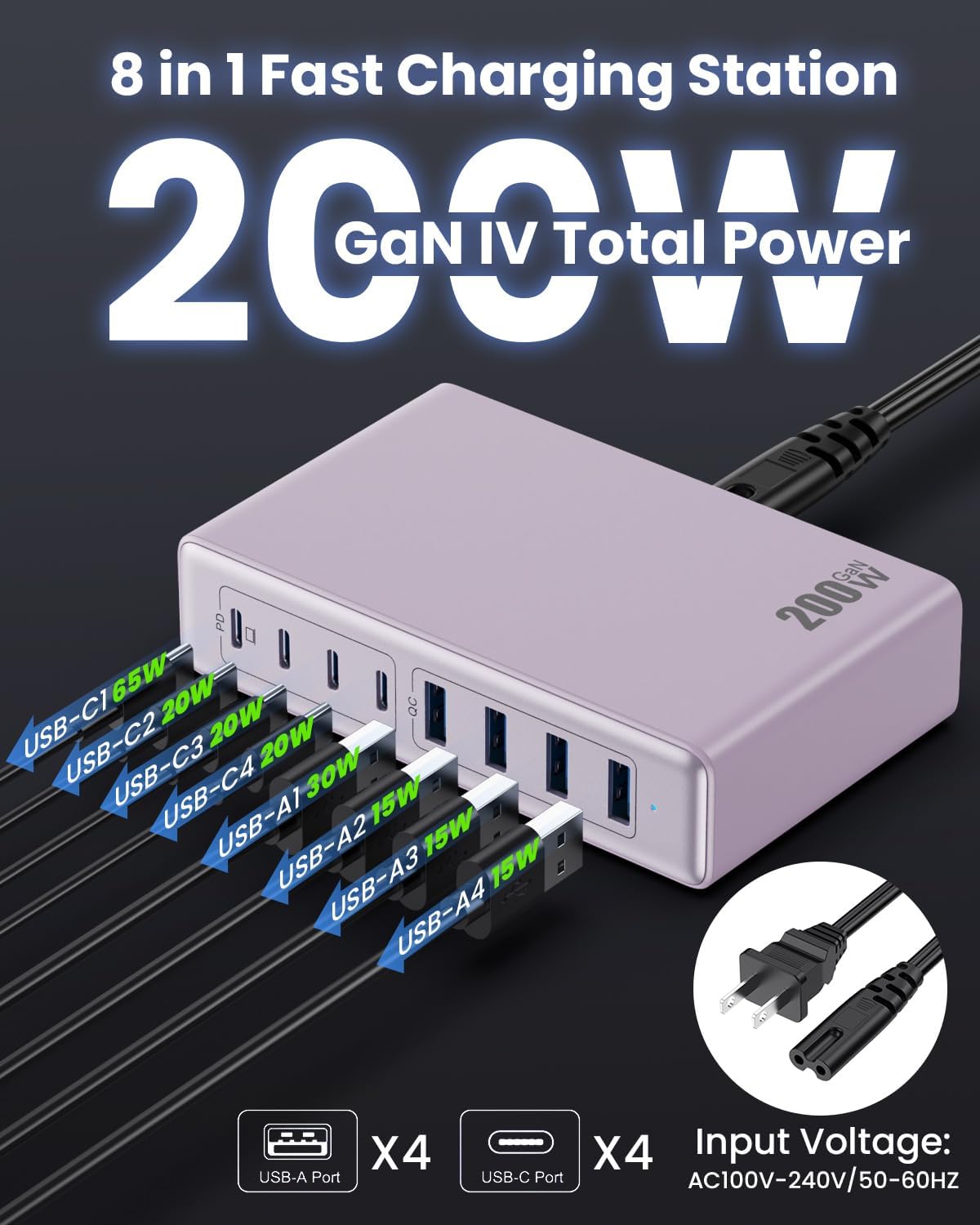
Immagine: dettagliata view of the charging station's ports and their individual power outputs (USB-C1 65W, USB-C2 20W, USB-C3 20W, USB-C4 20W, USB-A1 15W, USB-A2 15W, USB-A3 15W, USB-A4 15W).

Image: Comparison chart showing the LanLuk charger's advantages over other chargers in terms of total max output, one port output, number of ports, devices charged, portability, and sustainability.
5. Impostazione
- Disimballare: Estrarre con cautela la stazione di ricarica e tutti gli accessori dalla confezione.
- Collegare il cavo di alimentazione: Insert the included power cord into the AC input port on the back of the charging station.
- Collegare alla presa: Plug the other end of the power cord into a standard AC wall outlet (100-240V, 50/60Hz).
- Pronto per l'uso: La stazione di ricarica è ora pronta per caricare i tuoi dispositivi.
6. Istruzioni per l'uso
- Identify Port Type: Determine whether your device requires a USB-C or USB-A connection.
- Connetti dispositivo: Plug your device's charging cable into the appropriate port on the charging station. For optimal laptop charging, use the 65W PD USB-C1 port.
- Inizia la ricarica: Your device should begin charging automatically. The intelligent chip will identify the device and deliver the optimal charging current.
- Ricarica del monitor: Some devices may display a charging indicator.
- Disconnetti: Once charging is complete, safely disconnect your device from the charging station.
7. Specifiche
| Caratteristica | Descrizione |
|---|---|
| Marca | LanLuk |
| Numero di modello | HX-P21 |
| Cosatage | 200 Watt (totale) |
| Porte USB totali | 8 (4 USB-C, 4 USB-A) |
| Uscita USB-C | PD USB C (up to 65W on one port) |
| Uscita USB-A | QC4.0 USB-A |
| Ingresso volumetage | 100-240 Volts (AC), 50-60 Hz |
| Corrente di uscita | 4 Amps (massimo) |
| Materiale | Plastic (ABS and PC fireproof materials) |
| Caratteristiche speciali | GaN IV Technology, Fast Charging, Lightweight Design, Charging Indicator, Universal Compatibility, Short Circuit Protection |
| Dimensioni | Approximately 5 inches x 3 inches (portable) |
| Fonte di alimentazione | Elettrico con cavo |
8. Risoluzione Dei Problemi
- Dispositivo non in carica:
- Assicurarsi che la stazione di ricarica sia correttamente collegata a una presa di corrente funzionante.
- Verificare che il cavo di ricarica sia collegato saldamente sia alla stazione di ricarica sia al dispositivo.
- Prova un cavo o una porta di ricarica diversi per escludere che il cavo o la porta siano difettosi.
- Verify your device is compatible with the charging station's output specifications.
- Ricarica lenta:
- Assicurati di utilizzare un cavo compatibile con la ricarica rapida del tuo dispositivo.
- For laptops, use the dedicated 65W PD USB-C1 port.
- Charging multiple devices simultaneously may distribute the total power, potentially reducing individual port speeds.
- Check if your device supports fast charging protocols (PD, QC).
- Surriscaldamento:
- Ensure the charging station has adequate ventilation and is not covered.
- If excessive heat persists, discontinue use and contact customer support.
9. Manutenzione
- Pulizia: Scollegare la stazione di ricarica dalla presa di corrente prima di pulirla. Utilizzare un panno morbido e asciutto per pulire la superficie. Non utilizzare detergenti liquidi o spray.
- Magazzinaggio: Conservare il dispositivo in un luogo fresco e asciutto, lontano dalla luce solare diretta e dall'umidità quando non viene utilizzato.
- Cura del cavo: Avoid bending or crimping charging cables excessively to prevent damage.
10. Garanzia e supporto
LanLuk provides a Garanzia di 3 anno for free replacement. If you encounter any issues or have questions regarding your product, please contact our customer support team for assistance.
Assistenza clienti: Si prega di fare riferimento alle informazioni di contatto fornite sulla confezione del prodotto o al nostro sito ufficiale websito di supporto.