
1. Introduzione
The Machenike K500W is a versatile mechanical gaming keyboard designed for performance and flexibility. It features a compact 94-key layout, tri-mode connectivity (Bluetooth, 2.4G wireless, and wired USB), hot-swappable switches, and customizable RGB backlighting. This manual provides essential information for setting up, operating, maintaining, and troubleshooting your K500W keyboard.
Caratteristiche principali:
- Tri-Mode Connectivity: Bluetooth 5.0, 2.4G Wireless, and Wired USB.
- 94-Key Compact Layout.
- 100% Anti-Ghosting & N-Key Rollover.
- Hot-Swappable Switches (compatible with 3/5-pin switches).
- PBT Doubleshot Keycaps.
- Customizable RGB Backlighting (20 effects, 16.8 million colors).
- Programmable Driver Software.
- Built-in 2500mAh Lithium Battery.
- Suono Damping Silicone Pad for improved acoustics.
2. Impostazione
2.1 Carica iniziale
Before first use, ensure the keyboard is fully charged. Connect the keyboard to a USB power source using the provided USB-C cable. The charging indicator will show the charging status.
2.2 Collegamento della tastiera
The Machenike K500W supports three connection modes:
2.2.1 Modalità cablata
- Collega il cavo USB-C alla tastiera e l'altra estremità alla porta USB del computer.
- La tastiera verrà riconosciuta automaticamente e sarà pronta all'uso.
2.2.2 Modalità wireless 2.4G
- Individuare il ricevitore USB 2.4G, solitamente alloggiato in uno slot dedicato sulla tastiera.
- Collegare il ricevitore USB 2.4G a una porta USB disponibile sul computer.
- Switch the keyboard's mode selector to 2.4G wireless mode. The keyboard should connect automatically.
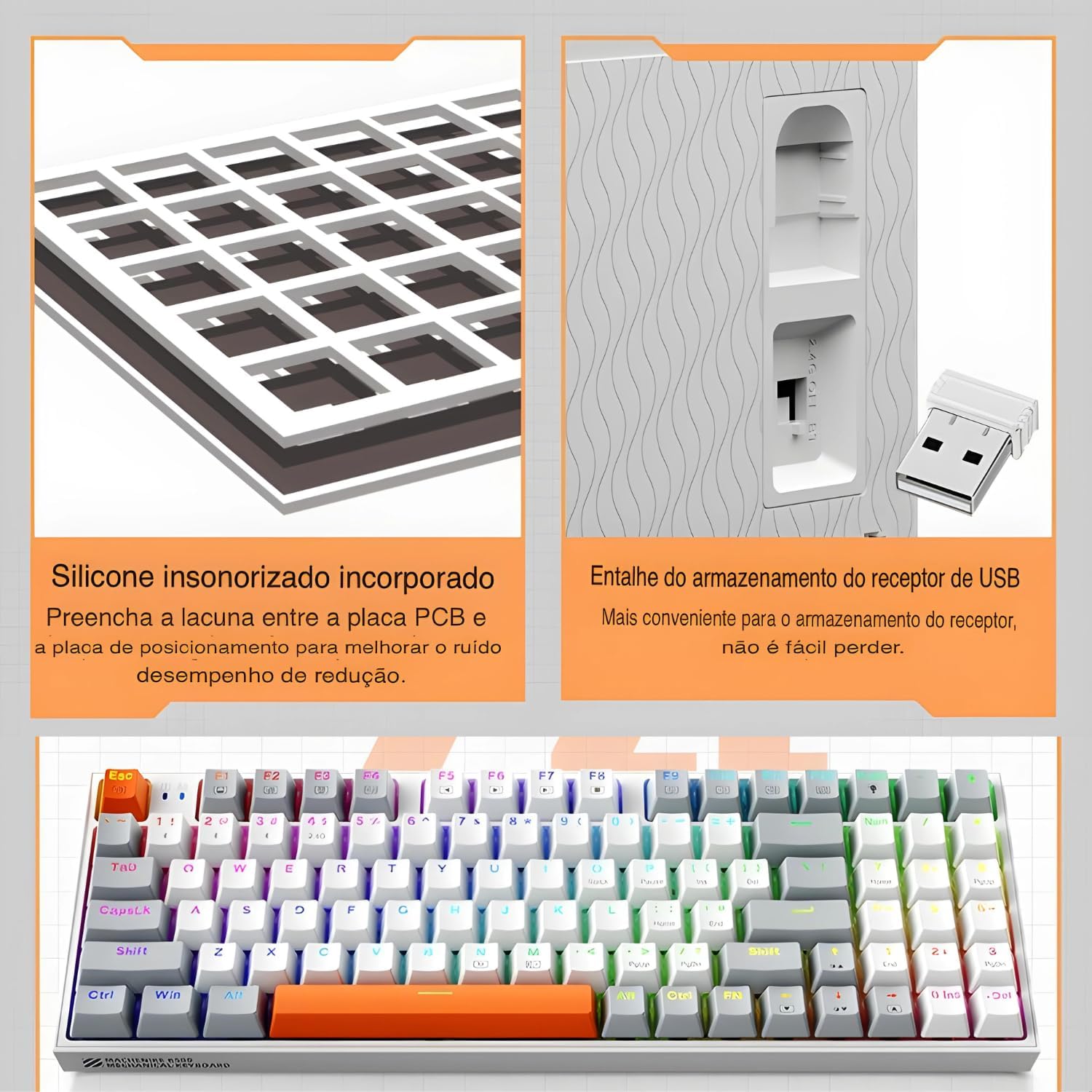
The keyboard features a silicone sound damping pad and a convenient storage slot for the 2.4G USB receiver.
2.2.3 Modalità Bluetooth
- Impostare il selettore di modalità della tastiera sulla modalità Bluetooth.
- Sul tuo computer o dispositivo, attiva il Bluetooth e cerca nuovi dispositivi.
- Select "Machenike K500W" from the list of available devices to pair.
- Se richiesto, inserisci il codice di associazione visualizzato sullo schermo.

The Machenike K500W supports tri-mode connectivity, allowing connection to multiple devices like PCs, laptops, and smartphones.
3. Istruzioni per l'uso
3.1 Disposizione dei tasti e funzioni
The K500W features a compact 94-key layout, providing essential keys while saving desk space. Familiarize yourself with the key positions, especially the function (Fn) key combinations for multimedia and lighting controls.
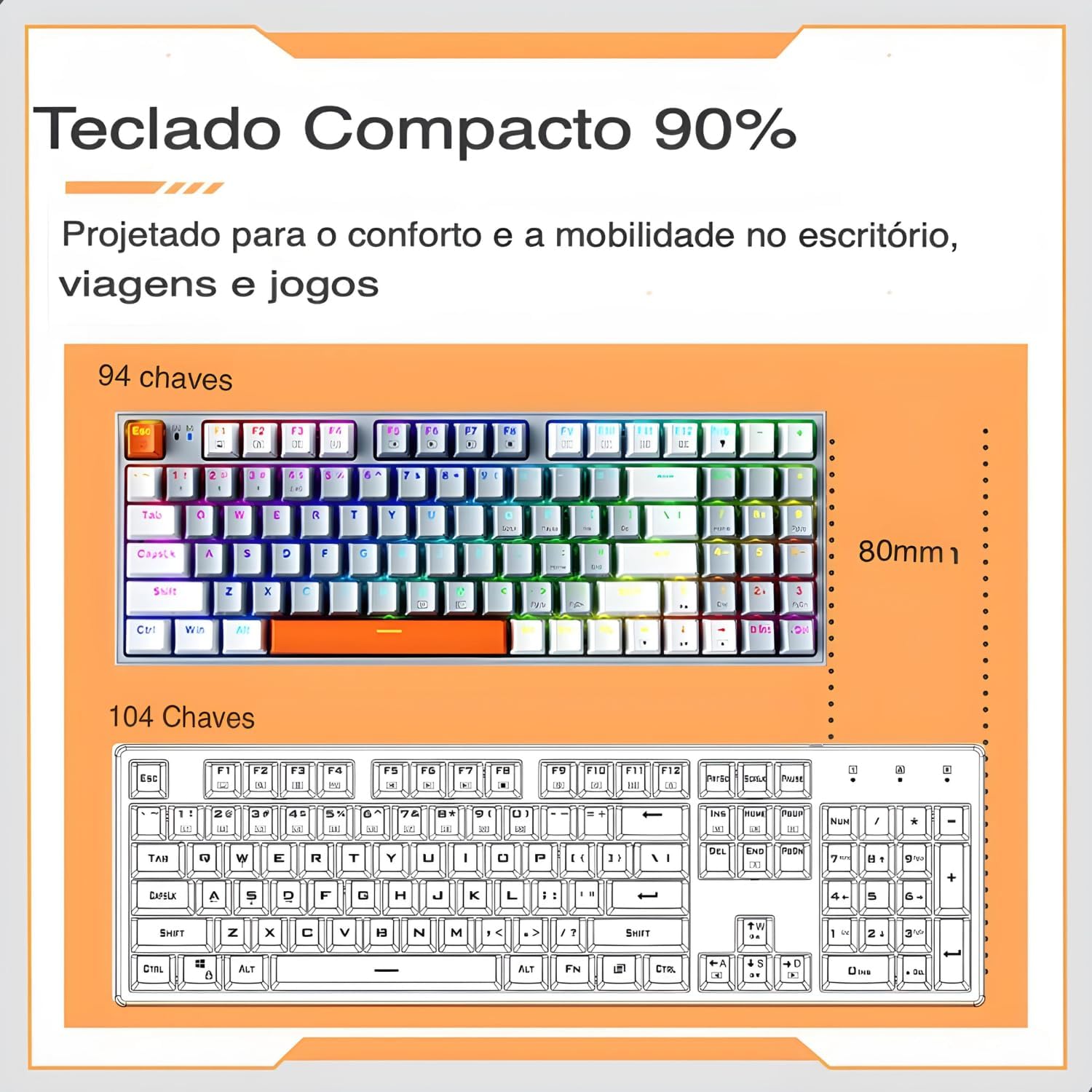
The 94-key compact layout offers more space for mouse movement compared to a 104-key keyboard.
3.2 Retroilluminazione RGB
The keyboard features dynamic RGB backlighting with 20 lighting effects and approximately 16.8 million programmable colors. Use the dedicated function keys (often combined with the Fn key) to cycle through lighting modes, adjust brightness, and change speed.
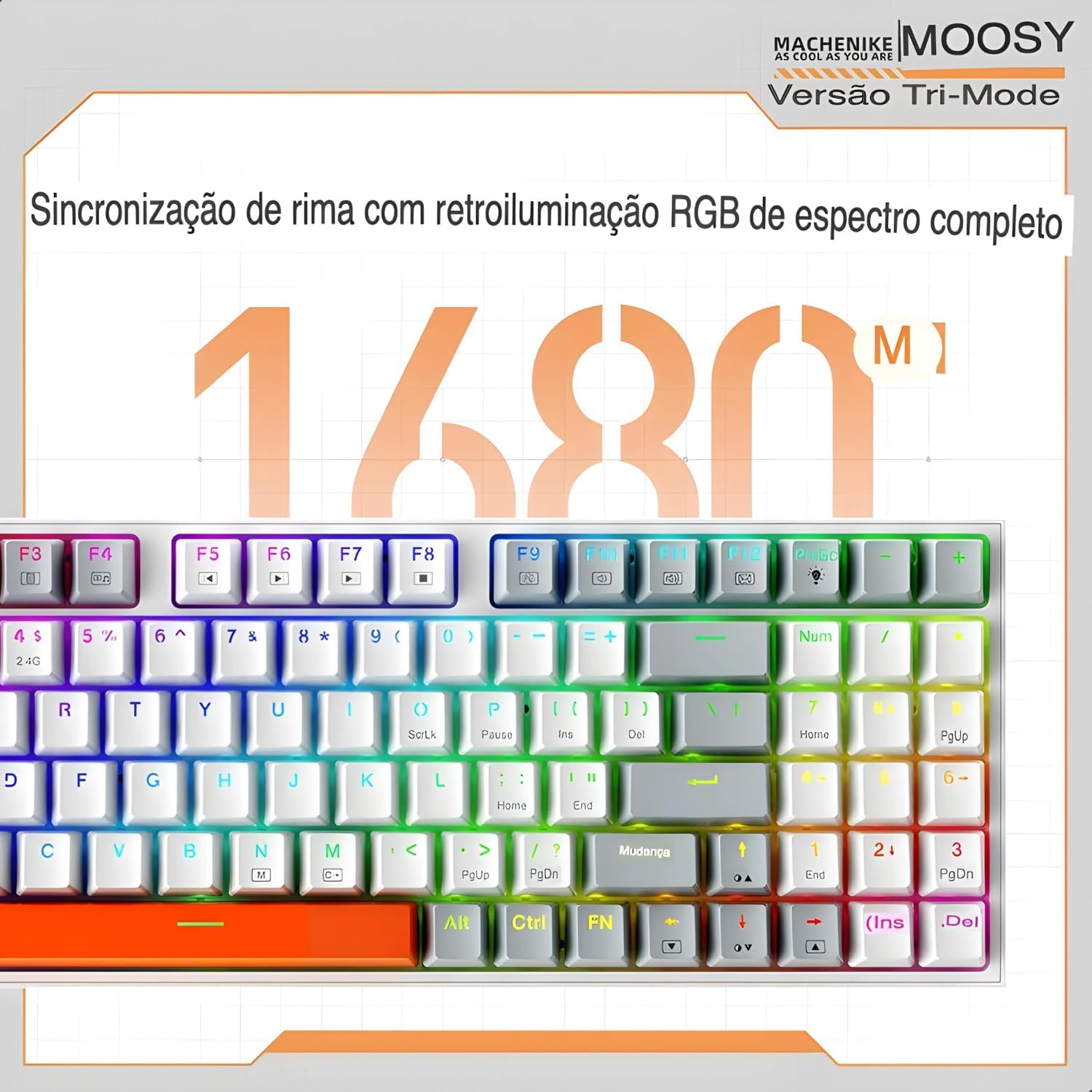
Experience full-spectrum RGB backlighting with 16.8 million colors and various dynamic effects.
3.3 Switch sostituibili a caldo
The K500W allows you to easily change mechanical switches without soldering. This feature enables customization of your typing experience. Use the included switch puller to remove existing switches and insert new 3-pin or 5-pin compatible switches.

The hot-swap feature allows for easy installation and replacement of mechanical switches.
3.4 Programmable Driver Software
For advanced customization, download and install the Machenike K500W programmable driver software. This software allows you to remap keys, create macros, and fine-tune RGB lighting effects to your preference.
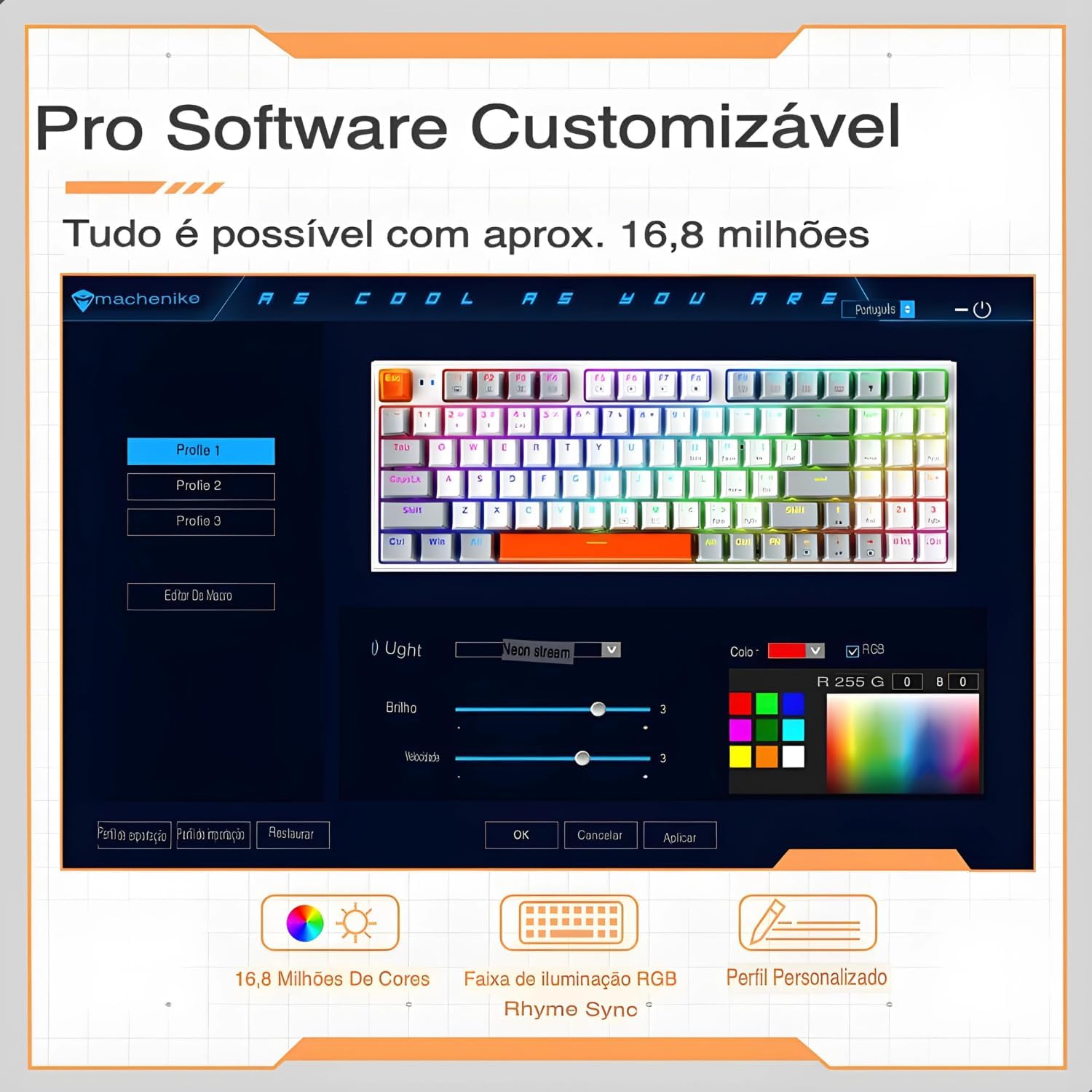
The professional software allows for customizable RGB lighting, macro creation, and personalized profiles.
4. Manutenzione
Una corretta manutenzione garantisce la longevità e le prestazioni ottimali della tastiera.
- Evitare fuoriuscite: Keep liquids away from your mechanical keyboard, as spills can damage the internal circuits.
- Gentle Disconnection: When disconnecting the cable, always pull the plug, not the cable itself, to prevent damage.
- Pulizia regolare: Dust and debris can accumulate and affect performance. Regularly clean your keyboard using compressed air and a soft cloth. For keycaps, you can remove them for a deeper clean.
- Proteggi il connettore USB: When not in use, disconnect and store the keyboard properly to protect the USB connector from damage.
- Aggiornamenti software: Keep the keyboard's software and drivers updated to ensure optimal performance and access to new features.
- Evitare gocce: While mechanical keyboards are durable, severe impacts can still cause damage. Handle with care.
5. Risoluzione Dei Problemi
If you encounter issues with your Machenike K500W keyboard, refer to the following troubleshooting steps:
5.1 Connectivity Issues (Bluetooth or 2.4G Wireless)
- Adattatore Bluetooth: Use a reputable brand Bluetooth adapter. Other adapters may cause compatibility issues. Refer to your adapter's instructions for installation details.
- Attivazione Bluetooth: Before connecting, ensure your computer's Bluetooth adapter is correctly installed and Bluetooth is enabled.
- Riassociazione: If you cannot connect, disable or delete the existing keyboard connection from your device's Bluetooth settings, then re-pair according to the setup instructions.
- Device Change: If your computer's Bluetooth device has changed, you must re-pair the keyboard.
- Interferenza: If your computer's Bluetooth is connected to other devices, check if the Bluetooth speed is adequate or if there's interference.
- 2.4G Anomaly: For 2.4G mode issues, re-pair the keyboard and device by removing the 2.4G receiver and inserting it into another valid USB port.
- Campo di funzionamento: Ensure the keyboard is used within a 10-meter working range from the receiver/device.
5.2 Indicazione di batteria scarica
If the keyboard shows a low battery indication, connect it to a USB power source using the provided cable to charge it. Refer to section 2.1 for initial charging instructions.
6. Specifiche
| Caratteristica | Dettaglio |
|---|---|
| Marca | Macchinari |
| Numero di modello | K500W |
| Tecnologia di connettività | Bluetooth 5.0, 2.4G Wireless, Wired (USB-C) |
| Descrizione della tastiera | Meccanico |
| Quantità chiave | 94 Chiavi |
| Tipo di interruttore | Hot-swappable (3/5-pin compatible) |
| Materiale del copritastiera | PBT Doubleshot Plastic |
| Supporto per la retroilluminazione | RGB (20 modalità, 16.8 milioni di colori) |
| Capacità della batteria | Batteria al litio da 2500 mAh |
| Dispositivi compatibili | PC, laptop, tablet |
| Dimensioni | 36 x 13 x 5 cm (circa) |
| Caratteristiche speciali | Anti-ghosting, N-key rollover, Programmable, Sound Damppad |

Sopraview of the Machenike K500W's main features and specifications.
7. Garanzia e supporto
7.1 Informazioni sulla garanzia
Questo prodotto viene fornito con un Garanzia di 90 giorni from the date of purchase. The warranty covers manufacturing defects and malfunctions under normal use. It does not cover damage caused by misuse, accidents, unauthorized modifications, or normal wear and tear.
7.2 Assistenza clienti
For technical assistance, warranty claims, or any questions regarding your Machenike K500W keyboard, please contact the seller or manufacturer's customer support. Refer to your purchase documentation for contact details.