
1. Introduzione
The seenda Bluetooth & 2.4G USB Dual Mode Wireless Mouse offers versatile connectivity and ergonomic comfort for various devices. Designed for quiet operation and portability, it features adjustable DPI settings for precise control. This manual provides detailed instructions for setup, operation, and maintenance to ensure optimal performance.

Image 1.1: The seenda mouse offering dual connectivity options to a laptop and a tablet.
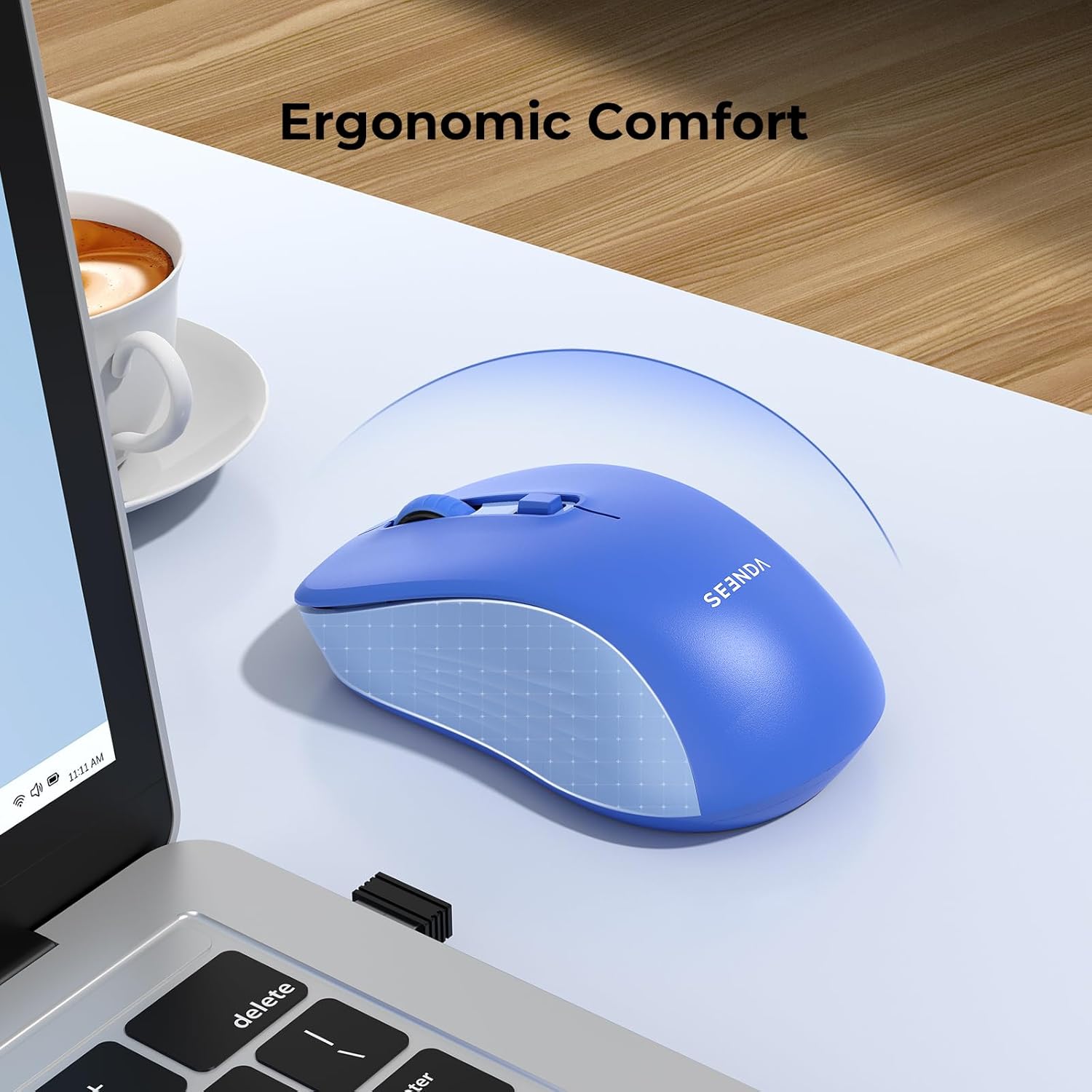
Image 1.2: The ergonomic design of the seenda mouse ensures comfortable use.
2. Contenuto della confezione
- seenda Dual Mode Wireless Mouse
- Ricevitore USB 2.4G (riposto all'interno del mouse)
- Manuale d'uso
3. Prodotto finitoview
Familiarizzare con i componenti del mouse:

Image 3.1: Labeled components of the seenda wireless mouse.
- Pulsante sinistro: Funzione standard del clic sinistro.
- Pulsante destro: Funzione standard del clic destro.
- Rotella di scorrimento: Per lo scorrimento verticale e il clic centrale.
- Pulsante DPI: Regola la sensibilità del cursore (800/1200/1600 DPI).
- Pulsante di cambio modalità: Located on the bottom, switches between 2.4G USB and Bluetooth modes.
- Interruttore di alimentazione: On/Off switch to conserve battery.
- Vano batteria: Holds 1 AA battery (not included).
- Memoria del ricevitore USB: Secure compartment for the 2.4G USB receiver.
4. Impostazione
4.1. Installazione della batteria
- Aprire il coperchio del vano batteria nella parte inferiore del mouse.
- Inserire una batteria AA (non inclusa) nel vano, assicurandosi della corretta polarità.
- Chiudere il coperchio del vano batterie.
4.2. 2.4G USB Receiver Connection
- Locate the 2.4G USB receiver stored in its compartment on the bottom of the mouse.
- Rimuovere il ricevitore USB.
- Collega il ricevitore USB a una porta USB disponibile sul tuo computer o laptop.
- Turn on the mouse using the Power Switch.
- The mouse should automatically connect. If not, press the Mode Switch Button on the bottom of the mouse until the indicator light for 2.4G mode is active.
4.3. Connessione Bluetooth
The mouse supports Bluetooth 5.2 and Bluetooth 3.0 for wider compatibility.
- Turn on the mouse using the Power Switch.
- Press the Mode Switch Button on the bottom of the mouse to select Bluetooth mode (BT1 or BT2). The corresponding indicator light will blink.
- On your device (laptop, tablet, or smartphone), go to Bluetooth settings.
- Abilita il Bluetooth e cerca nuovi dispositivi.
- Selezionare "BT5.2 Mouse" o "BT3.0 Mouse" dall'elenco dei dispositivi disponibili per l'associazione.
- Una volta effettuata la connessione, la spia luminosa smetterà di lampeggiare.
5. Istruzioni per l'uso
5.1. Passaggio da un dispositivo all'altro
The mouse can connect to up to two Bluetooth devices and one 2.4G USB device. Use the Mode Switch Button on the bottom to cycle through the connections:
- Press once to switch between BT1, BT2, and 2.4G modes.
- The corresponding indicator light will show the active mode.
5.2. Regolazione DPI (sensibilità del cursore)
The mouse features 3 adjustable DPI levels (800-1200-1600) to suit your preference and task requirements.
- Press the DPI Button (located below the scroll wheel) to cycle through the DPI settings.
- Each press will change the sensitivity, allowing for finer control or faster movement.

Image 5.1: The DPI button allows adjustment of cursor sensitivity.
5.3. Clic silenziosi
The mouse is designed with silent click technology, reducing click noise by 95% (≤32dB). This feature makes it ideal for use in quiet environments such as offices, libraries, or shared workspaces.

Image 5.2: The mouse features quiet click buttons for a silent user experience.
5.4. Risparmio energetico
To conserve battery life, the mouse will enter a sleep mode after a period of inactivity. Click any button to wake it up. Always turn off the mouse using the Power Switch when not in use for extended periods.
6. Compatibilità
This portable mouse offers broad compatibility:
- Modalità USB 2.4G: Compatible with USB-enabled devices running Windows XP, Windows 7/8/10 or higher, Mac OS X 10.10 or higher.
- Modalità Bluetooth: Compatible with Bluetooth-enabled devices running Windows 8/10 or higher, Mac OS X 10.10 or higher, and Android 4.5 or higher.
7. Manutenzione
- Mantenere il mouse pulito pulendolo con un panno morbido e asciutto.
- Avoid exposing the mouse to extreme temperatures, direct sunlight, or liquids.
- Quando non lo si utilizza, conservare il ricevitore USB nell'apposito scomparto per evitare di perderlo.
- Replace the AA battery when the mouse performance degrades or the indicator light suggests low power.
8. Risoluzione Dei Problemi
| Problema | Possibile soluzione |
|---|---|
| Il mouse non risponde (modalità 2.4G) | 1. Ensure the mouse is turned on. 2. Check if the USB receiver is securely plugged into the computer. 3. Try a different USB port. 4. Replace the battery. 5. Press the Mode Switch Button to ensure 2.4G mode is selected. |
| Il mouse non risponde (modalità Bluetooth) | 1. Ensure the mouse is turned on. 2. Check if Bluetooth is enabled on your device. 3. Press the Mode Switch Button to ensure Bluetooth mode (BT1 or BT2) is selected and its indicator is blinking for pairing. 4. Re-pair the mouse in your device's Bluetooth settings. 5. Replace the battery. |
| Il movimento del cursore è irregolare o lento | 1. Clean the optical sensor on the bottom of the mouse. 2. Use the mouse on a clean, non-reflective surface. 3. Adjust the DPI setting using the DPI button. 4. Replace the battery. |
| Impossibile passare da un dispositivo all'altro | Ensure the Mode Switch Button is pressed firmly. Verify that devices are properly paired in their respective modes. |
9. Specifiche

Image 9.1: Physical dimensions of the seenda wireless mouse.
| Caratteristica | Dettaglio |
|---|---|
| Tecnologia di connettività | Bluetooth (BT5.2/BT3.0), 2.4G USB Wireless |
| Tecnologia di rilevamento del movimento | Ottico |
| DPI regolabile | 800/1200/1600 |
| Pulsanti | 5 (Left, Right, Scroll Wheel/Middle Click, DPI, Mode Switch) |
| Fonte di alimentazione | 1 batterie AA (non incluse) |
| Durata della batteria | Fino a 24 mesi (a seconda dell'utilizzo) |
| Campo di funzionamento | Fino a 10 metri |
| Orientamento della mano | Giusto |
| Materiale | Plastica |
| Colore | Blu |
10. Garanzia e supporto
The seenda Bluetooth & 2.4G USB Dual Mode Wireless Mouse comes with a 12-month warranty from the date of purchase. For technical support, warranty claims, or any questions regarding your product, please contact seenda customer service through the retailer where you purchased the item or visit the official seenda websito.