
1. Prodotto finitoview
The URIZONS JM18 Earhook TWS Wireless Earbuds are designed for comfort and performance, featuring a secure earhook design suitable for active use. They offer low-latency audio, high-definition calls with noise cancellation, and immersive sound quality.
Caratteristiche principali:
- Chiamate ad alta definizione: Equipped with noise cancellation and high sensitivity for clear communication.
- Suono coinvolgente: Dual speakers deliver high-fidelity audio with crystal clear highs and deep bass.
- Gioco a bassa latenza: Enhanced bass stereo sound powered by a 12mm audio driver provides an immersive gaming experience with precise positional 3D sound.
- Rotatable Ear Hook: Unique 180-degree rotatable ear hooks ensure a comfortable and secure fit.
- Display digitale di potenza: The charging case features a digital display to monitor battery levels.
- Controllo touch: Comandi touch intuitivi per la gestione dell'audio e delle chiamate.
- Resistente all'acqua: Progettato per resistere agli schizzi e al sudore.
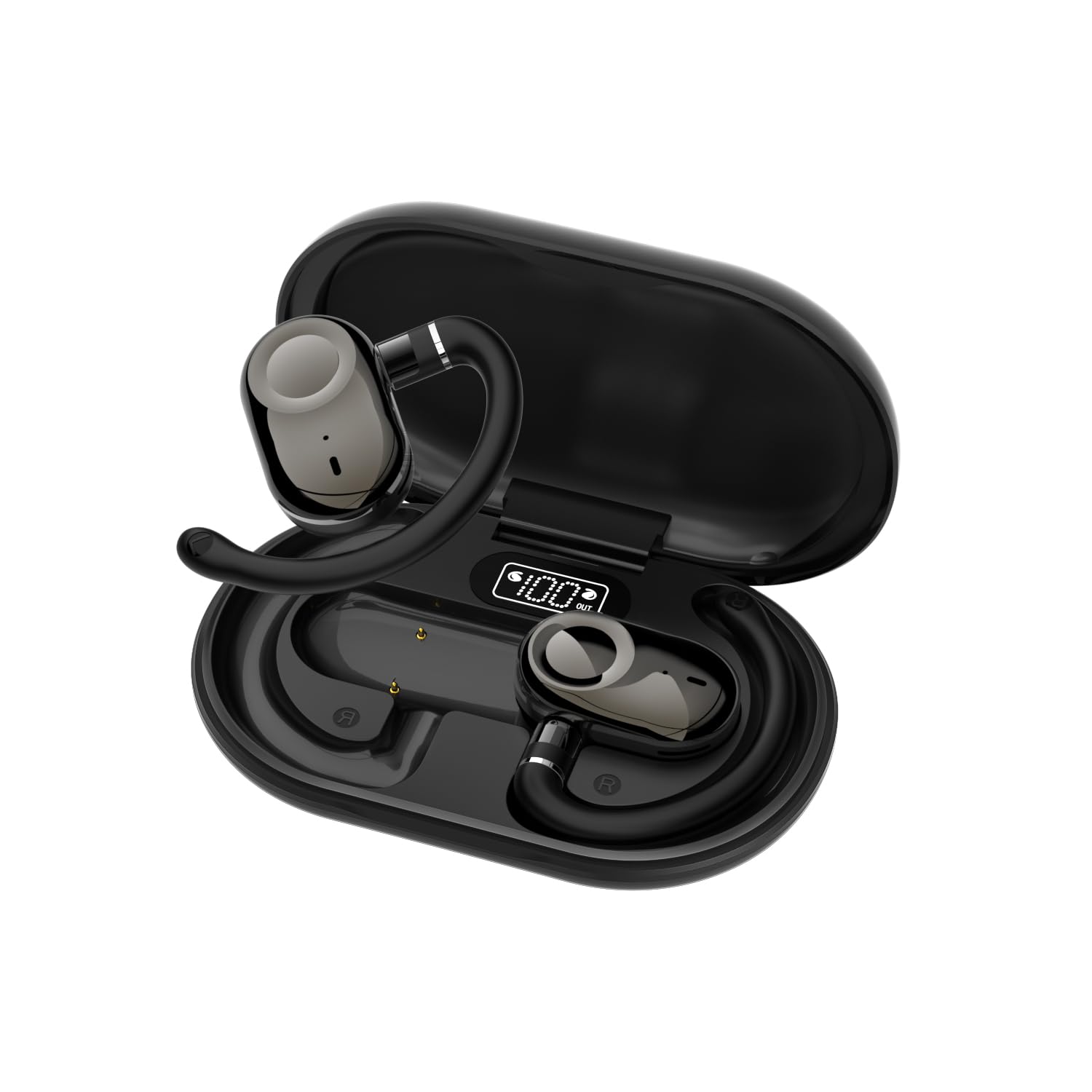
Image: A single URIZONS JM18 earbud with its rotatable earhook design, highlighting its ergonomic shape.
2. Cosa c'è nella scatola
Si prega di controllare il contenuto della confezione dopo averla disimballata:
- URIZONS JM18 Earhook TWS Wireless Earbuds (Left and Right)
- Custodia di ricarica
- Cavo di ricarica USB
- Manuale d'uso
3. Impostazione
3.1 Ricarica degli auricolari e della custodia
Before first use, fully charge the earbuds and the charging case. The charging case features a digital display to indicate the battery percentage.
- Inserire gli auricolari nella custodia di ricarica. Assicurarsi che siano posizionati correttamente.
- Collegare il cavo di ricarica USB alla porta di ricarica sulla custodia e a una fonte di alimentazione.
- The digital display on the case will show the charging status. A full charge for the case and earbuds typically takes approximately 1.5 hours.
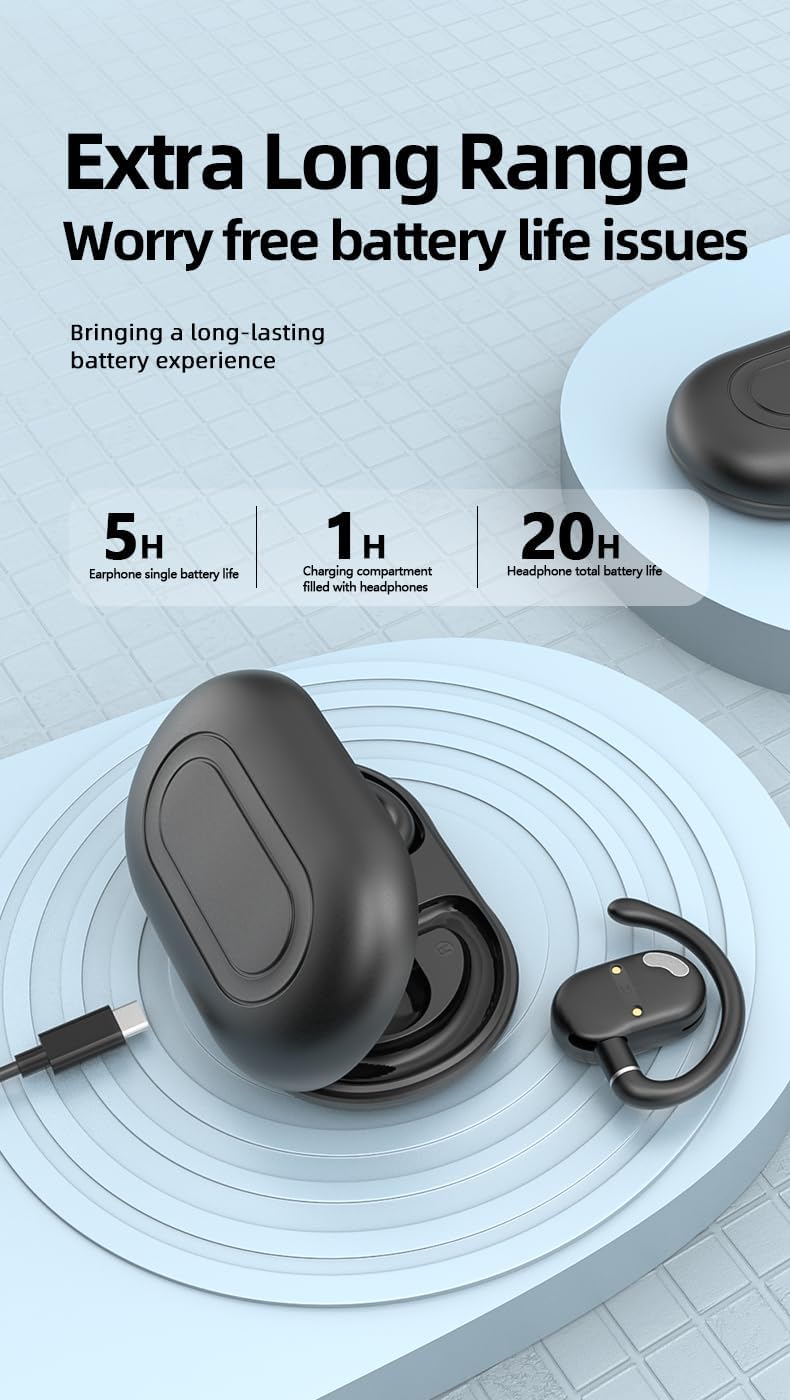
Image: Diagram illustrating the battery life of the earbuds (5 hours single charge) and the charging case (up to 20 hours total with case).

Image: URIZONS JM18 earbuds placed inside their charging case, showing the digital battery display indicating '100%' charge.
3.2 Associazione con un dispositivo Bluetooth
Follow these steps to pair your URIZONS JM18 earbuds with your smartphone or other Bluetooth-enabled device:
- Assicurarsi che gli auricolari siano carichi e all'interno della custodia di ricarica.
- Aprire la custodia di ricarica. Gli auricolari entreranno automaticamente in modalità di associazione, indicata da una luce LED lampeggiante sugli auricolari.
- Sul tuo dispositivo, vai alle impostazioni Bluetooth e attiva il Bluetooth.
- Cercare available devices. You should see "JM18" in the list.
- Select "JM18" to connect. Once connected, the LED indicator on the earbuds will stop flashing.
- If prompted, confirm the pairing on your device.
Se il Bluetooth è abilitato sul dispositivo, gli auricolari si riconnetteranno automaticamente all'ultimo dispositivo associato quando vengono estratti dalla custodia.
Video: Demonstration of the URIZONS JM18 Earhook TWS Wireless Earbuds, showing the product, its earhook design, and basic pairing with a smartphone.
4. Utilizzo degli auricolari
4.1 Indossare gli auricolari
The JM18 earbuds feature a 180-degree rotatable ear hook for a customized and secure fit. Adjust the ear hook to comfortably fit over your ear, ensuring the earbud sits properly in your ear canal.

Image: A pair of URIZONS JM18 earbuds with their charging case, illustrating the 180-degree rotatable earhook for adjustable comfort and fit.
4.2 Comandi touch
The earbuds are equipped with touch-sensitive controls for easy management of music and calls. The specific functions are:
- Riproduci/Pausa: Un solo tocco su uno degli auricolari.
- Traccia successiva: Tocca due volte l'auricolare destro.
- Traccia precedente: Tocca due volte l'auricolare sinistro.
- Rispondi/Termina chiamata: Un singolo tocco su uno degli auricolari durante una chiamata in arrivo.
- Rifiuta chiamata: Premere a lungo uno dei due auricolari durante una chiamata in arrivo.
- Attiva l'assistente vocale: Tocca tre volte uno degli auricolari.
- Accensione/spegnimento: Long press the touch area for approximately 3-5 seconds.
Note: When the headset is powered on and before being paired with a mobile phone, double-clicking the touch area can switch the language between Chinese and English bidirectionally.
5. Manutenzione
To ensure the longevity and optimal performance of your URIZONS JM18 earbuds, follow these maintenance guidelines:
- Pulizia: Pulisci regolarmente gli auricolari e la custodia di ricarica con un panno morbido, asciutto e privo di lanugine. Non utilizzare detergenti abrasivi o solventi.
- Magazzinaggio: Quando non li usi, riponi gli auricolari nella custodia di ricarica per proteggerli da polvere e danni.
- Evitare condizioni estreme: Non esporre gli auricolari a temperature estreme, umidità o luce solare diretta per periodi prolungati.
- Resistenza all'acqua: While water-resistant, avoid submerging the earbuds in water. Dry them thoroughly if they get wet from sweat or splashes.
6. Risoluzione Dei Problemi
Se riscontri problemi con gli auricolari, prova le seguenti soluzioni:
- Nessun problema di audio/connessione:
- Assicurarsi che gli auricolari siano carichi.
- Disattiva e riattiva il Bluetooth del tuo dispositivo, quindi prova ad associarlo di nuovo.
- Forget "JM18" from your device's Bluetooth list and re-pair.
- Riavvia il dispositivo.
- Gli auricolari non si caricano:
- Assicurarsi che il cavo di ricarica sia collegato saldamente sia alla custodia sia alla fonte di alimentazione.
- Check if the charging pins on the earbuds and in the case are clean and free of debris.
- Prova un cavo di ricarica o un adattatore di alimentazione diverso.
- Basso volume:
- Regola il volume sia sul dispositivo connesso sia tramite i controlli touch degli auricolari.
- Assicurati che gli auricolari siano posizionati correttamente nelle orecchie.
7. Specifiche
| Nome del modello | Codice articolo: JM18 |
| Marca | URIZONS |
| Tecnologia di connettività | Senza fili (Bluetooth 5.3) |
| Portata Bluetooth | 10 metri |
| Posizionamento dell'orecchio | Sull'orecchio |
| Fattore di forma | Sopra l'orecchio (gancio auricolare) |
| Controllo del rumore | Isolamento acustico, cancellazione del rumore |
| Tipo di driver audio | Driver dinamico (12 mm) |
| Sensibilità | 98 dB |
| Impedenza | 32 Ohm |
| Tempo di ricarica | 1.5 ore |
| Durata della batteria (auricolari) | 5 ore |
| Metodo di controllo | Tocco |
| Livello di resistenza all'acqua | Resistente all'acqua |
| Peso dell'articolo | 30 grammi (1.06 once) |
| Dimensioni del prodotto | 47.24 x 0.79 x 0.79 pollici |
8. Garanzia e supporto
URIZONS products are designed for reliability and performance. For warranty information, technical support, or customer service inquiries, please refer to the contact details provided on the product packaging or visit the official URIZONS websito.
Si prega di conservare la prova d'acquisto per eventuali reclami in garanzia.


