
1. Introduzione
This manual provides essential instructions for the safe and efficient use of your ONEVAN 20V Lithium-Ion Battery and Charger. Please read this manual thoroughly before first use and keep it for future reference. This product is designed to power ONEVAN cordless tools.
2. Informazioni sulla sicurezza
AVVERTENZA: leggere tutte le avvertenze e le istruzioni di sicurezza. La mancata osservanza delle avvertenze e delle istruzioni può causare scosse elettriche, incendi e/o lesioni gravi.
- Always use the battery with compatible ONEVAN tools and chargers.
- Non immergere la batteria in acqua o altri liquidi.
- Do not store or use the battery in temperatures exceeding 50°C (122°F) or below -10°C (14°F).
- Non cortocircuitare i terminali della batteria.
- Non aprire, smontare o tentare di riparare il pacco batteria.
- Tenere la batteria lontana da fonti di calore, dalla luce solare diretta e da materiali infiammabili.
- If the battery is damaged, leaking, or excessively hot, discontinue use immediately and dispose of it properly.
- Charge the battery only with the specified ONEVAN charger.
- Smaltire le batterie in modo responsabile, nel rispetto delle normative locali.
3. Prodotto finitoview
The ONEVAN 20V Li-Ion Battery and Charger system provides portable power for your cordless tools. The battery features an LED indicator for charge status and built-in protection mechanisms.

Figure 1: ONEVAN 20V Li-Ion Battery (x2) and Charger. Each battery features a green LED charge indicator on the side.
3.1 Caratteristiche della batteria
- Voltage: 20V
- Capacità: 3.0Ah (3000mAh)
- Composizione della batteria: Agli ioni di litio
- Indicatore LED: Displays current charge level.
- Sistema di protezione: Built-in smart core protection against overcharge, over-discharge, overheating, short circuit, overcurrent, overvoltage, and over-power.

Figura 2: dettagliata view of the battery showing the charging port, LED charge status display, and the button to activate the display.

Figure 3: The battery incorporates multiple protection features including short circuit, overcharge, recovery, overvoltage, overpower, over-discharge, overheating, and overcurrent protection.
3.2 Caratteristiche del caricabatterie
- Designed for ONEVAN 20V Li-Ion batteries.
- Capacità di ricarica rapida.
4. Impostazione
4.1 Disimballaggio
- Rimuovere con attenzione tutti i componenti dalla confezione.
- Inspect the battery and charger for any signs of damage. Do not use if damaged.
- Conservare l'imballaggio per lo stoccaggio o il trasporto futuro.
4.2 Carica iniziale
It is recommended to fully charge the battery before its first use to ensure optimal performance and battery life.
- Collegare il caricabatterie a una presa di corrente standard.
- Inserire la batteria nel caricabatterie, assicurandosi che scatti saldamente in posizione.
- The charger will indicate the charging status (refer to charger's specific LED indicators if available, otherwise assume a general charging light).
- Una volta caricata completamente, rimuovere la batteria dal caricabatterie.
5. Istruzioni per l'uso
5.1 Controllo dello stato di carica della batteria
Press the display switch button on the battery to activate the LED indicator. The number of illuminated green LEDs indicates the approximate charge level:
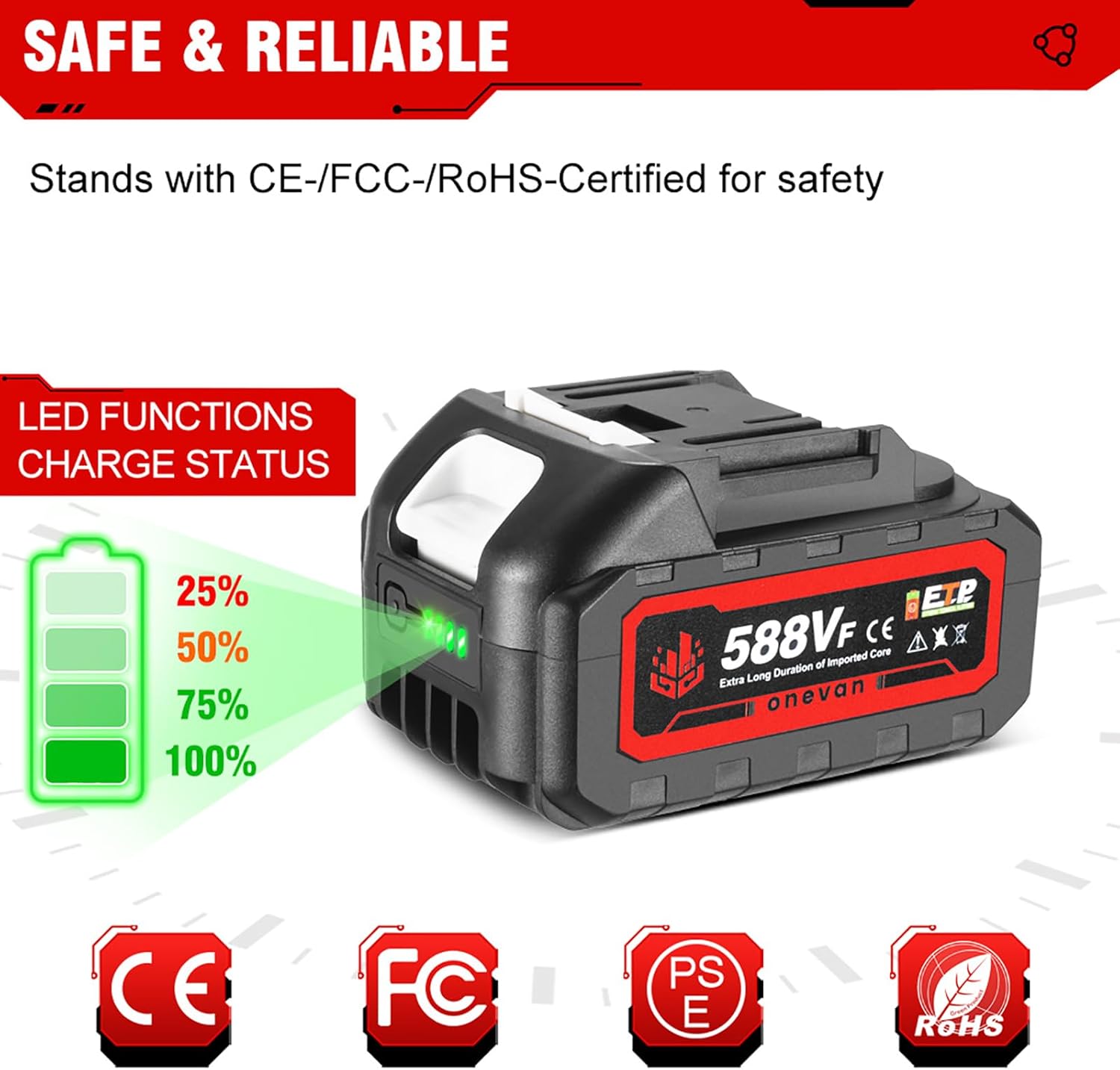
Figure 4: The LED indicator shows charge levels: 1 LED (25%), 2 LEDs (50%), 3 LEDs (75%), 4 LEDs (100%).
- 4 LED: 75-100% di carica
- 3 LED: 50-75% di carica
- 2 LED: 25-50% di carica
- 1LED: 0-25% di carica (ricaricare presto)
5.2 Installazione e rimozione della batteria
- Per installare: Align the battery with the battery port on your ONEVAN tool. Slide the battery into place until it clicks securely.
- Per rimuovere: Press the battery release button (if present on your tool) and slide the battery out of the tool.

Figure 5: Ensure the battery's pin style and dimensions (e.g., 55mm x 40mm, 53mm x 40mm x 32mm) are compatible with your specific ONEVAN tool. The image indicates compatibility with certain 18V/20V tool interfaces.
5.3 Caricamento della batteria
Follow these steps to charge your ONEVAN 20V Li-Ion battery:
- Ensure the charger is connected to a functional power outlet.
- Insert the battery into the charger. The charger's indicator light will show that charging has begun.
- Allow the battery to charge fully. The charger's indicator will change (e.g., from red to green, or solid to blinking) when charging is complete.
- Once fully charged, remove the battery from the charger to prevent overcharging, although the battery has built-in protection.
6. Manutenzione
6.1 Pulizia
- Keep the battery and charger clean and free of dust and debris.
- Use a dry, soft cloth to wipe surfaces. Do not use solvents or abrasive cleaners.
- Ensure charging terminals are clean and free of obstruction.
6.2 Conservazione
- Store batteries in a cool, dry place, away from direct sunlight and moisture.
- Per la conservazione a lungo termine, caricare la batteria fino a circa il 50-75% della sua capacità. Non conservarla completamente carica o completamente scarica.
- Keep batteries away from metal objects that could short-circuit the terminals.
6.3 Suggerimenti per la cura della batteria
- Evitare di scaricare completamente la batteria prima di ricaricarla.
- Non esporre le batterie a temperature estreme.
- If a battery becomes excessively hot during use or charging, allow it to cool down before further use or charging.
7. Risoluzione Dei Problemi
7.1 Batteria non in carica
- Controllare la connessione di alimentazione: Assicurarsi che il caricabatterie sia collegato saldamente a una presa di corrente funzionante.
- Controllare la connessione della batteria: Make sure the battery is fully seated in the charger.
- Temperatura: The battery may be too hot or too cold. Allow it to reach room temperature before charging.
- Danno: Inspect the battery and charger for any visible damage. Do not use if damaged.
7.2 Strumento non funzionante
- Carica della batteria: Check the battery charge level using the LED indicator. Recharge if necessary.
- Collegamento della batteria: Ensure the battery is properly installed and locked into the tool.
- Tool Issue: If the battery is charged and properly installed, the issue might be with the tool itself. Refer to your tool's instruction manual.
8. Specifiche
| Caratteristica | Specificazione |
|---|---|
| Marca | ONEVAN |
| Numero di modello | codice sku005201 |
| Volume batteriatage | 20V |
| Capacità della batteria | 3.0Ah (3000mAh) |
| Tipo di batteria | Agli ioni di litio |
| Certificazioni | CE |
| Ricaricabile | SÌ |
Note: The image showing "30000 mAh" is likely a graphical error or refers to a different product variant. The product description specifies 3.0 Ah (3000 mAh).
9. Garanzia e supporto
For warranty information, technical support, or service inquiries, please contact your retailer or the ONEVAN manufacturer directly. Keep your purchase receipt as proof of purchase.
Information regarding spare parts availability and software updates is not provided in the product specifications. Please consult the manufacturer for details.
10. Applicazioni del prodotto
The ONEVAN 20V Li-Ion battery is designed to power a wide range of compatible ONEVAN cordless tools, enhancing versatility and convenience for various tasks.

Figura 6: Esamples of ONEVAN cordless tools compatible with the 20V battery system.