
1. Prodotto finitoview
The FUNLAB Firefly Wireless Pro Controller is designed to enhance your gaming experience on Nintendo Switch, Switch OLED, and Switch Lite consoles. It features Hall Effect joysticks for precise control, customizable RGB LED lighting, programmable back paddle buttons, and motion control capabilities.
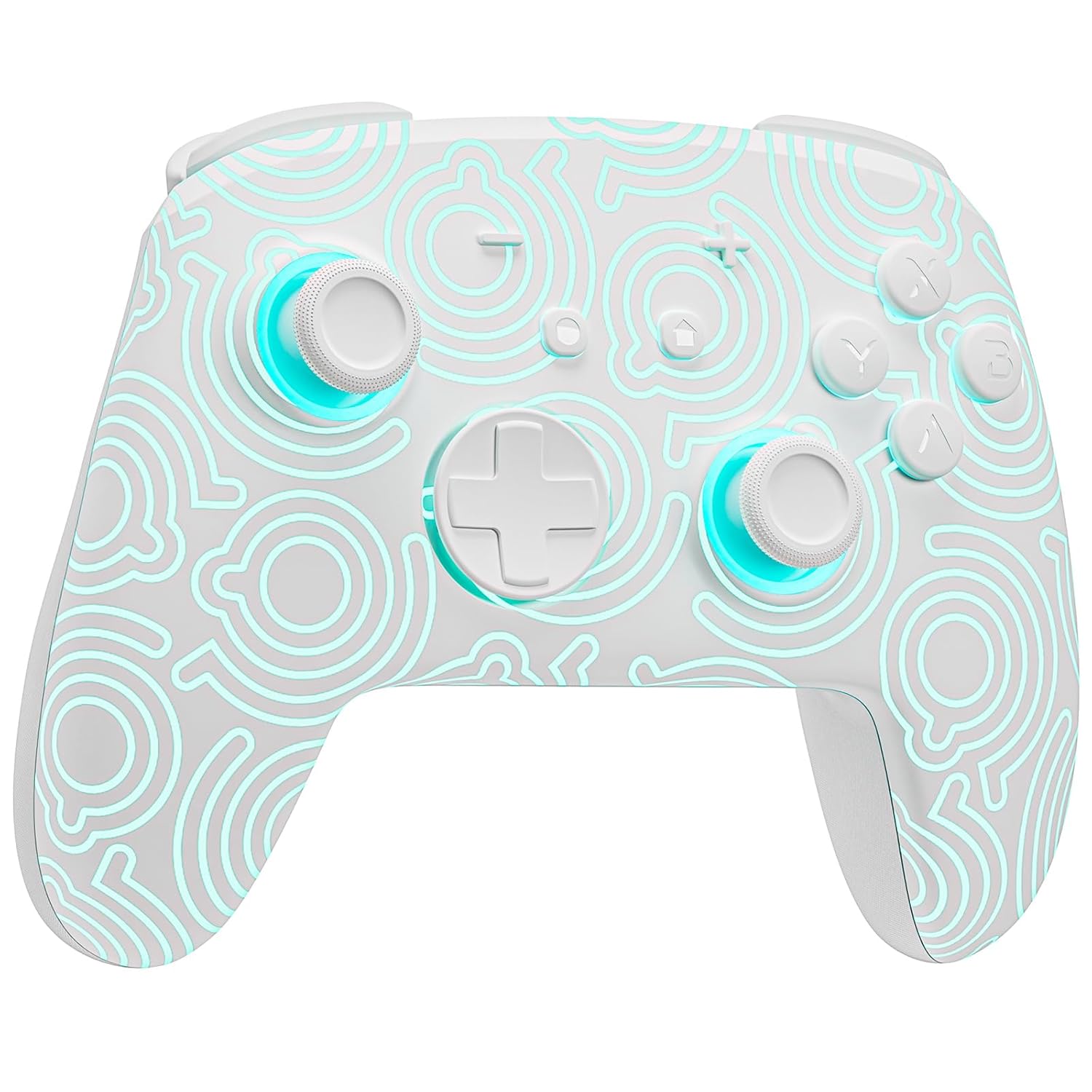
Immagine 1.1: anteriore view of the FUNLAB Firefly Wireless Pro Controller, showcasing its white design with illuminated patterns.
2. Contenuto della confezione
- FUNLAB Firefly Wireless Pro Controller
- Cavo di ricarica USB-C
- Manuale di istruzioni
3. Configurazione e connessione
3.1 Abbinamento iniziale con Nintendo Switch
- Assicurati che la tua console Nintendo Switch sia accesa e aggiornata con il software di sistema più recente.
- For the first-time connection, connect the controller to the Switch console using the provided USB-C charging cable. This wired activation is required to enable the one-touch wake-up function.
- Once connected, the controller will automatically pair with the console.
- After initial wired pairing, you can disconnect the cable. The controller can now be connected wirelessly.
3.2 Wireless Connection and Wake-Up Function
- To connect wirelessly, press the CASA button on the controller. The controller will attempt to connect to the last paired console.
- The controller supports a one-key wake-up function. Pressing the CASA button will wake up a sleeping Nintendo Switch, Switch OLED, or Switch Lite console instantly, provided it has been previously paired via wired connection.
3.3 Ricarica del controller
- Connect the controller to a USB power source (e.g., Switch dock, computer, USB wall adapter) using the USB-C charging cable.
- The controller features a built-in 3.7V/950mAH Lithium battery.
- A full charge provides approximately 12.5 hours of playtime (with LED lights off). Charging indicators will typically show the charging status.

Image 3.1: Illustration of the controller's battery life, indicating 12 hours playing time and 950mAh capacity.
3.4 Compatibilità multi-dispositivo
The controller is compatible with multiple devices beyond the Nintendo Switch, including Android, iOS, Steam Deck, and PC systems. Refer to the specific pairing instructions for each device in the included manual or online resources.
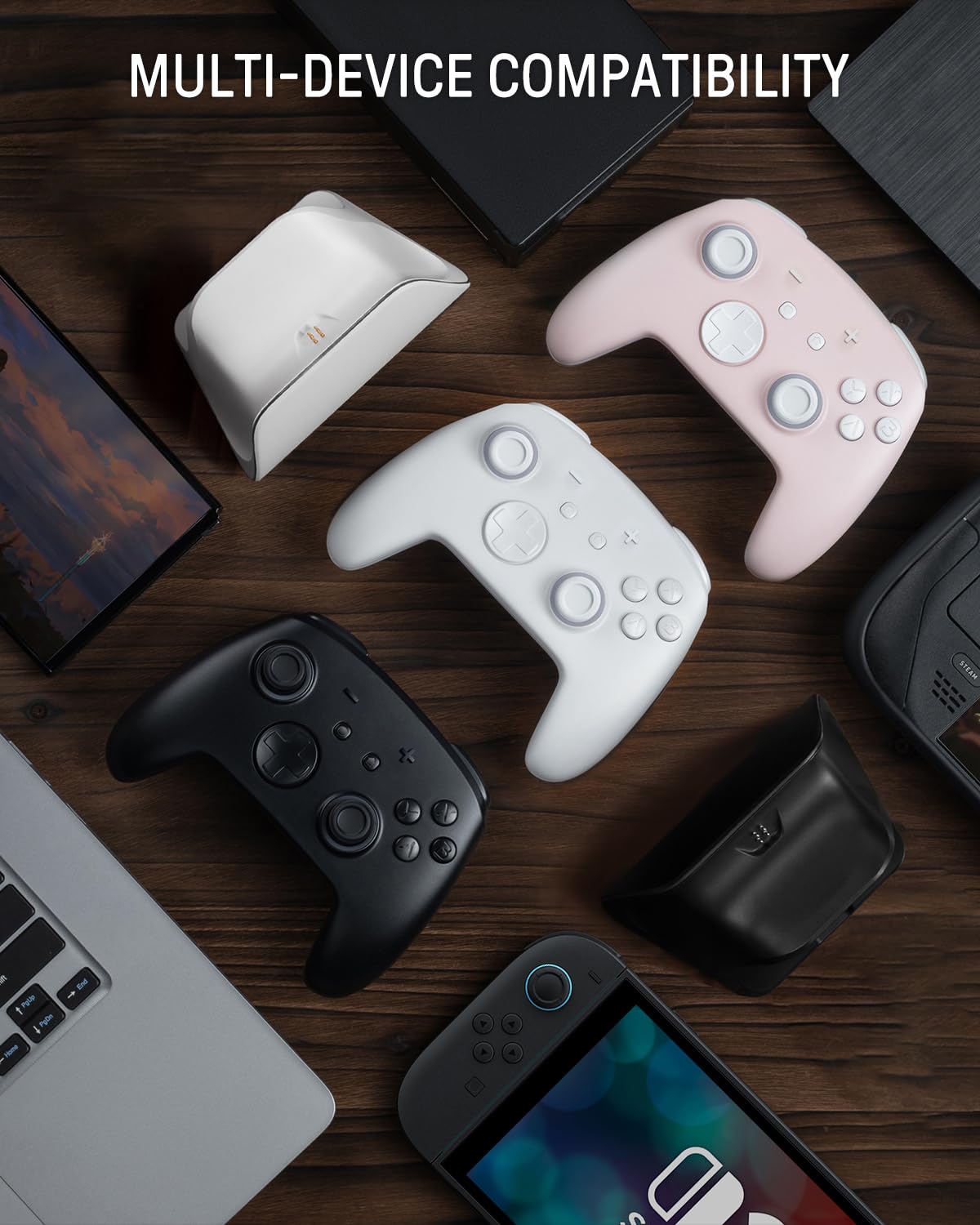
Image 3.2: The controller shown alongside various compatible devices such as laptops, smartphones, and handheld gaming consoles.
4. Istruzioni per l'uso
4.1 Hidden-til-lit Display and LED Lighting
The controller features a unique hidden-til-lit display. When the LED is inactive, the controller appears as a solid white unit. Upon activation, a hidden pattern illuminates, enhancing the visual experience.
- Premere il tasto Pulsante luce (located on the back or front, depending on model variant) to cycle through 7 LED colors.
- The controller offers 4 lighting modes: breathing light mode, quick flash mode, vibration lighting mode, and always-on mode.
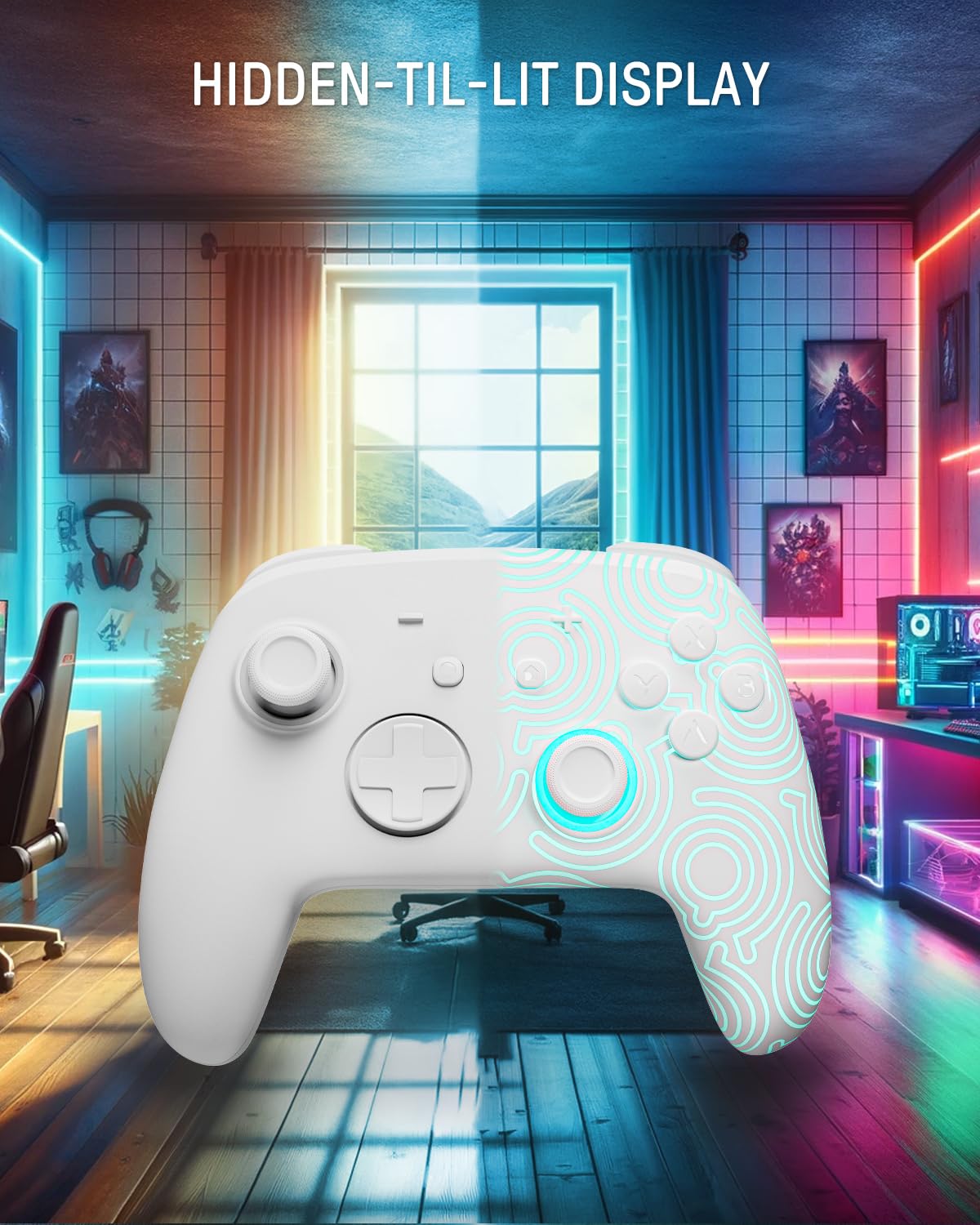
Image 4.1: The controller demonstrating its hidden-til-lit display, with one side illuminated and the other unlit.
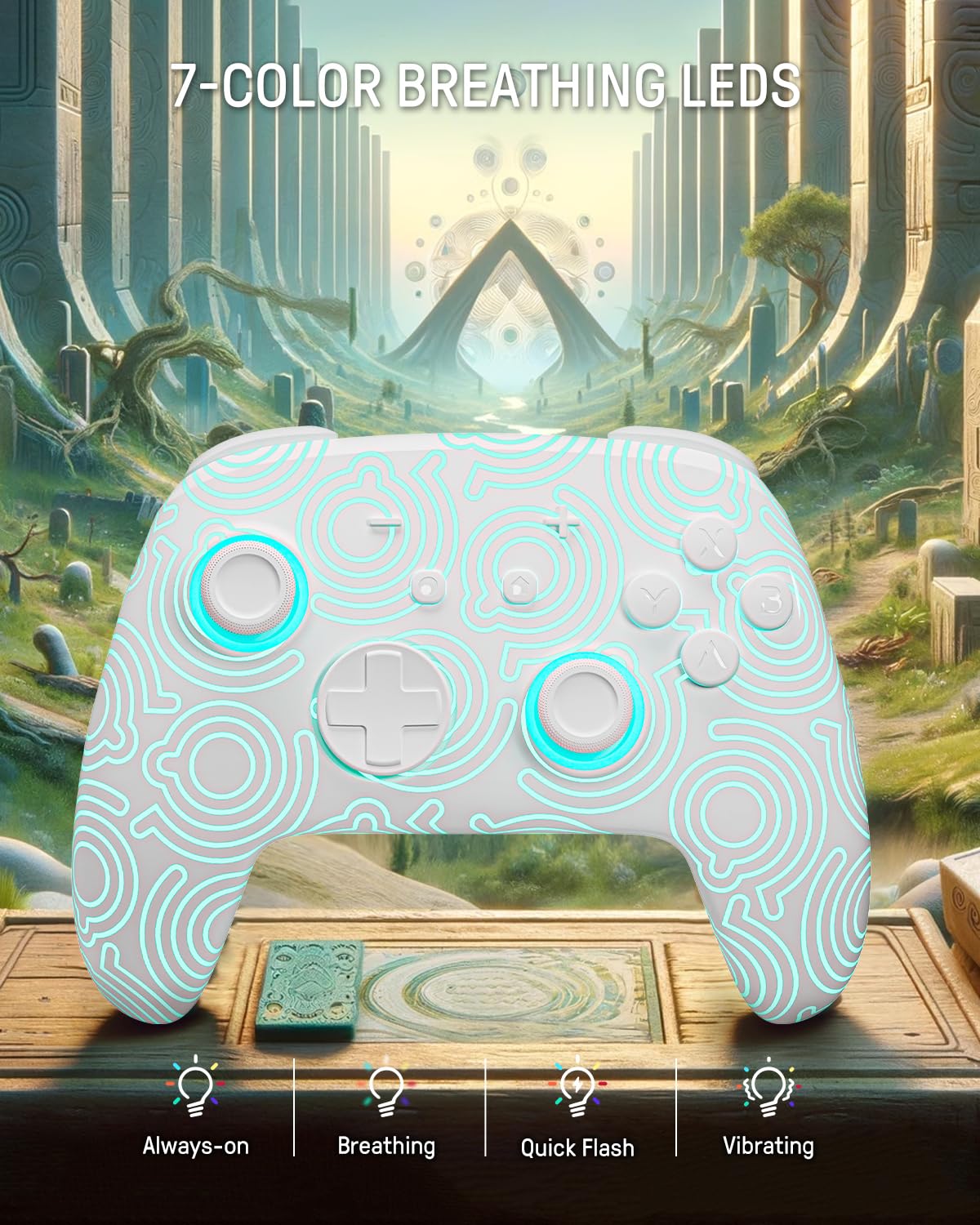
Image 4.2: The controller displaying its 7-color breathing LED feature, with various lighting modes indicated.
4.2 Joystick ad effetto Hall
The controller is equipped with Hall Effect joysticks, which utilize magnetic sensors instead of physical contacts. This design provides precise and sensitive control, ensuring accurate and smooth gameplay while offering a longer lifespan and stable performance with reduced mechanical wear and stick drift.

Image 4.3: A detailed diagram illustrating the internal components and magnetic sensing principle of a Hall Effect joystick.
4.3 Back Paddle Buttons
The controller includes programmable back paddle buttons. These buttons can be assigned to replicate other controller inputs, allowing for enhanced gameplay and customized control setups to suit individual playstyles.

Immagine 4.4: posteriore view of the controller, highlighting the two programmable back paddle buttons.
4.4 Turbo Function and Motion Control
- The controller features a Funzione turbo, which supports continuous input for rapid button presses. This is beneficial for games requiring quick, repeated actions, such as shooting games.
- Preciso motion control is integrated, allowing for immersive gameplay in titles that utilize gyroscope or accelerometer input.
4.5 Funzione vibrazione
The controller provides immersive vibration feedback, bringing in-game actions to life. The intensity of the vibration can often be adjusted or toggled off via console settings or dedicated controller buttons, if available.

Image 4.5: An illustration depicting the vibration function of the controller, with intensity levels indicated.
5. Manutenzione
- Pulizia: Utilizzare un panno morbido e asciutto per pulire il controller. Per lo sporco ostinato, leggermente dampLavare il panno con acqua. Evitare l'uso di prodotti chimici aggressivi o materiali abrasivi.
- Magazzinaggio: Conservare il controller in un luogo fresco e asciutto, lontano dalla luce solare diretta e da temperature estreme.
- Cura della batteria: Per prolungare la durata della batteria, evitare di scaricare completamente il controller frequentemente. Caricarlo regolarmente, anche se non lo si utilizza per lunghi periodi.
6. Risoluzione Dei Problemi
6.1 Il controller non si connette
- Assicurati che il controller sia carico.
- Perform the initial wired pairing as described in Section 3.1.
- Check the console's Bluetooth settings to ensure it is enabled and searching for devices.
- Try resetting the controller (a small reset button may be present on the back, often requiring a pin to press).
6.2 Input Lag o pulsanti non reattivi
- Ensure the controller is fully charged. Low battery can affect performance.
- Move closer to the console to minimize wireless interference.
- Assicurarsi che nessun altro dispositivo wireless stia causando interferenze.
- Restart both the controller and the console.
6.3 Le luci LED non funzionano
- Press the Light button repeatedly to cycle through modes and colors.
- Assicurarsi che la batteria del controller sia sufficientemente carica.
7. Specifiche
| Caratteristica | Dettaglio |
|---|---|
| Modello | FUNLAB Firefly Wireless Pro Controller |
| ASIN | B0D2LCBVYD |
| Dimensioni del prodotto | 5.91 x 2.36 x 4.33 pollici |
| Peso dell'articolo | 8.8 once |
| Produttore | FUNLAB |
| Tipo di batteria | 1 batteria agli ioni di litio (inclusa) |
| Capacità della batteria | 950mAH |
| Tempo di gioco stimato | Fino a 12.5 ore (luci spente) |
| Connettività | Wireless (Bluetooth), USB-C (cablato) |
| Compatibilità | Nintendo Switch, Switch OLED, Switch Lite, Android, iOS, Steam Deck, PC |
| Caratteristiche speciali | Hall Effect Joysticks, RGB 7 LED Colors, Back Paddle Buttons, Turbo Function, Motion Control, Wake-Up Function |
8. Garanzia e supporto
For warranty information and customer support, please refer to the documentation included with your product or visit the official FUNLAB websito. Puoi anche contattare direttamente il venditore tramite la piattaforma su cui hai acquistato il prodotto per ricevere assistenza.
Produttore: FUNLAB
Data prima disponibilità: 24 aprile 2024