
Introduzione
This manual provides comprehensive instructions for the setup, operation, and maintenance of your iKF-R1 Retro Bluetooth Headphones. Please read this manual thoroughly before using the product to ensure optimal performance and longevity.
Contenuto della confezione
The iKF-R1 Retro Bluetooth Headphones package includes the following items:
- iKF-R1 Retro Bluetooth Headphones
- Cavo di ricarica USB
- Manuale d'uso
- Exquisite Packaging Box
Prodotto finitoview
Familiarize yourself with the headphone components and controls for efficient operation.

Image: Headphone Controls Diagram
This diagram illustrates the location and function of the power and volume buttons on the iKF-R1 headphones. The power button controls power on/off, play/pause, call management, and mode switching (transparent, low latency). The volume buttons control volume adjustment and track navigation.
Impostare
1. Power On and Bluetooth Connection
To power on the headphones, long press the power button for approximately 3 seconds until you hear an audible prompt indicating the device is turned on. Once powered on, the headphones will enter pairing mode. Open the Bluetooth settings on your mobile phone or device, search for "iKF-R1" in the list of available devices, and tap to connect. A successful connection will be indicated by an audible prompt.
Video: Power On and Bluetooth Connection
This video demonstrates how to power on the iKF-R1 headphones by long-pressing the power button for 3 seconds. It also shows the process of connecting the headphones via Bluetooth to a mobile phone by searching for "iKF-R1" in the Bluetooth settings.
The iKF-R1 headphones support multipoint connection, allowing you to connect to two Bluetooth devices simultaneously. This enables seamless switching between devices, for example, from a laptop to a smartphone for incoming calls.
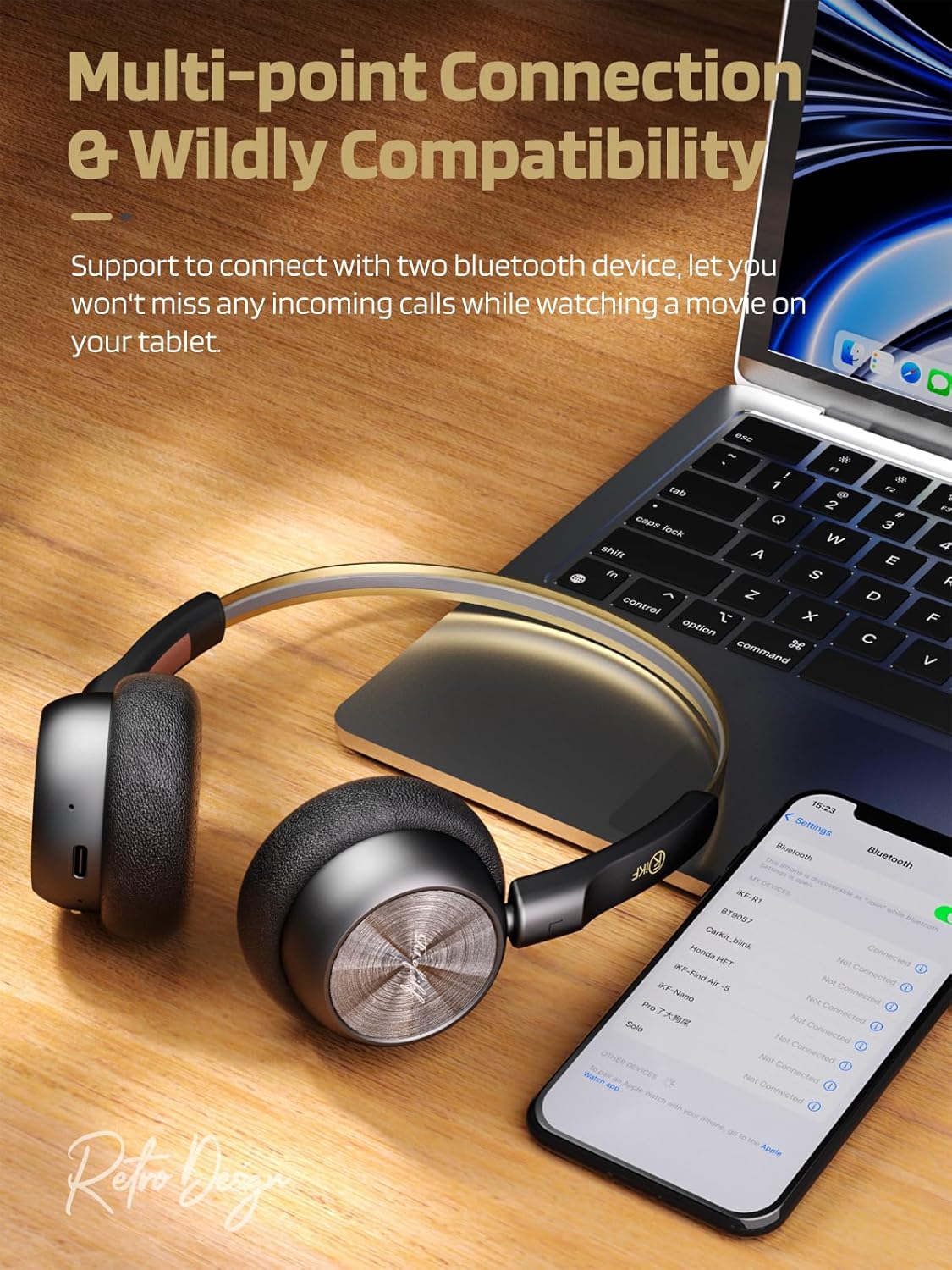
Immagine: Connessione multipunto
This image shows the iKF-R1 headphones connected to both a laptop and a smartphone, illustrating the multipoint connection feature that allows seamless switching between devices.
Istruzioni per l'uso
1. Media Functions
- Riproduci/Pausa: Tocca il pulsante di accensione una volta.
- Aumenta volume: Premere il pulsante "+".
- Volume basso: Premere il pulsante "-".
- Traccia successiva: Premere a lungo il pulsante "+".
- Traccia precedente: Premere a lungo il pulsante "-".
2. Funzioni di chiamata
- Rispondi/Riaggancia alla chiamata: Tocca il pulsante di accensione una volta.
- Rifiuta chiamata in arrivo: Premere a lungo il pulsante di accensione.
3. Modalità Trasparenza
Transparency Mode allows you to hear your surroundings while listening to audio, enhancing situational awareness.
- Attiva/Disattiva: Double-tap the power button. You will hear a beep twice when activated and once when deactivated.

Image: Transparency Mode in Use
This image depicts a user wearing the iKF-R1 headphones, highlighting the transparency mode feature that enables awareness of ambient sounds.
4. Game Mode (Low Latency)
Game Mode reduces audio latency to 38ms, providing a more synchronized audio-visual experience for gaming or video playback.
- Attiva/Disattiva: Triple-tap the power button. You will hear three beeps when activated and one beep when deactivated.
5. iKF Exclusive App Features
Enhance your listening experience with the iKF exclusive app. The app allows for custom equalization, white noise selection, and mode switching.

Image: iKF App Interface
This image displays various features of the iKF exclusive app, including custom equalizer adjustments, white noise sound options, and different mode selections for the headphones.
Manutenzione
Proper maintenance ensures the longevity and optimal performance of your iKF-R1 headphones.
- Pulizia: Per pulire le cuffie, utilizzare un panno morbido e asciutto. Evitare l'uso di materiali abrasivi o prodotti chimici aggressivi.
- Magazzinaggio: Conservare le cuffie in un luogo fresco e asciutto, lontano dalla luce solare diretta e da temperature estreme.
- Ricarica: Use the provided USB charging cable. Do not use damaged cables or chargers.
- Resistenza all'acqua: The headphones are waterproof. However, avoid prolonged submersion in water. Ensure the charging port is completely dry before charging to prevent damage.
Risoluzione dei problemi
If you encounter any issues with your iKF-R1 headphones, refer to the following troubleshooting guide:
| Problema | Soluzione |
|---|---|
| Le cuffie non si accendono. | Ensure the headphones are sufficiently charged. Long press the power button for 3 seconds. |
| Impossibile connettersi tramite Bluetooth. | Ensure Bluetooth is enabled on your device. Make sure the headphones are in pairing mode (indicated by a flashing light). Forget the device on your phone and try pairing again. Ensure headphones are charged. |
| Nessun suono o volume basso. | Check headphone and connected device volume levels. Ensure headphones are properly connected. Try restarting both devices. |
| Connessione intermittente. | Ensure no physical obstacles are between the headphones and the connected device. Move closer to the device. Avoid strong electromagnetic interference. |
Specifiche
Detailed technical specifications for the iKF-R1 Retro Bluetooth Headphones:
| Caratteristica | Dettaglio |
|---|---|
| Nome del modello | iKF-R1 |
| Tecnologia di connettività | Senza fili (Bluetooth 5.4) |
| Portata Bluetooth | 15 metri |
| Tipo di driver audio | Driver dinamico |
| Dimensioni del driver audio | 30 millimetri |
| Durata della batteria | Fino a 60 ore |
| Tempo di ricarica | Circa 1.99 ore |
| Peso | 93 grammi (3.28 once) |
| Livello di resistenza all'acqua | Impermeabile |
| Tipo di controllo | APP, Button, Touch |
| Caratteristiche speciali | Lightweight, Retro Design, Hi-Fi Sound, Custom EQ via App, Multipoint Connection, Transparency Mode, Low Latency Game Mode |
Garanzia e supporto
For detailed warranty information and customer support, please refer to the product packaging or visit the official iKF website. It is recommended to keep your purchase receipt for any warranty claims.
For further assistance, you may contact iKF customer service through their official channels.