
1. Introduzione
The GOOLOO GT150 Tire Inflator is a versatile and portable air compressor designed for efficient and precise inflation. Equipped with a powerful 7500mAh battery, it offers cordless convenience for various applications, from vehicle tires to sports equipment. Its intelligent features, including auto-shutoff and multiple inflation modes, ensure ease of use and safety. This device also serves as a portable power bank and an emergency LED light, making it an essential tool for everyday use and unexpected situations.
2. Contenuto della confezione
Verifica che tutti gli articoli elencati di seguito siano inclusi nel tuo pacchetto:
- 1x GOOLOO GT150 Tire Inflator
- 1x Tubo dell'aria
- 1x Cavo da USB-A a USB-C
- 5x Ugelli dell'aria (vari tipi)
- 1x Manuale d'uso
- 1x Borsa portaoggetti

Image: All components included in the GOOLOO GT150 package, neatly arranged.
3. Prodotto finitoview
Familiarize yourself with the parts and controls of your GOOLOO GT150.

Image: Labeled diagram showing the various parts and controls of the GOOLOO GT150, including the LED display, inflation port, USB ports, and control buttons.
- Display a LED: Shows real-time pressure, preset values, battery level, and inflation modes.
- Porta di gonfiaggio: Connects the air hose for inflation.
- USB-C Input Port (5V/2A): Per caricare il dispositivo.
- Porta di uscita USB-A (5 V/2.1 A): Per utilizzare il dispositivo come power bank.
- Power Switch/Pump Start Button: Accende/spegne il dispositivo e avvia/arresta il gonfiaggio.
- Pulsante di impostazione: Cycles through inflation modes (car, motorcycle, bicycle, ball, custom).
- Pressure Increase/Decrease Buttons: Regola il valore di pressione preimpostato.
- Interruttore della luce: Attiva la luce LED integrata per l'illuminazione.
4. Impostazione
Prima del primo utilizzo, assicurarsi che il dispositivo sia completamente carico.
4.1 Ricarica del dispositivo
Use the provided USB-A to USB-C cable to charge the GT150. Connect the USB-C end to the device's input port and the USB-A end to a compatible USB power adapter (not included). The battery indicator on the LED display will show charging progress.

Image: The GOOLOO GT150 being used as a power bank to charge a smartphone, demonstrating its dual functionality.
4.2 Collegamento del tubo dell'aria
Screw the air hose firmly into the inflation port at the top of the GT150. Ensure it is securely fastened to prevent air leakage during operation.

Image: The GOOLOO GT150 connected to a tire valve with its 360-degree rotatable hose joint, illustrating ease of connection.
5. Istruzioni per l'uso
5.1 Fasi di base dell'inflazione
- Rimuovere il tappo della valvola: Unscrew the valve cap from the item to be inflated.
- Collegare il tubo dell'aria: Securely attach the air hose to the valve stem. For different items, select the appropriate air nozzle from the included accessories and attach it to the hose before connecting to the item.
- Accensione e selezione della modalità: Press the Power Switch/Pump Start Button to turn on the device. Use the Setting Button to cycle through the 5 preset inflation modes (Car, Motorcycle, Bicycle, Ball, Custom) until you find the desired mode.
- Imposta pressione: The LED display will show the current pressure and a preset target pressure. Use the Pressure Increase/Decrease Buttons to adjust the target pressure if needed.
- Inizia l'inflazione: Press the Power Switch/Pump Start Button again to begin inflation. The device will automatically stop when the preset pressure is reached.
- Disconnetti: Once inflation is complete, disconnect the air hose and replace the valve cap.

Image: A three-step visual guide demonstrating how to use the GOOLOO GT150: connect, select mode, and start inflation.
5.2 Inflation Modes & Units
The GT150 offers 5 preset modes and 4 pressure units (PSI, KPA, BAR, KG/CM²). You can switch between units by long-pressing the Setting Button.
- Modalità auto: Ideal for standard car tires.
- Modalità moto: Suitable for motorcycle tires.
- Modalità bicicletta: For bicycle tires, including those requiring Presta valve adapters.
- Modalità palla: For sports balls, using the needle adapter.
- Modalità personalizzata: Allows manual setting of desired pressure up to 150 PSI.

Image: The GOOLOO GT150 displaying its various modes and units, highlighting its versatility for different inflation needs.
5.3 Auto Shut-Off Function
The GT150 features an intelligent auto-shutoff function. Once the set target pressure is reached, the inflator will automatically cease operation, preventing over-inflation and ensuring safety.

Image: Visual representation of the auto-shutoff feature, showing the device stopping inflation once the target pressure is achieved.
5.4 Funzione luce LED
Press the Light Switch button to activate the built-in LED light. This is useful for inflating in low-light conditions or as an emergency light.
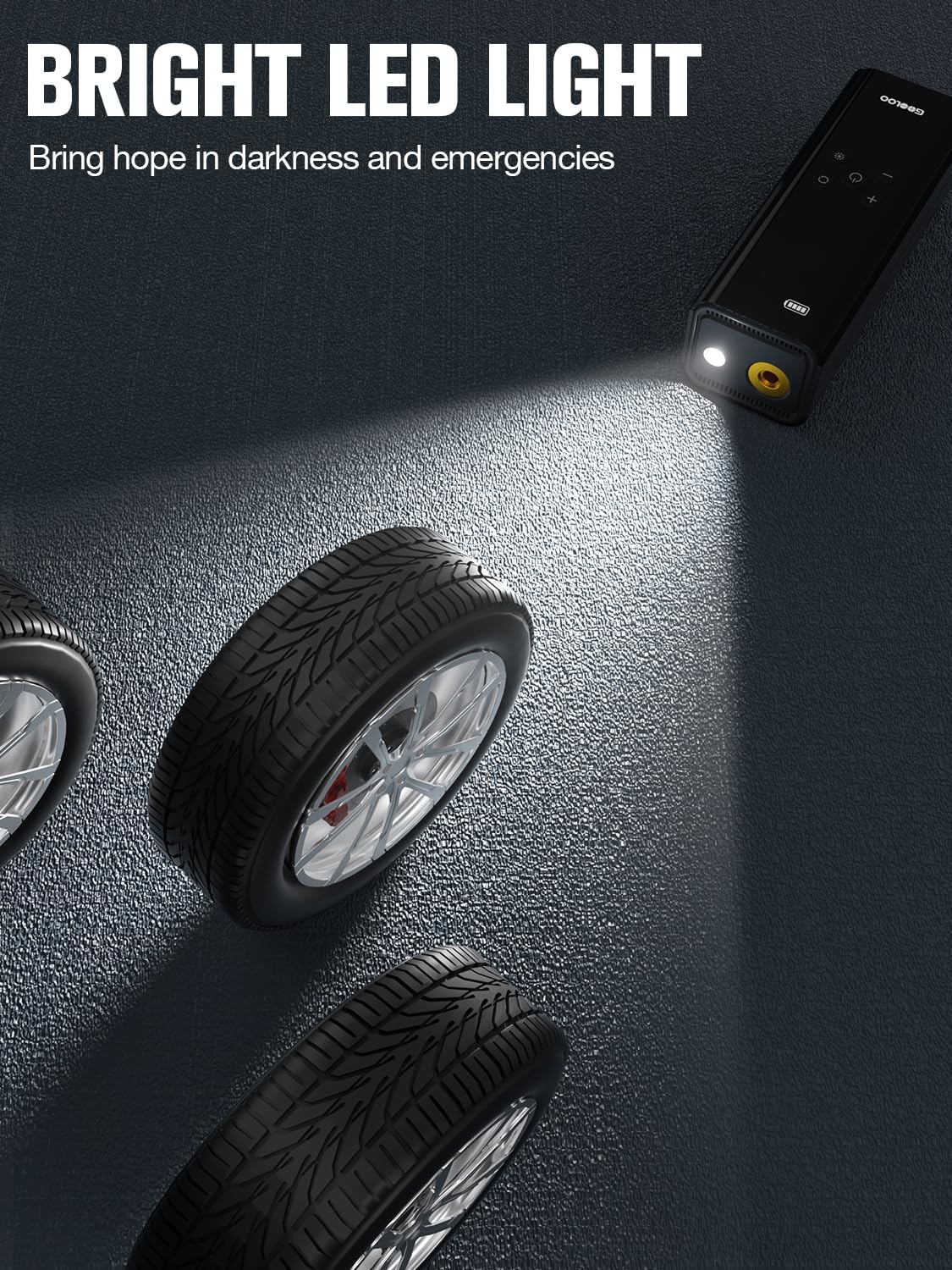
Image: The GOOLOO GT150's bright LED light illuminating a dark area around a tire, highlighting its utility for night use or emergencies.
6. Manutenzione
- Pulizia: Pulisci il dispositivo con un panno morbido e asciutto. Non utilizzare prodotti chimici aggressivi o detergenti abrasivi.
- Magazzinaggio: Store the GT150 in a cool, dry place away from direct sunlight and extreme temperatures. Ensure the air hose is detached and stored properly to prevent damage.
- Cura della batteria: Per prolungare la durata della batteria, caricare il dispositivo almeno una volta ogni tre mesi se non lo si utilizza regolarmente.
- Dissipazione del calore: The device is designed with efficient heat dissipation. During prolonged use, it may become warm, which is normal. Allow it to cool down if it feels excessively hot.
7. Risoluzione Dei Problemi
- Dispositivo non si accende: Ensure the battery is charged. If not, connect it to a power source using the USB-C cable.
- L'inflazione è lenta o inefficace: Check that the air hose is securely connected to both the inflator and the item's valve. Ensure the correct air nozzle is used and that the preset pressure is appropriate for the item.
- Il dispositivo si arresta in modo imprevisto: The auto-shutoff feature may have activated if the preset pressure was reached. If not, the device might have overheated during prolonged use. Allow it to cool down before resuming operation.
- Lettura della pressione imprecisa: Ensure the air hose is fully and correctly attached to the valve stem. A loose connection can lead to inaccurate readings.
8. Specifiche
| Caratteristica | Specificazione |
|---|---|
| Marca | GOOLOO |
| Nome del modello | GOOLOO GT150 |
| Voltage | 12 Volt (CC) |
| Fonte di alimentazione | Alimentato a batteria |
| Pressione massima di esercizio | 150 bar |
| Livello di rumore | 92 dB |
| Capacità della batteria | 7500mAh |
| Tipo di cella della batteria | Polimero di litio |
| Peso dell'articolo | 1.81 libbre |
| Dimensioni del prodotto | 6.91 x 2.52 x 2.19 pollici |
| Caratteristiche speciali | LCD Display, Portable, Lightweight, Cordless, Quick Inflation, Power Bank, LED Light |
9. Garanzia e supporto
GOOLOO si impegna a fornire prodotti di alta qualità e un servizio clienti eccellente.
- Politica di ritorno: Approfitta della garanzia di reso incondizionata di 30 giorni.
- Garanzia: The GOOLOO GT150 comes with an 18-month warranty.
- Assistenza clienti: We offer 24/7 customer support and lifetime technical support.
For any inquiries or assistance, please contact GOOLOO customer support through the official channels provided in your product packaging or on the GOOLOO websito.