
Introduzione
Thank you for choosing the RunStar FI2019G Smart Body Composition Scale. This advanced digital scale is designed to provide a comprehensive overview of your body's health, tracking up to 22 key body metrics. By connecting to the Starfit App, you can monitor your progress, set goals, and integrate your data with popular health platforms. This manual will guide you through the setup, operation, and maintenance of your new smart scale.
Informazioni sulla sicurezza
- Per ottenere misurazioni precise, posizionare sempre la bilancia su una superficie dura e piana. Evitare tappeti o pavimenti irregolari.
- Step onto the scale with bare, dry feet to ensure proper contact with the ITO-coated surface for body composition analysis.
- Do not step on the scale with wet feet or when the scale surface is wet to prevent slipping.
- The scale is not a medical device. Measurement data is for reference only and should not be used as a substitute for professional medical advice.
- Keep the scale away from water and extreme temperatures. Do not immerse it in water.
- Non saltare sulla bilancia e non sottoporla a urti improvvisi.
Contenuto della confezione
- RunStar FI2019G Smart Body Composition Scale
- 4 batterie AAA
- Manuale d'uso
Impostare
- Installa le batterie: Open the battery compartment on the back of the scale. Insert the 4 AAA batteries, ensuring correct polarity. Remove any protective pull tabs if present.
- Scarica l'app Starfit: Scan the QR code provided on the product packaging or in the manual, or search for 'Starfit' in your smartphone's app store (App Store for iOS, Google Play for Android).
- Crea utente professionistafile: Open the Starfit App and complete the registration process. Enter your personal information such as gender, nickname, birthday, height, and target weight. You can also enable 'Athlete Mode' if applicable.
- Accoppiamento con lo smartphone: Ensure Bluetooth is enabled on your smartphone. In the Starfit App, navigate to 'Account' > 'My Devices' > '+' > 'Bluetooth' to search for smart devices. Select 'Runstar-RX' to connect. A connected logo will appear on the scale's screen once paired.
- Calibrazione iniziale: Place the scale on a hard, flat surface. Lightly step on the scale with one foot until '0.00' appears on the display, then step off. The scale is now calibrated and ready for use.

Figure 1: RunStar FI2019G Smart Body Composition Scale. This image shows the sleek design of the scale with its digital display and blue accent.
Video 1: A Closer Look at the Runstar TFT Smart Body Scale. This video provides a visual guide to the scale's features and initial setup process.
Istruzioni per l'uso
- Effettuare una misurazione: Step onto the scale with bare, dry feet. Stand still and ensure your feet are evenly placed on the ITO-coated surface. The scale will automatically turn on and begin measuring.
- Sullo schermo: The 3.5" TFT color display will show 7 key body metrics dynamically: Weight, BMI, Muscle Mass, Heart Rate, Body Fat, Bone Mass, and trend curves.
- Sincronizzazione dati app: The scale supports offline measurement. Once you open the Starfit App, the data from your measurement will automatically sync to your smartphone. You can then click "CLAIM" in the app to confirm your data.
- Analisi dettagliata del corpo: The Starfit App provides 22 key body metrics, including Weight, BMI, Muscle Mass, Body Fat, Visceral Fat, Protein, BMR, and more. You can view detailed reports and track your progress over weekly, monthly, and yearly periods.
- Utente multiplo Profiles: The scale supports up to 24 individual user profiles, making it suitable for family use. Each user's data is tracked separately within the app.
- Integrazione dell'app Salute: The Starfit App can effortlessly connect with Apple Health, Health Connect, and Fitbit to centralize your health data.
- Condivisione dei progressi: Share your body analysis reports and fitness progress with friends and family via social media platforms like TikTok, Instagram, or Facebook directly from the Starfit App.
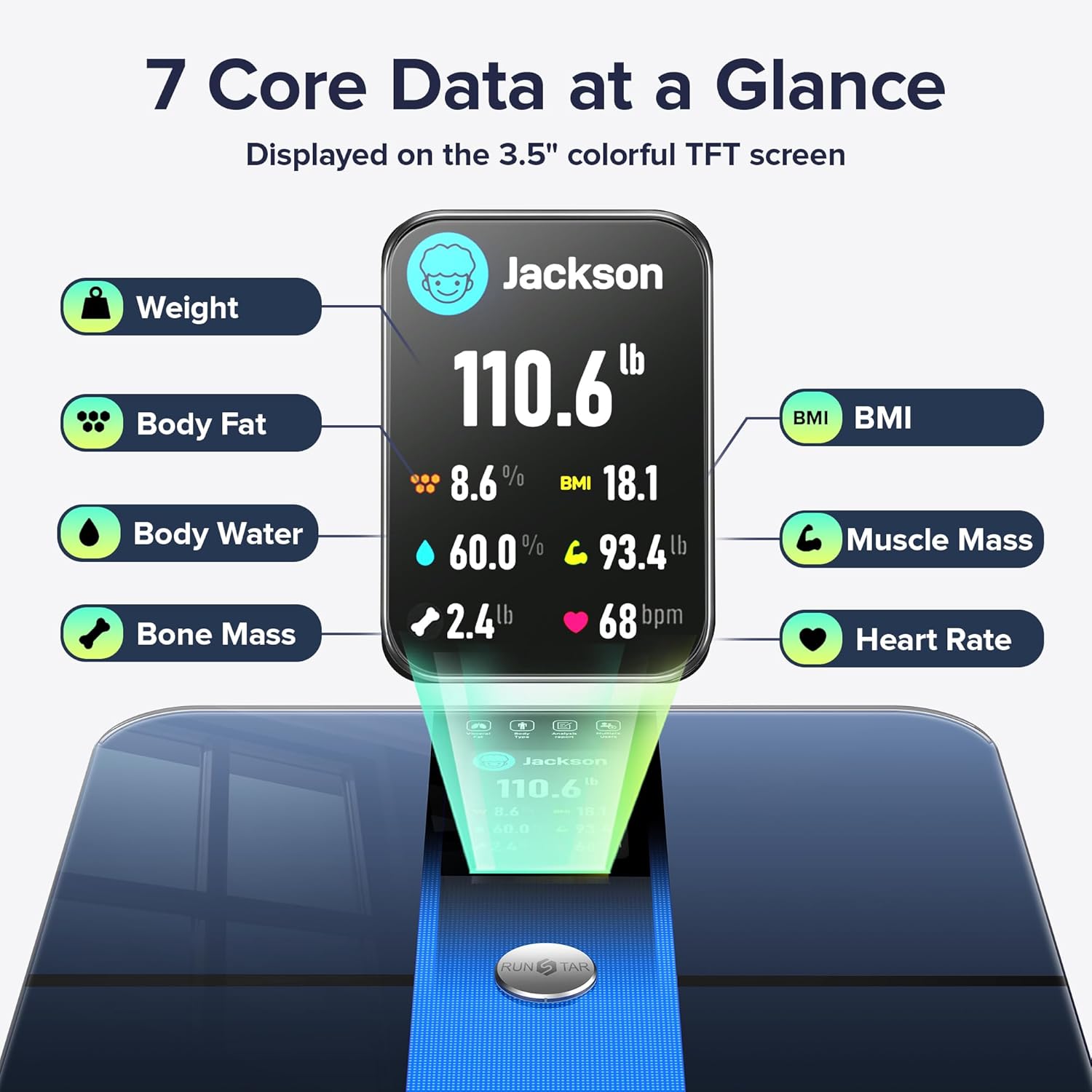
Figure 2: Seven Core Data Points at a Glance. This image highlights the seven key metrics displayed directly on the scale's TFT screen after a measurement.
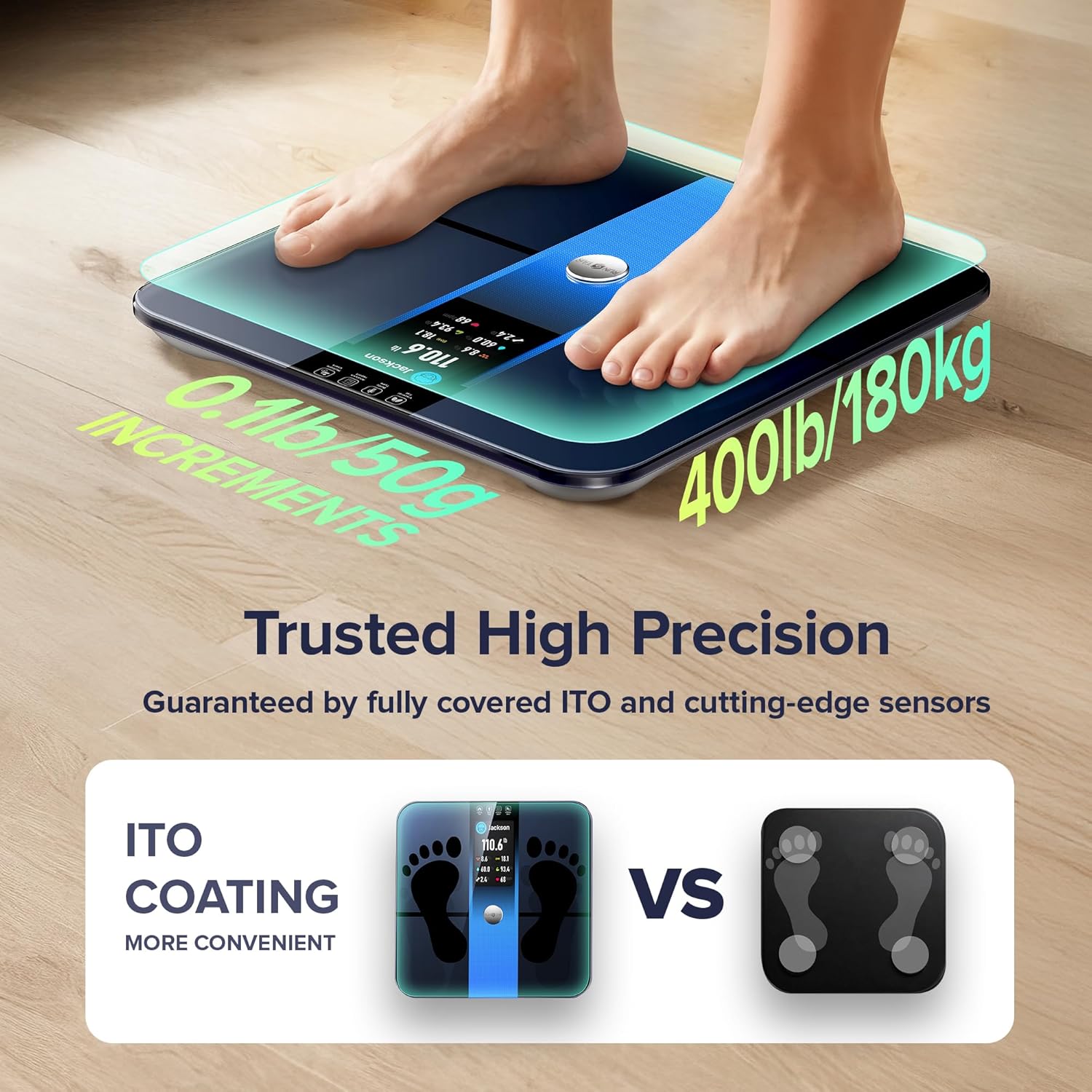
Figure 3: Trusted High Precision Measurement. This image shows feet properly placed on the scale's ITO-coated surface for accurate readings.
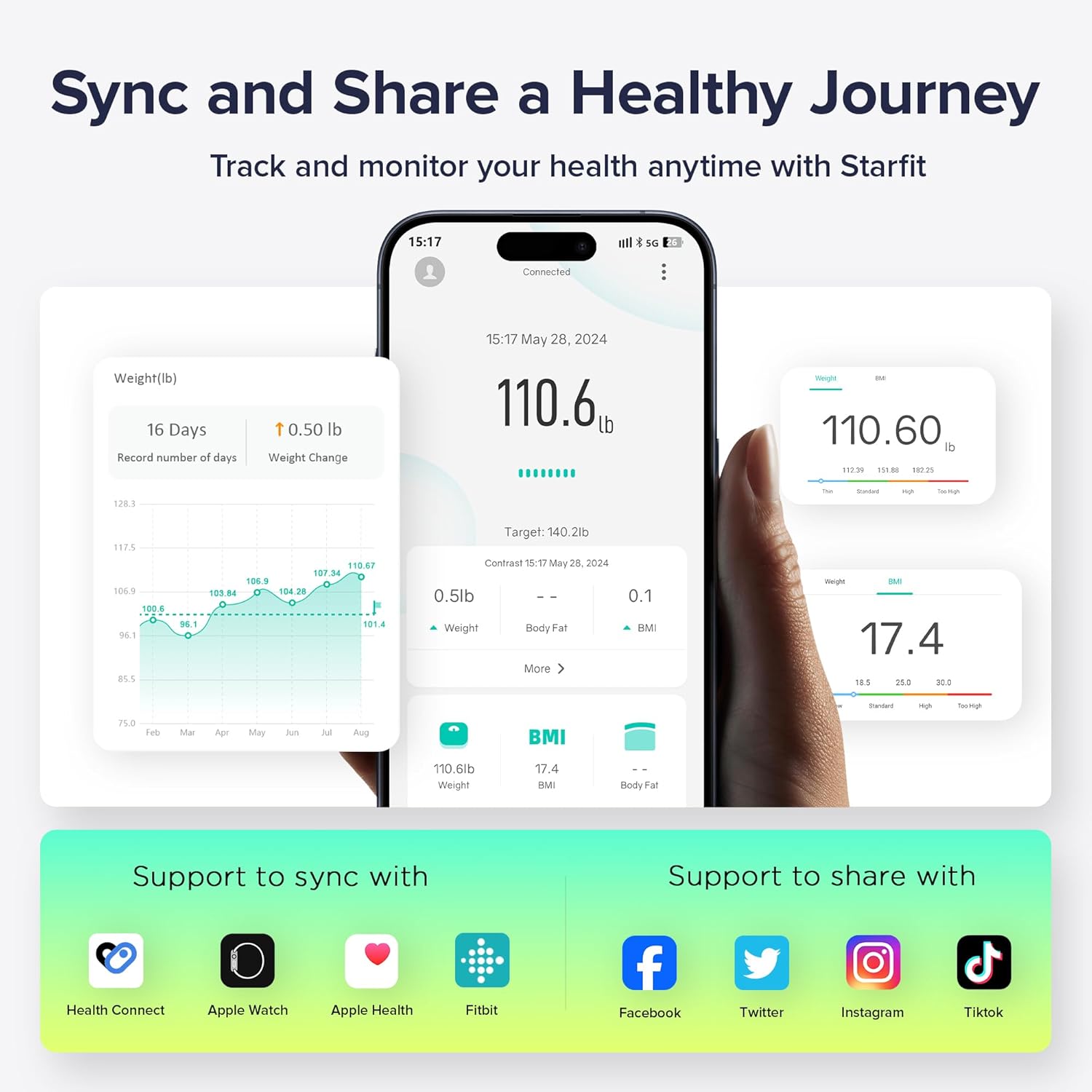
Figure 4: Sync and Share a Healthy Journey. This image illustrates the Starfit App interface, showing data tracking and integration with other health platforms.
Manutenzione
- Pulizia: Usa l'annuncioamp cloth to clean the surface of the scale. Do not use abrasive cleaners or immerse the scale in water.
- Sostituzione della batteria: When the low battery indicator appears on the display, replace the 4 AAA batteries.
- Ricalibrazione: If the scale has been moved or flipped upside down, it may need to be recalibrated. To recalibrate, lightly step on the scale with one foot until '0.00' appears, then step off.
Risoluzione dei problemi
- La bilancia non si accende: Controllare che le batterie siano installate correttamente e abbiano una carica sufficiente. Sostituirle se necessario.
- Impossibile connettersi all'app: Ensure Bluetooth is enabled on your smartphone. Verify that the Starfit App is the latest version. Check the app's device management section to ensure the scale is paired.
- No Body Fat/Composition Data: Ensure you are stepping on the scale with bare, dry feet. The soles of your feet must make proper contact with the ITO-coated surface. Ensure your personal data is correctly entered in the app.
- Messaggi di errore:
- 'Err': Indicates an overload. The maximum capacity is 400lb/180kg.
- 'C': Indicates calibration is needed. Perform recalibration as described in the Maintenance section.
Specifiche
| Numero di modello | FI2019G |
| Marca | RunStar |
| Capacità massima | 400 libbre / 180 kg |
| Tipo di visualizzazione | Display TFT a colori da 3.5" |
| Fonte di alimentazione | 4 batterie AAA (incluse) |
| Metriche corporee monitorate | 22 (including Weight, BMI, Muscle Mass, Body Fat, Heart Rate, Bone Mass, Visceral Fat, Protein, BMR) |
| Utente Profiles | Fino a 24 |
| Connettività | Bluetooth (Starfit App) |
| Dimensioni | 13.35 x 12.83 x 1.93 pollici |
| Peso | 3.6 libbre |
Garanzia e supporto
For warranty information or technical support, please refer to the product packaging or contact RunStar customer service directly. Keep your purchase receipt as proof of purchase.