
1. Introduzione
This manual provides detailed instructions for the setup, operation, and maintenance of your DANFI AUDIO DF TE-103 Vinyl Record Player. This versatile audio system features a 3-speed turntable, Bluetooth input, USB/SD card playback and recording, FM radio, and auxiliary input/output options. Please read this manual thoroughly before use to ensure proper function and longevity of your device.
2. Informazioni sulla sicurezza
- Non esporre l'unità alla pioggia o all'umidità.
- Non ostruire le aperture di ventilazione.
- Assicurarsi che il cavo di alimentazione non venga schiacciato o calpestato.
- Scollegare l'unità durante i temporali o quando non viene utilizzata per lunghi periodi.
- Affidare tutti gli interventi di assistenza a personale qualificato.
- Tenere l'unità lontana dalla luce solare diretta, da fonti di calore e da forti campi magnetici.
3. Contenuto della confezione
Verifica che tutti gli articoli elencati di seguito siano inclusi nel tuo pacchetto:
- DANFI AUDIO DF TE-103 Vinyl Record Player
- Unità di potenza
- Adattatore 45 giri
- Slipmat
- Backup Needle
4. Prodotto finitoview
Familiarize yourself with the main components and controls of your record player.

Figura 4.1: Fronte view of the DANFI AUDIO DF TE-103 Vinyl Record Player.
4.1 Controlli e connessioni del pannello frontale

Figura 4.2: dettagliata view of the front panel with USB, AUX IN, LED Display, and Mode Switch key.
- Display a LED: Mostra la modalità corrente, le informazioni sulla traccia o la frequenza FM.
- Tasto di commutazione della modalità: Toggles between Turntable, Bluetooth, USB/SD, FM Radio, and AUX modes.
- Porta USB: For USB flash drives for playback and recording.
- INGRESSO AUX: Ingresso da 3.5 mm per il collegamento di dispositivi audio esterni.
- Controllo del volume: Regola il volume di uscita.
- Pulsante EQ: Selects sound equalizer presets (Jazz, Pop, Classical, Rock, Vocal).
4.2 Collegamenti del pannello posteriore

Figure 4.3: Rear panel with RCA Line Out connections.
- Uscita linea RCA: Si collega all'esterno amplifier o altoparlanti amplificati.
- Potenza in ingresso: Si collega all'adattatore di alimentazione fornito.
5. Impostazione
- Disimballaggio: Carefully remove the record player and all accessories from the packaging. Retain packaging for future transport or storage.
- Posizionamento: Posizionare l'unità su una superficie stabile e piana, lontano dalla luce solare diretta, da fonti di calore e da polvere eccessiva.
- Copertura antipolvere: Fissare il coperchio antipolvere alle cerniere sul retro dell'unità.
- Collegamento elettrico: Connect the power unit to the DC input on the rear of the record player, then plug the power adapter into a wall outlet.
- Accensione iniziale: Press the power button to turn on the unit. The LED display will illuminate.
6. Istruzioni per l'uso
6.1 Riproduzione di dischi in vinile

Figure 6.1: The turntable supports 3 speeds for various record types.
- Assicurarsi che l'unità sia accesa.
- Sollevare il coperchio antipolvere.
- Place a vinyl record on the platter. If playing a 45 RPM single, use the included 45 RPM adaptor.
- Selezionare la velocità appropriata (33, 45 o 78 giri/min) utilizzando l'interruttore di selezione della velocità.
- Gently move the tonearm to the desired position on the record. The platter will begin to spin automatically.
- Regola il volume in base alle tue preferenze.
- The AUTO STOP function will automatically stop the turntable when the record finishes playing.
6.2 Bluetooth Connection (Input Only)
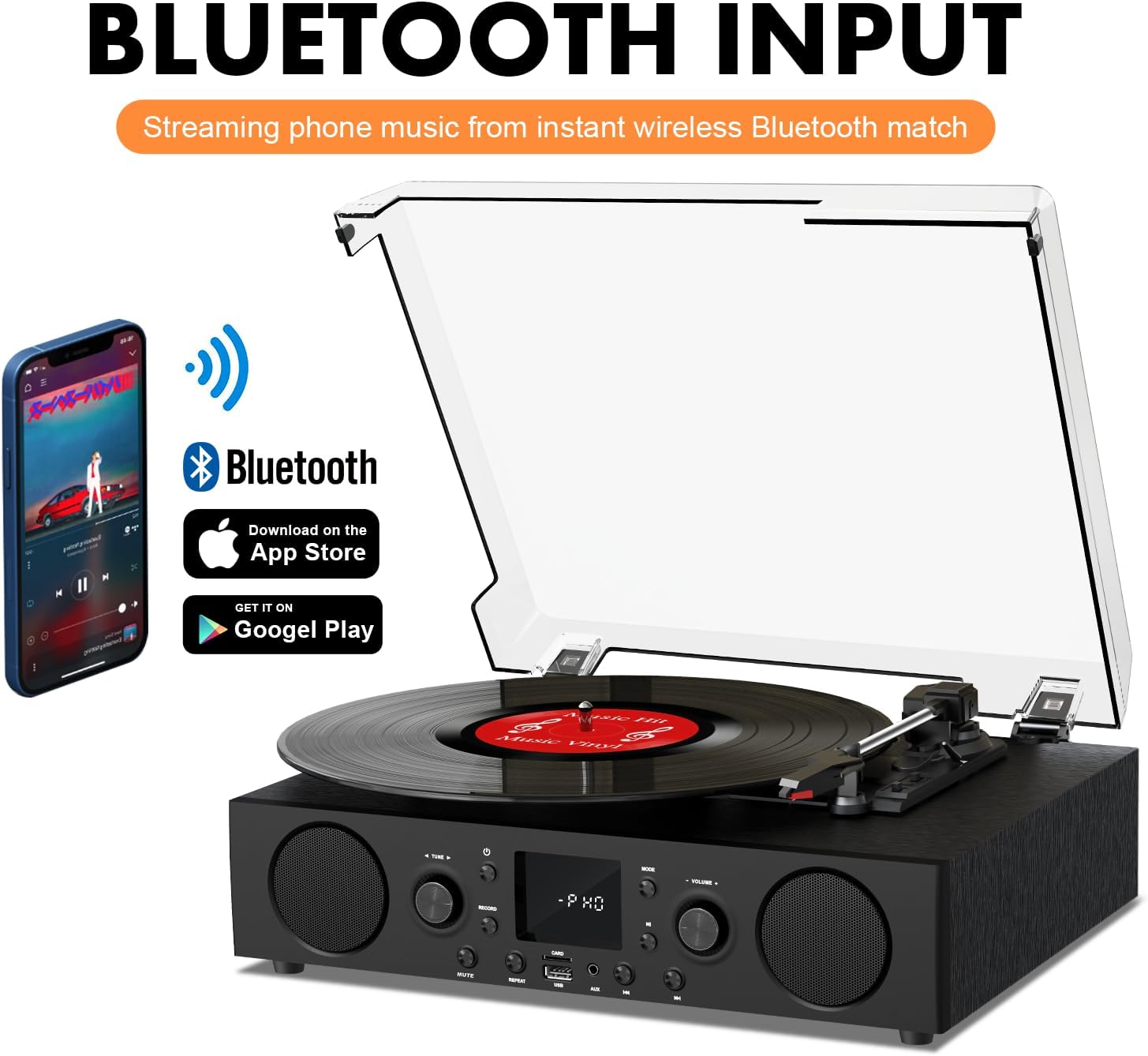
Figure 6.2: Connecting a smartphone via Bluetooth to the turntable.
- Premere il tasto Modalità button until "Bluetooth" or a similar indicator appears on the LED display. The unit will enter pairing mode.
- Attiva il Bluetooth sul tuo smartphone, tablet o computer e cerca i dispositivi disponibili.
- Select "DANFI AUDIO DF TE-103" (or similar name) from the list of devices to pair.
- Once paired, you can stream audio wirelessly from your device to the record player.
- Nota: This turntable supports Bluetooth input only and cannot transmit audio to Bluetooth headphones or speakers.
6.3 USB/SD Input and MP3 Encoding

Figure 6.3: Vinyl to MP3 encoding process using a USB flash drive.
- Riproduzione USB/SD: Insert a USB flash drive or SD card into the respective port. Press the Modalità button to select USB/SD mode. The unit will automatically play compatible audio files.
- Vinyl to MP3 Encoding:
- Insert a USB flash drive or SD card into the port.
- Inizia a riprodurre un disco in vinile.
- Premere il tasto Documentazione button. The LED display will indicate recording is in progress.
- Premere il tasto Documentazione button again to stop recording. The recorded audio will be saved as an MP3/WAV file on the USB drive/SD card.
6.4 Radio FM
- Premere il tasto Modalità button to select FM Radio mode. The current frequency will appear on the LED display.
- Use the tuning controls (often the Skip/Search buttons) to scan for radio stations.
- The unit can store approximately 20 stations.
6.5 RCA Line Out and AUX Input

Figure 6.4: Connecting to external speakers using RCA Line Out.
- Uscita linea RCA: Connect RCA cables from the rear of the record player to the audio input of an external amplifier or powered speakers. This allows for boosted volume and playback through a larger sound system. The turntable's internal speakers will not be muted automatically when using RCA output.
- Ingresso AUX: Connect an external audio source (e.g., MP3 player, smartphone) to the 3.5mm AUX IN port on the front panel using an audio cable. Press the Modalità pulsante per selezionare la modalità AUX per riprodurre l'audio dal dispositivo collegato.
6.6 Equalizzatore (EQ)

Figure 6.5: Available equalizer presets for audio customization.
Premere il tasto EQ button to cycle through the available sound equalizer presets: Jazz, Pop, Classical, Rock, and Vocal. Select the preset that best suits your audio preference.
7. Manutenzione
- Pulizia: Use a soft, dry cloth to clean the exterior of the unit. For the dust cover, use a slightly damp cloth and then dry thoroughly. Avoid abrasive cleaners.
- Cura dello stilo: Periodically check the stylus (needle) for wear or damage. A worn stylus can damage records and degrade sound quality. Replace the stylus with a compatible backup needle when necessary.
- Cura dei documenti: Keep your vinyl records clean and stored vertically in their sleeves to prevent dust accumulation and warping.
8. Risoluzione Dei Problemi
| Problema | Possibile causa | Soluzione |
|---|---|---|
| Nessun potere | Cavo di alimentazione non collegato; presa di corrente non attiva | Assicurarsi che il cavo di alimentazione sia collegato saldamente; testare la presa con un altro dispositivo |
| Nessun suono | Volume troppo basso; Modalità selezionata non corretta; Altoparlanti esterni non collegati/alimentati | Increase volume; Press Mode button to select correct source; Check RCA connections and external speaker power |
| Il giradischi non gira | Unit not powered on; Tonearm not moved over record | Ensure power is on; Gently move tonearm over the record to activate platter |
| Il Bluetooth non si connette | Not in Bluetooth mode; Device too far; Already paired with another device | Select Bluetooth mode; Move device closer; Disconnect from other devices and try pairing again |
| Scarsa qualità del suono del vinile | Dirty record; Worn stylus; Incorrect speed selected | Clean record; Replace stylus; Select correct RPM speed |
9. Specifiche
| Caratteristica | Dettaglio |
|---|---|
| Nome del modello | TE 103 |
| Marca | DANFI AUDIODF |
| Dimensioni del prodotto | 14.37 x 10.82 x 5.28 pollici |
| Peso dell'articolo | 6.2 libbre |
| Materiale | Acrylic, Engineered Wood |
| Velocità del giradischi | 33 1/3, 45, 78 giri al minuto |
| Componenti inclusi | Power unit, 45 rpm adaptor, Slipmat, Backup needle |
| Caratteristiche speciali | Equalizer (EQ), FM Radio, USB Input, USB/SD Card Recording, Bluetooth Input |
| Connettività | Bluetooth (Input only), USB, SD Card, AUX Input, RCA Line Out |
| Dispositivi compatibili | Headphones, MP3 Players, Personal Computers, Smartphones, Speakers, Tablets |
| Consumo energetico (modalità accesa) | 5 watt |
10. Garanzia e supporto
For warranty information or technical support, please refer to the documentation provided with your purchase or contact DANFI AUDIO DF customer service through their official channels. Keep your purchase receipt as proof of purchase for warranty claims.