
1. Finitaview & Caratteristiche
The SYLVOX 43-inch Deck Pro 2.0 Outdoor Smart TV is designed to provide a high-quality entertainment experience in outdoor environments. It combines advanced display technology with robust weatherproofing to ensure performance in various conditions.
- 4K UHD Picture Quality: Enjoy stunning 4K UHD resolution with vibrant colors and sharp details.
- 1000nit High Brightness: Optimized for partial sun environments, ensuring clear visibility even in bright daylight.
- Resistenza a tutte le condizioni atmosferiche (IP56): Features a full metal casing and IP56 waterproof rating, designed to withstand rain, snow, and extreme temperatures.
- Integrated Google TV OS: Access a wide range of streaming apps, personalized recommendations, Google Assistant, and Chromecast built-in.
- Audio Dolby Atmos: Experience immersive 3D surround sound from the built-in speakers.
- Connettività versatile: Includes HDMI, USB, Bluetooth, Wireless, and Ethernet options for seamless integration with your devices.

Figura 1: Fronte view of the SYLVOX 43-inch Deck Pro 2.0 Outdoor Smart TV.
Video 1: Oltreview of the Deck Pro 2.0 Outdoor TV's features, including Google TV and Dolby Atmos.
2. Cosa c'è nella scatola
Prima di procedere con l'installazione, verificare che tutti i componenti siano presenti nella confezione.
- SYLVOX 43-inch Deck Pro 2.0 Outdoor Smart TV
- Cavo di alimentazione
- Remote Control (Waterproof)
- Manuale d'uso
- Scheda di garanzia

Figure 2: Package contents of the SYLVOX 43-inch Deck Pro 2.0 Outdoor Smart TV.
3. Impostazione
Proper setup ensures optimal performance and longevity of your outdoor TV. Consider the mounting location carefully to maximize viewing experience and protection.
3.1 Opzioni di montaggio
The SYLVOX Deck Pro 2.0 offers versatile mounting options:
- Wall Mount: Securely attach the TV to a sturdy outdoor wall using a compatible VESA mount (sold separately). Ensure the wall can support the TV's weight and that the mounting hardware is suitable for outdoor use.
- Mobile Stand: Utilize a portable stand for flexibility in placement, allowing you to move the TV to different outdoor areas as needed.
- Montaggio a soffitto: For covered patios or gazebos, a ceiling mount can provide an elevated viewangolo di ing.
3.2 Connessione iniziale
- Connect the power cable to the TV and a suitable outdoor power outlet.
- Press the power button on the TV or the remote control to turn on the device.
- Seguire le istruzioni sullo schermo per completare la configurazione iniziale, inclusa la selezione della lingua, la connessione di rete (Wi-Fi o Ethernet) e l'accesso all'account Google.
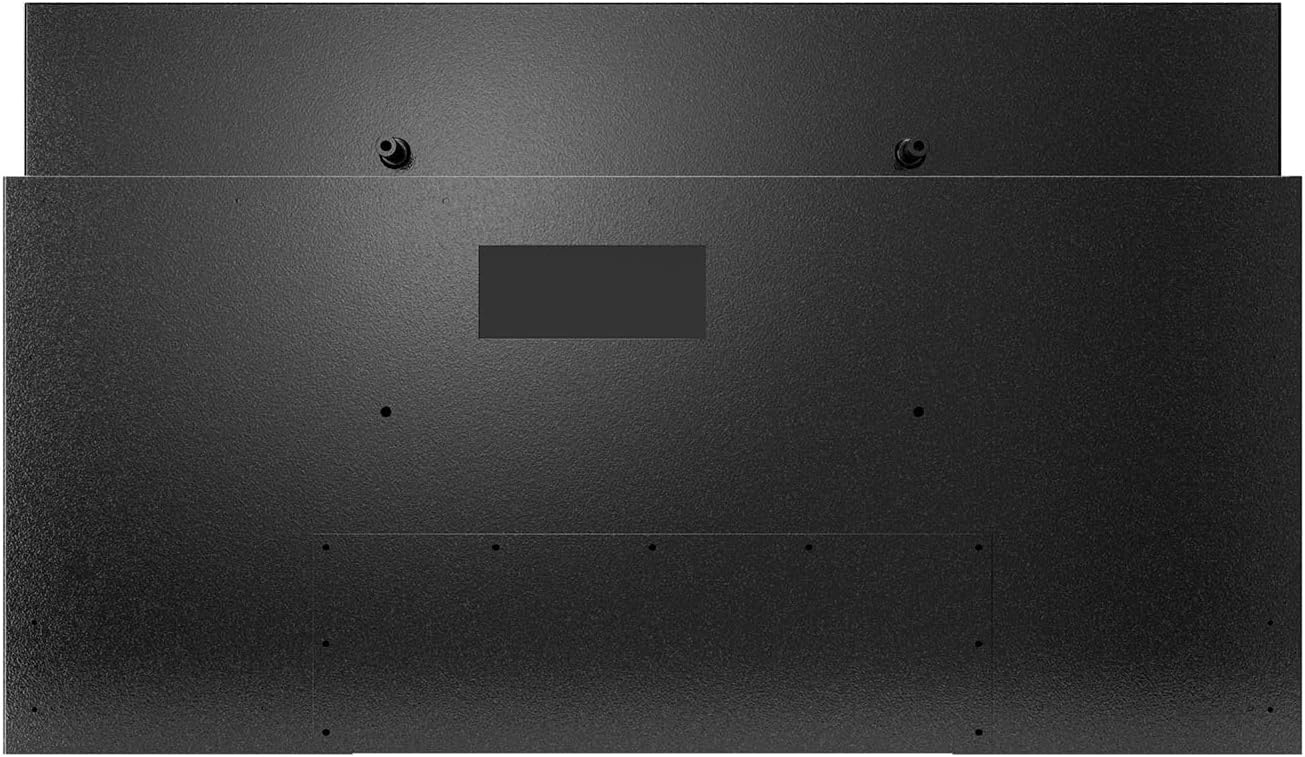
Figura 3: Posteriore view of the TV, highlighting mounting points and the sealed input panel.
Video 2: Unboxing and initial setup process for the Deck Pro 2.0 Series Outdoor TV.
4. Istruzioni per l'uso
Your SYLVOX Outdoor Smart TV is powered by Google TV, offering a user-friendly interface and smart features.
4.1 Interfaccia di Google TV
The home screen provides access to your favorite apps, personalized content recommendations, and live TV options. Navigate using the waterproof remote control.

Figure 4: Google TV home screen with apps and content suggestions.
4.2 Google Assistant & Chromecast
- Assistente Google: Use the voice control feature on your remote to search for content, control smart home devices, and get information.
- Chromecast integrato: Easily cast movies, shows, photos, and more from your compatible smartphone or tablet directly to the TV.

Figure 5: Chromecast functionality for streaming content from mobile devices.
4.3 Impostazioni audio
The TV features built-in Dolby Atmos speakers for an immersive audio experience. Adjust volume and sound modes via the remote or on-screen settings.

Figure 6: Dolby Atmos audio for enhanced sound quality.
Video 3: Demonstration of the SYLVOX Outdoor Google TV's smart features and interface.
5. Manutenzione
The SYLVOX Deck Pro 2.0 is built for outdoor conditions, but proper maintenance will extend its lifespan and ensure continued performance.
- Pulizia: Utilizzare un morbido, damp panno per pulire lo schermo e casing. Avoid harsh chemicals or abrasive materials that could damage the waterproof seals or screen coating.
- Esposizione all'acqua: While IP56 rated, avoid directing high-pressure water jets directly at the TV. The sealed design protects against rain and splashes.
- Gestione della temperatura: The TV is designed to operate in a wide temperature range. Ensure adequate airflow around the unit, especially in hot environments, to prevent overheating.
- Gestione dei cavi: Ensure all cables connected to the sealed input panel are properly secured and the cover is tightly closed to maintain water resistance.

Figure 7: The TV's IP56 waterproof rating ensures durability against outdoor elements.
Video 4: The SYLVOX Outdoor TV is designed to withstand rain and shine.
6. Risoluzione Dei Problemi
If you encounter issues with your SYLVOX Outdoor Smart TV, try the following basic troubleshooting steps:
- Nessun potere: Ensure the power cable is securely connected to both the TV and the power outlet. Check if the outlet is functioning.
- Nessuna immagine/suono: Verificare che sia selezionata la sorgente di ingresso corretta. Controllare che tutti i collegamenti dei cavi (HDMI, ecc.) non siano allentati.
- Il telecomando non risponde: Check the batteries in the remote control. Ensure there are no obstructions between the remote and the TV.
- Problemi di connettività di rete: Restart your Wi-Fi router. Reconnect the TV to the Wi-Fi network via the settings menu.
- Qualità dell'immagine: Adjust picture settings (brightness, contrast, color) in the TV's menu. Ensure the content source is high-resolution.
For persistent issues, please refer to the detailed troubleshooting section in the full user manual or contact SYLVOX customer support.
7. Specifiche
| Marca | SILVOX |
| Numero di modello | Deck Pro 2.0 |
| Dimensioni dello schermo | 43 pollici |
| Tecnologia di visualizzazione | Risoluzione 4K Ultra HD |
| Risoluzione | 4K |
| Frequenza di aggiornamento | Frequenza 60 Hz |
| Luminosità | 1000 lendini |
| Grado di impermeabilità | Grado di protezione IP56 |
| Sistema operativo | TV di Google |
| Caratteristiche speciali | Built-In Speaker, Chromecast, Parental Controls, Weatherproof, Water-resistant, Wide Viewangolo di ing |
| Tecnologia di connettività | Bluetooth, USB, Wireless, HDMI, WiFi, Ethernet |
| Peso dell'articolo | 32.2 libbre |
| Dimensioni del prodotto | 3.45"P x 38.4"L x 22.56"A |
8. Garanzia e supporto
SYLVOX is committed to customer satisfaction and product reliability.
- Garanzia: The product typically includes a 12-month free defect protection. Please refer to the included Warranty Card for full terms and conditions.
- Resi: Free returns are offered for quality issues. 30-day hassle-free returns are available, requiring original packaging.
- Assistenza clienti: SYLVOX customer support is available to assist with any questions or issues. Contact information can be found on the Warranty Card or the official SYLVOX websito.
Many users have reported positive experiences with SYLVOX customer service, highlighting their responsiveness and helpfulness in resolving concerns.