
Introduzione
Thank you for choosing the KOORUI 2.4G Silent Full Size Ergonomic Wireless Keyboard and Mouse Combo. This manual provides essential information for setting up, operating, maintaining, and troubleshooting your new wireless peripheral set. Please read this manual thoroughly before use to ensure optimal performance and longevity of your product.

Figure 0: KOORUI Wireless Keyboard and Mouse Combo
1. Impostazione
1.1 Contenuto della confezione
- Tastiera senza fili
- Mouse senza fili
- 2-in-1 USB Receiver
- Manuale d'uso
1.2 Installazione della batteria
- Locate the battery compartment on the underside of the keyboard. Insert one AAA battery (not included), ensuring correct polarity.
- Locate the battery compartment on the underside of the mouse. The 2-in-1 USB receiver is stored inside this compartment. Remove the receiver, then insert one AA battery (not included), ensuring correct polarity.
- Chiudere bene entrambi i vani batteria.

Figure 1: Battery and USB Receiver Installation
1.3 Connessione al dispositivo
- Ensure both the keyboard and mouse are switched to the "ON" position using their respective power switches.
- Plug the 2-in-1 USB receiver into an available USB port on your computer (Laptop/PC/Gaming Console).
- Your operating system should automatically detect and install the necessary drivers. The keyboard and mouse are ready for use once the installation is complete.
Video 1: Demonstrating the setup and functionality of the KOORUI 104-key wireless keyboard and mouse combo.
2. Istruzioni per l'uso
2.1 Caratteristiche della tastiera
- Layout a grandezza naturale: The keyboard features a full-size layout with 104 keys, including a numeric keypad, for comprehensive input.
- Digitazione silenziosa: Soft and responsive keys provide a quiet typing experience, reducing noise in shared environments.
- Design ergonomico: Designed for comfort, the keyboard includes an 8° tilt angle to reduce wrist strain during extended use.
- Multimedia & Shortcut Keys: Access 5 multimedia keys and 12 shortcut functions (primarily for Windows systems) for quick control over media, applications, and system functions.

Figure 2: Ergonomic Design with 8° Tilt
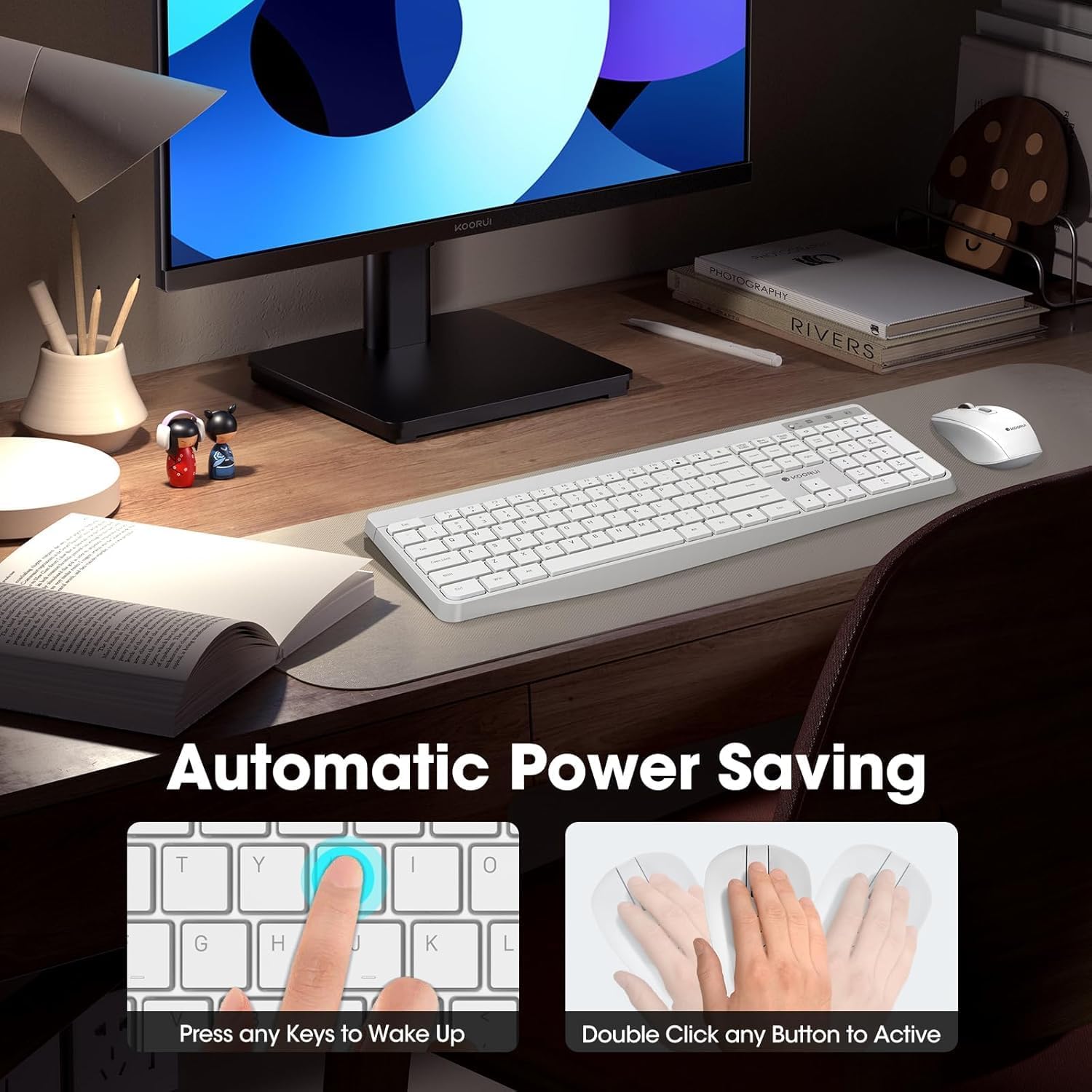
Figura 3: Tasti multimediali e di scelta rapida
2.2 Caratteristiche del mouse
- 3 livelli DPI regolabili: Cycle through 800, 1200, and 1600 DPI settings to adjust cursor sensitivity for precise control.
- Clic silenziosi: The mouse features ultra-quiet buttons, minimizing click noise.
- Design ergonomico: Contoured shape fits comfortably in your hand for extended use.

Figure 4: Mouse DPI Settings
2.3 Compatibilità
The KOORUI Wireless Keyboard and Mouse Combo is compatible with a wide range of operating systems, including Windows 7/8/10/11/Vista, macOS, and Linux. It can be used with laptops, personal computers, and gaming consoles.

Figura 5: Ampia compatibilità
3. Manutenzione
3.1 Pulizia
The keyboard features a waterproof design, offering protection against accidental spills. To clean, gently wipe the surfaces of the keyboard and mouse with a soft, damp cloth. Avoid using harsh chemicals or abrasive materials. Ensure the devices are completely dry before use.

Figure 6: Waterproof Keyboard Design
3.2 Durata della batteria e risparmio energetico
- The keyboard and mouse are equipped with an auto-sleep mode function to conserve battery life. They will enter sleep mode after a period of inactivity.
- Per riattivare i dispositivi, è sufficiente fare clic su un pulsante qualsiasi del mouse o premere un tasto qualsiasi sulla tastiera.
- Replace batteries when the low battery indicator light appears (Keyboard: 1 AAA, Mouse: 1 AA).
Figure 7: Battery Compartments and Power Indicators
4. Risoluzione Dei Problemi
4.1 Problemi di connessione
- Nessuna risposta:
- Ensure the keyboard and mouse power switches are in the "ON" position.
- Controllare che le batterie siano installate correttamente e abbiano una carica sufficiente. Sostituirle se necessario.
- Verifica che il ricevitore USB sia collegato saldamente a una porta USB funzionante del computer. Prova una porta USB diversa.
- Move the keyboard and mouse closer to the USB receiver to rule out range issues (maximum 10m/33ft).
- Connessione ritardata o intermittente:
- Ridurre le interferenze allontanando gli altri dispositivi wireless dal ricevitore.
- Assicurarsi che non vi siano oggetti metallici di grandi dimensioni tra i dispositivi e il ricevitore.
4.2 Problemi specifici della tastiera
- I tasti non rispondono:
- Controllare il livello della batteria.
- Ensure the keyboard is not in sleep mode (press any key to wake).
4.3 Problemi specifici del mouse
- Cursor Not Moving:
- Controllare il livello della batteria.
- Ensure the mouse is not in sleep mode (click any button to wake).
- Pulisci il sensore ottico sul lato inferiore del mouse.
- Assicurarsi di utilizzare il mouse su una superficie adatta.
5. Specifiche
| Marca | KOORUI |
| Modello | B0C4DVG5WV |
| Colore | Bianco |
| Tecnologia di connettività | Frequenza radio 2.4 GHz |
| Caratteristica speciale | Ergonomic, Silent Keys, Waterproof Design, Auto Power Saving |
| Dispositivi compatibili | Gaming Console, Laptop, Personal Computer |
| Rilevamento del movimento (mouse) | Optical (800/1200/1600 DPI) |
| Compatibilità del sistema operativo | Windows 7/8/10/11/Vista, macOS, Linux |
| Disposizione della tastiera | QWERTY, Full Size (104 keys) |
| Fonte di alimentazione | Alimentato a batteria (tastiera: 1 AAA, mouse: 1 AA) |
| wireless Range | Fino a 10 m (33 piedi) |
| Peso dell'articolo | 0.7 chilogrammi |
| Codice UPC | 738060953515 |
6. Informazioni sulla garanzia
This KOORUI product comes with a Garanzia limitata di 1 anno dalla data di acquisto. La presente garanzia copre difetti di fabbricazione e di lavorazione in condizioni di normale utilizzo. Non copre danni causati da uso improprio, incidenti, modifiche non autorizzate o cause esterne.
Conservare la prova d'acquisto per eventuali richieste di garanzia.
7. Assistenza clienti
For any questions, technical assistance, or warranty inquiries regarding your KOORUI Wireless Keyboard and Mouse Combo, please contact our customer support team. We are committed to providing 24-hour service to assist you.
Please refer to the product packaging or the official KOORUI websito per le informazioni di contatto più aggiornate.