
1. Introduzione
Thank you for choosing the HBEZON Medicine Cabinet with LED Lights and Mirror. This manual provides essential information for the safe installation, operation, and maintenance of your new cabinet. Please read it thoroughly before installation and keep it for future reference.
2. Informazioni sulla sicurezza
AVVERTIMENTO: Electrical installation should be performed by a qualified electrician. Ensure power is disconnected at the circuit breaker before installation or maintenance.
- Scollegare sempre l'alimentazione prima della manutenzione.
- Do not attempt to repair or modify the unit yourself. Contact qualified personnel.
- Questo prodotto è progettato esclusivamente per l'uso in ambienti interni ed asciutti.
- Avoid exposing the mirror to excessive moisture or direct water spray.
- Handle tempered glass shelves with care to prevent breakage.
- Ensure the mounting surface is structurally sound to support the cabinet's weight.
3. Contenuto della confezione
Verificare che tutti i componenti siano presenti prima di iniziare l'installazione:
- Medicine Cabinet with LED Lights and Mirror (1 unit)
- Adjustable Tempered Glass Shelves (2 units)
- Hardware di montaggio (viti, tasselli, ecc.)
- Manuale di istruzioni (questo documento)
4. Specifiche
| Caratteristica | Descrizione |
|---|---|
| Marca | HBEZON |
| Nome del modello | 3630BK |
| Colore | Nero |
| Dimensioni del prodotto | 4.8"P x 36"L x 30"A |
| Tipo di montaggio | Wall Mounted or Recessed Mounted |
| Numero di ripiani | 2 ripiani regolabili in vetro temperato |
| Caratteristiche speciali | Smart Touch Control, Lighting Memory Function, Dimmable (10%-100%), 3 Color Lighting Modes (Warm 2700K, Natural 4000K, Cold 6500K), Defogger, Soft-close Hinges |
| Materiale del telaio | Metallo (verniciato a polvere) |
| Peso dell'articolo | 20 libbre |
| Certificazione | ETL quotato |
 Immagine: Oltreview of HBEZON Medicine Cabinet features.
5. Configurazione e installazione
The HBEZON Medicine Cabinet can be installed as either a wall-mounted unit or a recessed unit. Recessed installation is recommended for a seamless appearance.
5.1 Lista di controllo pre-installazione
- Assicurarsi che tutto il contenuto della confezione sia presente e integro.
- Turn off power to the installation area at the main circuit breaker.
- Gather necessary tools: measuring tape, level, drill, screwdriver, wire strippers, safety glasses.
- Determine desired mounting type (surface or recessed).
5.2 Dimensions and Cutout (for Recessed Mounting)
Refer to the diagram below for precise dimensions and cutout requirements for recessed installation.
 Image: Medicine Cabinet and Recessed Cutout Dimensions. The cabinet measures 36" W x 30" H x 4 15/16" D. For recessed mounting, the wall cutout should be approximately 34 15/16" W x 24 3/16" H x 4 1/8" D.
5.3 Collegamento elettrico (cablato)
The cabinet requires a hardwired electrical connection. A wall switch is not included and must be provided separately. Consult a qualified electrician for proper wiring.
 Image: Hardwired Connection Diagram. This shows how the cabinet connects to a wall switch for power.
5.4 Opzioni di montaggio
 Image: Recessed Mount vs. Surface Mount. This illustrates the two installation methods.
- Montaggio superficiale: Secure the cabinet directly to the wall using appropriate mounting hardware.
- Montaggio ad incasso: Create a cutout in the wall according to the specified dimensions. Insert the cabinet into the cutout and secure it to the wall studs or blocking.
After mounting, install the adjustable tempered glass shelves by placing them on the shelf supports inside the cabinet.
6. Istruzioni per l'uso
The medicine cabinet features smart touch controls for its LED lighting and defogger functions.
6.1 Controllo touch intelligente
The LED cabinet mirror is controlled by three dimmable smart touch buttons located on the mirror surface.
- Middle Button (Power/Brightness):
- Short press to turn the light ON/OFF.
- Long press to adjust the brightness from 10% to 100%.
- Right Button (Color Mode):
- Short press to cycle through 3 color lighting modes: Warm (2700K), Natural (4000K), and Cold White (6500K).
- Left Button (Defogger):
- Short press to turn the anti-fog function ON/OFF.
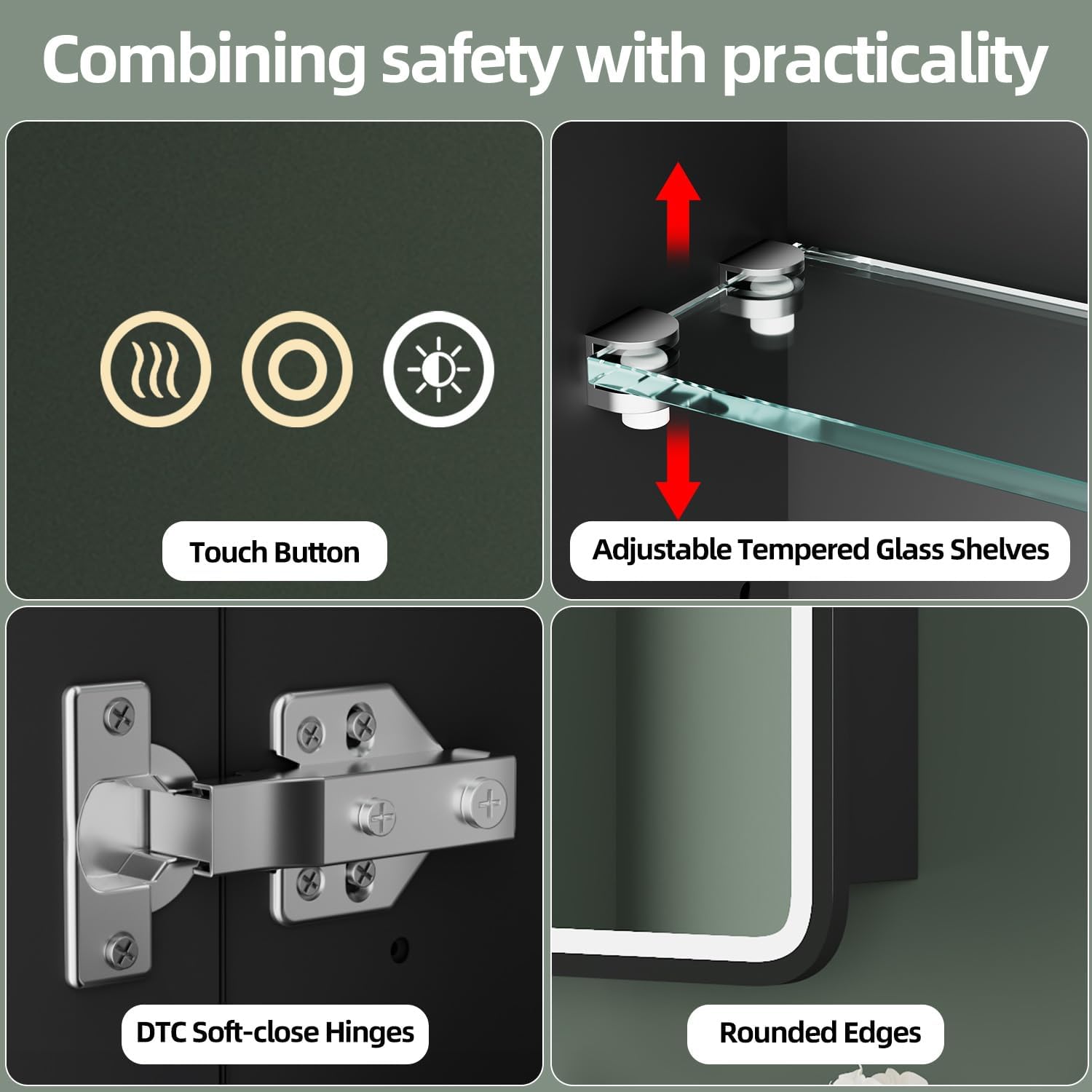 Image: Smart Touch Controls. This shows the three touch buttons on the mirror for controlling light, brightness, color, and defogger.
6.2 Adjustable Brightness
The brightness can be adjusted from 10% to 100% by long-pressing the middle touch button. Release the button when the desired brightness level is reached.
 Image: Adjustable Brightness. This illustrates the range of brightness from 10% to 100%.
6.3 3 Color Lighting Modes
Short-press the right touch button to switch between Warm Light (2700K), Natural Light (4000K), and Cold Light (6500K).
 Image: 3 Color Lighting Modes. This demonstrates the warm, natural, and cold white light options.
6.4 Anti-fog Function
Activate the built-in anti-fog function by pressing the left touch button. This helps maintain a clear reflection, especially in humid bathroom environments. Turn it off when not needed to save energy.
 Image: Anti-fog Function. This shows the mirror clearing fog after the defogger is activated.
6.5 Funzione di memoria
The cabinet features a memory function that retains your last used light settings (brightness and color mode). When you turn the light on again, it will resume the previously set configuration.
6.6 Soft-Close Hinges
The cabinet doors are equipped with soft-close hinges, ensuring quiet and smooth closing without slamming.
7. Manutenzione
Regular cleaning and maintenance will ensure the longevity and optimal performance of your medicine cabinet.
- Superficie dello specchio: Pulire lo specchio con un panno morbido, damp cloth and a mild glass cleaner. Avoid abrasive cleaners or harsh chemicals that may damage the mirror coating or LED components.
- Cabinet Exterior: Pulisci la struttura metallica con un panno morbido eamp cloth. Do not use abrasive pads or cleaners.
- Ripiani interni: The tempered glass shelves can be removed for easy cleaning. Wash with mild soap and water, then dry thoroughly.
- Componenti elettrici: Ensure the power is off before cleaning any electrical parts. Do not spray water directly onto electrical components.
8. Risoluzione Dei Problemi
| Problema | Possibile causa | Soluzione |
|---|---|---|
| Le luci non si accendono. | Nessuna alimentazione; cablaggio allentato; interruttore difettoso. | Check circuit breaker. Verify all wiring connections are secure. Test the wall switch. If issues persist, consult a qualified electrician. |
| Brightness/Color mode not changing. | Incorrect touch control usage; temporary malfunction. | Ensure you are long-pressing for brightness and short-pressing for color mode. Turn off and on the power to reset. |
| La funzione antiappannamento non funziona. | Sbrinatore non attivato; problema elettrico. | Press the defogger touch button to activate. Check power supply. |
| Mirror surface is scratched or damaged. | Danni fisici. | Contact customer support for replacement options. Avoid abrasive cleaning materials. |
9. Garanzia e supporto
For warranty information, product support, or to inquire about replacement parts, please contact HBEZON customer service. Keep your purchase receipt as proof of purchase.
Produttore: HBEZON
Le informazioni di contatto possono essere trovate in genere sul sito web del produttore websito o la documentazione di acquisto.
10. Video di prodotto
Watch this official video for a visual guide on product features and operation.
HBEZON Medicine Cabinet with LED Lights and Mirror Overview
Video: Questo video fornisce una panoramicaview of the HBEZON Medicine Cabinet, demonstrating its LED lights, touch controls, and storage capacity. It highlights the adjustable brightness, color modes, anti-fog function, and spacious interior with adjustable shelves.