
1. Introduzione
Thank you for choosing the Devoko L-Shaped Gaming Desk. This manual provides detailed instructions for the assembly, operation, and maintenance of your new desk. Please read this manual carefully before assembly and use to ensure proper function and safety. This desk features an L-shaped design, integrated LED lighting, two power outlets, and two USB charging ports, along with convenient storage solutions.
2. Informazioni sulla sicurezza
- Seguire sempre attentamente le istruzioni di montaggio. Un montaggio errato può causare instabilità e potenziali lesioni.
- Do not overload the desk. Refer to the specifications section for weight limits.
- Keep all electrical components (LED strip, power outlets, USB ports) away from water and moisture.
- Assicurarsi che tutte le viti e gli elementi di fissaggio siano ben serrati prima dell'uso. Controllare periodicamente e serrare nuovamente se necessario.
- Non permettere ai bambini di arrampicarsi sulla scrivania o di giocarci.
- Use only the provided power cord and ensure it is properly connected to a grounded outlet.
3. Contenuto della confezione
Prima di iniziare il montaggio, verificare che tutti i componenti elencati di seguito siano presenti e integri. Se qualche componente risulta mancante o danneggiato, contattare l'assistenza clienti.
- Pannelli per scrivania (sezioni a L)
- Componenti del telaio in acciaio (gambe, barre di supporto)
- Striscia luminosa a LED con telecomando
- Integrated Power Strip with 2 Outlets and 2 USB Ports
- Supporto CPU
- Storage Shelves (upper and lower)
- Iron Hooks
- Fabric Storage Drawer
- Ferramenta di montaggio (viti, bulloni, dadi)
- Strumenti di montaggio (chiave a brugola, cacciavite)
- Manuale di istruzioni

Immagine 3.1: Passoview of desk components and dimensions. This diagram illustrates the various parts of the desk and their measurements, aiding in identification during assembly.
4. Istruzioni per l'installazione e il montaggio
Assembly typically requires one person and includes all necessary tools. Follow the numbered steps in the provided separate assembly guide for detailed instructions. The desk offers three possible installation configurations to adapt to different room layouts.
- Disimballare e identificare le parti: Lay out all components on a clean, soft surface to prevent scratches. Compare with the package contents list.
- Montare il telaio in acciaio: Connect the main steel frame components using the provided screws and Allen wrench. Do not fully tighten screws until all parts are loosely connected.
- Fissare i pannelli della scrivania: Secure the engineered wood desk panels to the assembled steel frame. Ensure proper alignment for the L-shape configuration.
- Installare ripiani portaoggetti: Fissare i ripiani superiori e inferiori alle sezioni del telaio designate.
- Mount CPU Stand and Fabric Drawer: Secure the CPU stand and attach the fabric storage drawer to its designated location.
- Installare la ciabatta elettrica: Integrate the power strip with outlets and USB ports into the designated cutout on the desk surface.
- Fissare la striscia LED: Adhere the LED light strip to the underside of the upper shelf or desired location.
- Serraggio finale: Una volta che tutti i componenti sono in posizione e allineati, serrare completamente tutte le viti e gli elementi di fissaggio.
- Attach Iron Hooks: Secure the iron hooks to the side of the desk for headphone or accessory storage.
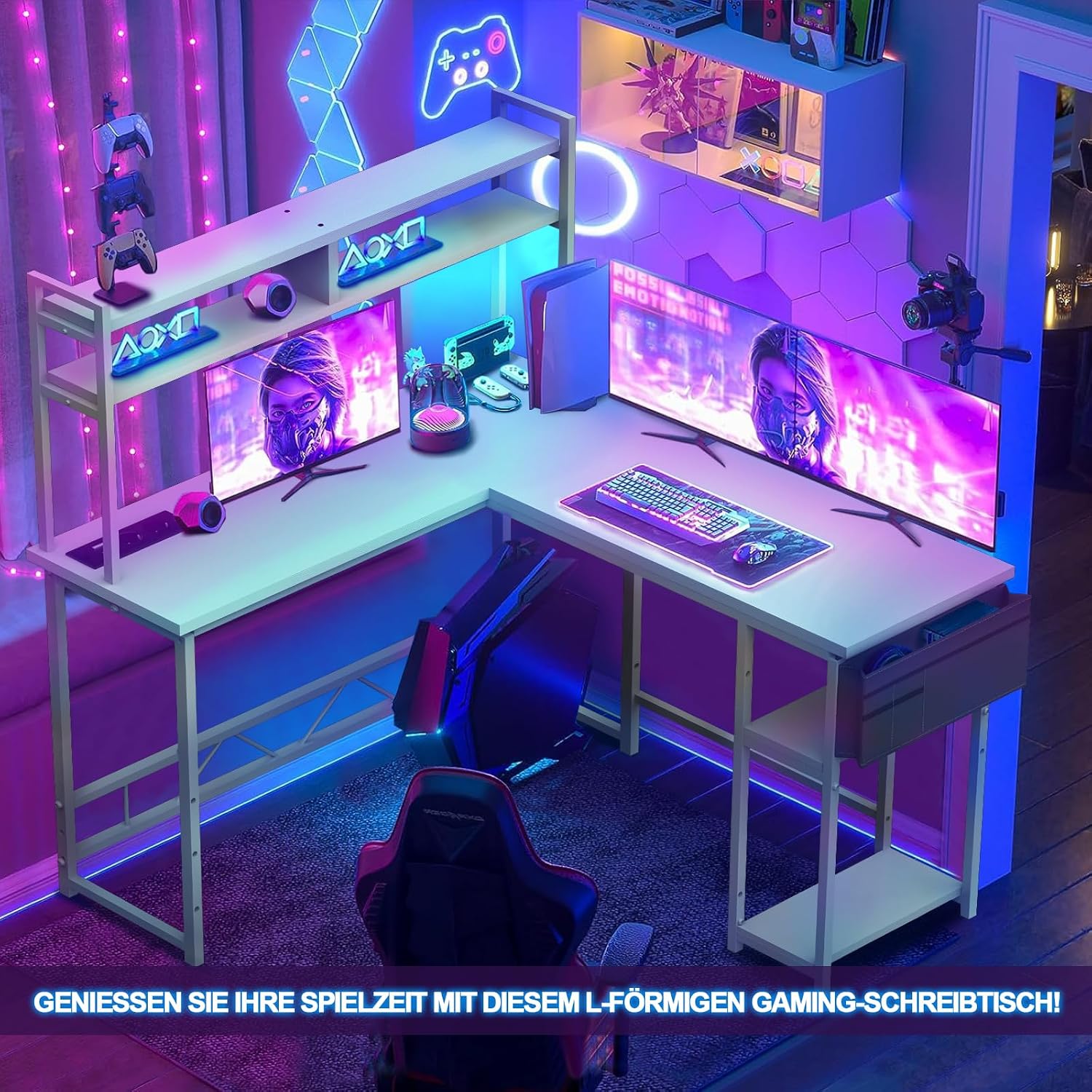
Image 4.1: The fully assembled Devoko L-Shaped Gaming Desk, showcasing its design and functionality in a typical use environment.
5. Istruzioni per l'uso
5.1 Illuminazione a LED
The desk includes an integrated LED light strip for ambient lighting. Connect the LED strip to a power source as indicated in the assembly guide. Use the provided remote control to turn the lights on/off, change colors, adjust brightness, and select lighting modes.

Image 5.1: The LED light strip and its remote control. The remote allows for customization of colors and lighting effects.
5.2 Prese di corrente e porte USB
The desk is equipped with a built-in power strip featuring two standard power outlets and two USB charging ports. This allows for convenient power access for your computer, monitors, and other electronic devices.
- Collegamento elettrico: Collegare il cavo di alimentazione principale della scrivania a una presa a muro.
- Utilizzo delle prese: Plug your devices (e.g., monitors, PC) into the standard power outlets.
- Utilizzo delle porte USB: Connect your USB-powered devices (e.g., smartphone, tablet, gaming accessories) to the USB ports for charging.

Image 5.2: The integrated power strip with two outlets and two USB ports, designed for easy access to power and charging.
6. Manutenzione
- Pulizia: Pulisci le superfici della scrivania con un panno morbido eamp stoffa. Evitare detergenti abrasivi o prodotti chimici aggressivi che potrebbero danneggiare la finitura.
- Spolverare: Regularly dust the desk and its components to prevent accumulation.
- Controllo del dispositivo di fissaggio: Controllare periodicamente tutte le viti e i bulloni per assicurarsi che siano ben serrati. Serrarli nuovamente se necessario per mantenere la stabilità.
- Gestione dei cavi: Organizzare i cavi per evitare grovigli e ridurre la tensione sui collegamenti.
7. Risoluzione Dei Problemi
- La scrivania è instabile:
Soluzione: Ensure all screws are fully tightened. Check that the desk is on a level surface. Adjust leveling feet if present. - Luci LED non funzionanti:
Soluzione: Check if the LED strip is properly connected to its power source. Ensure the remote control has working batteries and is pointed at the receiver. Verify the main power cord is plugged in. - Prese di corrente/porte USB non funzionanti:
Soluzione: Ensure the desk's main power cord is securely plugged into a functional wall outlet. Check if the power strip's switch (if any) is turned on. Test with a different device. - Parti mancanti durante il montaggio:
Soluzione: Double-check the packaging. If parts are genuinely missing, contact Devoko customer support with your purchase details.
8. Specifiche
| Caratteristica | Dettaglio |
|---|---|
| Numero di modello | Spirito |
| Dimensioni (L x P x A) | 140 x 120 x 142 cm (55.1 x 47.2 x 55.9 pollici) |
| Desk Top Material | Legno ingegnerizzato |
| Materiale del telaio | Acciaio legato |
| Colore | Bianco |
| Prese di corrente | 2 (220-250 V/15 A) |
| Porte USB | 2 (5 V/2 A) |
| Caratteristiche speciali | L-Shape, LED Lighting, CPU Stand, Storage Shelves, Fabric Drawer, 3 Installation Options |
| Assemblaggio richiesto | Yes (Tools included, 1 person recommended) |

Image 8.1: Close-up of the desk's integrated storage solutions, including the CPU stand, two-tier shelves, and a fabric drawer for organization.
9. Garanzia e supporto
9.1 Informazioni sulla garanzia
This Devoko L-Shaped Gaming Desk comes with a limited warranty. Please refer to the warranty card included in your package for specific terms, conditions, and duration. The warranty typically covers manufacturing defects and material flaws under normal use.
9.2 Assistenza clienti
For any questions, assistance with assembly, troubleshooting, or warranty claims, please contact Devoko customer support. Please have your purchase receipt and model number (Wit) ready when contacting support.
Informazioni sui contatti:
(Please refer to your product packaging or the retailer's website for the most current customer support contact details.)