
Introduzione
This manual provides essential instructions for the safe and effective operation of your Cuifati 4K Body Cam. Please read this manual thoroughly before using the device to ensure proper functionality and to prevent damage.

Figura 1: Fronte view of the Cuifati 4K Body Cam, showing the lens and LCD screen.
Caratteristiche principali
- Schermo LCD da 1.3 pollici: Convenient for instant video playback, deletion, and menu navigation. Features inverted function screen switching and battery indicator.
- Registrazione video UHD 4K: Captures accurate and clear videos with a 4K sensor and 8MP lens. Utilizes H.264 format for efficient storage.
- Visione notturna: Equipped with 4 fill lights for clear recording in low-light conditions. Supports 1080P, 2K, and 4K switching.
- 180° Rotatable, 120° Lens: Adjustable lens direction to capture desired angles and ensure important evidence is not missed.
- Durata prolungata della batteria: 1200mAh rechargeable battery provides 6-7 hours of continuous operation. Supports 24/7 recording when connected to a mobile power supply.
- Loop Recording & Time Stamp: Supports up to 10 minutes of loop recording and time stamp collocamento.
- Modalità hotspot: Allows downloading recordings to a mobile phone.
- Cardless & Remote Recording: Supported up to 32 feet.

Figura 2: Oltreview of key features including 1080P HD, 1.3-inch screen, 1200mAh battery, 180° wide angle, clip design, photo, video, record, night vision, and motion detection capabilities.
Impostare
- Ricarica del dispositivo:
Connect the provided USB-C cable to the camera's charging port and the other end to a USB power adapter (not included) or a computer. The battery indicator on the LCD screen will show charging status. A full charge typically takes 3-4 hours and provides 6-7 hours of continuous use.

Figure 3: The Cuifati 4K Body Cam shown with its included USB-C charging cable and USB adapter for file trasferimento.
- Inserimento della scheda Micro SD:
Locate the Micro SD card slot on the side of the camera. Gently insert a compatible Micro SD card (up to 128GB, included) into the slot until it clicks into place. Ensure the card is inserted correctly to avoid damage.
- Accensione/spegnimento:
Press and hold the power button (usually located on the side) for a few seconds until the LCD screen illuminates. To power off, press and hold the power button again until the screen turns off.
Istruzioni per l'uso
Registrazione di base
- Registrazione video: Once powered on, press the "OK" button to start video recording. A red indicator light or on-screen icon will confirm recording is active. Press "OK" again to stop.
- Cattura foto: In standby mode, press the "M" button to switch to photo mode. Press "OK" to take a picture.
- Registrazione audio: The device supports audio recording. Refer to the menu settings to enable or disable audio capture during video recording, or to initiate audio-only recording.
Regolazione dell'obiettivo
The camera features a 180° rotatable lens, allowing you to adjust the viewing angle as needed. Simply pivot the lens module to your desired position.
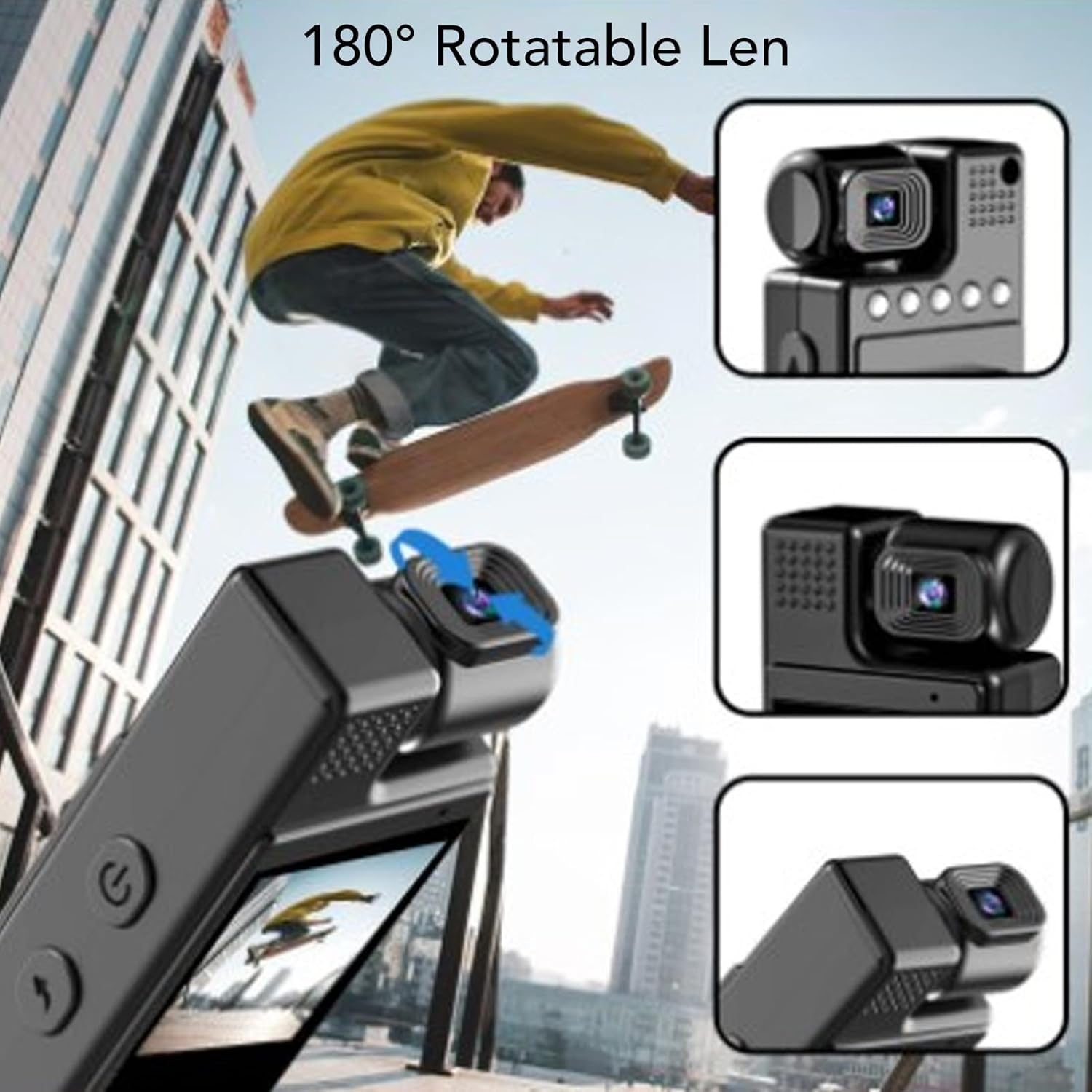
Figure 4: The 180° rotatable lens allows for flexible recording angles.
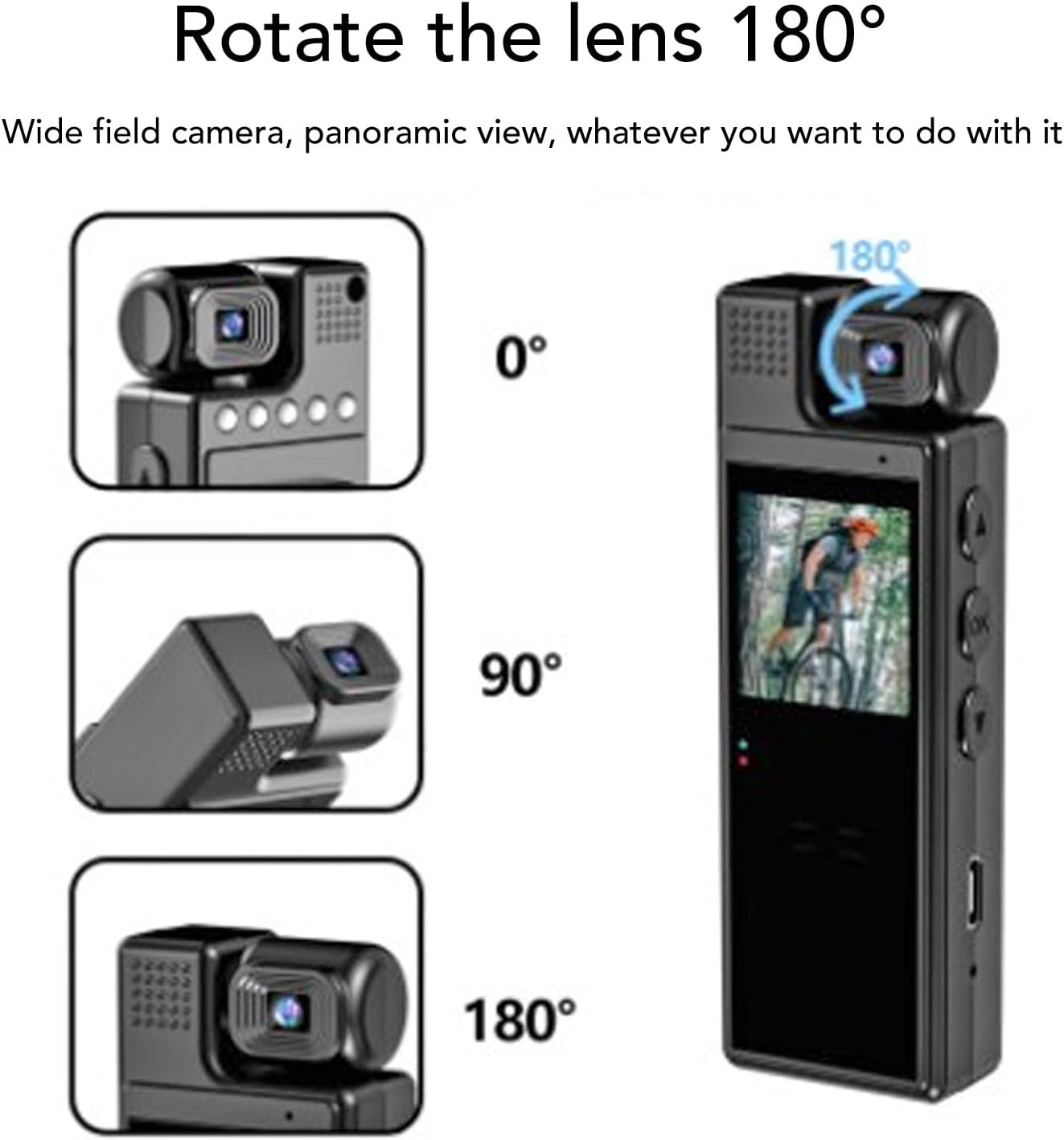
Figure 5: Visual representation of the 180° lens rotation capability.
Visione notturna
To activate night vision, navigate through the menu settings to find the night vision option and enable it. The 4 built-in fill lights will assist in capturing clear footage in ambienti bui.
Menu Navigation & Settings
Use the "M" button to enter the menu. Use the up/down arrow buttons to navigate through options and "OK" to select. Settings include resolution (1080P, 2K, 4K), loop recording duration, time stamp, motion detection, and hotspot mode.
Video Playback
On the 1.3-inch LCD screen, you can review recorded videos. Use the navigation buttons to browse through files and the "OK" button to play or pause.
Video 1: Demonstration of the Cuifati 4K Body Cam's user interface and video playback functionality.
Video 2: Una breve pre-produzioneview mostrareasing the Z11 Mini Body Camera in use, demonstrating its compact size and recording capabilities.
Video 3: A use experience and preview of the Mini Body Cameras, highlighting various features and practical applications.
Accessori
Your Cuifati 4K Body Cam comes with the following accessories:
- Manuale d'uso
- Cavo di ricarica USB-C
- USB Adapter (for Micro SD card transfer)
- Back Clip (pre-attached or included separately)
- Bicycle Mount (optional, may be included)
- Magnetic Mount (optional, may be included)

Figure 6: The Cuifati 4K Body Cam showing the integrated back clip for easy attachment.

Figura 7: dettagliata view of the back clip mechanism.

Figura 8: Esample of how the clip can be used to attach the camera to clothing or gear.
Manutenzione
- Pulizia: Utilizzare un panno morbido e asciutto per pulire il corpo macchina e l'obiettivo. Evitare l'uso di prodotti chimici aggressivi o materiali abrasivi.
- Magazzinaggio: Conservare la fotocamera in un luogo fresco e asciutto, lontano dalla luce solare diretta e da temperature estreme.
- Cura della batteria: Per prolungare la durata della batteria, evitare di scaricarla completamente frequentemente. Caricare il dispositivo regolarmente, anche se non in uso.
- Aggiornamenti del firmware: Controllare il produttore webperiodicamente il sito per verificare la disponibilità di eventuali aggiornamenti del firmware, al fine di garantire prestazioni ottimali.
Risoluzione dei problemi
| Problema | Possibile causa | Soluzione |
|---|---|---|
| Il dispositivo non si accende. | Batteria scarica o pulsante di accensione difettoso. | Charge the device for at least 3-4 hours. Ensure the power button is pressed and held correctly. |
| Impossibile registrare il video. | No Micro SD card, full card, or card error. | Inserisci una scheda Micro SD, elimina la vecchia fileoppure formattare la scheda (questa operazione cancellerà tutti i dati). |
| Scarsa qualità video. | Dirty lens, low light, or incorrect resolution setting. | Pulisci la lente. Attiva la visione notturna in condizioni di scarsa illuminazione. Controlla le impostazioni di risoluzione nel menu. |
| Il dispositivo si blocca o non risponde più. | Software glitch or full memory. | Perform a soft reset (if available, check manual for specific button combination) or power cycle the device. Delete unnecessary files. |
Specifiche
- Marca: Cuifati
- Numero modello: CUIFATI8sxgu1wr52
- Peso dell'articolo: 5.4 once
- Dimensioni della confezione: 4.72 x 3.15 x 1.57 pollici
- Dimensioni dello schermo: 1.3 pollici
- Tecnologia del sensore fotografico: CMOS
- Risoluzione di acquisizione video: 1080p (supports up to 4K)
- Tipo di memoria flash: Micro SD (fino a 128 GB)
- Formato di acquisizione video: MP4
- Formato audio supportato: WAV
- Tecnologia di connettività: Wi-Fi (for hotspot mode)
- Caratteristica speciale: Adjustable (lens)
Garanzia e supporto
For warranty information, technical support, or further assistance, please refer to the official Cuifati websito o contattare direttamente il servizio clienti. Conservare la ricevuta d'acquisto per eventuali reclami in garanzia.