
1. Impostazione
1.1. Disimballaggio e contenuto della confezione
Disimballare con attenzione tutti i componenti e verificarli in base all'elenco seguente:
- 1x Head Unit
- 1x Cavo di alimentazione
- 2x cavo USB
- 1 cavo RCA
- 1x modulo GPS
- 1x Reversing Line
- 1x piede di porco
- 1x 1080P Backup Camera

Image: Contents of the Jingelsye 8-Core 5GWiFi Car Radio package.
1.2. Controllo di compatibilità
This head unit is designed for Toyota Camry 2007-2011 sedans. It is not compatible with coupes or 2-door models. A J-B-L wiring harness is included for compatibility with factory J-B-L audio systems.

Image: Visual guide showing compatible and incompatible Toyota Camry dashboard configurations for the car radio.
1.3. Installazione finitaview
The installation process is designed to be plug-and-play, minimizing complex wiring. For detailed wiring instructions, please refer to the official wiring video.
Video: This video provides a step-by-step guide on how to correctly wire the Jingelsye car radio for installation.
2. Istruzioni per l'uso
2.1. Funzioni di base
Power On/Off & Screen Control
To power on the unit, ensure it is correctly installed and your vehicle's ignition is on. To turn off the screen, press and hold the power button on the unit's side panel. To reactivate the screen, simply tap the power button.
Calibrazione del touch screen
If the touch screen responsiveness is inaccurate, calibration may be required. Access the 'Factory Settings' menu (password: 000000), then navigate to 'Touch Learning'. Follow the on-screen prompts to calibrate the touch points using five fingers simultaneously.
Video: This video demonstrates how to set up side keys and calibrate the screen on the car radio unit.
2.2. CarPlay wireless e Android Auto
Seamlessly integrate your smartphone for access to calls, messages, music, and navigation. Connect via Bluetooth or USB cable. Use Siri or Google Assistant for hands-free control.

Image: The car radio display showing the Wireless CarPlay and Android Auto interface with various app icons.
Video: This video demonstrates how to quickly connect to CarPlay in 30 seconds.
2.3. GPS Navigation & 5G Wi-Fi
Utilize built-in GPS navigation with support for online services like Google Maps and Waze, or download offline maps. Connect to your phone's Wi-Fi for 5G internet speeds to download and update apps.

Image: The car radio display showing GPS navigation and icons for various apps that can be downloaded via 5G Wi-Fi.
2.4. Audio Features (36EQ, DSP)
The unit features a 36-type settings EQ chip for crystal-clear sound quality and customizable equalizer settings. Immerse yourself in rich, immersive audio.
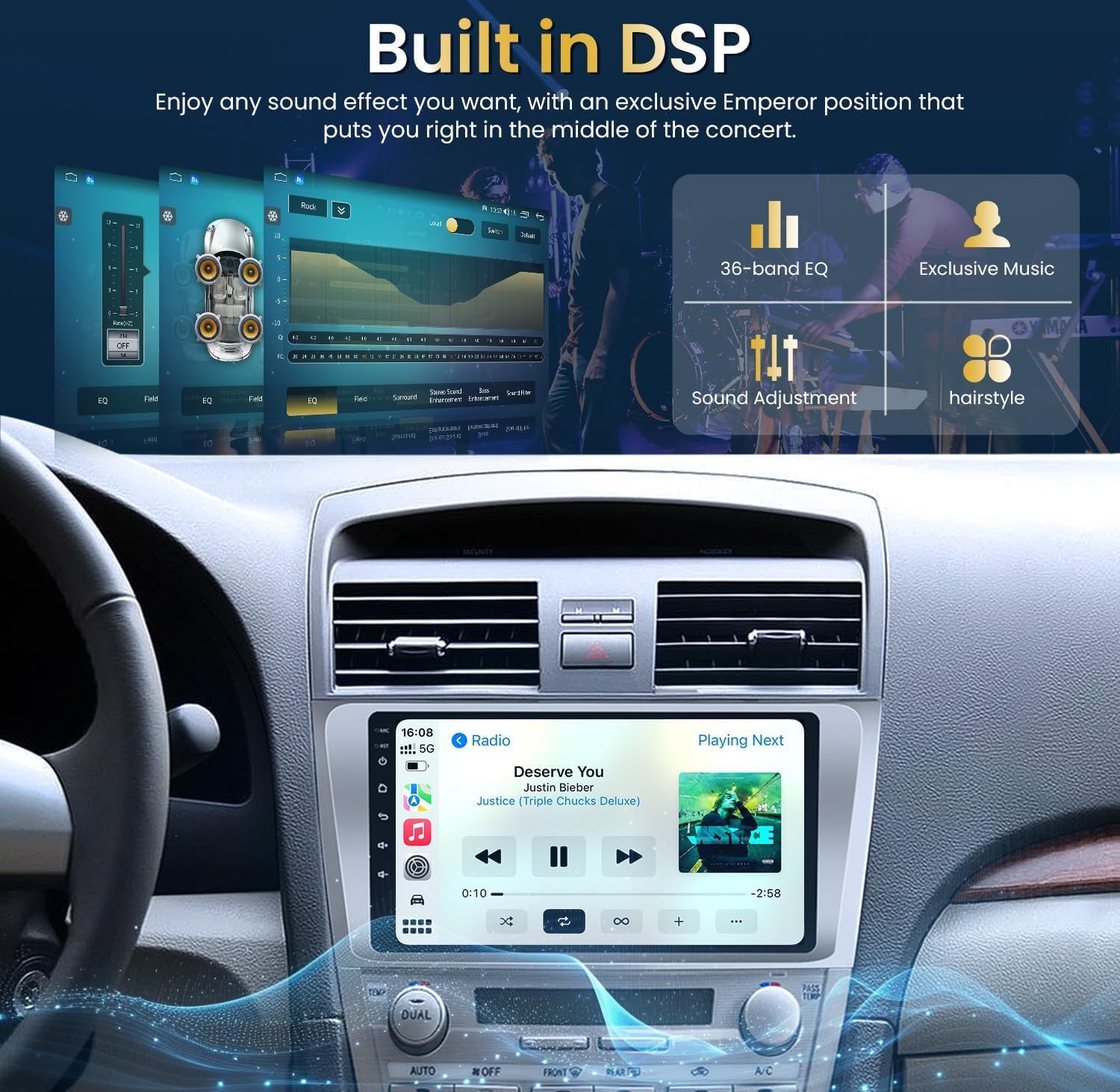
Image: The car radio display showing the built-in DSP and 36-band equalizer interface for sound adjustment.
2.5. Radio FM/RDS
Enjoy three radio modes to receive more channel information and enhance your driving pleasure.

Image: The car radio display showing the FM RDS radio interface with frequency selection.
2.6. Comandi al volante (SWC)
Retain your car's steering wheel controls to adjust volume, skip tracks, or answer calls safely.

Image: The car radio display showing the steering wheel controls interface, highlighting the integration.
Video: This video demonstrates how to program steering wheel control keys for the car radio.
2.7. Telecamera di retromarcia
The radio supports a 1080P backup camera, providing a clear, wide-angle view for safer backing and parking. The reversing camera mode switches automatically when reverse gear is engaged.

Immagine: Il display dell'autoradio che mostra il view from the HD reverse camera with parking guidelines.
3. Manutenzione
To ensure optimal performance and longevity of your Jingelsye Car Radio, follow these maintenance guidelines:
- Pulizia dello schermo: Utilizzare un panno morbido e privo di lanugine per pulire delicatamente il touchscreen. Evitare detergenti abrasivi o prodotti chimici aggressivi.
- Aggiornamenti software: The system supports online updates. Regularly check for and install available software updates to ensure the latest features and security enhancements.
- Condizioni ambientali: Evitare di esporre l'unità a temperature estreme, alla luce solare diretta per periodi prolungati o a umidità eccessiva.
- Connessioni via cavo: Controllare periodicamente tutti i collegamenti dei cavi per assicurarsi che siano saldi e privi di danni.
4. Risoluzione Dei Problemi
If you encounter any issues with your Jingelsye Car Radio, please refer to the following common troubleshooting steps. For more detailed solutions, consult the official troubleshooting video.
- Nessun potere: Controllare tutti i collegamenti elettrici e assicurarsi che l'accensione del veicolo sia inserita. Verificare i fusibili, se necessario.
- Nessun suono: Controllare i livelli del volume, la selezione della sorgente audio e i collegamenti degli altoparlanti. Assicurarsi che la funzione mute non sia attivata.
- Touchscreen non reattivo: Attempt a screen calibration as described in Section 2.1. If the issue persists, a system reset may be required.
- Problemi di connettività Bluetooth/CarPlay/Android Auto: Ensure Bluetooth is enabled on both the unit and your smartphone. Try unpairing and re-pairing the devices. Check for software updates.
- Perdita del segnale GPS: Assicurarsi che l'antenna GPS sia installata correttamente e abbia una visuale libera view del cielo.
Video: This video provides essential troubleshooting steps for common issues with the car radio.
5. Specifiche
| Caratteristica | Specificazione |
|---|---|
| Peso dell'articolo | 3.58 libbre |
| Dimensioni del prodotto | 9 x 9 x 9 pollici |
| Dimensioni dello schermo | 9 pollici |
| Comando vocale | Microfono, Touchscreen |
| Nome del modello | 8-Core 5GWiFi Car Radio |
| Tipo di servizio del veicolo | Auto |
| Caratteristica speciale | Built-In Wi-Fi, FM, RDS |
| Tecnologia di connettività | Bluetooth, USB, Wi-Fi |
| Tipo di mappa | Nord America, in tutto il mondo |
| Modalità di uscita audio | Stereo |
| Tipo di montaggio | Supporto per cruscotto |
6. Garanzia e supporto
6.1. Informazioni sulla garanzia
This product comes with a 1-Year Manufacturer Warranty. Please retain your proof of purchase for warranty claims.
6.2. Assistenza clienti
For any issues, questions, or support needs, please contact Jingelsye customer service. Contact details can typically be found on the product packaging or the official brand websito.