
STRONG SRT32HG6733C
STRONG SRT32HG6733C 32-inch HD Android Smart TV User Manual
Model: SRT32HG6733C
Introduzione
This manual provides essential information for the setup, operation, and maintenance of your STRONG SRT32HG6733C 32-inch HD Android Smart TV. Please read these instructions carefully before using the product to ensure proper functionality and safety.
Cosa c'è nella scatola
Dopo aver disimballato, verificare che tutti gli articoli elencati di seguito siano presenti e in buone condizioni:
- STRONG SRT32HG6733C TV Unit
- Remote control with voice recognition
- 2 batterie AAA
- Manuale dell'utente (questo documento)

Image: The STRONG SRT32HG6733C TV unit with its central stand, remote control, and included accessories.
Impostare
1. Fissaggio del supporto
Carefully place the TV screen-down on a soft, clean surface to prevent scratches. Align the central stand with the mounting holes on the bottom of the TV. Secure the stand using the provided screws. Ensure the stand is firmly attached before proceeding.

Immagine: Posteriore view of the TV showing the central stand attachment points and various input ports.
2. Collegamento dell'alimentazione
Collegare il cavo di alimentazione all'ingresso di alimentazione del televisore, quindi a una presa a muro. Il televisore entrerà in modalità standby.
3. Configurazione iniziale e connessione di rete
Upon first power-on, the TV will guide you through the initial setup process. This includes language selection, country, and network connection. For optimal Smart TV functionality, connect to your Wi-Fi network. You can also connect via an Ethernet cable for a stable wired connection.

Image: The TV screen displaying connectivity options, highlighting Wi-Fi and Bluetooth symbols.
Istruzioni per l'uso
Funzioni di base
- Accensione/spegnimento: Premere il pulsante di accensione sul telecomando o sul televisore.
- Selezione canale: Use the CH+/- buttons or the number pad on the remote.
- Controllo del volume: Utilizzare i pulsanti VOL+/-.
- Sorgente di input: Press the SOURCE button to select between HDMI, AV, DVB-T/T2, DVB-C, DVB-S/S2 inputs.
Funzionalità Smart TV (Google TV)
Your TV runs on Google TV, providing access to a wide range of applications and services.
- Schermata iniziale: Access your favorite apps, movies, and shows directly from the customizable home screen.
- Applicazioni di streaming: Pre-installed apps include Netflix, Prime Video, YouTube, and Disney+. Additional apps can be downloaded from the Google Play Store.
- Assistente Google: Use the voice recognition remote to control your TV, search for content, and get information by pressing the Google Assistant button and speaking your command.
- Google Cast: Stream content from your compatible smartphone or tablet directly to the TV.

Image: The TV screen showing the Google TV interface with icons for Netflix, YouTube, Prime Video, Disney+, and other streaming services.

Image: A user holding the voice-controlled remote, with a visual representation of Google Assistant responding to a voice command on the TV screen.
Connettività
Il televisore è dotato di diverse porte per il collegamento di dispositivi esterni:
- Porte HDMI (x2): Collega lettori Blu-ray, console di gioco o altri dispositivi abilitati HDMI.
- Porta USB (x1): Riproduci contenuti multimediali file(foto, video, musica) da un dispositivo di archiviazione USB.
- Porta Ethernet (RJ45): Per una connessione Internet cablata.
- Antenna (ANT in) / Satellite (SAT in) Inputs: Connect your terrestrial or satellite antenna for live TV.
- Slot CI: Per i moduli di accesso condizionale (CAM) per decrittografare i canali crittografati.
- Uscita SPDIF: Per l'uscita audio digitale su una soundbar o un sistema home theater.
- Ingresso AV: Per collegare dispositivi più vecchi che utilizzano video composito e audio stereo.
- Uscita cuffie: Per collegare le cuffie.

Immagine: Parte posteriore dettagliata view of the TV highlighting all available input and output ports, including AV in, HDMI, USB, Ethernet, S/PDIF, ANT in, SAT in, CI slot, and Headphone output.
Video: Un breve preview demonstrating the TV's use in a mobile setting, such as a camper van, showing its compact size and clear display for entertainment on the go.
Manutenzione
Pulizia del televisore
Per pulire lo schermo, strofinarlo delicatamente con un panno morbido e privo di lanugine. Per macchie ostinate, strofinare leggermenteampen the cloth with water or a screen-cleaning solution. Avoid using harsh chemicals or abrasive materials. Clean the TV casing con un panno asciutto e morbido.
Aggiornamenti software
Your Android TV may receive software updates periodically. Ensure your TV is connected to the internet to receive these updates. Updates can improve performance, add new features, and enhance security. You can check for updates manually in the TV's settings menu.
Risoluzione dei problemi
| Problema | Possibile soluzione |
|---|---|
| Nessun potere | Controllare che il cavo di alimentazione sia collegato saldamente al televisore e alla presa a muro. Assicurarsi che la presa sia funzionante. |
| Nessuna immagine, ma l'audio è presente | Verificare che sia selezionata la sorgente di ingresso corretta. Controllare i collegamenti dei cavi ai dispositivi esterni. |
| Nessun suono, ma l'immagine è presente | Check the volume level and mute status. Ensure audio cables are correctly connected if using external speakers. |
| Il telecomando non funziona | Sostituisci le batterie. Assicurati che non ci siano ostacoli tra il telecomando e il sensore IR del televisore. |
| Impossibile connettersi al Wi-Fi | Assicurati che il router sia acceso e funzionante. Reinserisci la password Wi-Fi. Prova a riavviare sia la TV che il router. |
| Le app della Smart TV sono lente o non rispondono | Check your internet connection speed. Close unused applications. Restart the TV. |
Specifiche
| Caratteristica | Dettaglio |
|---|---|
| Numero di modello | SRT32HG6733C |
| Dimensioni dello schermo | 32 pollici (81 cm) |
| Tecnologia di visualizzazione | GUIDATO |
| Risoluzione | Pronto per l'HD (1366 x 768p) |
| Sistema operativo | TV di Google |
| Connettività | Wi-Fi, Bluetooth, 2x HDMI, 1x USB, Ethernet (RJ45), AV In, SPDIF, ANT in, SAT in, CI Slot |
| Sintonizzatori | DVB-T/T2, DVB-C, DVB-S/S2 (HEVC 265 codec) |
| Caratteristiche speciali | Google Assistant, Google Cast, Dolby Audio |
| Dimensioni (L x P x A) | 71.8 x 22.3 x 45.2 cm (con supporto) |
| Componenti inclusi | TV, Voice Remote, 2x AAA Batteries, Manual |
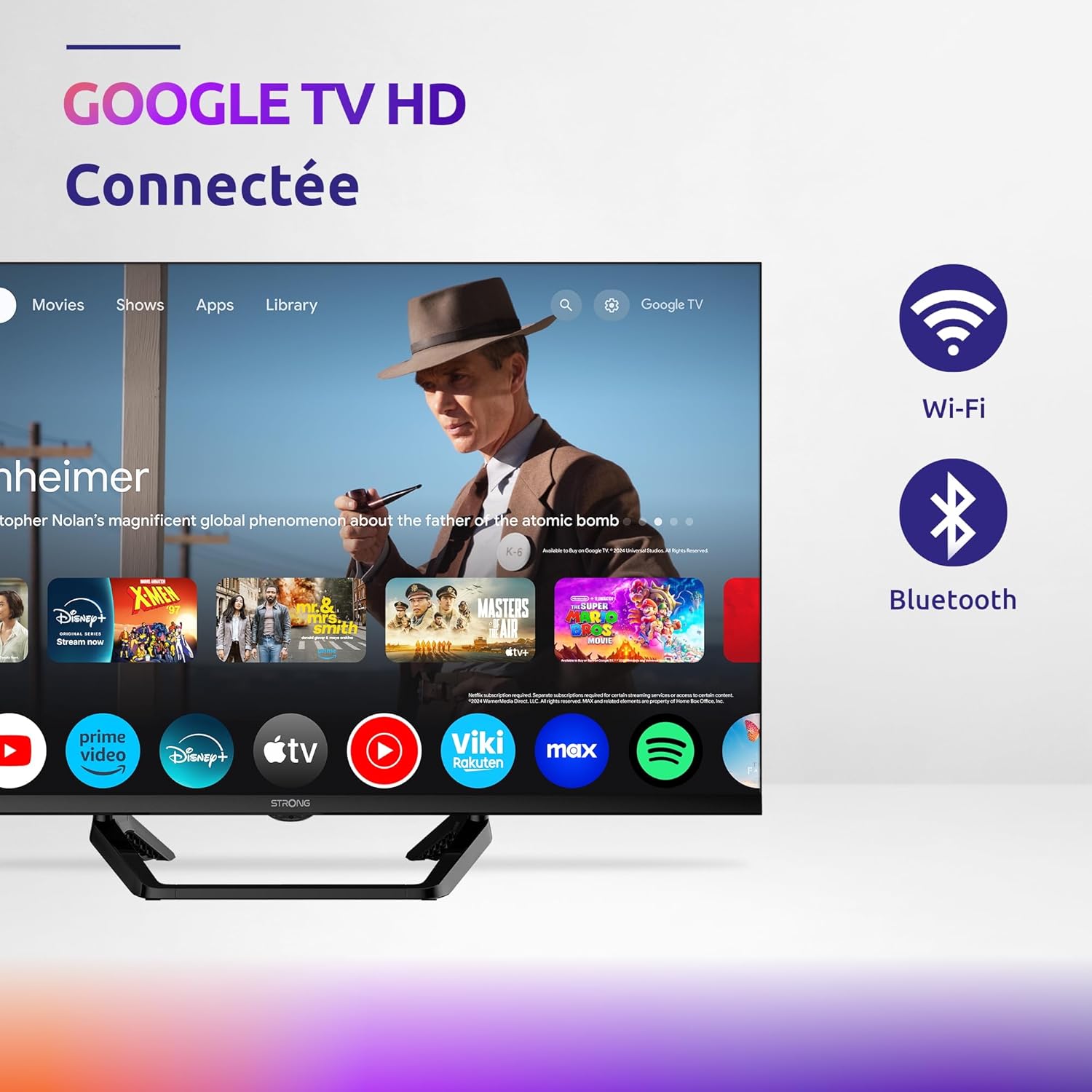
Image: Diagram showing the dimensions of the STRONG SRT32HG6733C TV, including width, height, and depth with the central stand.
Garanzia e supporto
This product comes with a manufacturer's warranty of 24 months. For warranty claims or technical support, please refer to the contact information provided on the official STRONG websito o la documentazione di acquisto.
For frequently asked questions and additional resources, visit the STRONG Brand Store.


Images: Icons representing warranty information and frequently asked questions.
Documenti correlati - SRT32HG6733C
 |
Guida rapida di EDISION OS mini: caratteristiche, accessori e installazione Una guida rapida completa per il mini ricevitore satellitare digitale EDISION OS, che copre le sue caratteristiche, gli accessori inclusi, la parte anteriore e posteriore views, fasi di installazione, funzioni del telecomando, istruzioni di sicurezza e linee guida per lo smaltimento. |
 |
GTMEDIA GT Combo User Manual: Features, Setup, and Troubleshooting Comprehensive user manual for the GTMEDIA GT Combo set-top box, covering its main features, technical specifications, safety instructions, connection guide, remote control operation, startup, software upgrades, and troubleshooting tips. |
 |
Manuale utente TV LED STRONG SRT 24HC4023 Manuale utente completo per il televisore LED STRONG SRT 24HC4023, che comprende configurazione, installazione, funzionamento, impostazioni del menu, riproduzione multimediale, risoluzione dei problemi e specifiche tecniche. Include istruzioni di sicurezza e informazioni sulla licenza. |
 |
Televes H30Crystal: messaggio per installazioni professionali Entdecken Sie das Televes H30Crystal, ein tragbares Antennenmesssgerät mit Optischen Messsfunktionen für die Analyse von Glasfasernetzen. Disponibile e disponibile per DVB-S/S2, DVB-T/T2, DVB-C e canali analogici. |
 |
Manuale utente TV LED STRONG SRT 32HC4043 User manual for the STRONG SRT 32HC4043 LED TV with DVB-T2/C/S2, providing detailed instructions on setup, operation, features, troubleshooting, and technical specifications. |
 |
Televes H30Evolution Spectrum Analyzer - Professional Field Strength Meter The Televes H30Evolution is a compact, lightweight, and robust field strength meter designed for installation, maintenance, and troubleshooting of analogue and digital networks (DVB-S/S2, DVB-T/T2, DVB-C). Features include multiscreen remote control, real-time digital processing, and wireless connectivity. |
Ask a question about this manual
Ask about setup, troubleshooting, compatibility, parts, safety, or missing instructions. Manuals+ will review the question and use this page’s manual context to help answer it.