
1. Introduzione
This manual provides detailed instructions for the setup, operation, and maintenance of your EIMSOAH Adjustable Macro Mechanical Keyboard with Knob. Please read this manual thoroughly to ensure proper use and to maximize the functionality of your device.
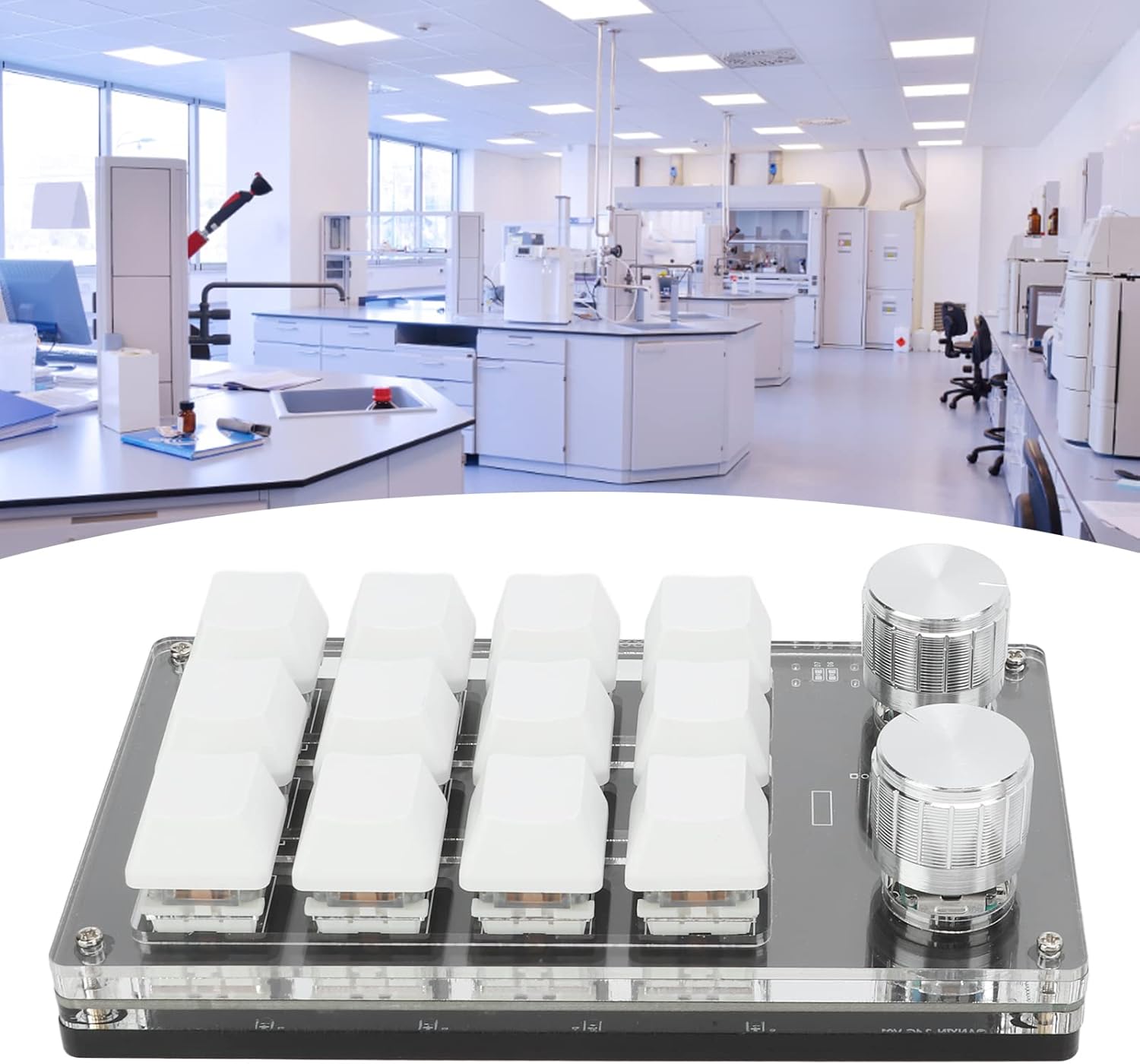
Image 1.1: The EIMSOAH Adjustable Macro Mechanical Keyboard with Knob, featuring 12 keys and two rotary knobs.
2. Contenuto della confezione
Verifica che tutti gli articoli siano presenti nel tuo pacco:
- 1 x EIMSOAH Adjustable Macro Mechanical Keyboard with Knob
- 1 x USB Cable (Type-C to USB)
3. Prodotto finitoview
The EIMSOAH Adjustable Macro Mechanical Keyboard is a compact, programmable keypad designed to streamline workflows and enhance user experience in various applications, including office tasks, gaming, and laboratory work. It features 12 customizable keys and two rotary knobs, offering extensive macro capabilities.
3.1 Caratteristiche principali
- 12 tasti programmabili: Assign custom functions or complex shortcut combinations to each key.
- Adjustable Rotary Knobs: Configure knobs for functions such as volume control, track navigation (previous/next song), pause/play, and more.
- Funzione di memoria: Settings are stored directly on the device, allowing use across different operating systems (Windows, Linux, macOS) without re-programming after initial setup on a Windows system.
- Collega e usa: USB-C to USB interface requires no drivers for basic functionality.

Image 3.1: Product dimensions: 132mm (5.2in) length, 77mm (3in) width, 38mm (1.5in) height.

Image 3.2: The rotary knobs can be programmed for various media controls like playing the previous song, next song, volume adjustments, pause, and play.
4. Configurazione e installazione
The EIMSOAH Macro Mechanical Keyboard is designed for simple plug-and-play operation. Customization requires specific software.
4.1 Connessione iniziale
- Collegare il cavo USB-C in dotazione alla porta Type-C della tastiera.
- Collegare l'altra estremità del cavo USB a una porta USB disponibile sul computer.
- La tastiera verrà riconosciuta automaticamente dal sistema operativo.
4.2 Software Installation (for Customization)
To program the keys and knobs, you will need to use the dedicated customization software. This software is currently compatible only with Windows systems.
- Download the customization software from the official EIMSOAH support webposto (URL not provided in product data, please refer to product packaging or seller for download link).
- The software does not require installation; it can be run directly after downloading and opening.
- Nota importante: When running the software for the first time, your antivirus software might flag it. Please set it as a trusted file to allow execution.

Image 4.1: The keyboard connects via a Type-C to USB interface, enabling plug-and-play functionality without requiring drivers.
5. Istruzioni per l'uso
This section details how to program the keys and knobs using the customization software.
5.1 Chiavi di programmazione
- Open the customization software on your Windows computer.
- In the software interface, locate the 'Key Setting' area (typically highlighted in yellow).
- Click on the specific key (e.g., KEY1-KEY12) you wish to program. The selected key will be highlighted (e.g., in red).
- On the software's simulated keyboard, click the function keys or character keys corresponding to your desired shortcut. For example, to set KEY1 as 'Copy' (Ctrl+C), click 'Ctrl' then 'C'.
- Click the 'Download' button. A 'Download Success' message will confirm the programming.
Video 5.1: Demonstration of programming keys on the EIMSOAH Macro Mechanical Keyboard. This video illustrates the process of assigning custom functions to the keys using the provided software.
5.2 Programming Knobs
- Open the customization software.
- Navigate to the 'Knob Setting' area (also typically highlighted in yellow).
- Select the specific knob (Knob 1 or Knob 2) and its action (e.g., center press, clockwise rotation, anti-clockwise rotation).
- Assign the desired function from the available options (e.g., Play/Pause, Previous Song, Next Song, Volume Up, Volume Down).
- Click the 'Download' button to save the settings to the keyboard.

Image 5.2: The keyboard features a memory function, retaining programmed settings even when connected to different USB protocol-supporting systems like Linux or macOS, after initial setup on a Windows system.
6. Manutenzione
To ensure the longevity and optimal performance of your EIMSOAH Macro Mechanical Keyboard, follow these maintenance guidelines:
- Pulizia: Utilizzare un panno morbido e asciutto per pulire la superficie della tastiera. Per una pulizia più profonda, rimuovere delicatamente i tasti e utilizzare aria compressa per rimuovere i detriti. Evitare l'uso di prodotti chimici aggressivi o materiali abrasivi.
- Magazzinaggio: Conservare la tastiera in un luogo fresco e asciutto, lontano dalla luce solare diretta e da temperature estreme.
- Gestione: Avoid dropping the keyboard or exposing it to excessive force, which could damage internal components or switches.
7. Risoluzione Dei Problemi
If you encounter issues with your EIMSOAH Macro Mechanical Keyboard, refer to the following common problems and solutions:
| Problema | Possibile causa | Soluzione |
|---|---|---|
| Tastiera non riconosciuta | Loose USB connection, faulty USB port, cable issue. | Ensure the USB cable is securely connected. Try a different USB port or cable. Test on another computer if possible. |
| Keys not responding after programming | Programming error, software not properly used. | Re-open the customization software and re-program the keys, ensuring you click 'Download' after each change. Verify antivirus software is not blocking the customization tool. |
| Knob functions not working | Incorrect knob programming. | Follow the knob programming steps carefully in the software and ensure the 'Download' button is clicked. |
| Software not opening on Windows | Antivirus blocking, corrupted download. | Add the software to your antivirus's trusted list. Re-download the software to ensure file integrità. |
8. Specifiche
| Caratteristica | Dettaglio |
|---|---|
| Nome del modello | EIMSOAHx0tq3v7bgc-11 |
| Tecnologia di connettività | USB-C |
| Numero di chiavi | 12 |
| Caratteristica speciale | Programmable Keys and Adjustable Knob |
| Dispositivi compatibili | PC, Linux, macOS (programming software for Windows only) |
| Descrizione della tastiera | Compact, Multi-functional, Ambidextrous |
| Usi consigliati | Gioco, Ufficio |
| Peso dell'articolo | 8.8 once |
| Dimensioni del pacco | 5.75 x 4.06 x 1.77 pollici |
| Componenti inclusi | Keyboard, USB Cable |
9. Garanzia e supporto
For warranty information and technical support, please refer to the documentation included with your product or visit the official EIMSOAH websito. Conservare la ricevuta d'acquisto come prova d'acquisto per eventuali reclami in garanzia.