
1. Introduzione
This manual provides detailed instructions for the installation, operation, and maintenance of your SHZSR Android 13 Car Radio Stereo. This unit is specifically designed for Porsche Macan 95B models from 2014 to 2016, compatible with PCM 3.x systems. It upgrades your vehicle's infotainment system with a 12.3-inch touch screen, Android 13 OS, and advanced connectivity features.
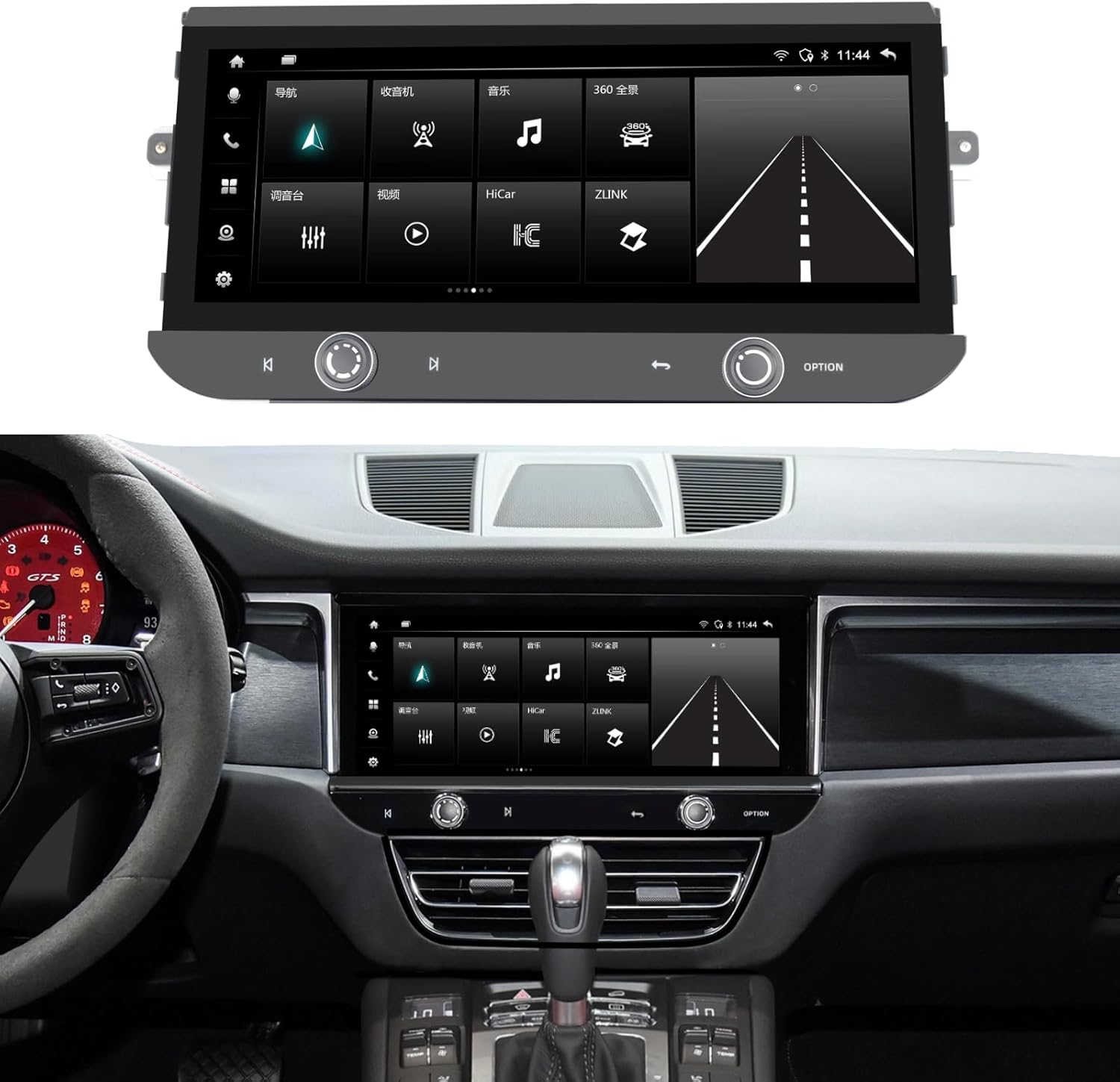
Image 1.1: The SHZSR Android 13 Car Radio Stereo seamlessly integrated into a Porsche Macan dashboard.
2. Prodotto finitoview
The SHZSR Android 13 Car Radio Stereo enhances your driving experience with a powerful and intuitive infotainment system. Key features include:
- Sistema operativo: Android 13 with Qualcomm 668S chip.
- Display: 12.3-inch Blu-ray touch screen with 2400x900 HD resolution, anti-scratch, anti-fingerprint, and anti-glare properties.
- Prestazione: 8-Core CPU with 8GB RAM and 128GB internal storage.
- Connettività: Built-in Wireless/Wired CarPlay & Android Auto, 4G network support, Wi-Fi, and Bluetooth.
- Navigazione: Integrated GPS navigation system with worldwide map support.
- Supporto per fotocamera: Built-in 360 video system support, compatible with original 360 image systems and additional cameras.
- Integrazione: Retains the original car system, CD player, and utilizes OEM speakers for audio output.

Image 2.1: Hardware features including the 12.3" ultra-large screen, 2400*900 resolution, channel switch, redesigned air vents, and volume knob.

Image 2.2: Software features including Android 13, 6GB RAM + 128GB ROM, 4G/BT/Wi-Fi Hotspot, Built-in APP Store, steering wheel control support, camera support, and original car speaker compatibility.
3. Configurazione e installazione
The SHZSR Android 13 Car Radio Stereo is designed for non-destructive, plug-and-play installation. It integrates with your existing vehicle systems without permanent modifications.
3.1 Contenuto della confezione
Verificare che tutti i componenti siano presenti nella confezione:
- Unità radio principale
- Base di montaggio
- Accessory Cables and Connectors
- Instruction Manuals (this document)

Image 3.1: All components included in the product package, numbered for identification.
3.2 Controllo di compatibilità
Ensure your vehicle is a Porsche Macan 95B model from 2014-2016 with a PCM 3.x system. This unit is specifically designed for these configurations.
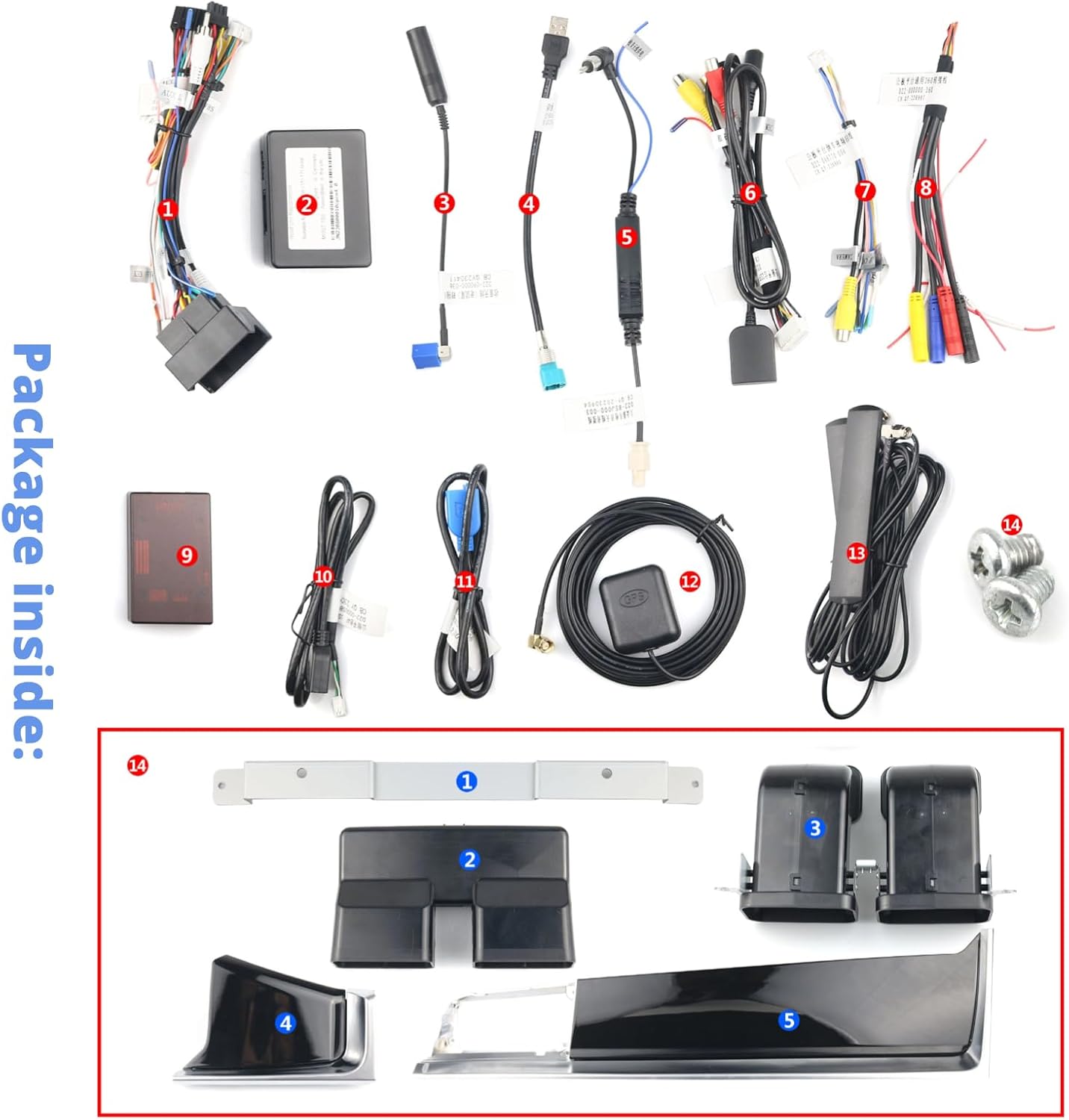
Image 3.2: The original Macan PCM 3.x system, indicating the area for upgrade.
3.3 Processo di installazione
Installation typically involves removing the original screen and control panel, then connecting the new unit using the provided wiring harnesses. The design ensures that the original system and CD functionality are retained, with all audio routed through your OEM speakers. For detailed steps, refer to the specific installation guide provided with your unit or consult a professional installer.

Image 3.3: Visual comparison of the original interior style versus the upgraded interior with the new SHZSR unit.
4. Istruzioni per l'uso
Once installed, the unit operates similarly to a modern Android tablet, optimized for in-car use.
4.1 Funzionamento di base
- Schermo tattile: Navigate menus, select applications, and control functions using the responsive 12.3-inch touch screen.
- Comandi al volante: The unit supports your original steering wheel controls for audio, calls, and other functions.
- Volume/Channel Knobs: Utilize the physical volume knob and channel switch for quick adjustments.
4.2 CarPlay e Android Auto
Connect your iPhone or Android device wirelessly or via USB to access CarPlay or Android Auto. This allows seamless integration of your smartphone's features, including navigation, music, messaging, and calls, directly on the car's display.
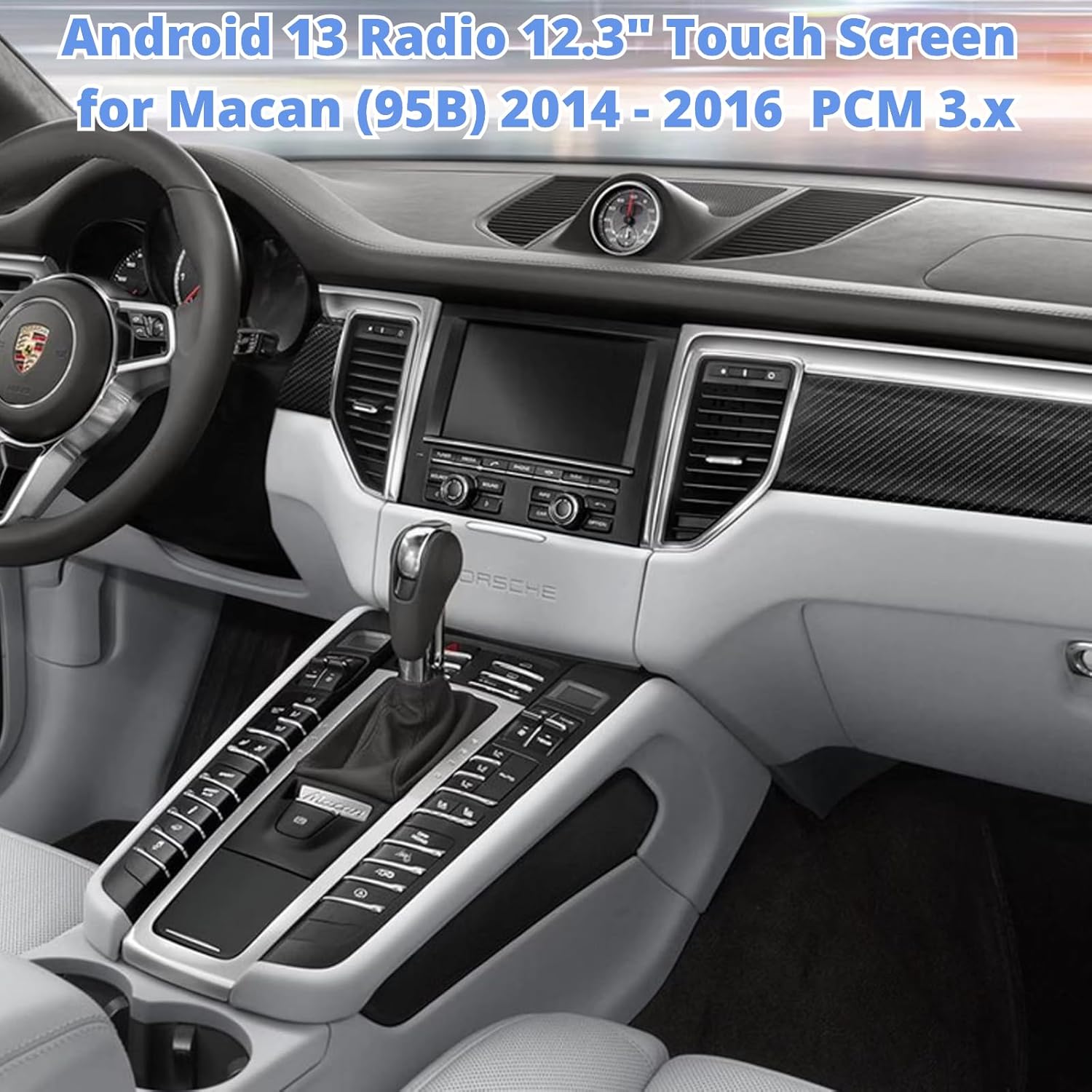
Image 4.1: The unit displaying the CarPlay interface with navigation and media options.
4.3 Navigazione
The built-in GPS module provides accurate navigation. You can also use navigation apps via CarPlay, Android Auto, or download additional apps from the Google Play Store.
4.4 Installazione dell'app
Access the built-in Google Play Store to download and install thousands of compatible Android applications, expanding the functionality of your car radio.

Image 4.2: The unit displaying the Google Play Store, allowing access to various applications.
4.5 4G/Wi-Fi/Bluetooth
Connect to the internet via 4G (with a compatible SIM card, not included) or Wi-Fi hotspot. Use Bluetooth for hands-free calling and audio streaming.
5. Manutenzione
Per garantire la longevità e le prestazioni ottimali della tua autoradio, segui queste linee guida per la manutenzione:
- Pulizia dello schermo: Per pulire il touchscreen, utilizzare un panno morbido e privo di lanugine, specificamente progettato per i dispositivi elettronici. Evitare detergenti abrasivi o prodotti chimici aggressivi.
- Temperatura: Evitare di esporre l'unità a temperature estreme, sia calde che fredde, per periodi prolungati.
- Aggiornamenti software: Controlla periodicamente la presenza di aggiornamenti software e installali per garantire prestazioni ottimali e l'accesso a nuove funzionalità.
- Connessioni via cavo: Assicurarsi che tutti i cavi siano collegati saldamente. Evitare di tirare i cavi con forza.
6. Risoluzione Dei Problemi
If you encounter issues with your SHZSR Android 13 Car Radio Stereo, refer to the following common troubleshooting steps:
- Nessun potere: Controllare tutti i collegamenti elettrici e assicurarsi che l'accensione del veicolo sia inserita. Verificare i fusibili, se necessario.
- Nessun suono: Ensure the volume is not muted or set too low. Check audio output settings and speaker connections. Confirm that the original car system is correctly integrated.
- Touchscreen che non risponde: Try restarting the unit. If the issue persists, perform a factory reset (refer to the unit's settings menu for this option).
- Perdita del segnale GPS: Assicurarsi che l'antenna GPS sia installata correttamente e abbia una visuale libera view del cielo.
- Problemi di connessione CarPlay/Android Auto: Ensure your phone's Bluetooth and Wi-Fi are enabled. Try reconnecting the device. For wired connections, check the USB cable.
- Rallentamento del sistema: Chiudere le applicazioni in background non necessarie. Svuotare la cache o riavviare il sistema.
Se questi passaggi non risolvono il problema, contattare l'assistenza clienti.
7. Specifiche
| Caratteristica | Specificazione |
|---|---|
| Marca | SHZSR |
| Nome del modello | For Macan PCM 3.x |
| Sistema operativo | Androide 13 |
| Processore | Qualcomm 668S, 8 Core CPU |
| Memoria (RAM) | 8 GB |
| Memoria (ROM) | 128 GB |
| Dimensioni dello schermo | 12.3 pollici |
| Tipo di visualizzazione | Blu-ray Touch Screen |
| Risoluzione | 2400x900 |
| Connettività | Bluetooth, Wi-Fi, 4G |
| Navigazione | Built-in GPS, Worldwide Map Support |
| Caratteristiche speciali | Wireless/Wired CarPlay & Android Auto, Retains Original System, Touchscreen, 360 Video System Support |
| Veicoli compatibili | Porsche Macan 95B (2014-2016) with PCM 3.x |
8. Garanzia e supporto
8.1 Informazioni sulla garanzia
This SHZSR Car Radio Stereo comes with a Garanzia di 1 anno dalla data di acquisto. La presente garanzia copre difetti di fabbricazione e malfunzionamenti in condizioni di normale utilizzo. Non copre danni causati da installazione impropria, uso improprio, incidenti o modifiche non autorizzate.
8.2 Assistenza clienti
For technical assistance, warranty claims, or any questions regarding your product, please contact the SHZSR customer support team through the retailer where the product was purchased. Please have your purchase receipt and product model information ready when contacting support.