
Diivoo WT-11W/WG03
Manuale utente del timer per irrigazione WiFi Diivoo a 3 zone
Modello: WT-11W/WG03
1. Introduzione
Thank you for choosing the Diivoo WiFi Sprinkler Timer 3 Zone. This smart device is designed to simplify your irrigation efforts, providing remote control and automated watering solutions for your garden, yard, or lawn. With its multi-zone capabilities and smart features, you can ensure your plants receive optimal hydration with ease.

Image: The Diivoo WiFi Sprinkler Timer 3 Zone, its compact WiFi hub, and a smartphone displaying the intuitive HomGar app interface.

Image: A family enjoying water from a sprinkler, highlighting the Diivoo Sprinkler Timer's key features including WiFi connectivity, rain delay, auto scheduling, IP54 waterproofing, manual watering, and app control.
2. Cosa c'è nella scatola
Prima di procedere con l'installazione, assicurarsi che tutti i componenti siano presenti:
- Diivoo WiFi Sprinkler Timer (3 Outlets)
- Hub gateway Wi-Fi
- Manuale dell'utente (questo documento)
- Nastro di teflon
- Rubber Washers (3/4 inch)
3. Guida all'installazione
3.1. Installazione fisica
- Preparare il rubinetto: Assicuratevi che il rubinetto esterno sia pulito e privo di detriti.
- Applicare il nastro in teflon: Wrap Teflon tape clockwise around the faucet's threads from left to right, twisting it into a rope. Then, wrap the tape normally and flatly over 3-4 turns to enhance the waterproof seal.
- Install the Water Timer: Screw the Diivoo WiFi Sprinkler Timer onto your outdoor faucet. Ensure it is tightened securely to prevent leaks.
- Add Rubber Washers (if needed): If the tap threads are ≤ 9mm, add an extra 3/4 inch rubber washer at the water valve inlet for a better seal. Ensure the filter is pressed tightly onto the rubber ring position.
Video: Demonstrates troubleshooting steps for water leakage at the connection of the water timer, including proper application of Teflon tape and adding rubber washers.
3.2. Connecting to Mobile Device
The Diivoo WiFi Sprinkler Timer connects to your mobile device via the HomGar app and a WiFi Gateway Hub (2.4Ghz WiFi only).
- Download HomGar App: Download and log in to the HomGar app on your smartphone.
- Alimentare l'hub WiFi: Plug the WiFi Gateway Hub into a power outlet inside your home.
- Aggiungi dispositivi: In the HomGar app, add the WiFi Hub and the 3-Zone Water Timer.
- Connect and Plan: Connect the water timer through the app and add your watering plans.

Image: A visual guide showing the four steps to connect the Diivoo WiFi Sprinkler Timer to a mobile device using the HomGar app.

Image: A woman relaxing on the grass, controlling her Diivoo WiFi Sprinkler Timer via her mobile phone, illustrating the up to 196 feet (60m) connection range with the WiFi hub.
Video: Explains the process of linking the WiFi Gateway Hub with the water timer for remote control and smart functionality.
4. Modalità operative
The Diivoo WiFi Sprinkler Timer offers multiple operating modes to suit your watering needs.
4.1. Modalità di irrigazione temporizzata
Automate your irrigation by programming a schedule to water automatically at specified times. Choose from four watering frequency options: daily, every odd or even day, or a custom schedule.
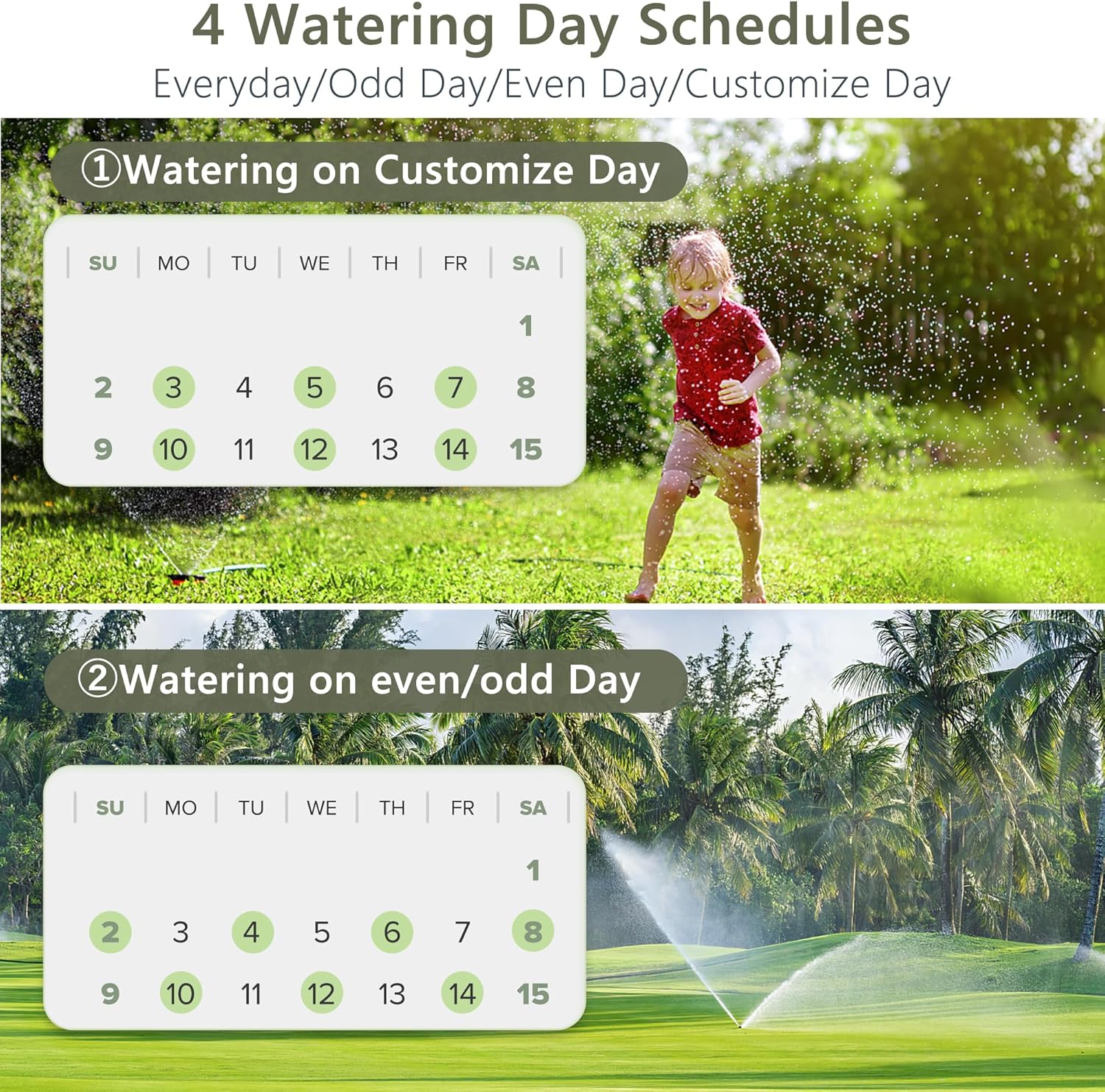
Image: Illustrates the four flexible watering day schedules available: Everyday, Odd Day, Even Day, and Customize Day, with calendar examples per ciascuno.

Image: Screenshot of the HomGar app displaying settings for Irrigation Mode, allowing users to set start time, duration, and repeat frequency.
4.2. Misting Irrigation Mode
In Mist Mode, the timer cycles on and off intermittently. Set the start time, mist time, and frequency (Monday-Sunday). Duration and interval lengths range from 1 to 60 minutes. This mode is ideal for misting systems, outdoor dusting, and cooling.

Image: Compares two distinct watering modes: Irrigation Mode, suitable for general lawn watering, and Mist Mode, designed for fine misting applications.

Image: Screenshot of the HomGar app displaying settings for Mist Mode, allowing users to configure start time, mist duration, interval, and repeat schedule.
4.3. Funzione di ritardo pioggia
Pause your regular watering schedule with the Rain Delay function. You can set a 24, 48, or 72-hour skip in watering to conserve water during rainy periods.

Image: The HomGar app interface displaying Rain Delay options (24H, 48H, or 72H) against a backdrop of a rainy window, emphasizing water conservation.

Image: The Diivoo WiFi Sprinkler Timer is shown with a rainy outdoor scene, indicating the activation of its Rain Delay Mode to prevent unnecessary watering.
4.4. Irrigazione manuale
For immediate watering needs, switch to Manual Mode through the valve unit or the HomGar app. Manual watering can be set from 1 minute to 12 hours via the app. Manual buttons on the unit correspond to Zone 1, 2, and 3 from left to right; press again to turn off manual watering.

Image: A woman watering plants with a hose, demonstrating the manual watering feature, with the HomGar app showing duration settings for manual mode.
4.5. Controllo remoto e vocale
With the HomGar app and WiFi gateway, you can remotely control your sprinkler timer from up to 196 feet. The timer is also compatible with Google Assistant and Alexa for convenient voice control.
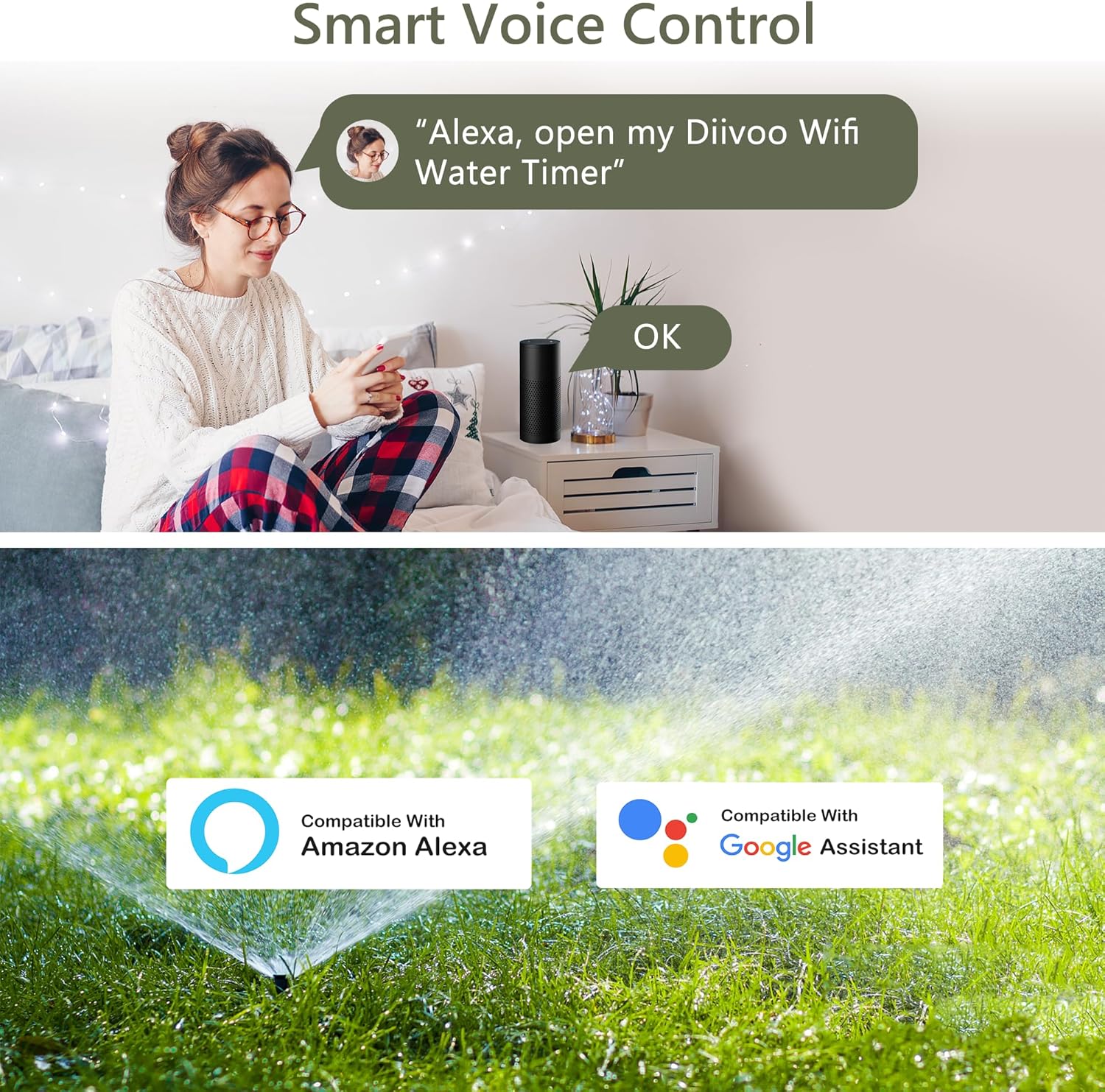
Image: Highlights the Smart Voice Control feature, showing compatibility with Amazon Alexa and Google Assistant for the Diivoo WiFi Water Timer.

Image: A diagram illustrating the three independent smart irrigation zones, each with its own customizable watering plan (Plan A, Plan B, Plan C).
Video: Un oltreview of the Diivoo WiFi Sprinkler Timer 3 Zone, showcasinle sue caratteristiche e i suoi vantaggi.
5. Manutenzione
To ensure the longevity and optimal performance of your Diivoo WiFi Sprinkler Timer, regular maintenance is recommended.
- Filtri puliti: Periodically check and clean the filter at the water inlet to prevent blockages and ensure proper water flow.
- Sostituzione della batteria: The timer uses 2 AA batteries. Monitor battery levels via the HomGar app and replace them when low to avoid interruption of watering schedules.
- winterization: In caso di temperature gelide, scollegare il timer dal rubinetto e conservarlo al chiuso per evitare danni dovuti all'espansione del ghiaccio.
6. Risoluzione Dei Problemi
If you encounter issues with your Diivoo WiFi Sprinkler Timer, refer to the following common solutions:
| Problema | Possibile causa | Soluzione |
|---|---|---|
| Water Leakage at Faucet Connection | Improper sealing, worn washer, or insufficient Teflon tape. | Ensure proper application of Teflon tape. Check and replace rubber washers if worn. Tighten connection securely. |
| Timer Not Connecting to App | WiFi hub out of range, incorrect WiFi password, or hub not powered. | Ensure WiFi hub is within 196 feet (60m) of the timer and connected to a 2.4Ghz network. Verify WiFi password. Check hub power. |
| Nessun flusso d'acqua | Faucet turned off, low battery, clogged filter, or incorrect schedule. | Ensure faucet is fully open. Replace batteries. Clean the filter. Verify watering schedule in the app. |
7. Specifiche
- Marca: Diivoo
- Numero modello: WT-11W/WG03
- Colore: Verde
- Materiale: Gomma, Nylon
- Dimensioni del prodotto: 10.6"P x 3.1"L x 7.1"A
- Peso dell'articolo: 1.7 libbre
- Numero di prese: 3
- Number of Individual Programs: 18 (up to 6 per valve)
- Connettività: WiFi (2.4Ghz Only), Bluetooth (for local device communication)
- Compatibilità: Amazon Alexa, Assistente Google
- Modalità di irrigazione: Timed Irrigation, Misting Irrigation, Manual Watering
- Caratteristiche speciali: Rain Delay (24/48/72 hours)
- Produttore: Zhuhai Tessan Power Technology Co., Ltd.
8. Garanzia e supporto
For warranty information and customer support, please refer to the product packaging or contact Diivoo directly. Our team of experts is available to assist you with any questions or issues you may encounter.

Image: Information on US/CA-Based Customer Care, indicating availability 5 days a week via email or phone for professional support.
Ask a question about this manual
Ask about setup, troubleshooting, compatibility, parts, safety, or missing instructions. Manuals+ will review the question and use this page’s manual context to help answer it.