
AOLON GT5 Pro
Manuale utente dello smartwatch Aolon GT5 Pro
Modello: GT5 Pro
1. Introduzione
Thank you for choosing the Aolon GT5 Pro Smart Watch. This manual provides essential information for setting up, operating, and maintaining your device. Please read it carefully to ensure optimal performance and longevity of your smart watch.
2. Contenuto della confezione
Dopo aver aperto la confezione, verificare che siano presenti tutti gli elementi elencati di seguito:
- Aolon GT5 Pro Smart Watch (with one strap attached)
- Additional Strap (e.g., leather or silicone, depending on variant)
- Cavo di ricarica magnetico
- Manuale d'uso

Image: Contents of the Aolon GT5 Pro Smart Watch package, showing the watch, an extra strap, a magnetic charging cable, and the user manual.
3. Prodotto finitoview
The Aolon GT5 Pro Smart Watch features a robust design with a 1.6-inch HD display and multiple physical buttons for intuitive control, especially during outdoor activities.
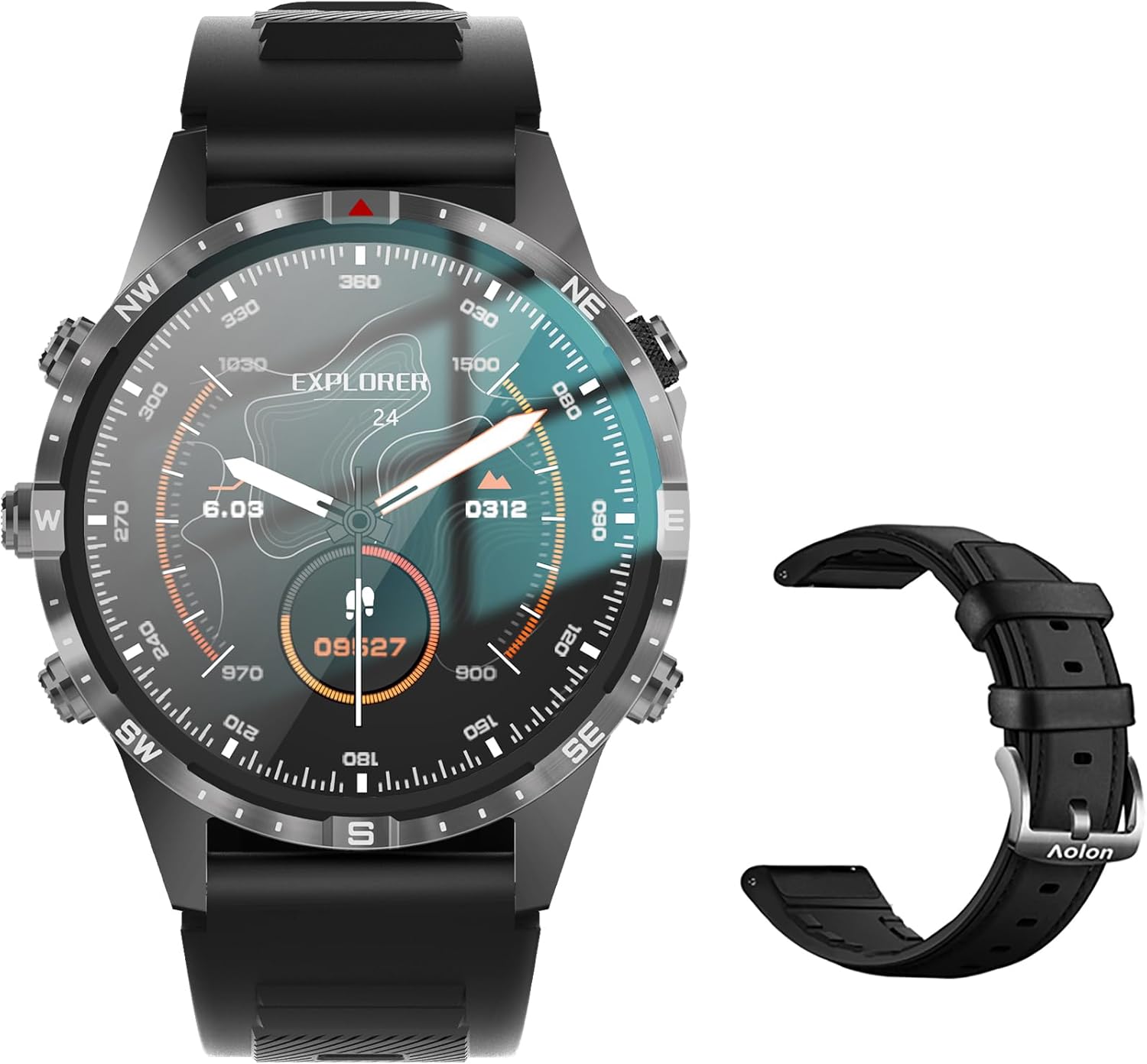
Image: The Aolon GT5 Pro Smart Watch displaying a compass-like watch face, alongside an additional black leather strap.
3.1. Componenti dell'orologio
- Display: 1.6-inch HD Large Screen (360x360 resolution IPS HD with ultra-narrow bezel).
- Pulsanti: 5 independent physical buttons for precise control and navigation.
- Sensori: Heart rate sensor, blood oxygen sensor, motion sensor.
- Altoparlante e microfono: Per la funzionalità di chiamata Bluetooth.

Immagine: un primo piano view of the Aolon GT5 Pro Smart Watch screen, emphasizing its 1.6-inch HD display with 360x360 pixel resolution and narrow bezel.
4. Impostazione
4.1. Ricarica dello Smart Watch
Before first use, fully charge your Aolon GT5 Pro Smart Watch. Connect the magnetic charging cable to the charging points on the back of the watch and plug the USB end into a power adapter (not included) or a computer's USB port.
- Tempo di ricarica: circa 1.5 ore per una carica completa.
- Battery Life: Up to 7-10 days with typical use, 30 days standby time.

Image: Visual representation of the Aolon GT5 Pro's battery performance, indicating 30 days standby, 7-10 days typical use, and 1.5 hours charging time.
4.2. Installazione e associazione dell'app
To unlock the full potential of your smart watch, download the companion app on your smartphone.
- Scarica l'App: Scan the QR code in the manual or on the watch screen, or search for the app name (usually mentioned in the quick start guide) in your phone's app store (App Store for iOS, Google Play Store for Android).
- Registrati/Accedi: Apri l'app e segui le istruzioni sullo schermo per creare un account o accedere.
- Abbina l'orologio: Ensure Bluetooth is enabled on your smartphone. In the app, navigate to the device pairing section and select your Aolon GT5 Pro from the list of available devices. Confirm the pairing request on both your phone and watch.
5. Istruzioni per l'uso
5.1. Navigazione di base
- Scorri verso l'alto/il basso: Scorri i menu e le notifiche.
- Scorri verso sinistra/destra: Accedi alle funzioni rapide o ai diversi widget.
- Premere i pulsanti: Use the 5 independent buttons for specific functions like power on/off, back, or quick access to sports modes. Refer to the quick start guide for specific button assignments.
- Tap Screen: Seleziona elementi o conferma azioni.
5.2. Chiamate Bluetooth
The Aolon GT5 Pro supports Bluetooth calling, allowing you to make and receive calls directly from your wrist.
- Assicurati che l'orologio sia connesso al telefono tramite Bluetooth.
- Access the call function on your watch to dial numbers or answer incoming calls.
- Receive message notifications from your phone's apps directly on your watch.

Image: The Aolon GT5 Pro Smart Watch showing its Bluetooth calling feature, with icons representing call, music, and contact functions.
5.3. Modalità sportive
The watch supports over 100 sports modes, including swimming, running, cycling, and yoga. Select your desired activity to track specific metrics.
- Navigate to the Sports section on your watch.
- Choose your activity. The watch will record data such as calories burned, steps, distance, and pace.
- Connect to your phone's GPS via the app for detailed route tracking.
5.4. Monitoraggio della salute
The Aolon GT5 Pro continuously monitors various health metrics.
- Frequenza cardiaca: Dynamic heart rate measurement 24/7.
- Ossigeno nel sangue: Low power consumption blood oxygen level monitoring.
- Monitoraggio del sonno: Records your sleep status in real-time, providing data on deep, light, and awake times.

Image: The Aolon GT5 Pro Smart Watch screen showing health monitoring features, including heart rate, blood pressure, and blood oxygen levels.

Image: The Aolon GT5 Pro Smart Watch screen illustrating sleep quality monitoring, detailing sleep stages e durata.
5.5. Compass Navigation
Utilize the built-in guide needle navigation for accurate direction during outdoor activities.
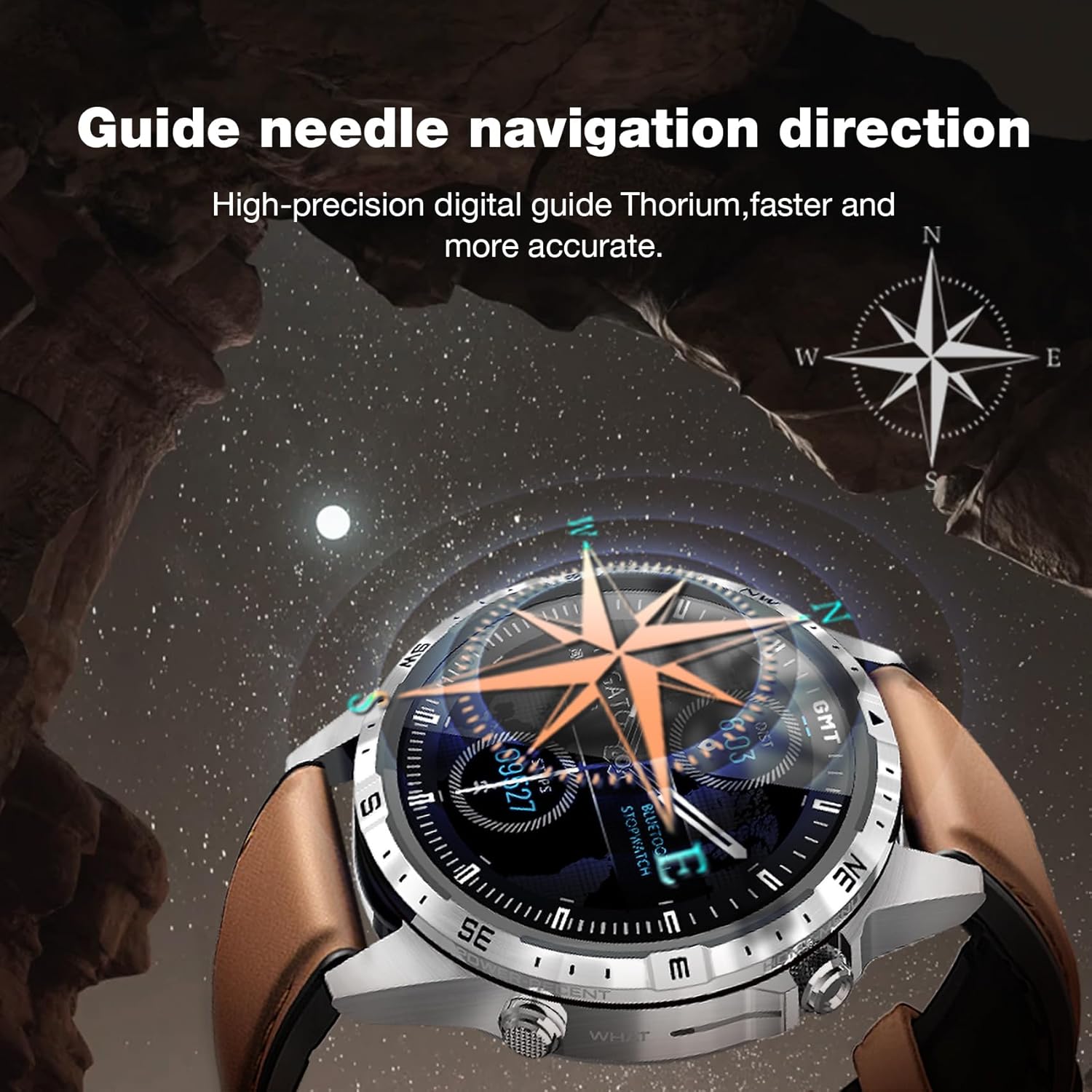
Image: The Aolon GT5 Pro Smart Watch showing its guide needle navigation feature, providing high-precision digital direction.
5.6. Altre funzioni
The watch includes various other essential functions:
- Controllo della musica
- Previsioni del tempo
- Cronometro
- Controllo della telecamera remota
- Ambient Sound Monitoring
- Trova il mio telefono
- Sveglia
- Promemoria sedentario
- Promemoria per i farmaci
- Women's Menstrual Health Tips
5.7. Cambiare i quadranti dell'orologio
Personalize your watch by choosing from multiple types of dials available through the watch or the companion app.

Image: A selection of diverse watch faces for the Aolon GT5 Pro, demonstrating customization options.
6. Manutenzione
6.1. Pulizia dell'orologio
- Pulisci lo schermo e il corpo dell'orologio con un panno morbido e privo di lanugine.
- Per sporco ostinato, leggermente dampLavare il panno con acqua. Evitare l'uso di prodotti chimici aggressivi o materiali abrasivi.
- Prima di procedere alla ricarica, assicurarsi che i contatti di ricarica siano puliti e asciutti.
6.2. Resistenza all'acqua
The Aolon GT5 Pro is IP67 waterproof. This means it is protected against dust and can withstand immersion in water up to 1 meter for 30 minutes.
- It is suitable for daily use, such as washing hands, face, or sweating during exercise.
- Evitare l'acqua calda, il vapore o l'immersione prolungata in acqua.
- Non azionare i pulsanti sott'acqua.
6.3. Strap Care and Replacement
The watch comes with standard dual straps (silicone and leather). Clean straps regularly. The silicone strap is ideal for sports, while the leather strap offers a more formal look. Straps can be easily switched without tools.
7. Risoluzione Dei Problemi
If you encounter issues with your Aolon GT5 Pro Smart Watch, refer to the following common solutions:
| Problema | Soluzione |
|---|---|
| L'orologio non si accende | Assicurati che l'orologio sia completamente carico. Tieni premuto il pulsante di accensione per alcuni secondi. |
| Impossibile associare allo smartphone | Ensure Bluetooth is enabled on your phone. Restart both the watch and phone. Make sure the watch is not already paired with another device. Check app permissions. |
| Dati sanitari imprecisi | Assicurati che l'orologio sia ben aderente al polso, né troppo stretto né troppo largo. Pulisci l'area del sensore sul retro dell'orologio. |
| Notifiche non ricevute | Check app notification settings on your phone and within the watch app. Ensure the watch is connected via Bluetooth. |
| Durata breve della batteria | Reduce screen brightness, turn off unnecessary features (e.g., continuous heart rate monitoring if not needed), and ensure proper charging. |
8. Specifiche
| Caratteristica | Dettaglio |
|---|---|
| Modello | GT5 Professionista |
| Display | 1.6-inch HD IPS, 360x360 Pixel Resolution |
| Capacità della batteria | Polimeri di litio da 340 mAh |
| Durata della batteria | 7-10 giorni (uso tipico), 30 giorni (standby) |
| Tempo di ricarica | Circa 1.5 ore |
| Resistenza all'acqua | Grado di protezione IP67 |
| Connettività | Bluetooth |
| Compatibilità | Android e iOS |
| Dimensioni | 16.3 x 10 x 2.5 cm (Package); Watch: 47.5mm diameter, 22mm strap width |
| Peso | 180 g (Confezione) |
9. Informazioni sulla sicurezza
- Non tentare di smontare o modificare l'orologio.
- Tenere l'orologio lontano da temperature estreme e dalla luce solare diretta.
- Consult a medical professional before starting any new exercise regimen or if you have pre-existing health conditions. The health data provided by the watch is for reference only and should not be used for medical diagnosis or treatment.
- Tenere fuori dalla portata dei bambini.
10. Garanzia e supporto
For warranty information and customer support, please refer to the warranty card included in your package or visit the official AOLON websito. Se riscontri problemi non trattati in questo manuale, contatta il servizio clienti per ricevere assistenza.