
1. Introduzione
This manual provides detailed instructions for the proper use and maintenance of your Sandberg Pocket Radio FM+AM Recharge, Model 421-02. Please read this manual thoroughly before operating the device to ensure optimal performance and longevity.
2. Prodotto finitoview
The Sandberg Pocket Radio is a compact, portable device designed for receiving FM and AM radio broadcasts. It features a built-in rechargeable battery and a digital display for easy tuning.
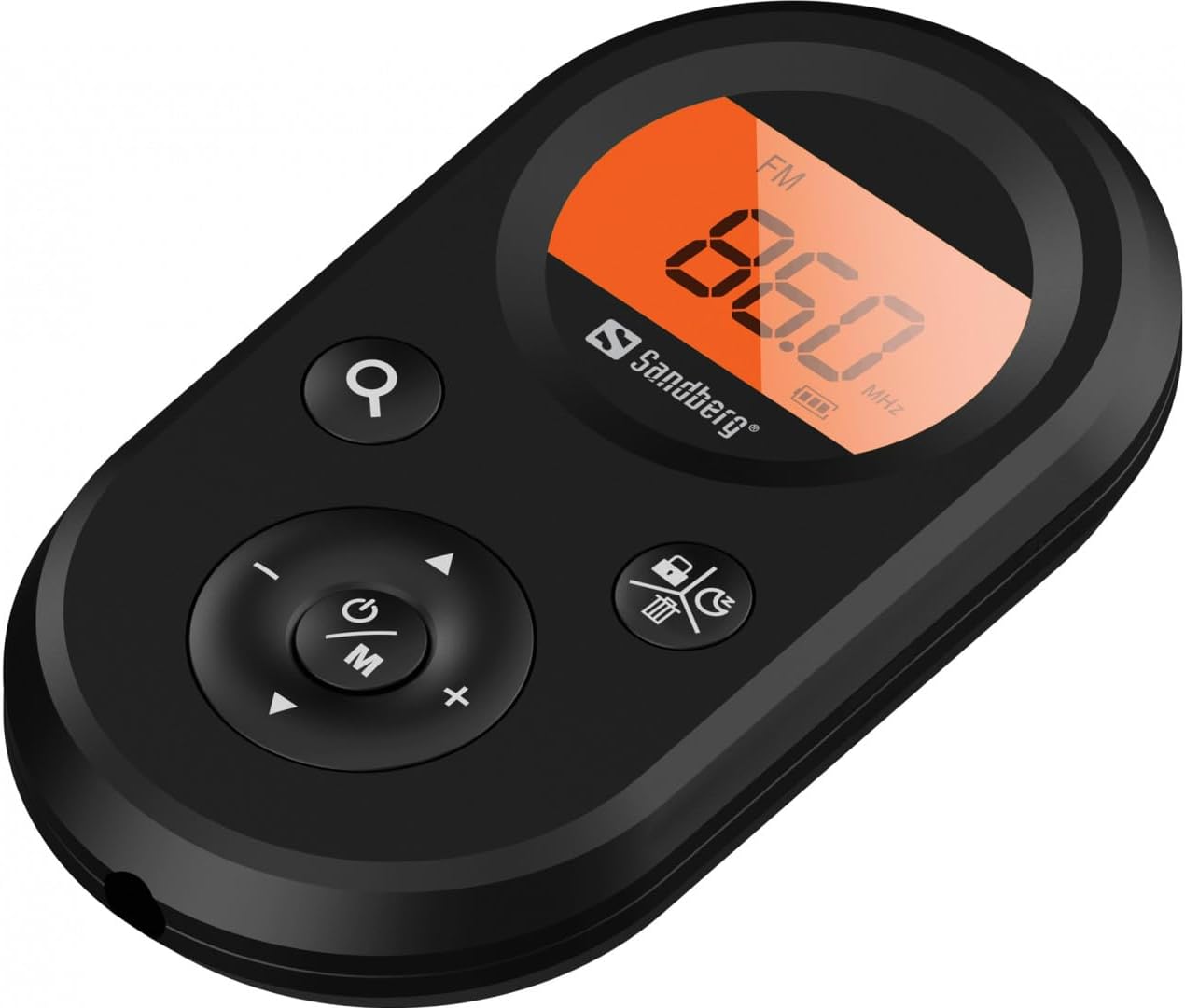
Figura 1: Fronte view of the Sandberg Pocket Radio, displaying the frequency and controls.
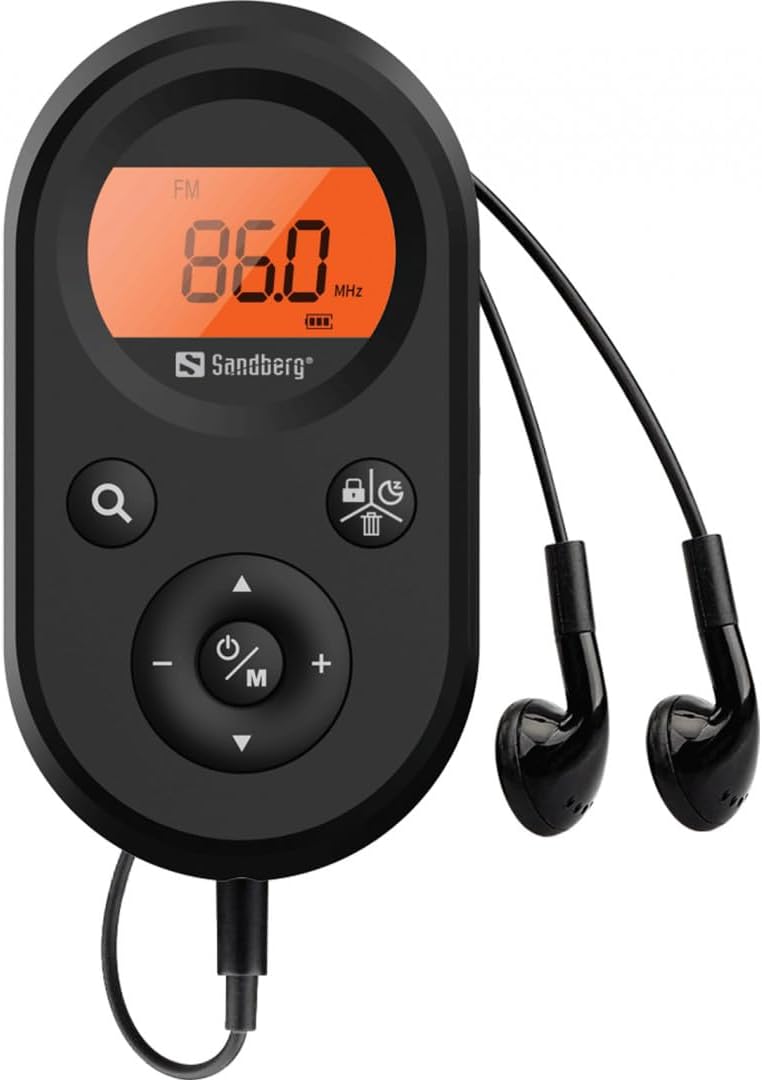
Figure 2: The radio connected to the included earphones, which also function as the FM antenna.
Contenuto della confezione:
- 1 x Sandberg Pocket Radio FM+AM Recharge (Model 421-02)
- 1 x auricolare
- 1 x Charging cable (USB-A to USB-C, 50 cm)
3. Impostazione
3.1 Caricamento della batteria
- Connect the small end of the included USB-C charging cable to the charging port on the radio.
- Connect the standard USB-A end of the cable to a USB power adapter (not included) or a computer's USB port.
- The radio's display will indicate charging status. A full charge typically takes a few hours.
- Disconnect the charging cable once the battery is fully charged.
3.2 Collegamento degli auricolari
The included earphones are essential for operation as they serve as the antenna for FM reception. Without them, FM reception will be severely limited or non-existent.
- Insert the 3.5mm jack of the earphones into the earphone port on the radio.
- Assicurati che la connessione sia sicura.
4. Istruzioni per l'uso
4.1 Accensione/spegnimento
- Per accendere la radio, tenere premuto il tasto Power/Mode (ⓘ/M) button for approximately 2-3 seconds. The display will light up.
- Per spegnere la radio, tenere premuto il tasto Power/Mode (ⓘ/M) button again for approximately 2-3 seconds. The display will turn off.
4.2 Selezione della modalità (FM/AM)
- While the radio is powered on, short press the Power/Mode (ⓘ/M) button to switch between FM and AM radio bands. The current band will be indicated on the display.
4.3 Sintonizzazione delle stazioni
- Scansione automatica: To automatically scan for and store available stations, press and hold the Search (⌕) button. The radio will scan through the frequency range and save stations with strong signals.
- Sintonizzazione manuale: To manually tune to a specific frequency, short press the Su (▲) or Giù (▼) pulsanti per regolare la frequenza in modo incrementale.
4.4 Controllo del volume
- Per aumentare il volume, premere il tasto Volume su (+) pulsante.
- Per diminuire il volume, premere il tasto Volume basso (-) pulsante.
Il mio profilo
The digital display shows the current radio band (FM or AM), the tuned frequency, and the battery level indicator.
5. Manutenzione
5.1 Pulizia
- Pulire l'esterno della radio con un panno morbido e asciutto.
- Non utilizzare detergenti abrasivi, solventi o prodotti chimici aggressivi, poiché potrebbero danneggiare la superficie.
- Evitare che l'umidità penetri nelle aperture.
5.2 Cura della batteria
- Per prolungare la durata della batteria, evitare di scaricarla completamente frequentemente.
- Quando non si utilizza la radio per lunghi periodi, conservarla in un luogo fresco e asciutto.
- Se la batteria non viene utilizzata per un lungo periodo, ricaricarla periodicamente per evitare che si scarichi completamente.
6. Risoluzione Dei Problemi
- Nessun potere: Ensure the battery is charged. Connect the radio to a power source using the USB-C cable.
- Nessun suono: Check that the earphones are securely plugged in. Adjust the volume using the Volume su (+) pulsante.
- Scarsa ricezione FM: Ensure the earphones are fully plugged in, as they function as the FM antenna. Try repositioning the radio or the earphone cable for better signal.
- Cannot Save Favorite Stations: This model does not support saving favorite radio stations. Stations are found via automatic scan or manual tuning each time.
- Display non funzionante: If the display is blank or flickering, try recharging the battery. If the issue persists, contact customer support.
7. Specifiche
| Caratteristica | Specificazione |
|---|---|
| Numero di modello | 421-02 |
| Intervallo di frequenza AM | 522-1710 KHz (9 KHz) / 520-170 KHz (10 KHz) |
| Gamma di frequenza FM | Frequenza 76-108 MHz |
| Sensibilità AM | <20 mV/m |
| FM Signal to Noise Ratio | >40db |
| Potenza massima in uscita | 6.5 mW |
| Capacità della batteria | 5000 mAh, 3.7V (1.85 Wh) |
| Tecnologia di connettività | Auxiliary (for earphones/antenna) |
| Fonte di alimentazione | Alimentato a batteria |
| Peso dell'articolo | 60 grammi (2.12 once) |
8. Garanzia e supporto
Sandberg products are manufactured to high quality standards. For information regarding warranty terms and conditions, or for technical support, please refer to the official Sandberg weboppure contatta direttamente il servizio clienti. Conserva la ricevuta d'acquisto come prova d'acquisto.