
1. Introduzione
This manual provides detailed instructions for setting up, operating, maintaining, and troubleshooting your NIMO Mini PC N100. Please read this manual thoroughly before using the device to ensure proper functionality and to maximize its lifespan. The NIMO Mini PC N100 is a compact and powerful desktop computer designed for various applications, from home entertainment to office productivity.
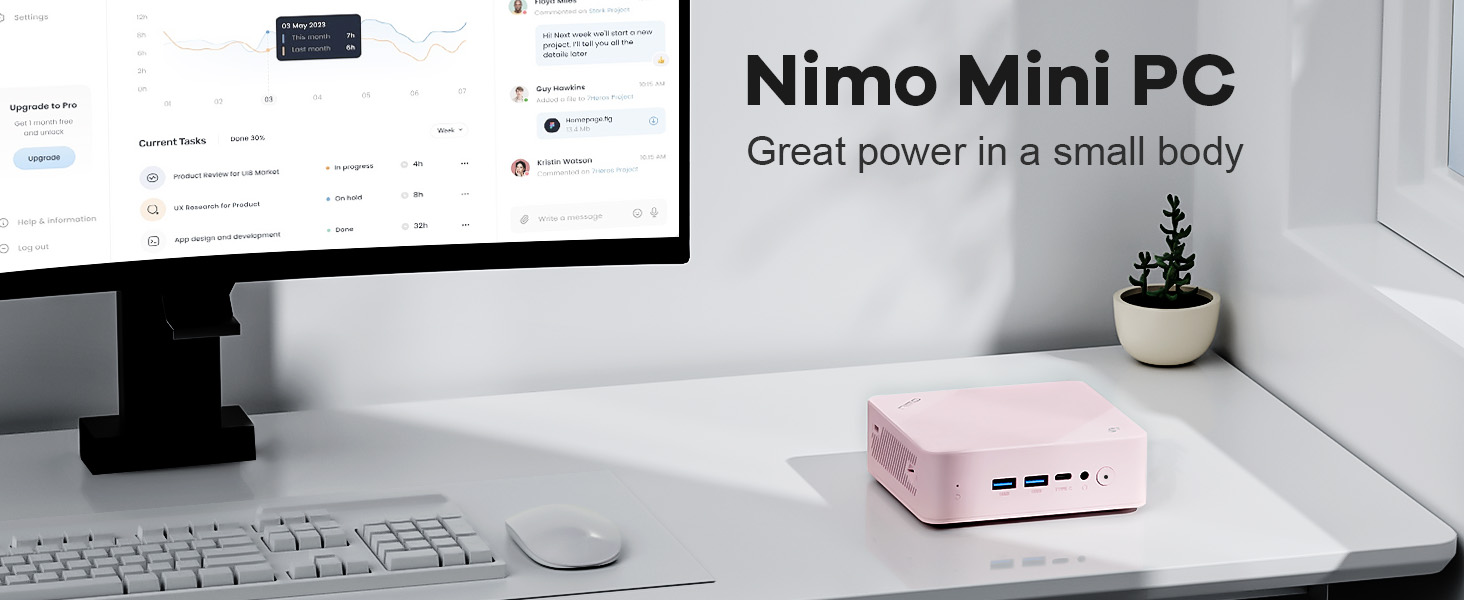
Image: The NIMO Mini PC N100, a compact computing solution for various environments.
2. Prodotto finitoview
The NIMO Mini PC N100 is engineered for efficiency and versatility. It features a compact design with a comprehensive array of ports for seamless connectivity.
2.1. Caratteristiche fisiche e porte
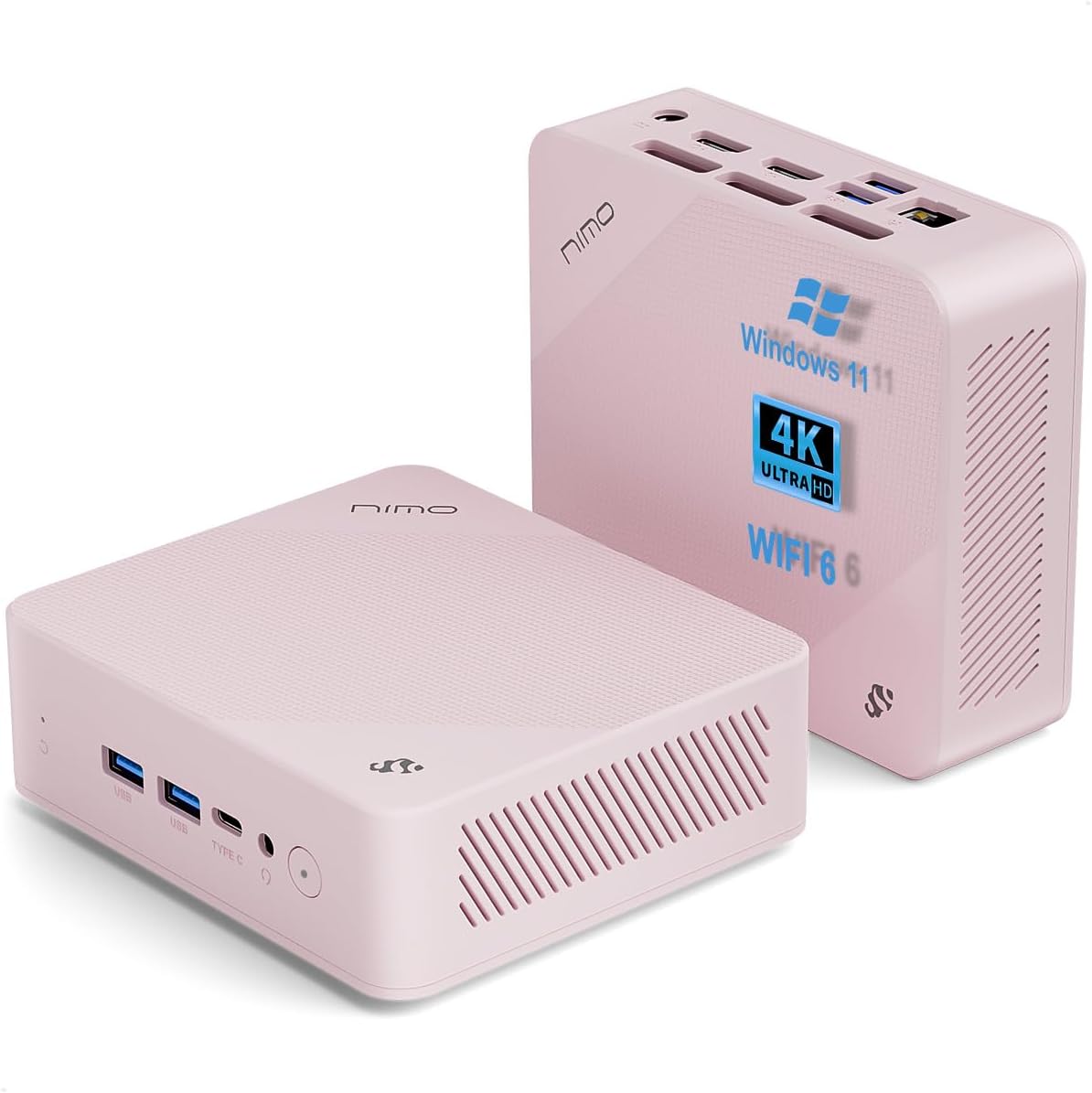
Immagine: anteriore e posteriore views of the NIMO Mini PC N100, showcasing its compact form factor and port layout.

Image: A detailed diagram illustrating the various ports available on the NIMO Mini PC N100, including USB, HDMI, LAN, and Type-C.
- Pannello frontale: Power Button, 2x USB Type-A Ports, 1x Type-C Port (multifunction), 1x Audio Port, 1x Reset Button.
- Pannello posteriore: 1x Giga LAN Port, 2x HDMI 2.0 Ports, 2x USB Type-A Ports, 1x DC-IN Port, Security Slot, SD Card Reader.
2.2. Caratteristiche principali

Image: A visual summary of the NIMO Mini PC N100's core features, such as Windows 11, WiFi 6, and 4K display support.
- Sistema operativo: Windows 11 Casa
- Processore: 12th Gen Intel N100 Processor
- Memoria: 8 GB di RAM DDR4
- Magazzinaggio: SSD PCIe da 1 TB
- Connettività: WiFi 6, Bluetooth 5.2, Gigabit LAN
- Uscita di visualizzazione: Dual HDMI 2.0 and Type-C for up to 4K triple-monitor display
- Raffreddamento: 15W Efficient Cooling System

Image: The NIMO Mini PC N100 in a desktop setup, emphasizing its Intel N100 processor, WiFi 6, Bluetooth 5.2, and efficient cooling capabilities.
3. Impostazione
Follow these steps to set up your NIMO Mini PC N100.
3.1. Contenuto della confezione
Verificare che tutti gli articoli siano presenti nel pacco:

Image: The NIMO Mini PC N100 package contents, including the Mini PC unit, mounting bracket, power adapter, and instruction manual.
- 1x NIMO Mini PC N100 Unit
- 1x staffa di montaggio
- 1x adattatore di alimentazione
- 1x Manuale di istruzioni
3.2. Connessione iniziale
- Connetti Display: Connect your monitor(s) to the HDMI 2.0 ports or the Type-C port on the Mini PC using appropriate cables.
- Connetti le periferiche: Plug in your keyboard, mouse, and any other USB devices into the available USB Type-A ports.
- Connetti alimentazione: Insert the power adapter into the DC-IN port on the Mini PC, then plug the adapter into a power outlet.
- Connessione di rete: For a wired connection, connect an Ethernet cable to the Giga LAN port. For wireless, ensure your WiFi network is available.
3.3. Opzioni di posizionamento
The NIMO Mini PC N100 offers flexible placement options:

Image: A visual comparison of VESA mounting and traditional desktop placement for the NIMO Mini PC N100.
- Posizionamento sul desktop: Place the Mini PC on a flat, stable surface with adequate ventilation.
- Installazione VESA: Use the included mounting bracket to attach the Mini PC to the back of a VESA-compatible monitor or TV. This helps create a clutter-free workspace.

Image: The NIMO Mini PC N100 discreetly mounted behind a monitor, illustrating its space-saving VESA capability.
4. Istruzioni per l'uso
Learn how to operate your NIMO Mini PC N100 effectively.
4.1. Accensione/Spegnimento
- Accensione: Press the Power Button on the front panel. The power indicator light will illuminate.
- Spegni: In Windows, click the Start button, then select Power > Shut down. Alternatively, you can press and hold the Power Button for a few seconds to force a shutdown (not recommended for regular use).
- Ricomincia: In Windows, click the Start button, then select Power > Restart.
4.2. Configurazione dello schermo
The NIMO Mini PC N100 supports up to three displays simultaneously.

Image: The NIMO Mini PC N100 demonstrating its capability to support a triple display setup for enhanced multitasking.
- Collegamento di più monitor: Use the two HDMI 2.0 ports and the Type-C port to connect up to three 4K displays.
- Impostazioni di visualizzazione di Windows: Right-click on the desktop and select 'Display settings' to configure display resolution, orientation, and arrangement (extend, duplicate, or show only on one display).
4.3. Espansione dello spazio di archiviazione
The Mini PC includes an SD card reader for additional storage expansion.

Image: The NIMO Mini PC N100 featuring an SD card slot, allowing for easy storage expansion up to 512GB.
- Insert an SD card into the dedicated slot on the rear panel to expand storage capacity for filee applicazioni.
4.4. Scenari di utilizzo

Image: The NIMO Mini PC N100 being used in different environments: home entertainment, office work, and classroom learning.
- Intrattenimento domestico: Connect to a TV for streaming, media playback, or light gaming.
- Lavoro d'ufficio: Ideal for productivity tasks, document editing, and video conferencing.
- Apprendimento in classe: Suitable for educational applications and online courses.
5. Manutenzione
Proper maintenance ensures the longevity and optimal performance of your NIMO Mini PC N100.
- Pulizia: Regularly clean the exterior of the Mini PC with a soft, dry cloth. Use compressed air to clear dust from ventilation grilles. Do not use liquid cleaners directly on the device.
- Ventilazione: Assicurarsi che il Mini PC sia posizionato in un'area ben ventilata. Non ostruire le prese d'aria.
- Aggiornamenti software: Mantieni aggiornati il sistema operativo e i driver Windows 11 per garantire sicurezza e prestazioni.
- Backup dei dati: Eseguire regolarmente il backup dei dati importanti su un'unità esterna o su un archivio cloud per evitare la perdita di dati.
- Evitare condizioni estreme: Non esporre il Mini PC a temperature estreme, umidità o luce solare diretta.
6. Risoluzione Dei Problemi
This section addresses common issues you might encounter with your NIMO Mini PC N100.
| Problema | Possibile causa | Soluzione |
|---|---|---|
| Nessun potere | Power adapter not connected; power outlet issue; faulty adapter. | Check power cable connection; try a different outlet; ensure adapter is working. |
| Nessuna visualizzazione sul monitor | Monitor off or incorrect input; display cable loose or faulty. | Ensure monitor is on and set to correct input (HDMI/Type-C); check display cable connections; try a different cable or monitor. |
| Nessuna connessione internet (Wi-Fi) | Wi-Fi disattivato; password errata; problema con il router. | Ensure Wi-Fi is enabled in Windows settings; verify Wi-Fi password; restart router. |
| No internet connection (LAN) | Ethernet cable loose or faulty; router issue. | Check Ethernet cable connection; try a different cable; restart router. |
| Periferiche (tastiera/mouse) non funzionanti | Connessione USB allentata; problema con il driver. | Reconnect USB device; try a different USB port; check device manager for driver issues. |
| Sistema lento o non reattivo | Troppe applicazioni in esecuzione; poco spazio su disco; malware. | Close unnecessary applications; free up disk space; run antivirus scan; restart the PC. |
7. Specifiche
Detailed technical specifications for the NIMO Mini PC N100.

Image: Diagram highlighting the Intel 12th Gen N100 Processor, the core of the NIMO Mini PC N100's performance.
| Caratteristica | Specificazione |
|---|---|
| Numero di modello | N100 |
| Sistema operativo | Windows 11 Casa |
| Processore | Intel 12th Gen N100 (3.4 GHz Intel_Mobile_CPU, 4 Cores) |
| Memoria RAM | 8 GB di memoria DDR4 SDRAM |
| Magazzinaggio | 1 TB Solid State Drive (PCIe SSD) |
| Risoluzione massima dello schermo | 3840 x 2160 pixel (4K) |
| Grafica | Grafica Intel UHD (integrata) |
| Connettività | WiFi 6, Bluetooth 5.2, Gigabit LAN |
| Porti | 2x HDMI 2.0, 4x USB Type-A (USB3.2), 1x Type-C (multifunction), 1x Giga LAN, 1x DC-IN, 1x Audio, 1x SD Card Reader, 1x Security Slot |
| Dimensioni (LxWxH) | 4.8 x 4.4 x 1.53 pollici |
| Piattaforma hardware | PC |
| Prima data disponibile | 1 novembre 2024 |
8. Garanzia e supporto
NIMO is committed to providing excellent after-sales service and support for your Mini PC N100.

Immagine: Un overview of NIMO's commitment to after-sales excellence, including support, returns, and customer service.
8.1. Informazioni sulla garanzia
- Periodo di garanzia: The NIMO Mini PC N100 is covered by a garanzia di due anni dalla data di acquisto.
- Politica di ritorno: You may return any NIMO product for any reason within 90 giorni di acquisto.
8.2. Assistenza clienti
NIMO provides professional and high-quality customer service. If you have any product-related questions or require assistance, please contact us:
- E-mail: servizio@nimopc.com
- In linea: Visit the official NIMO website or product page for contact options and support resources.
Our team of professional technicians is ready to help resolve any issues you may encounter. We aim to reply to all inquiries promptly.