
Xech X-611
Xech Hue Alarm Clock with Speaker and Dynamic RGB Lighting
Modello: X-611
Brand: Xech
1. Prodotto finitoview
The Xech Hue Alarm Clock is a versatile device designed to enhance your daily routine. It combines a loud alarm clock for heavy sleepers with a wireless Bluetooth speaker, dynamic RGB lighting, and a convenient pen stand with a smartphone holder. Its compact and portable design makes it suitable for various settings, including bedrooms, study tables, and office desks.

Image: The Xech Hue Alarm Clock in white, featuring its digital display, control buttons, and the integrated base with pen and smartphone holder.
2. Contenuto della confezione
- Xech Hue Alarm Clock (Model X-611)
- Cavo di ricarica USB-C
- Integrated Lithium Ion Battery (pre-installed)
- Manuale dell'utente (questo documento)
3. Impostazione
3.1. Carica del dispositivo
Before first use, fully charge the alarm clock. Connect the provided USB-C cable to the charging port on the back of the device and plug the other end into a compatible USB power adapter (not included).
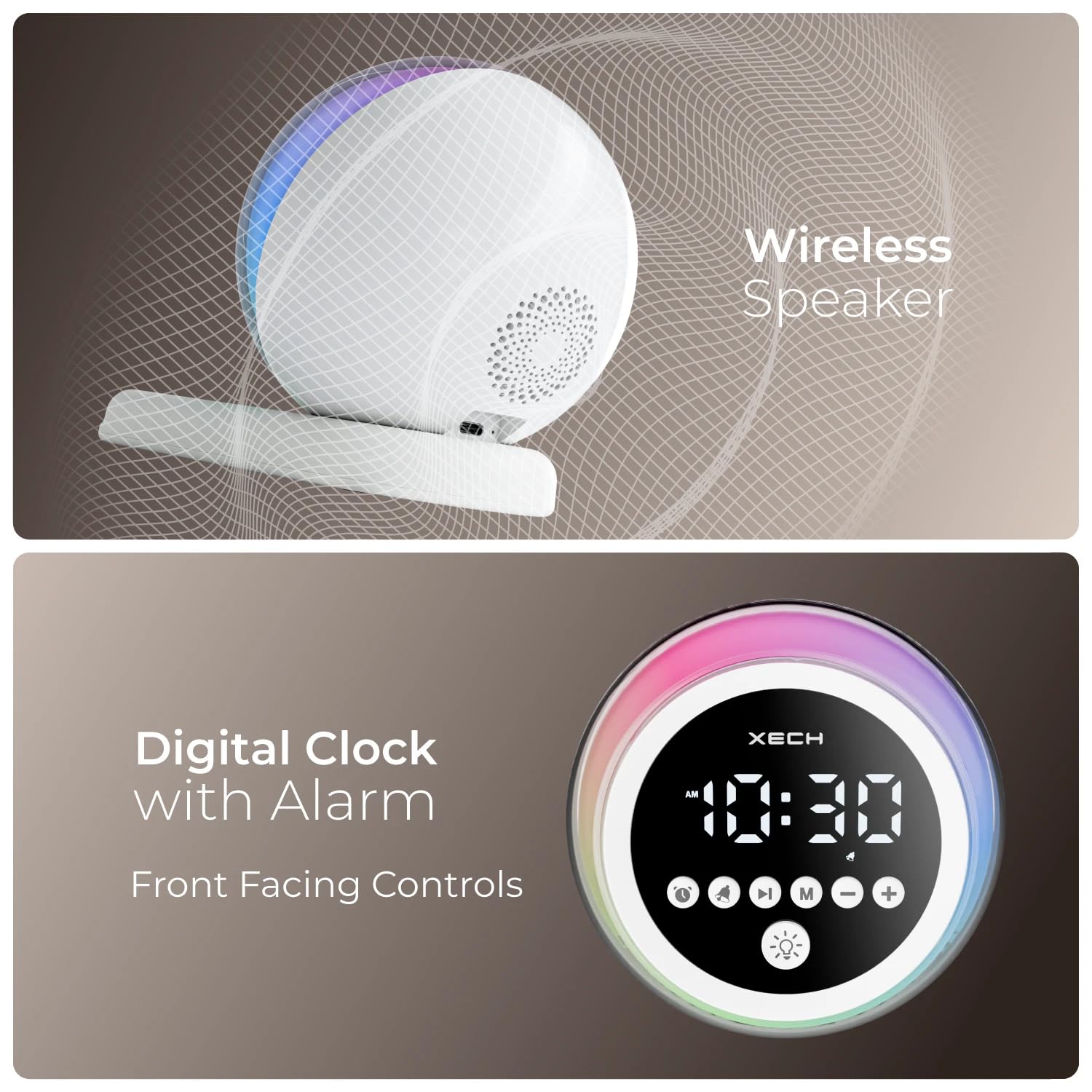
Immagine: Primo piano view of the Xech Hue Alarm Clock's rear, showing the USB-C charging port and the device connected to a power source, indicating continuous power supply.
3.2. Accensione iniziale
Press and hold the Power/Function button (usually indicated by a power icon) on the front panel to turn on the device. The LED display will illuminate.
3.3. Impostazione dell'ora
To set the time, press the 'Clock' button (often represented by a clock icon). Use the '+' and '-' buttons to adjust the hours and minutes. Press the 'Clock' button again to confirm and switch between hour/minute settings. The clock supports 12/24-hour format, which can typically be toggled by pressing and holding the 'Clock' button.
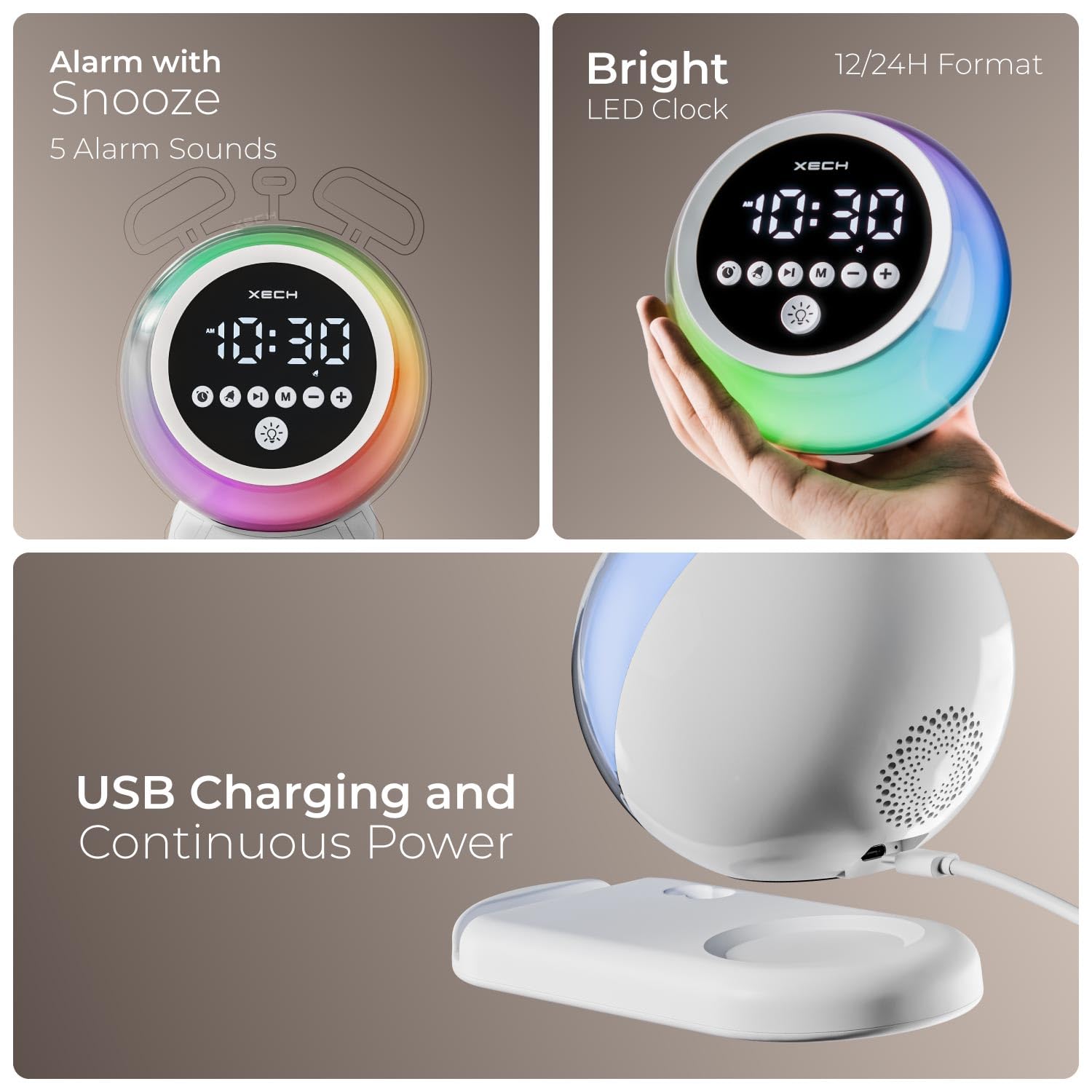
Image: The Xech Hue Alarm Clock displaying a bright LED time, highlighting its 12/24H format capability and the clear visibility of the display when held in hand.
3.4. Impostazione dell'allarme
Press the 'Alarm' button (bell icon) to enter alarm setting mode. Use the '+' and '-' buttons to set the desired alarm time. Press the 'Alarm' button again to confirm. You can cycle through 5 different alarm tones: Ambient Tone, Fun Mornings, Classic Alarm, Morning Chirp, and Calm Chirp. Select your preferred tone using the 'Mode' button or a dedicated tone selection button if available.
3.5. Accoppiamento Bluetooth
To use the wireless speaker function, press the 'Mode' button until you hear an audible prompt indicating Bluetooth pairing mode. On your smartphone or audio device, search for 'Xech Hue' (or similar name) in the Bluetooth settings and connect. Once paired, you can play music wirelessly through the clock's speaker.
4. Istruzioni per l'uso
4.1. Funzioni di allarme
- Posticipa: When the alarm sounds, press any button (except power off) to activate the snooze function. The alarm will sound again after a short interval.
- Disattivazione dell'allarme: To turn off the alarm for the day, press the 'Alarm' button when it is sounding.
- Toni di allarme: Choose from 5 distinct alarm tones for a personalized wake-up experience.
4.2. Speaker Functions
- Controllo del volume: Use the '+' and '-' buttons to adjust the speaker volume during music playback or alarm sounds.
- Riproduzione musicale: Once paired via Bluetooth, control music playback (play/pause, next/previous track) directly from your connected device.

Image: An exploded diagram illustrating the internal components of the Xech Hue Alarm Clock's 5W wireless speaker, emphasizing its high-fidelity sound capabilities.
4.3. Illuminazione RGB dinamica
The Xech Hue features dynamic RGB lighting with 6 ambient lights and 6 mood lights. Press the 'Ambient Light' button (light bulb icon) to cycle through different lighting modes and colors. This feature is ideal for creating a relaxing atmosphere or as a night light.

Image: The Xech Hue Alarm Clock showcasing its vibrant, color-changing RGB lights, functioning as a perfect mood light with options for 6 ambient and 6 dynamic light settings.
4.4. Pen Stand and Smartphone Holder
The integrated base of the alarm clock includes a dual-slot pen stand and a smartphone holder. This allows you to keep your desk organized and your essentials, such as pens and your smartphone, within easy reach. The smartphone holder provides a comfortable viewing angle for media consumption.

Image: The Xech Hue Alarm Clock's base featuring a dual-slot pen stand and a smartphone holder, demonstrating how it keeps essentials within reach and provides a comfortable viewing angle for a smartphone.

Image: A collage showing the Xech Hue Alarm Clock placed in different environments: a study table, a bedside table, an office desk, and a living room, illustrating its versatility.
5. Manutenzione
- Pulizia: Utilizzare un panno morbido e asciutto per pulire la superficie della sveglia. Non utilizzare detergenti abrasivi o solventi.
- Esposizione al liquido: Evitare di esporre il dispositivo all'acqua o a umidità eccessiva. Questo prodotto non è impermeabile.
- Magazzinaggio: Quando non viene utilizzato per lunghi periodi, conservare il dispositivo in un luogo fresco e asciutto, lontano dalla luce solare diretta.
6. Risoluzione Dei Problemi
| Problema | Possibile causa | Soluzione |
|---|---|---|
| Il dispositivo non si accende. | Batteria scarica o assenza di collegamento elettrico. | Ensure the device is fully charged or connected to a power source via USB-C. |
| L'allarme non suona. | Sveglia non impostata o volume troppo basso. | Verify alarm settings and increase alarm volume using the '+' button. |
| Il Bluetooth non si connette. | Dispositivo non in modalità di associazione o troppo lontano dalla sorgente. | Ensure the clock is in Bluetooth pairing mode. Move the connected device closer to the clock. Try unpairing and re-pairing. |
| Le luci RGB non funzionano. | Light function is off or malfunction. | Press the 'Ambient Light' button to activate and cycle through light modes. If issue persists, contact support. |
7. Specifiche
| Caratteristica | Dettaglio |
|---|---|
| Marca | Xech |
| Numero di modello | X-611 |
| Colore | Bianco |
| Tipo di visualizzazione | LED digitale |
| Caratteristiche speciali | Loud Alarm, LED Display, Mood Light, Adjustable Volume, Bluetooth Speaker, Pen Stand, Smartphone Holder |
| Dimensioni del prodotto | 11.5W x 11H centimetri |
| Fonte di alimentazione | Alimentato a batteria (1 batteria agli ioni di litio inclusa) |
| Tipo di input | USB-C |
| Versione senza fili | 5.3v |
| Gamma di trasmissione | 10 metri |
| Altoparlante Wattage | 5W |
| Driver dell'altoparlante | 40mm |
| Peso dell'articolo | 0.45 grammi |
| Materiale | Acrilonitrile Butadiene Stirene (Plastica) |
8. Garanzia e supporto
8.1. Informazioni sulla garanzia
This product comes with a Limited Warranty. Please retain your proof of purchase for any warranty claims. For specific terms and conditions, refer to the warranty card included with your product or contact customer support.
8.2. Assistenza clienti
For technical assistance, troubleshooting, or warranty inquiries, please contact Xech Technologies Pvt Ltd customer care:
- Telefono: +91 8828844466
- Produttore: XECH Technologies Pvt Ltd, MIDC, Mumbai
Documenti correlatiX-611

Ask a question about this manual
Ask about setup, troubleshooting, compatibility, parts, safety, or missing instructions. Manuals+ will review the question and use this page’s manual context to help answer it.