
Introduzione
Grazie per l'acquistoasing the DANFI AUDIO DF TE-2030 Vinyl Record Player. This manual provides essential information for the safe and efficient operation of your new record player. Please read it thoroughly before use and retain it for future reference.
The TE-2030 is a versatile 3-speed vintage-style record player featuring built-in speakers, adjustable treble and bass controls, Bluetooth input for wireless streaming, and multiple connectivity options including RCA line-out, AUX-in, and a 3.5mm headphone jack. Its belt-driven turntable is designed for smooth vinyl playback, making it suitable for 7", 10", and 12" records.
Informazioni sulla sicurezza
- Read all instructions before operating the record player.
- Tenere l'unità lontana dall'acqua o dall'umidità.
- Non ostruire le aperture di ventilazione.
- Utilizzare solo gli accessori specificati dal produttore.
- Scollegare l'unità durante i temporali o quando non viene utilizzata per lunghi periodi.
- Affidare tutti gli interventi di assistenza a personale qualificato.
Cosa c'è nella scatola
Dopo aver disimballato, assicurarsi che tutti gli articoli elencati di seguito siano presenti e in buone condizioni:
- DANFI AUDIO DF Vinyl Record Player (TE-2030)
- Adattatore 45 giri
- Power Cord (100V-240V~)
- Copertura antipolvere
- Manuale d'uso
Prodotto finitoview
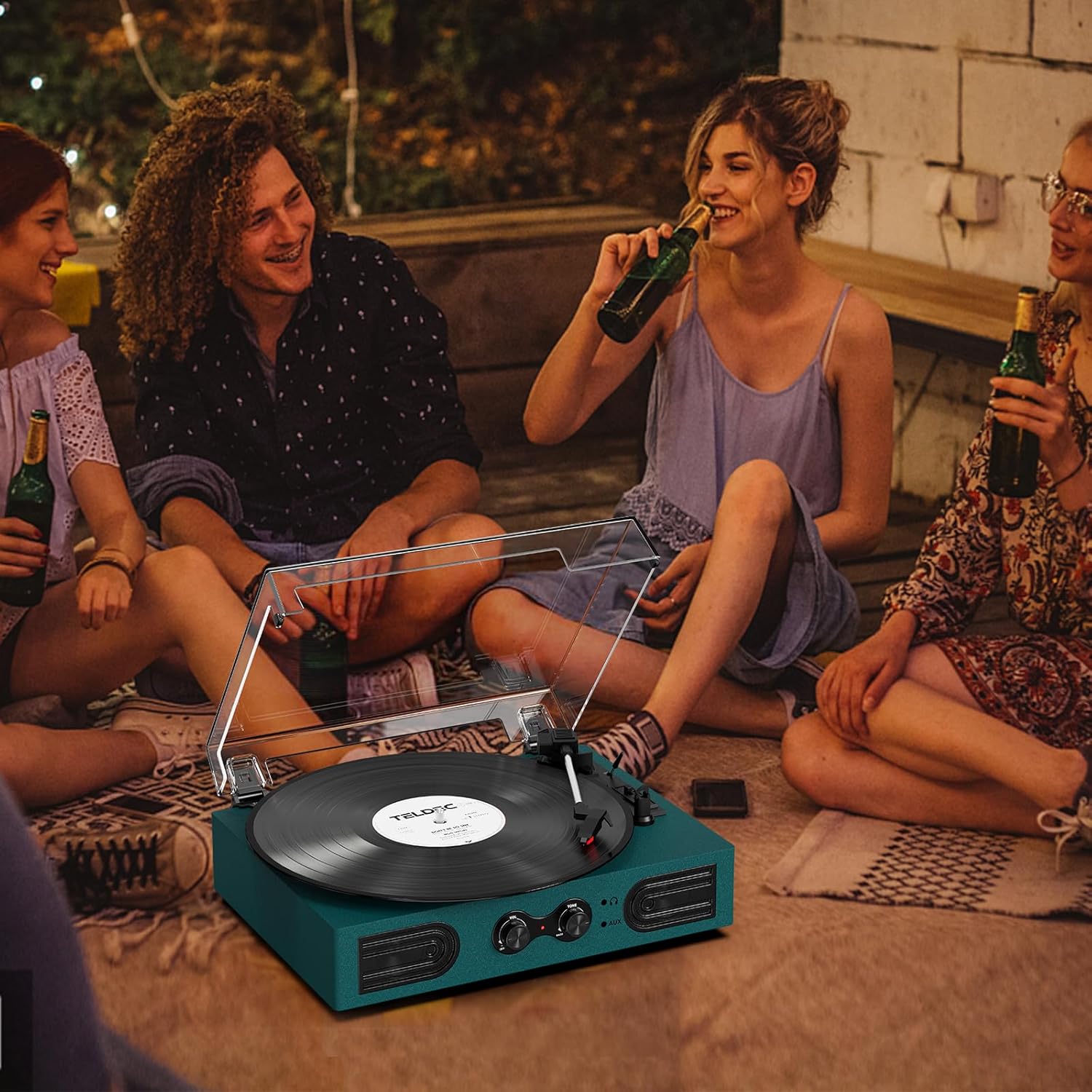
Figura 1: Parte anteriore e superiore View of the TE-2030 Record Player with Labeled Components
Front Panel Controls & Features:
- Interruttore di accensione/manopola del volume: Turns the unit on/off and adjusts playback volume.
- Treble/Bass Knob: Adjusts the tone for enhanced listening.
- Jack per cuffie da 3.5 mm: Per l'ascolto privato.
- 3.5mm AUX-in: Collegare dispositivi audio esterni.
- Altoparlanti incorporati: Altoparlanti stereo integrati per l'uscita audio.
Componenti del giradischi:
- Piatto per giradischi: Dove riposa il disco in vinile.
- Turntable Spindle: Mantiene il record al suo posto.
- Adattatore 45 giri/min: Used for 7-inch records with large center holes.
- Sollevatore per braccio: Alza e abbassa il braccio.
- Interruttore di arresto automatico: Enables/disables automatic stopping of the platter.
- Cambio di velocità: Seleziona la velocità di riproduzione (33 1/3, 45, 78 giri/min).
- Cartuccia/Stilo: Legge i solchi del disco.
- Blocco del braccio: Fissa il braccio quando non è in uso.
Connessioni pannello posteriore:
- Porta di alimentazione: Collega l'alimentatore.
- RCA Audio Out (L/R): Si collega ad altoparlanti esterni o ad un amppiù vivace.
Impostare
- Disimballare l'unità: Carefully remove all packaging materials and place the record player on a stable, flat surface.
- Connetti alimentazione: Plug the power cord into the DC 5V 1A input on the back of the unit, then plug the adapter into a standard wall outlet.
- Rimuovere la protezione dello stilo: Gently remove the white protective cap from the stylus.
- Copertura antipolvere: Place the clear dust cover onto the hinges at the back of the unit.
Istruzioni per l'uso
Riproduzione di dischi in vinile
- Turn the Power/Volume knob clockwise to turn on the unit. The indicator light will illuminate.
- Place a vinyl record on the turntable platter. If playing a 7-inch record, place the 45 RPM adapter on the center spindle.
- Select the appropriate speed (33 1/3, 45, or 78 RPM) using the Speed Switching lever.
- Sbloccare il braccio dal suo supporto.
- Lift the tone arm using the Tone Arm Lifter lever.
- Manually move the tone arm to the desired position over the record.
- Gently lower the tone arm onto the record using the Tone Arm Lifter lever. The record will begin playing.
- Adjust the volume using the Power/Volume knob. Use the Treble/Bass knob to fine-tune the sound.
- At the end of the record, if the Auto Stop switch is ON, the platter will stop spinning automatically. If OFF, the platter will continue to spin.
- To stop playback, lift the tone arm, return it to its rest, and lock it. Turn the Power/Volume knob counter-clockwise to turn off the unit.
Ingresso Bluetooth

Figure 2: Wireless Bluetooth Streaming to the Record Player
- Turn the Power/Volume knob clockwise to turn on the unit. The indicator light will flash blue, indicating Bluetooth pairing mode.
- Enable Bluetooth on your smartphone or other device and search for “TE-2030”.
- Select “TE-2030” to pair. Once connected, the indicator light will turn solid blue.
- Play music from your device. Audio will stream through the record player's built-in speakers.
- Adjust volume and tone using the knobs on the record player or your device.
Ingresso AUX

Figure 3: AUX-In and RCA Output Ports
- Connect a 3.5mm audio cable (not included) from your external audio device to the AUX-in port on the front of the record player.
- The unit will automatically switch to AUX mode.
- Play music from your connected device. Audio will be routed through the record player's speakers.
- Adjust volume and tone as desired.
Ascolto in cuffia

Figure 4: Private Listening via Headphone Jack
- Plug your 3.5mm headphones (not included) into the headphone jack on the front of the unit.
- Audio will now be routed through your headphones for private listening.
- Adjust volume and tone as desired.
Uscita RCA
- Connect an RCA cable (not included) from the RCA Audio Out ports (red for right, white for left) on the back of the unit to your external amplificatore o altoparlanti amplificati.
- Assicurati che il tuo sistema audio esterno sia impostato sull'ingresso corretto.
- Audio will play through the connected external system.
Manutenzione
Sostituzione dello stilo
The stylus should last about 200-250 hours under normal use. If you notice a change in sound quality, it may be time to replace the stylus. The stylus needle is a universal type for Victrola and Crosley record players, purchasable on Amazon.
- Rimozione del vecchio stilo: Gently pull down the front edge of the needle. Pull the needle forward. Pull out and remove.
- Installazione di un nuovo stilo: Hold the tip of the stylus and insert the other edge by pressing upward. Push the stylus upward until it locks at the tip.
Assistenza generale
- Keep the unit clean and dust-free. Use a soft, dry cloth for cleaning.
- Evitare di toccare lo stilo con le dita.
- Handle records by the edges to prevent fingerprints and dust.
Risoluzione dei problemi
| Problema | Possibile causa | Soluzione |
|---|---|---|
| Nessun potere | Cavo di alimentazione non collegato; presa di corrente difettosa | Assicurarsi che il cavo di alimentazione sia collegato saldamente; provare una presa diversa. |
| Nessun suono | Volume too low; Stylus damaged; External speakers not connected correctly | Increase volume; Replace stylus; Check RCA connections. |
| Salto dei record | Record dirty/damaged; Stylus worn; Unit not level | Clean record; Replace stylus; Place unit on a stable, level surface. |
| Il Bluetooth non si connette | Bluetooth not enabled on device; Device too far | Ensure Bluetooth is on and device is within range (approx. 10m). |
Specifiche
| Caratteristica | Dettaglio |
|---|---|
| Dimensioni del prodotto | 11.5 x 9 x 3.5 pollici |
| Peso dell'articolo | 5.45 libbre |
| Numero modello articolo | TE 2030 |
| Marca | DANFI AUDIODF |
| Massima velocità di rotazione | 78 giri al minuto |
| Materiale | Acrylic, Engineered Wood, Plastic |
| Caratteristiche speciali | Adjustable Speed, Built-In Speaker, Treble & Bass Control |
| Dispositivi compatibili | Headphone, PC, Smartphone, Tablet |
Video ufficiale del prodotto
Video: DANFI AUDIO DF TE-2030 Vinyl Record Player with Built-in Speakers - Product Overview e caratteristiche.
Garanzia e supporto
For any questions, problems, or missing parts, please contact customer support directly. The manufacturer offers support for product inquiries.
Email dell'assistenza clienti: support23@163.com
Please refer to the original purchase documentation for specific warranty details.