
Introduzione
This manual provides comprehensive instructions for the setup, operation, maintenance, and troubleshooting of your QRD Spark N5 Wireless Controller. Please read this manual carefully before using the product to ensure optimal performance and longevity.
Prodotto finitoview
The QRD Spark N5 Wireless Controller is designed for a versatile gaming experience across multiple platforms. It features advanced Hall Effect technology for precise control, customizable macro functions, and immersive vibration feedback.

Figura 1: Davanti view of the QRD Spark N5 Wireless Controller, showcasingrazie al suo design ergonomico e ai pulsanti illuminati.
Caratteristiche principali:
- Hall Effect Joysticks & Analog Triggers: Provides drift-free and highly accurate control with less than 0.1mm accuracy.
- Touchpad multifunzione: Supports touch control for PS4 and acts as a mouse on other compatible platforms.
- 6-Axis Gyroscope & Motion Sensor: Integrated for immersive gaming experiences and precise motion control.
- Motori a doppia vibrazione: Adjustable vibration levels (0%, 30%, 70%, 100%) for realistic feedback.
- Macro Back Paddles (N1 & N2): Customizable for assigning complex shortcuts and executing multiple actions.
- Funzione Turbo: Adjustable turbo speed with auto and manual modes for various buttons.
- 3.5mm Audio Port, Speaker & Mic: Enables audio output and communication during gameplay.
- Wired & Wireless Compatibility: Supports Bluetooth 5.3 for wireless connection and USB-C for wired connection (D-input default, X-input available).
Impostazione e connessione
Ricarica del controller:
Before first use, fully charge the controller using the provided USB-C cable. Connect the USB-C end to the controller and the USB-A end to a compatible power source (e.g., console, PC, USB wall adapter).
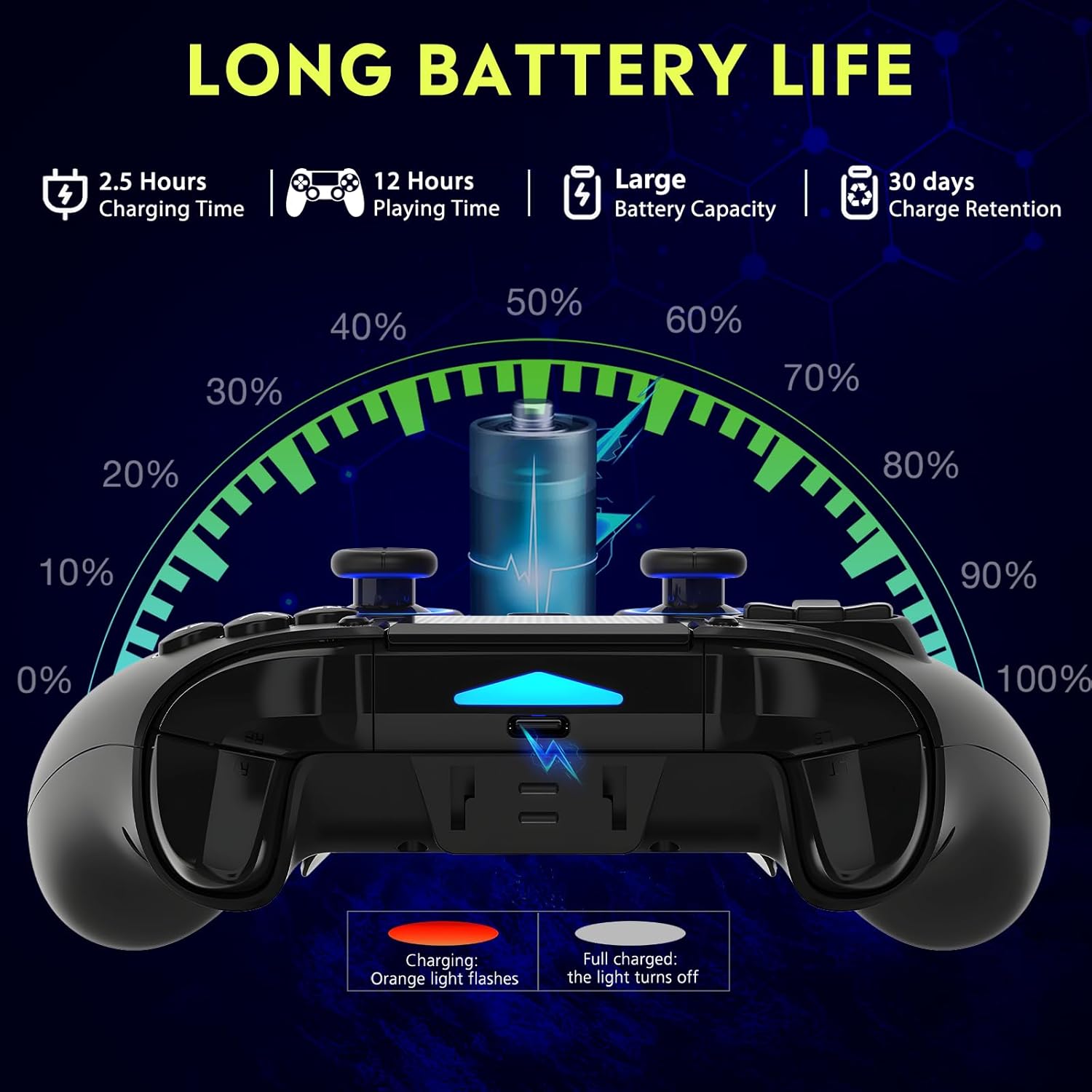
Figura 2: Battery life illustration. The orange light flashes during charging and turns off when fully charged. A full charge takes approximately 2.5 hours and provides up to 12 hours of playing time.
Wireless Connection (Bluetooth 5.3):
The controller supports wireless connection via Bluetooth 5.3 for PS4, PS3, PS2, Steam Deck, PC (Windows/macOS), iOS, and Android TV Box/phones. For PS5 compatibility, a separate QRD Wireless Converter is required.

Figura 3: Compatibilità finitaview showing the controller connecting to Windows, PS4, Steam, Mobile, PS3.
- Assicurati che il controller sia carico.
- Turn on the controller by pressing the "Q" (Home) button.
- Sul tuo dispositivo, vai alle impostazioni Bluetooth.
- Select "Spark N5" or similar from the list of available devices to pair.
- Una volta effettuata l'associazione, le spie luminose sul controller si stabilizzeranno.
Nota: For PS5 games, an additional QRD Wireless Converter is necessary. This converter allows the Spark N5 controller to function with PS5 titles, expanding your gaming options.
1 video: This video demonstrates the QRD Spark N5 Wireless Controller's compatibility with various game devices, including setup and initial connection steps.
Connessione cablata (USB-C):
Connect the controller directly to your PC or console using the provided USB-C cable. The controller will operate in D-input mode by default. X-input mode is available for PC connections only.
Istruzioni per l'uso
Controlli di base:
The controller features standard gamepad buttons, joysticks, and triggers. Familiarize yourself with the layout for optimal gameplay.

Figura 4: The multi-function touchpad on the controller, which can be used for navigation and specific game interactions.
Joystick e trigger ad effetto Hall:
The Hall Effect technology ensures precise, drift-free input for both joysticks and triggers. This provides enhanced accuracy and responsiveness in games.

Figura 5: Esploso view of the Hall Effect Joystick, illustrating its magnetic sensing mechanism for drift-free operation.

Figura 6: Illustration of the Hall Sensing Analog Triggers, highlighting their sub-millimeter accuracy for precise control.
Macro Back Paddles (N1 & N2):
The N1 and N2 back paddles can be programmed to execute complex actions or button combinations with a single press. This feature is useful for competitive gaming or simplifying repetitive tasks.

Figura 7: Posteriore view of the controller showing the N1 and N2 macro back paddles, which can be assigned to perform complex combos.
Refer to the controller's quick start guide or the official QRD website for detailed instructions on programming macro functions.
Funzione Turbo:
The Turbo function allows for rapid, continuous input of a button press. You can set three different turbo speeds for most buttons (excluding macro paddles) and choose between auto and manual turbo modes.
Consult the quick start guide for specific button combinations to activate and adjust turbo settings.
Vibrazione regolabile:
The dual vibration motors provide haptic feedback. You can adjust the intensity to your preference: 0% (off), 30%, 70% (default), or 100%.

Figura 8: Visual representation of the dual vibration shock feature and its adjustable intensity levels.
Instructions for adjusting vibration intensity are typically found in the quick start guide or by holding specific button combinations.
6-Axis Gyroscope & Motion Sensor:
The integrated 6-axis gyroscope and motion sensor enable precise motion control in supported games, enhancing immersion and aiming accuracy.

Figura 9: Depiction of the 6-axis gyroscope and motion control, showing how controller movements translate into in-game actions.
Caratteristiche audio:
The controller includes a 3.5mm audio port for headphones, a built-in speaker, and a microphone. This allows for in-game audio, voice chat, and immersive sound effects.
2 video: This video demonstrates the smartphone connection and gaming experience with the QRD Spark N5 Wireless Controller, including audio functionality.
Manutenzione
- Pulizia: Utilizzare un panno morbido e asciutto per pulire il controller. Per lo sporco ostinato, un panno leggermenteamp è possibile utilizzare un panno, ma assicurarsi che non entri umidità nelle porte o nelle fessure.
- Magazzinaggio: Conservare il controller in un luogo fresco e asciutto, lontano dalla luce solare diretta e da temperature estreme.
- Cura della batteria: Per prolungare la durata della batteria, evitare di scaricare completamente il controller frequentemente. Caricarlo regolarmente, anche se non lo si utilizza costantemente.
- Evitare l'impatto: Non far cadere il controller né sottoporlo a forti urti, poiché ciò potrebbe danneggiare i componenti interni.
Risoluzione dei problemi
| Problema | Possibile causa | Soluzione |
|---|---|---|
| Il controller non si accende. | Batteria scarica o scarica. | Caricare il controller utilizzando il cavo USB-C in dotazione. |
| Impossibile connettersi in modalità wireless. | Bluetooth not enabled on device; controller not in pairing mode; interference. | Ensure Bluetooth is on. Press and hold the "Q" button to enter pairing mode. Move closer to the device. Restart both controller and device. |
| Ritardo di input o pulsanti che non rispondono. | Low battery; wireless interference; outdated firmware. | Charge the controller. Reduce wireless interference. Check QRD website for firmware updates. Try wired connection. |
| Joysticks or triggers drifting. | Calibration issue; rare hardware defect. | The Hall Effect technology minimizes drift. If persistent, try recalibrating (refer to quick start guide) or contact customer support. |
| Nessun feedback di vibrazione. | Vibration setting is off (0%); game does not support vibration. | Adjust vibration intensity to 30%, 70%, or 100%. Ensure the game supports vibration. |
Specifiche
- Modello: Spark N5
- Connettività: Bluetooth 5.3 (senza fili), USB-C (cablato)
- Compatibilità: PS4, PS4 Slim, PS4 Pro, PS3, PS2, Steam Deck, PC (Windows, macOS), iOS, Android TV Box, Phone. (PS5 via separate converter)
- Joysticks/Triggers: Effetto Hall
- Sensore di movimento: Giroscopio ad asse 6
- Vibrazione: Dual Motors, Adjustable (0%, 30%, 70%, 100%)
- Audio: 3.5mm Audio Port, Built-in Speaker, Microphone
- Caratteristiche speciali: Multi-function Touchpad, Macro Back Paddles (N1, N2), Turbo Function
- Batteria: 1 batteria ai polimeri di litio (inclusa)
- Tempo di ricarica: Circa 2.5 ore
- Tempo di gioco: Fino a 12 ore
- Dimensioni: 6.38 x 4.06 x 2.56 pollici
- Peso: 13.7 once
Garanzia e supporto
QRD products are designed for durability and performance. For warranty information and technical support, please refer to the official QRD websito o contattare direttamente il servizio clienti.
- Ufficiale Websito: QRD Store on Amazon
- Assistenza clienti: Contact information may be available on the product packaging or the official websito.
Si prega di conservare la prova d'acquisto per eventuali reclami in garanzia.