
Introduzione
Thank you for choosing the TECKNET TK-MS317 Bluetooth Wireless Mouse. This manual provides detailed instructions for setting up, operating, and maintaining your mouse to ensure optimal performance. Please read this manual thoroughly before use and retain it for future reference.
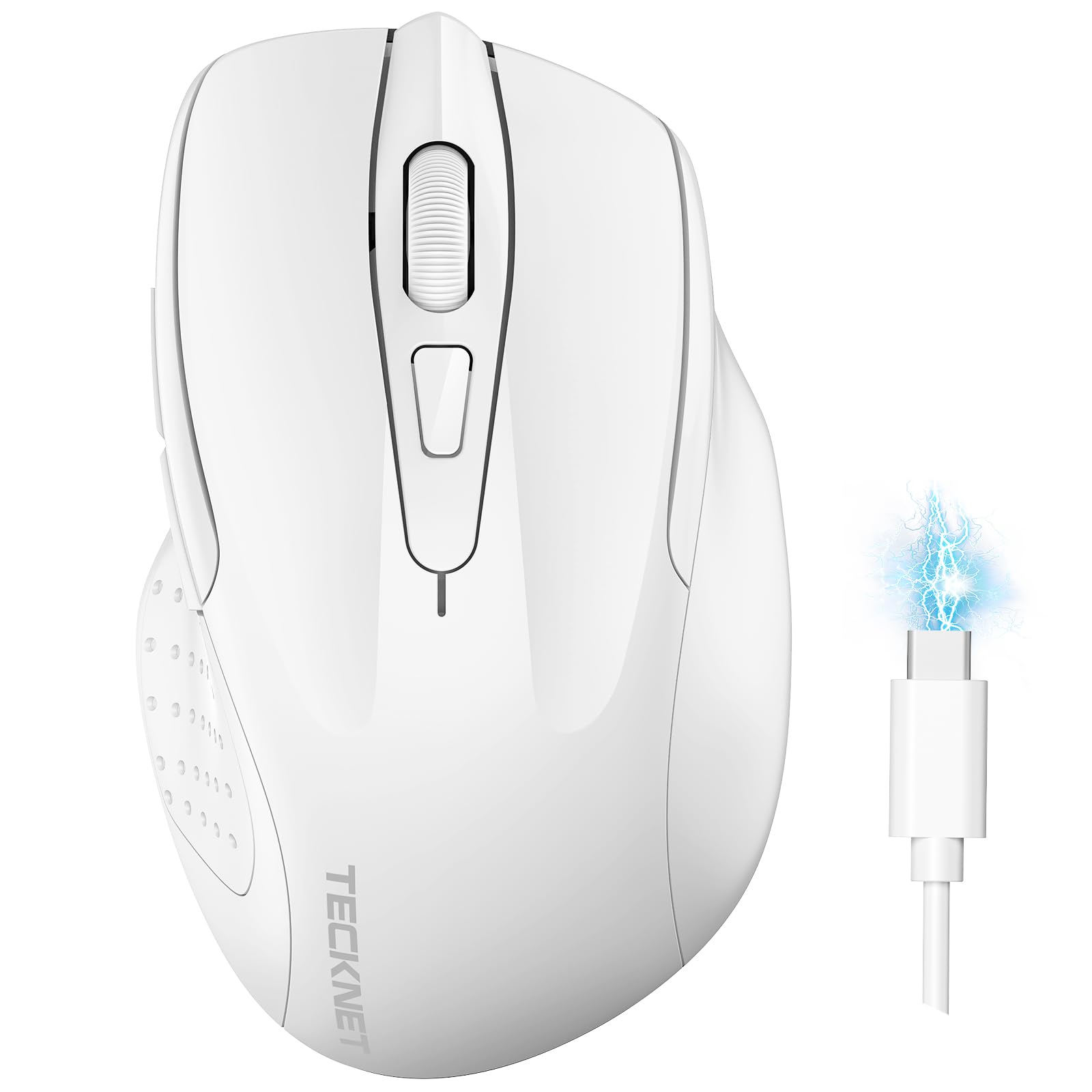
Image: The TECKNET TK-MS317 Bluetooth Wireless Mouse, showcasing its ergonomic design and sleek white finish.
Caratteristiche del prodotto
- Modalità di connessione tripla: Supports Bluetooth 5.0, Bluetooth 3.0, and 2.4GHz wireless connectivity, allowing seamless switching between up to two devices.
- DPI regolabile: Six adjustable DPI levels (800/1200/1600/2400/3200/4800) for precise control and adaptability to various tasks.
- Batteria ricaricabile: Equipped with a 700 mAh rechargeable battery, providing extended usage on a single charge. Can be used while charging via USB-C.
- Clic silenziosi: Designed for quiet operation, reducing click noise by 90% for a focused work environment.
- Design ergonomico: Contoured shape fits comfortably in the palm, reducing hand fatigue during prolonged use.
- Risparmio energetico: Features a key-wake function and automatic sleep mode to conserve battery life.
- Compatibilità universale: Compatible with Windows 11/10/8/7/XP/Vista, Mac OS, Linux, Android, and iOS (BT 5.0 for iOS 10.4+).

Image: Illustration highlighting the silent click feature of the mouse, showing a quiet work environment.

Image: Diagram illustrating the ergonomic curvature of the TECKNET TK-MS317 mouse, designed for comfortable hand fit.
Istruzioni di installazione
1. Ricarica del mouse
Before first use, or when the battery is low, connect the mouse to a power source using the provided USB-C cable. The charging indicator light will illuminate. A full charge typically takes about two hours and can last for 1 to 2 months of intensive use.

Image: The TECKNET TK-MS317 mouse connected via a USB-C cable for charging, highlighting its 700mAh battery capacity.
2. Connessione tramite wireless a 2.4 GHz
- Individuare il ricevitore USB 2.4G, solitamente conservato in uno scomparto nella parte inferiore del mouse.
- Collegare il ricevitore USB a una porta USB-A disponibile sul computer.
- Switch the mode selector on the bottom of the mouse to the "2.4G" position.
- The mouse should automatically connect to your computer. If not, try moving the mouse or restarting your computer.
3. Connessione tramite Bluetooth (BT5.0 / BT3.0)
- Switch the mode selector on the bottom of the mouse to either "BT5.0" or "BT3.0" position.
- Press and hold the Bluetooth pairing button (usually located near the mode switch) for 3-5 seconds until the indicator light starts flashing, indicating pairing mode.
- Sul tuo dispositivo (computer, laptop, tablet, smartphone), vai alle impostazioni Bluetooth.
- Cercare new devices. You should see "TECKNET Mouse" or a similar name appear in the list.
- Select the mouse to pair. Once connected, the indicator light on the mouse will stop flashing.
- To switch between paired Bluetooth devices or to the 2.4G mode, simply use the mode selector switch on the bottom of the mouse.

Image: Diagram showing the three connection modes (2.4G, Bluetooth 5.0, Bluetooth 3.0) of the TECKNET TK-MS317 mouse, connecting to a laptop and a tablet.
Istruzioni per l'uso
1. Regolazione DPI
The mouse features a DPI button, typically located behind the scroll wheel. Press this button to cycle through the six available DPI settings: 800, 1200, 1600, 2400, 3200, and 4800. Select the DPI that best suits your task and preference for cursor speed and precision.

Image: Visual representation of the TECKNET TK-MS317 mouse highlighting its 6 levels of adjustable DPI, up to 4800 DPI.
2. Cambio modalità
Use the physical switch on the underside of the mouse to select your desired connection mode: 2.4G, BT5.0, or BT3.0. This allows you to quickly switch between different devices without re-pairing.
3. Modalità di risparmio energetico
The mouse will automatically enter sleep mode after a period of inactivity to conserve battery. To wake the mouse, simply move it or click any button.
Manutenzione
1. Pulizia
Per pulire il mouse, utilizzare un panno morbido e asciutto. Per lo sporco ostinato, un panno leggermenteamp cloth with mild soap can be used, ensuring no liquid enters the mouse. Avoid using harsh chemicals or abrasive materials.
2. Cura della batteria
- Evitare di scaricare completamente la batteria frequentemente.
- Quando non si utilizza il mouse per lunghi periodi, conservarlo in un luogo fresco e asciutto.
- Per la ricarica utilizzare solo il cavo USB-C in dotazione o un equivalente certificato.
Risoluzione dei problemi
- Il mouse non risponde:
- Assicurarsi che il mouse sia carico.
- Check if the mode switch is set correctly (2.4G, BT5.0, or BT3.0).
- Per la modalità 2.4G, assicurarsi che il ricevitore USB sia collegato saldamente.
- Per la modalità Bluetooth, assicurati che il Bluetooth sia abilitato sul tuo dispositivo e che il mouse sia associato. Prova a ripetere l'associazione se necessario.
- Prova a collegare il mouse a una porta USB o a un dispositivo diverso per escludere problemi con la porta/il dispositivo.
- Connessione intermittente:
- Avvicinare il mouse al ricevitore/dispositivo.
- Evitare di utilizzare il mouse su superfici metalliche, che potrebbero interferire con i segnali wireless.
- Assicurarsi che non vi siano altre forti fonti di interferenza wireless nelle vicinanze.
- Il movimento del cursore è irregolare:
- Pulisci il sensore ottico sul lato inferiore del mouse.
- Prova a usare il mouse su una superficie diversa o su un tappetino per mouse.
- Regolare l'impostazione DPI su un valore più basso.
Specifiche
| Numero di modello | TK-MS317 |
| Marca | TECKNET |
| Modalità di connessione | Wireless a 2.4 GHz, Bluetooth 5.0, Bluetooth 3.0 |
| Livelli DPI | 800, 1200, 1600, 2400, 3200, 4800 |
| Numero di pulsanti | 6 |
| Tipo di batteria | Built-in 700 mAh Rechargeable Lithium Battery |
| Porta di ricarica | USB-C |
| Peso | 150 grammi |
| Compatibilità | Windows 11/10/8/7/XP/Vista, Mac OS, Linux, Android, iOS (10.4+ for BT 5.0) |
Garanzia e supporto
TECKNET offers a 36-month warranty for registered users of this product. If you encounter any issues with your TECKNET TK-MS317 Bluetooth Wireless Mouse, please do not hesitate to contact our professional customer service team for assistance.
Per reclami in garanzia o supporto tecnico, visitare il sito ufficiale TECKNET websito o fare riferimento alle informazioni di contatto fornite sulla confezione del prodotto.


