
DATOUBOSS TY-PSW-E2000
DATOUBOSS 2nd Generation Pure Sine Wave Inverter User Manual
Model: TY-PSW-E2000
Introduzione
This user manual provides detailed instructions for the safe and efficient operation of your DATOUBOSS 2nd Generation 2000W/4000W Universal Pure Sine Wave Inverter. This device converts 12V/24V DC battery power to 220V/230V AC household power, suitable for a wide range of electronic devices and appliances. Please read this manual thoroughly before use and retain it for future reference.
Informazioni sulla sicurezza
ATTENZIONE: la mancata osservanza di queste istruzioni di sicurezza può provocare scosse elettriche, incendi, lesioni gravi o morte.
- Ventilazione: Assicurare un'adeguata ventilazione attorno all'inverter. Non ostruire le aperture di ventilazione.
- Ambiente: Operate the inverter in a dry, well-ventilated area, away from direct sunlight, heat sources, and flammable materials. Avoid exposure to water or excessive humidity.
- Connessioni: Always connect the inverter to a battery before connecting any AC loads. Ensure all connections are tight and secure to prevent arcing and overheating.
- Volume batteriatage: Verificare che la tensione CC in ingressotage (12V or 24V) matches the inverter's intelligent identification system.
- Capacità di carico: Do not exceed the inverter's rated power (2000W continuous, 4000W peak). Overloading can damage the inverter and connected devices.
- Messa a terra: Una corretta messa a terra è essenziale. In caso di dubbi, consultare un elettricista qualificato.
- Bambini: Tenere l'inverter fuori dalla portata dei bambini.
- Smontaggio: Do not attempt to disassemble or modify the inverter. There are no user-serviceable parts inside.
- Funzioni di protezione: The inverter is equipped with multiple protection functions (overload, overheating, high voltage, volume bassotage, short circuit, internal fuses). Understand these features and their indicators.

Image: Inverter protection functions including overvoltage, volume bassotage protezione da cortocircuito, sovraccarico e surriscaldamento.
Contenuto della confezione
Dopo aver aperto la confezione, verificare che tutti gli articoli siano presenti e in buone condizioni:
- 1 x DATOUBOSS 2000W Pure Sine 12V/24V Converter
- 1 x Set of Battery Connection Cables (Red for Positive, Black for Negative)
- 1 x Manuale utente (questo documento)

Image: The DATOUBOSS Pure Sine Wave Inverter along with its red and black battery connection cables.
Prodotto finitoview
Familiarize yourself with the components and features of your DATOUBOSS Pure Sine Wave Inverter.

Immagine: dettagliata view of the inverter's panel, highlighting the NO/OFF Switch, EU Sockets, USB Power Port, Type-C Interface, Cooling Fans, Positive terminal, and Negative terminal.
- Interruttore NO/OFF: Interruttore di alimentazione principale per l'inverter.
- Prese UE: Two standard European AC output sockets for connecting appliances.
- Porta di alimentazione USB: Standard USB-A port for charging compatible devices (2.1A).
- Interfaccia di tipo C: Porta USB Type-C per caricare dispositivi compatibili.
- Schermo LCD: Shows real-time information such as input voltage, volume di uscitatage, output power and protection mode.
- Ventole di raffreddamento: Integrated fans for efficient heat dissipation, activating when the load exceeds 40% or temperature rises.
- Terminale positivo (rosso): Connects to the positive (+) terminal of your battery.
- Terminale negativo (nero): Connects to the negative (-) terminal of your battery.
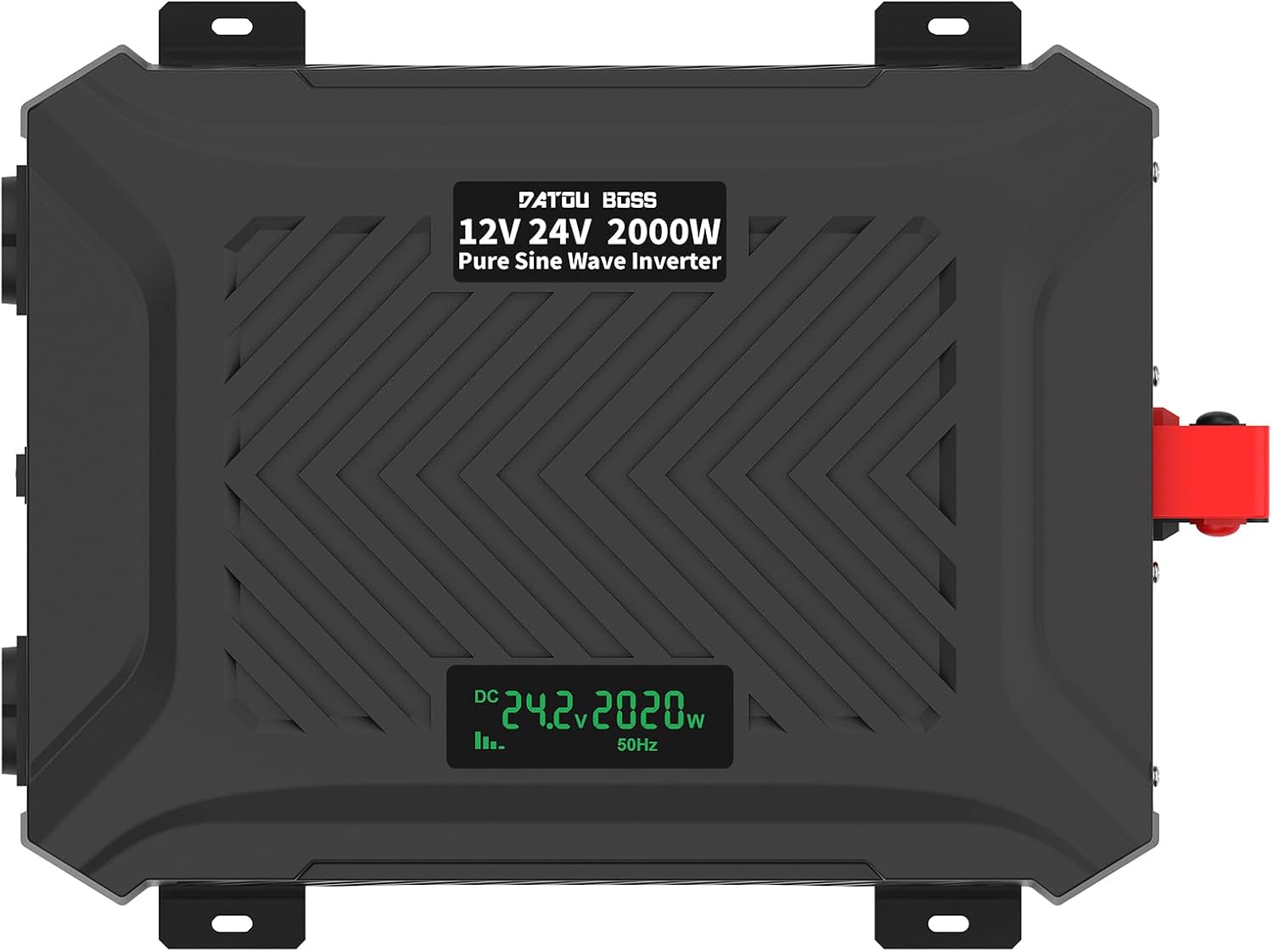
Immagine: dall'alto verso il basso view of the inverter, clearly showing the integrated LCD display.
Istruzioni di installazione
Follow these steps to properly set up your inverter:
- Preparazione:
- Ensure the inverter's NO/OFF switch is in the "OFF" position.
- Place the inverter on a stable, flat surface in a well-ventilated area, away from direct sunlight, heat, and moisture.
- Assicurarsi che la batteria sia completamente carica e in buone condizioni.
- Collegare i cavi della batteria:
- Collegare il rosso cavo della batteria al positivo (+) terminale dell'inverter e poi al positivo (+) terminale della batteria.
- Collegare il nero cavo della batteria al negativo (-) terminale dell'inverter e poi al negativo (-) terminale della batteria.
- Assicurarsi che tutti i collegamenti siano ben saldi e sicuri per evitare archi elettrici e surriscaldamento.
- Intelligent Identification System: The inverter is equipped with an intelligent identification system that automatically detects whether a 12V or 24V battery is connected and adjusts accordingly.

Image: The inverter's intelligent identification system automatically detects and adapts to 12V or 24V battery voltages.
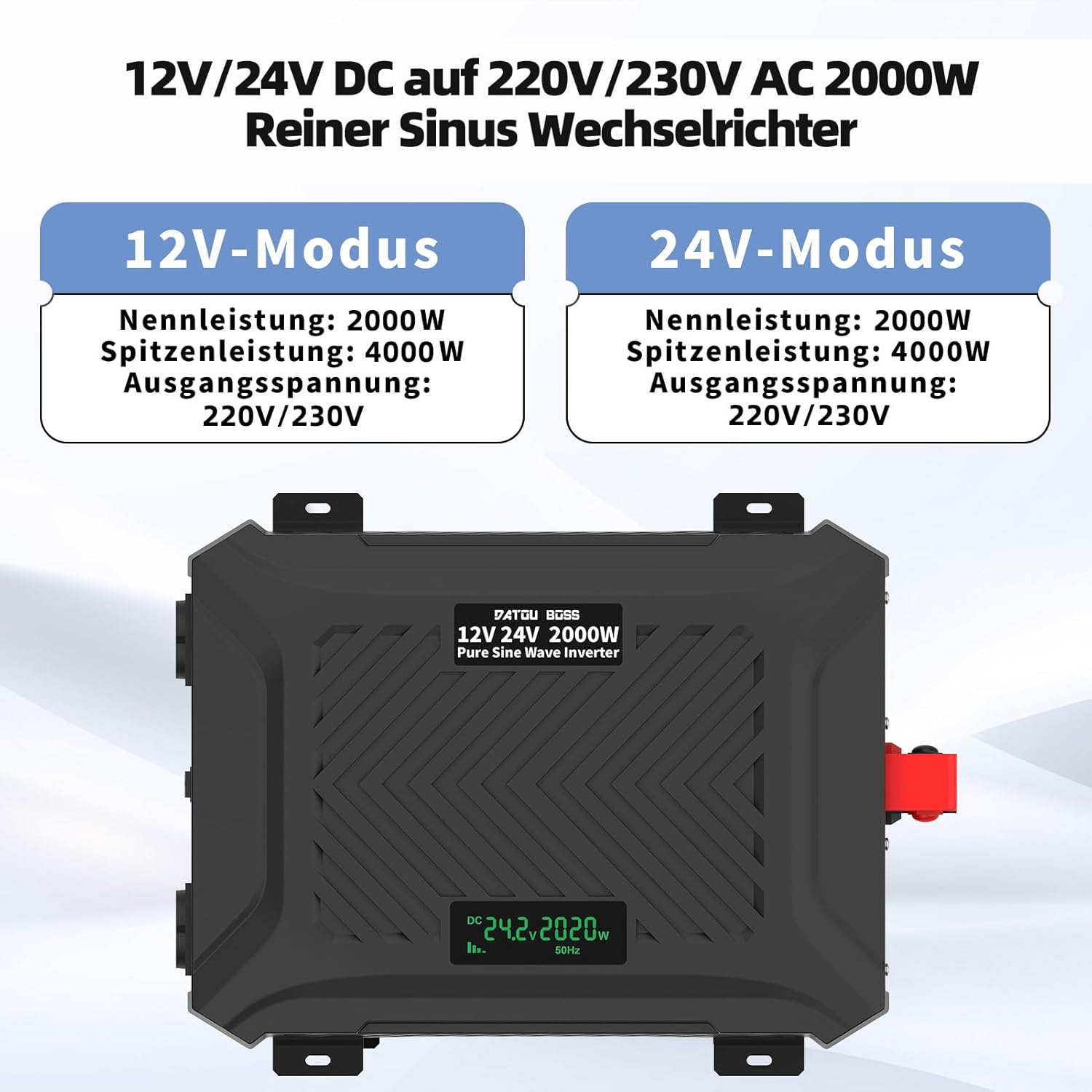
Image: The inverter operates in both 12V and 24V modes, providing a rated power of 2000W and a peak power of 4000W, with an output voltage di 220V/230V.
- Connetti gli elettrodomestici: Once the battery is connected, you can connect your AC appliances to the EU sockets and USB devices to the USB/Type-C ports. Ensure the total power consumption of your devices does not exceed the inverter's rated power.
Important: Always connect the battery to the inverter first before turning on the inverter or connecting any loads.
Istruzioni per l'uso
- Accensione: After connecting the battery and ensuring all loads are within limits, switch the NO/OFF button to the "ON" position.
- Schermo LCD: The LCD display will illuminate, showing the current ambient temperature for one second, then display the input voltage (CC), volume di uscitatage (AC), and output power (W).
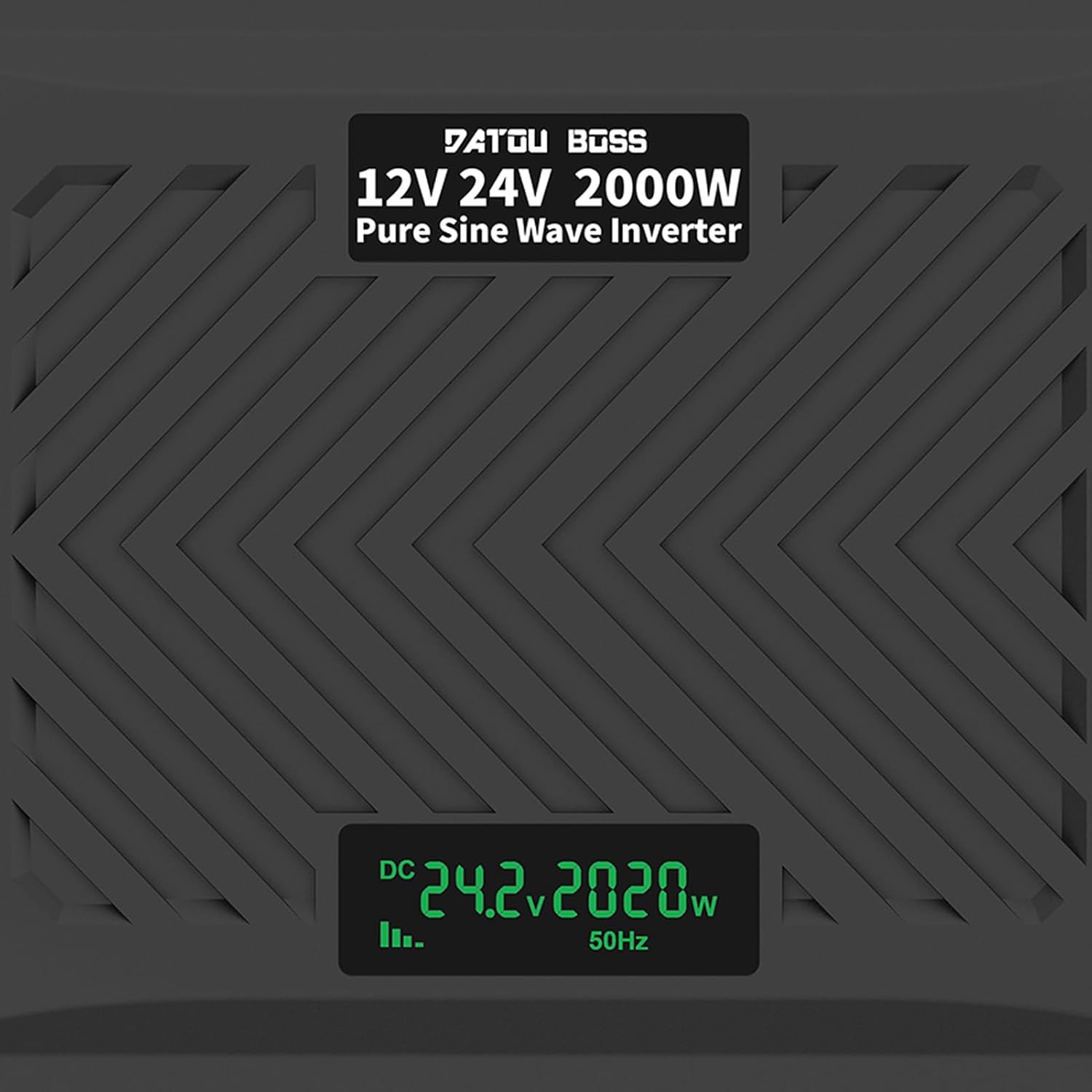
Image: A close-up of the LCD screen displaying real-time operational data, including DC input voltage, output power in watts, and output frequency.
- Dispositivi di connessione: Plug your AC appliances into the EU sockets. For USB charging, connect your devices to the USB-A or Type-C ports.
- Ventole di raffreddamento: The intelligent cooling fans will activate automatically when the internal temperature rises or when the load exceeds 40% of the rated capacity, ensuring optimal performance and preventing overheating.
- Spegni: To turn off the inverter, first disconnect all connected appliances, then switch the NO/OFF button to the "OFF" position. Finally, disconnect the battery cables.

Image: The inverter in an outdoor setting, demonstrating its use to power a laptop and a projector, highlighting its portability and utility for various applications.

Image: An illustration demonstrating the wide range of devices that can be powered by the 2000W pure sine inverter, including refrigerators, computers, kettles, electric drills, and microwave ovens.
Specifiche
| Caratteristica | Specificazione |
|---|---|
| Nome del modello | TY-PSW-E2000 |
| Potenza di uscita nominale | 2000W |
| Potenza di uscita massima | 4000W |
| Ingresso volumetage | 12V DC / 24V DC (Intelligent Identification) |
| Volume di uscitatage | 220 V CA, 230 V CA, 240 V CA |
| Frequenza di uscita | 50 Hz |
| Forma d'onda di uscita | Onda sinusoidale pura |
| Corrente senza carico | Meno di 0.7A |
| Efficienza di conversione | >92% |
| Uscita USB | 1 x USB-A (2.1A), 1 x USB Type-C |
| Temperatura di esercizio | -10°C a 50°C |
| Metodo di raffreddamento | Raffreddamento ad aria intelligente |
| Funzioni di protezione | Ingresso sottovolumetage, volume di ingresso elevatotage, overload, output short circuit, overheating, reverse polarity (fuse triggered) |

Image: The inverter's dimensions (24.5cm/9.64in x 32.5cm/12.79in x 9.0cm/3.54in) and an illustration of its efficient and stable pure sine wave output.
Manutenzione
Una manutenzione regolare garantisce la longevità e le prestazioni ottimali del tuo inverter:
- Pulizia: Pulire periodicamente l'esterno dell'inverter con un panno morbido e asciutto. Non utilizzare detergenti liquidi o solventi.
- Ventilazione: Assicurarsi che le prese d'aria di raffreddamento siano libere da polvere e detriti. Utilizzare aria compressa per rimuovere eventuali ostruzioni, se necessario.
- Connessioni: Regularly check battery cable connections for tightness and corrosion. Clean terminals if corrosion is present.
- Magazzinaggio: Se si conserva l'inverter per un periodo prolungato, scollegarlo dalla batteria e conservarlo in un luogo fresco e asciutto.
Risoluzione dei problemi
This section addresses common issues you might encounter with your inverter. If the problem persists, contact customer service.
| Problema | Possibile causa | Soluzione |
|---|---|---|
| Nessun volume di uscitatage / L'inverter non si accende |
|
|
| Low output power / Inverter shuts down under load |
|
|
| L'allarme suona continuamente |
|
|
| Il display LCD mostra il codice di errore | Specific protection mode activated | Refer to the LCD display section in Operating Instructions for common indicators. Address the underlying issue (e.g., low voltage, sovraccarico). |
Garanzia e supporto
As a manufacturer, DATOUBOSS is committed to the quality of its products. We provide comprehensive customer service and technical support.
- Garanzia: Per i termini e le condizioni di garanzia specifici, fare riferimento alla documentazione di acquisto.
- Assistenza clienti: If you have any questions, encounter issues, or require technical assistance, please contact our friendly customer service team. Contact information can typically be found on the product packaging or the retailer's websito dove hai acquistato il prodotto.
Ask a question about this manual
Ask about setup, troubleshooting, compatibility, parts, safety, or missing instructions. Manuals+ will review the question and use this page’s manual context to help answer it.