
1. Introduzione
The IROK MT87 is an 80% TKL (Tenkeyless) mechanical keyboard designed for versatility and performance. It features a durable CNC aluminum alloy frame, tri-mode connectivity, hot-swappable switches, and customizable RGB lighting. This manual provides essential information for setting up, operating, and maintaining your keyboard.
2. Contenuto della confezione
- IROK MT87 Tri-Mode Mechanical Keyboard
- Cavo USB-C
- Estrattore per tasti
- Manuale dell'utente (questo documento)
3. Caratteristiche del prodotto
- CNC Full Aluminum Alloy Body: Precision-engraved aluminum alloy with high mesh anodic oxidation for a lustrous metallic feel and smooth touch.
- Comfortable Liquid Silicone Keycaps: Skin-like material, gentle to the touch, resistant to oil, and protective for knuckles.
- High Performance Yellow Switches: Full POM switches for enhanced oxidation resistance, sensitivity, and a longer mechanical life (50 million cycles). Features a linear feel with 45g pressure and 1.7mm trigger stroke.
- Connessione Tri-Mode: Supports USB-C wired, Bluetooth 5.0, and 2.4GHz wireless modes. Can memorize up to 5 devices.
- Large 10000 mAh Battery: More than double the capacity of conventional keyboards for extended wireless use.
- 5-Layer Sound Optimization: Padded structure design reduces chamber noise, enhancing sound quality for a cleaner, quieter typing sensation.
- Design compatto TKL a 87 tasti: Streamlined layout saves 20% desktop space compared to full-size keyboards.
- PCB sostituibile a caldo: Consente una facile personalizzazione e sostituzione degli interruttori senza saldature.
- Retroilluminazione RGB: Customizable RGB lighting with multiple effects.
4. Configurazione e connessione
4.1 Modalità di connessione
The MT87 keyboard supports three connection modes: Wired (USB-C), 2.4GHz Wireless, and Bluetooth 5.0.

Image: Diagram illustrating the three connection modes: 2.4GHz wireless, USB-C wired, and low power BT 5.0. It also highlights Win/Mac dual system compatibility.
4.1.1 Connessione cablata
- Collegare il cavo USB-C in dotazione alla porta USB-C della tastiera.
- Collegare l'altra estremità del cavo USB-C a una porta USB disponibile sul computer.
- La tastiera verrà riconosciuta automaticamente e sarà pronta all'uso.
4.1.2 Connessione wireless a 2.4 GHz
- Individuare il ricevitore USB da 2.4 GHz, solitamente conservato in uno scomparto sulla tastiera.
- Collega il ricevitore USB da 2.4 GHz a una porta USB disponibile sul tuo computer.
- Switch the keyboard to 2.4GHz mode using the mode switch (refer to the keyboard's physical layout for exact location, often on the side or bottom).
- La tastiera dovrebbe connettersi automaticamente.
Connessione Bluetooth 5.0 4.1.3
The keyboard can memorize up to 3 Bluetooth devices.
- Passare la tastiera alla modalità Bluetooth utilizzando l'interruttore di modalità.
- Sul tuo computer o dispositivo, attiva il Bluetooth e cerca nuovi dispositivi.
- Select "IROK MT87" (or similar name) from the list of available devices to pair.
- Seguire le istruzioni visualizzate sullo schermo per completare il processo di associazione.
- To switch between memorized Bluetooth devices, use the designated function key combinations (e.g., Fn + 1, Fn + 2, Fn + 3).
4.2 Compatibilità del sistema
The IROK MT87 is compatible with both Windows and Mac operating systems.
- Per passare alla modalità Mac: premere Fn + P
- To switch back to Windows mode: Press Fn + 0
5. Funzionamento
5.1 Funzioni e combinazioni dei tasti
The MT87 keyboard features an 87-key TKL layout. Many keys have secondary functions accessible via the Fn chiave.

Immagine: dall'alto view of the IROK MT87 keyboard, highlighting its compact 87-key TKL layout which saves desktop space.
Refer to the keycap legends for specific Fn combinations for multimedia control, lighting adjustments, and other functions.
5.2 Controllo dell'illuminazione RGB
The keyboard offers customizable RGB backlighting with various effects.
- Cambia modalità di illuminazione: Use specific Fn key combinations (e.g., Fn + Right Arrow, Fn + Left Arrow) to cycle through different lighting effects.
- Regola luminosità: Use Fn key combinations (e.g., Fn + Up Arrow, Fn + Down Arrow) to increase or decrease brightness.
- Regola la velocità: Use Fn key combinations to change the speed of dynamic lighting effects.
5.3 Liquid Silicone Keycaps and Yellow Switches
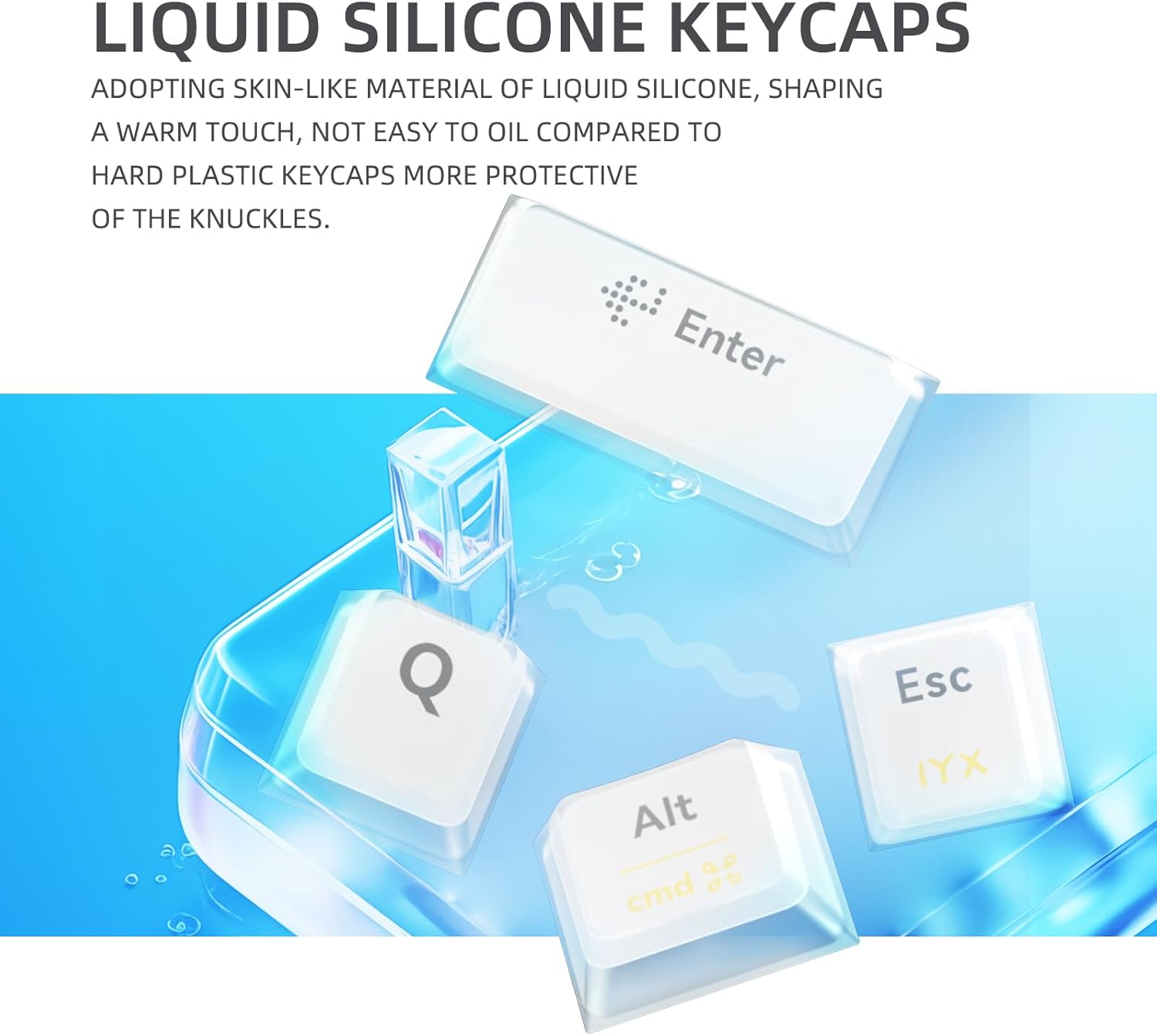
Immagine: Primo piano view of the liquid silicone keycaps, emphasizing their skin-like material and gentle touch.

Image: Close-up of the yellow switches, highlighting their linear feel, 45g pressure, 1.7mm trigger stroke, and 50 million cycle mechanical life.
6. Manutenzione
6.1 Pulizia della tastiera
- Scollegare la tastiera dal computer prima di pulirla.
- Utilizzare un panno morbido e privo di lanugine leggermente dampPulire i tasti e la cornice con acqua o una soluzione detergente delicata.
- Evitare di spruzzare liquidi direttamente sulla tastiera.
- Per una pulizia più approfondita, utilizzare l'estrattore per tasti in dotazione per rimuovere i tasti e pulire la parte inferiore con aria compressa.
6.2 Cura della batteria
The MT87 features a 10000 mAh battery.
- Caricare la tastiera utilizzando il cavo USB-C in dotazione collegato a una fonte di alimentazione USB standard.
- Evitare di scaricare completamente la batteria frequentemente per prolungarne la durata.
- Quando non si utilizza la tastiera per lunghi periodi, conservarla in un luogo fresco e asciutto.
7. Risoluzione Dei Problemi
7.1 La tastiera non risponde
- Modalità cablata: Assicurati che il cavo USB-C sia collegato saldamente sia alla tastiera che al computer. Prova una porta USB o un cavo diverso.
- Modalità wireless a 2.4 GHz: Ensure the 2.4GHz receiver is plugged in and the keyboard is switched to 2.4GHz mode. Try re-pairing by unplugging and re-plugging the receiver.
- Modalità Bluetooth: Ensure Bluetooth is enabled on your device and the keyboard is in Bluetooth mode. Re-pair the device if necessary. Check battery level.
7.2 Input Lag o disconnessioni
- Modalità senza fili: Ensure there are no strong interferences (e.g., other wireless devices, large metal objects) between the keyboard and the receiver/device. Move closer to the receiver/device.
- Batteria: Low battery can affect wireless performance. Charge the keyboard fully.
7.3 L'illuminazione RGB non funziona
- Assicurati che la tastiera sia accesa.
- Controllare se l'illuminazione è spenta o impostata sulla luminosità minima utilizzando le combinazioni di tasti Fn.
8. Specifiche
| Caratteristica | Dettaglio |
|---|---|
| Numero di modello | MT87 |
| Disposizione | 87-key TKL |
| Materiale del telaio | Lega di alluminio CNC |
| keycaps | Silicone liquido |
| Interruttori | Yellow Switches (Full POM) |
| Connettività | USB-C Wired, Bluetooth 5.0, 2.4GHz Wireless |
| Capacità della batteria | 10000 mAh |
| Retroilluminazione | RGB (16.8 milioni di colori) |
| Dispositivi compatibili | Computer portatile, PC |
| Dimensioni del prodotto | 15.75 x 7.87 x 1.18 pollici |
| Peso dell'articolo | 5.95 libbre |

Immagine: dettagliata view of the keyboard's features including metal swivel foot support, metal textured logo, 2.4GHz receiver compartment with physical switch, and air plug connection cord.
9. Garanzia e supporto
For warranty information and technical support, please refer to the official IROK websito o contattare il rivenditore. Conservare la ricevuta d'acquisto per eventuali reclami in garanzia.