
iKF iKF Alive
iKF Alive Wireless Noise-Cancelling Neckband Earphones User Manual
Model: iKF Alive
1. Prodotto finitoview
The iKF Alive Wireless Noise-Cancelling Neckband Earphones offer an immersive audio experience with advanced features. Designed for comfort and durability, these earphones are suitable for daily use, sports, and gaming.
- Cancellazione attiva del rumore: Up to -49dB noise reduction for undisturbed listening.
- Magnetic Neckband Design: Prevents loss and offers convenient storage.
- IPX5 impermeabile: Resistant to sweat and rain, ideal for workouts.
- Tempo di riproduzione esteso: Up to 20 hours of playback (16 hours with ANC).
- Suono stereo HiFi: Equipped with 13mm composite speakers for superior audio quality.
- Modalità bassa latenza: Ensures seamless audio synchronization for gaming and videos.
- Connessione multipunto: Connects to two devices simultaneously for easy switching.

Figure 1: iKF Alive Wireless Noise-Cancelling Neckband Earphones.
2. Cosa c'è nella scatola
Si prega di controllare il contenuto della confezione dopo averla disimballata:
- iKF Alive Earphones x 1
- Cavo di ricarica USB x 1
- Manuale utente x 1
3. Impostazione
3.1 Ricarica degli auricolari
Prima del primo utilizzo, caricare completamente gli auricolari. Una carica completa richiede circa 1.5 ore.
- Connect the provided USB charging cable to the charging port on the neckband and a power source.
- L'indicatore LED mostrerà lo stato di carica.
- Once fully charged, the earphones provide up to 20 hours of playtime (16 hours with Active Noise Cancellation enabled).

Figura 2: Indicazione della durata della batteria e della carica.
3.2 Associazione Bluetooth
The iKF Alive earphones use Bluetooth 5.4 for stable connectivity.
- Assicurarsi che gli auricolari siano carichi e spenti.
- Tenere premuto il pulsante multifunzione finché l'indicatore LED non lampeggia in blu e rosso, indicando la modalità di associazione.
- Sul tuo dispositivo (smartphone, tablet, ecc.), attiva il Bluetooth e cerca i dispositivi disponibili.
- Select "iKF Alive" from the list of devices to connect.
- Una volta connesso, l'indicatore LED diventerà blu fisso.
3.3 Connessione multipunto
The earphones support connecting to two devices simultaneously.
- Pair the earphones with the first device as described above.
- Disattivare il Bluetooth sul primo dispositivo.
- Put the earphones back into pairing mode and connect to the second device.
- Riattiva il Bluetooth sul primo dispositivo. Gli auricolari dovrebbero connettersi automaticamente a entrambi i dispositivi.

Figure 3: Multipoint connection via the iKF App.
4. Istruzioni per l'uso
4.1 Controlli di base
The earphones feature a 3-button control panel on the neckband for easy management of music and calls.
- Accensione/spegnimento: Premere e tenere premuto il pulsante multifunzione.
- Riproduci/Pausa: Premere una volta il pulsante multifunzione.
- Volume su/giù: Premere i pulsanti '+' o '-'.
- Traccia successiva / precedente: Long press the '+' or '-' buttons.
- Rispondi/Termina chiamata: Premere una volta il pulsante multifunzione.
- Rifiuta chiamata: Premere a lungo il pulsante multifunzione.
- Attiva l'assistente vocale: Premere due volte il pulsante multifunzione.
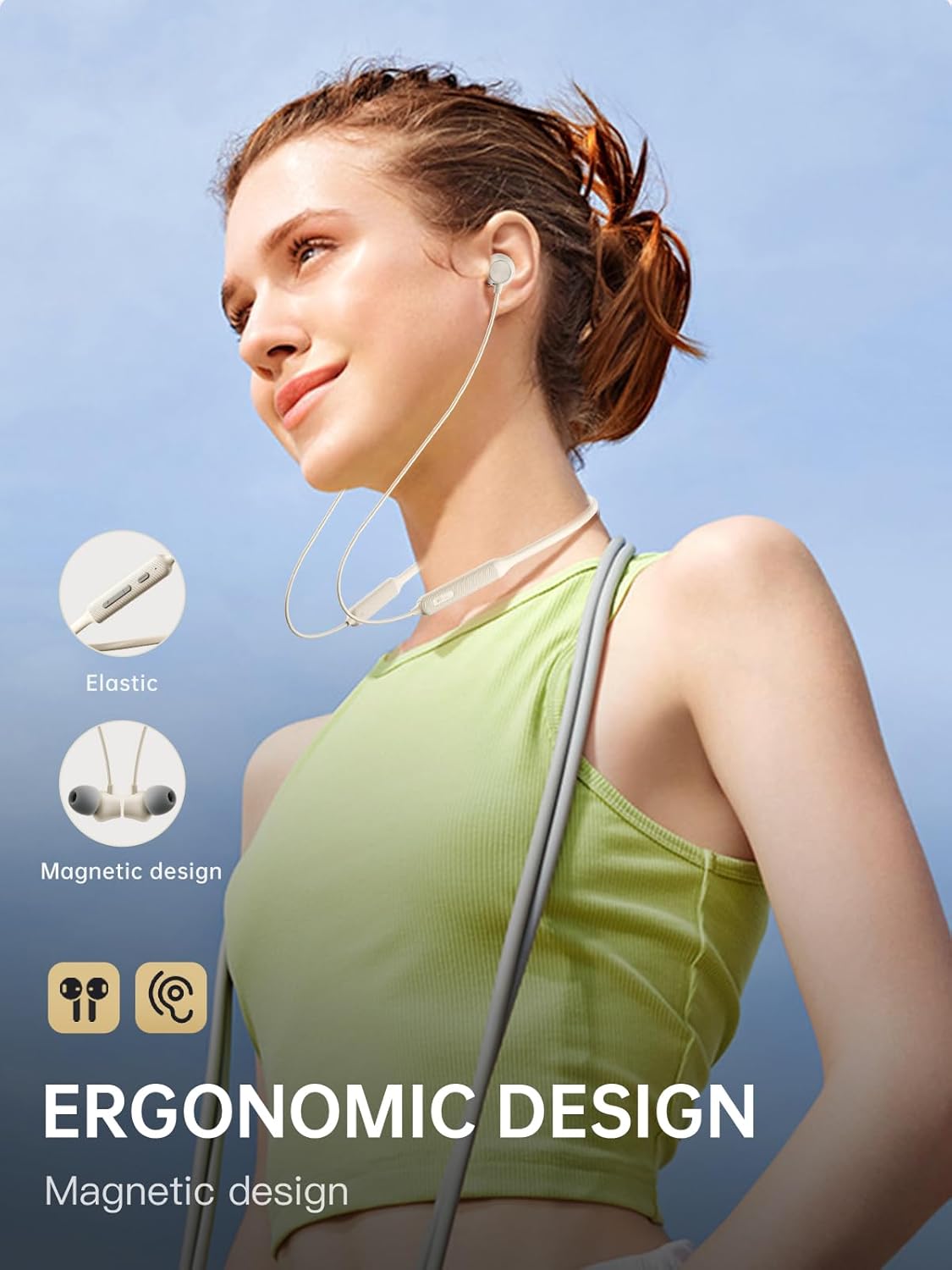
Figure 4: Ergonomic design and magnetic earbud feature.
4.2 Cancellazione attiva del rumore (ANC)
The iKF Alive earphones feature up to -49dB Active Noise Cancellation to minimize ambient noise.
- Attiva/disattiva ANC: Use the dedicated ANC button on the neckband or control via the iKF App.
- The iKF App allows for three adjustable noise reduction gears to suit different environments.

Figura 5: Cancellazione attiva del rumore in azione.
4.3 HiFi Stereo Sound and Low Latency
Experience high-fidelity audio and seamless synchronization.
- The 13mm composite speakers deliver rich, detailed HiFi stereo sound.
- Activate the low latency mode (38ms) for gaming and video streaming to ensure audio and visuals are perfectly synchronized.

Figure 6: Internal structure of the 13mm HiFi speaker driver.
4.4 Controllo dell'app iKF
Enhance your experience with the iKF App, available for both Android and iOS devices.
- Customize noise cancellation levels.
- Access headphone positioning features.
- Manage in-ear detection settings.
- Configure sleep mode and custom touch controls.
5. Manutenzione
5.1 Resistenza all'acqua
The iKF Alive earphones are IPX5 waterproof, providing protection against sweat and light rain.
- Avoid submerging the earphones in water.
- Assicurarsi che il coperchio della porta di ricarica sia ben chiuso per evitare infiltrazioni d'acqua.
- Wipe off any sweat or moisture after use with a soft, dry cloth.

Figure 7: Designed for sports with IPX5 water resistance.
5.2 Pulizia e conservazione
- Regularly clean the ear tips and earphone surfaces with a soft, slightly damp stoffa.
- Non utilizzare prodotti chimici aggressivi o materiali abrasivi.
- Conservare gli auricolari in un luogo fresco e asciutto, lontano dalla luce solare diretta e da temperature estreme.
- The magnetic earbuds help keep the neckband tidy and prevent tangling when not in use.
6. Risoluzione Dei Problemi
In caso di problemi, fare riferimento alle seguenti soluzioni comuni:
| Problema | Possibile soluzione |
|---|---|
| Gli auricolari non si accendono | Assicurarsi che gli auricolari siano completamente carichi. |
| Impossibile associare il dispositivo | Make sure earphones are in pairing mode (flashing blue/red). Turn off and on Bluetooth on your device. Forget previous pairings and try again. |
| Nessun suono o volume basso | Controllare il volume sia degli auricolari che del dispositivo collegato. Assicurarsi che gli auricolari siano collegati correttamente. |
| L'ANC non funziona in modo efficace | Ensure ANC is enabled. Adjust ear tips for a secure seal. Clean any debris from the microphone ports. |
| Connessione intermittente | Ensure no obstacles between earphones and device. Move closer to the device. Avoid strong electromagnetic interference. |
Se il problema persiste, contattare l'assistenza clienti.
7. Specifiche
| Caratteristica | Dettaglio |
|---|---|
| Nome del modello | iKF Alive |
| Marca | iKF |
| Connettività | Senza fili (Bluetooth 5.4) |
| Posizionamento dell'orecchio | In-ear (auricolare) |
| Fattore di forma | Fascia per il collo |
| Cancellazione attiva del rumore | Fino a -49 dB |
| Livello di resistenza all'acqua | Grado di protezione IPX5 |
| Tempo di gioco | Fino a 20 ore (16 ore con ANC) |
| Tempo di ricarica | Circa 1.5 ore |
| Latenza audio | 38 millisecondi |
| Tipo di conducente | Dynamic Driver (13mm composite speakers) |
| Impedenza | 32 Ohm |
| Tipo di controllo | Pulsante, tocco (tramite app) |
| Caratteristiche speciali | Multipoint Pairing, Noise Cancellation, Fast Charging |
| Dispositivi compatibili | Cellular Phones, Phones |
| Materiale | Silicone |
8. Garanzia e supporto
iKF provides a standard warranty for this product. Please refer to the warranty card included in your package for specific terms and conditions.
For technical support, troubleshooting assistance, or warranty claims, please contact iKF customer service through the official websito o il tuo rivenditore.
Ask a question about this manual
Ask about setup, troubleshooting, compatibility, parts, safety, or missing instructions. Manuals+ will review the question and use this page’s manual context to help answer it.