
1. Introduzione
The Unitek CFexpress Type A and SD4.0 UHS-II Memory Card Reader is designed for high-speed data transfer from CFexpress Type A and SD cards to your computer or compatible device. Featuring USB 3.2 Gen 2 connectivity, it supports transfer speeds up to 10Gbps, making it suitable for professionals requiring efficient handling of large files such as high-resolution photos and Full HD videos.

Image 1.1: Unitek CFexpress Type A and SD4.0 UHS-II Memory Card Reader.
2. Caratteristiche del prodotto
- Trasferimento dati ad alta velocità: Supports up to 10Gbps (1250MB/s) via USB 3.2 Gen 2x1 for CFexpress Type A and SD4.0 UHS-II cards. Backward compatible with USB 3.1 Gen 1 and USB 3.0. An LED indicator shows data transfer activity.
- Doppi slot per schede: Features dedicated slots for CFexpress Type A and SD cards (SD/SDHC/SDXC/SDUC). Both slots can be used simultaneously. Note: Not compatible with CFexpress Type B/C or XQD cards.
- Ampia compatibilità: Compatible with Windows, macOS, Linux, and Android operating systems. Supports CFexpress cards up to 2TB capacity.
- Design durevole e portatile: Constructed with an aluminum alloy housing for durability and efficient heat dissipation. Its compact size is suitable for travel.

Image 2.1: Illustration of CFexpress Type A and SD card compatibility.
3. Contenuto della confezione
Si prega di verificare che tutti gli articoli siano presenti nel pacco:
- 1 x Unitek CFexpress Type A and SD4.0 UHS-II Memory Card Reader
- 1 cavo da USB-C a USB-C
- 1 x Manuale utente (questo documento)
4. Impostazione
- Connect one end of the provided USB-C to USB-C cable to the USB-C port on the Unitek card reader.
- Connect the other end of the USB-C cable to an available USB-C port on your computer, laptop, tablet, or smartphone.
- The device is plug-and-play and does not require any driver installation. Your operating system should automatically recognize the card reader.
- For optimal 10Gbps transfer speeds, ensure your host device's USB-C port supports USB 3.2 Gen 2.
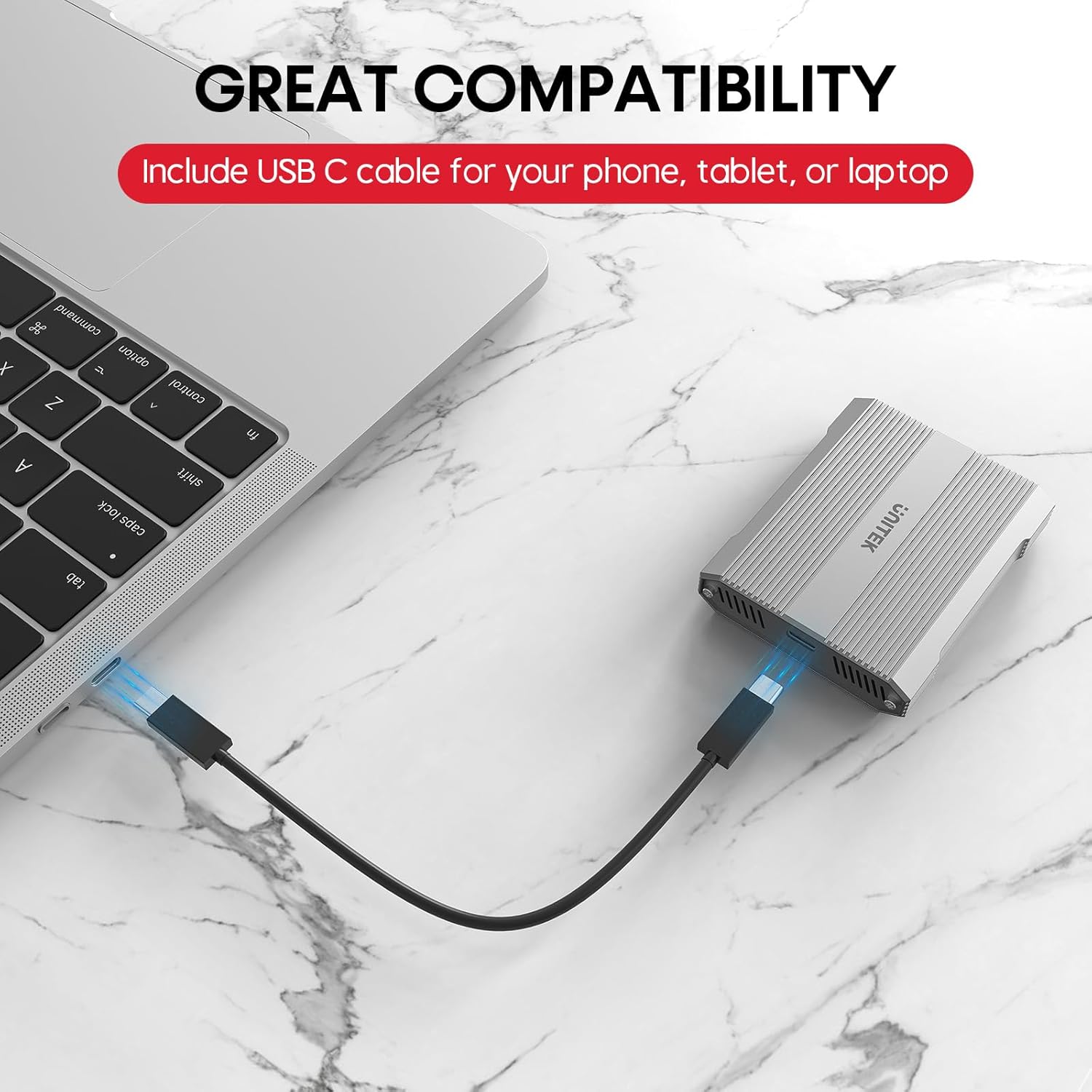
Image 4.1: Connecting the card reader to a laptop via USB-C.
5. Istruzioni per l'uso
5.1 Inserimento delle schede di memoria
- For CFexpress Type A Cards: Gently insert your CFexpress Type A card into the designated CFexpress Type A slot on the reader until it clicks into place. Ensure the card is oriented correctly.
- For SD Cards: Gently insert your SD, SDHC, SDXC, or SDUC card into the designated SD slot on the reader until it clicks into place. Ensure the card is oriented correctly.

Image 5.1: Correct insertion of a CFexpress Type A card.

Image 5.2: Correct insertion of an SD card.
5.2 Trasferimento dati
- Once a card is inserted and the reader is connected, it will appear as a removable drive in your computer's file Explorer (Windows) o Finder (macOS).
- Ora puoi trascinare e rilasciare files, copy, or move data between your memory card and your computer.
- The LED indicator on the reader will flicker during active data transfer.

Image 5.3: Visual representation of 10Gbps data transfer.
5.3 Safely Ejecting Cards
To prevent data corruption, always safely eject the memory card or the card reader from your operating system before physically removing the card or disconnecting the reader.
- Finestre: Right-click on the drive icon in 'This PC' or 'File Explorer' and select 'Eject'.
- Mac OS: Drag the drive icon from the desktop or Finder sidebar to the Trash, or right-click and select 'Eject'.
6. Compatibilità
The Unitek R1022A card reader offers broad compatibility:
- Memory Card Types: CFexpress Type A, SD, SDHC, SDXC, SDUC (SD4.0 UHS-II).
- Sistemi operativi: Windows, macOS, Linux, Android.
- Dispositivi host: Laptops, desktop computers, tablets, and smartphones with a USB-C port.
Nota importante: This card reader is specifically designed for CFexpress Type A cards and is non compatibile with CFexpress Type B, CFexpress Type C, or XQD cards.

Immagine 6.1: Compatibilità con vari sistemi operativi e dispositivi.
7. Manutenzione
- Mantenere il lettore di schede pulito e privo di polvere e detriti. Utilizzare un panno morbido e asciutto per la pulizia.
- Evitare di esporre il dispositivo a temperature estreme, luce solare diretta o elevata umidità.
- Do not attempt to disassemble or modify the card reader, as this will void the warranty.
- Gestione del calore: The aluminum alloy housing aids in heat dissipation. However, during prolonged high-speed data transfers or if left connected with cards inserted, the device and cards may become warm. To prolong the lifespan of your cards and the reader, it is recommended to remove cards when not actively transferring data.
8. Risoluzione Dei Problemi
- Dispositivo non riconosciuto:
- Ensure the USB-C cable is securely connected to both the card reader and your host device.
- Prova a connetterti a una porta USB-C diversa sul tuo dispositivo.
- Se disponibile, prova con un cavo USB-C diverso.
- Riavvia il computer o il dispositivo host.
- Velocità di trasferimento lente:
- Verify that your host device's USB-C port supports USB 3.2 Gen 2 (10Gbps). Older USB versions will result in lower speeds.
- Ensure your memory cards (CFexpress Type A or SD) are high-speed cards capable of 10Gbps or UHS-II speeds.
- Close any background applications that might be consuming system resources or performing other data transfers.
- La scheda di memoria non legge:
- Assicurarsi che la scheda di memoria sia inserita correttamente e completamente nello slot appropriato.
- Check if the memory card is damaged or corrupted. Try the card in another device if possible.
- Confirm that you are using a compatible card type (CFexpress Type A or SD). This reader does not support CFexpress Type B/C or XQD cards.
- Surriscaldamento del dispositivo:
- It is normal for the device to become warm during operation, especially during large data transfers.
- If the device feels excessively hot, ensure it has adequate ventilation and is not covered.
- Remove memory cards from the reader when not in active use to reduce heat buildup.
9. Specifiche
| Marca | Unitek |
| Nome del modello | R1022A |
| Tipo di supporto | CFexpress Type A, SD4.0 UHS-II (SD/SDHC/SDXC/SDUC) |
| Tecnologia di connettività | USB Type C (USB 3.2 Gen 2x1) |
| Velocità di trasferimento dati | Fino a 10 Gigabit al secondo |
| Dispositivi compatibili | Laptop, PC, Phone, Tablet |
| Sistema operativo | Windows, macOS, Linux, Android |
| Caratteristica speciale | Compact, Plug & Play |
| Materiale dell'alloggiamento | Lega di alluminio |
| Max CFexpress Card Capacity | 2 TB |

Image 9.1: Compact design and dimensions of the card reader.
10. Video ufficiale del prodotto
Video 10.1: Official product video demonstrating the Unitek CFexpress Type A and SD4.0 UHS-II Memory Card Reader, highlighting its dual card slots, 10Gbps data transfer speed, and USB-C connectivity.
11. Garanzia e supporto
The Unitek CFexpress Type A and SD4.0 UHS-II Memory Card Reader comes with a Garanzia di 1 anno dalla data di acquisto.
For technical support, warranty claims, or any other inquiries, please contact Unitek customer service. Refer to the product packaging or the official Unitek websito per le informazioni di contatto più aggiornate.