
1. Introduzione
Thank you for choosing the TNICER G10 Motorcycle Intercom with 2K Camera. This device combines a high-definition camera with advanced intercom features, designed to enhance your riding experience by providing communication, entertainment, and reliable video recording. Please read this manual thoroughly before use to ensure proper operation and to maximize the device's potential.

Image 1.1: The TNICER G10 Motorcycle Intercom unit with an included 64GB TF card.
2. Contenuto della confezione
Assicurati che tutti gli articoli siano presenti nel pacco:
- G10 Unità principale
- Speaker & Arm Microphone
- Cord Microphone
- Base girevole
- 3M Double-sided Adhesive Mat
- 3M Single-sided Adhesive Mat
- Velcro per altoparlante
- Speaker Thickening Spacer
- Microfono Velcro
- metal clip
- Cavo di ricarica USB
- Manuale di istruzioni
- Scheda di memoria 64GB

Image 2.1: Visual representation of all components included in the TNICER G10 package.
3. Prodotto finitoview
The TNICER G10 integrates a 2K camera with a motorcycle intercom system. Key features include:
- Telecamera 2K HD: Equipped with a Sony IMX335 sensor for clear video recording and 5-megapixel photo capture.
- EIS Anti-Shake Technology: Electronic Image Stabilization minimizes blur for stable video footage during rides.
- Rotatable Lens & Body: The camera lens can rotate 30 degrees, and the main unit can rotate 360 degrees for optimal shooting angles.
- 8-Person Intercom: Supports group communication for up to 8 riders with a maximum range of 1000 meters.
- Bluetooth 5.2 e Wi-Fi: Advanced connectivity for stable communication and app control.
- Batteria da 2000 mAh: Provides up to 5 hours of continuous video recording.
- IP67 impermeabile: Progettato per resistere a varie condizioni atmosferiche.
- Condivisione di musica e radio FM: Enjoy music with a fellow rider or tune into FM radio stations.
- CVC & DSP Noise Canceling: Reduces wind noise and engine sounds for clear audio.

Immagine 3.1: Un overview of the TNICER G10's main functionalities and specifications.
4. Configurazione e installazione
4.1 Ricarica del dispositivo
Before first use, fully charge the G10 unit. Connect the USB charging cable to the device and a power source. The charging indicator will show the charging status.
4.2 Installazione della scheda di memoria
Insert the provided 64GB TF card into the designated slot on the G10 unit. The device supports up to 256GB TF cards for extended recording.

Image 4.1: Proper insertion of the 64GB memory card for recording.
4.3 Montaggio sul casco
Choose between the metal clip or the adhesive mount for securing the G10 to your helmet. Ensure the mount is firmly attached and the unit is stable.
- Attach the rotatable base to your helmet using either the metal clip or the 3M adhesive mat.
- Slide the G10 main unit onto the rotatable base until it clicks into place.
- Adjust the unit's position using the 360-degree rotatable body and the 30-degree rotatable camera lens to achieve the desired camera angle.

Image 4.2: The G10's rotatable bracket allows for flexible positioning on the helmet.

Image 4.3: The G10 offers both 30-degree lens rotation and 360-degree body rotation for precise camera angle adjustment.
4.4 Connecting Speakers and Microphones
Carefully route the speaker and microphone wires inside your helmet and connect them to the G10 unit. Use the provided Velcro pads to secure the speakers and microphone in optimal positions for clear audio.
5. Istruzioni per l'uso
5.1 Accensione/spegnimento
- Accensione: Tenere premuto il pulsante di accensione per circa 3 secondi finché la spia non si accende.
- Spegni: Tenere premuto il pulsante di accensione per circa 3 secondi finché la spia non si spegne.
5.2 Funzionamento della fotocamera
The G10 features a 2K HD camera with EIS anti-shake technology.
- Avvia la registrazione: Press the Camera button once to begin video recording. The indicator light will change to confirm recording.
- Interrompi registrazione: Premere nuovamente il pulsante Fotocamera per interrompere la registrazione.
- Scatta una foto: While not recording, press and hold the Camera button for 2 seconds to take a 5-megapixel photo.
- Registrazione in loop: Il dispositivo registra automaticamente in loop, sovrascrivendo i dati più vecchi files when the memory card is full. Important moments can be protected by the G-sensor.

Image 5.1: The G10's 2K HD camera captures clear footage con un ampio campo di view.

Image 5.2: Demonstrating the effectiveness of EIS anti-shake technology for stable video recording.
5.3 Funzioni dell'interfono
The G10 supports group intercom for up to 8 riders.
- Abbinamento: Use the one-touch auto pairing function to connect multiple G10 devices. Refer to the detailed pairing instructions in the full manual for specific steps. The G10 is also compatible with many third-party Bluetooth intercoms.
- Group Talk: Once paired, riders can communicate within a 1000-meter range.

Image 5.3: The G10 supports communication for up to 8 riders over a distance of 1000 meters.
5.4 Musica e radio FM
- Riproduzione musicale: Collega il tuo smartphone tramite Bluetooth per riprodurre la musica.
- Condivisione di musica: Two riders can share music within a 50-meter range. Ensure the intercom function is off when using music sharing.
- FM Radio: Attivare la funzione radio FM per ascoltare le stazioni locali.
- Effetti sonori: Adjust between three sound effect modes (Bass Boost, Treble Boost, Mid-range Boost) to customize your audio experience.

Image 5.4: Music sharing and customizable sound effects enhance the audio experience.
5.5 Controllo Wi-Fi e app
The G10 has built-in Wi-Fi for seamless connection to its dedicated smartphone application.
- Download dell'app: Download the official TNICER app from Google Play Store or Apple App Store.
- In tempo reale View: Connect via Wi-Fi to view telecamera in diretta footage sul tuo smartphone.
- File Gestione: Download recorded videos and photos directly to your phone for easy sharing and backup.
- Regolazione delle impostazioni: Configure camera and intercom settings through the app.

Image 5.5: The G10's built-in Wi-Fi allows for real-time viewe controllo tramite un'app per smartphone.
6. Batteria e ricarica
The G10 is equipped with a 2000mAh rechargeable battery.
- Registrazione continua: Fino a 5 ore.
- Tempo di conversazione: Fino a 35 ore.
- Riproduzione musicale: Fino a 38 ore.
- Tempo di ricarica: Circa 3 ore.
Always use the provided USB charging cable. Avoid using damaged cables or chargers.
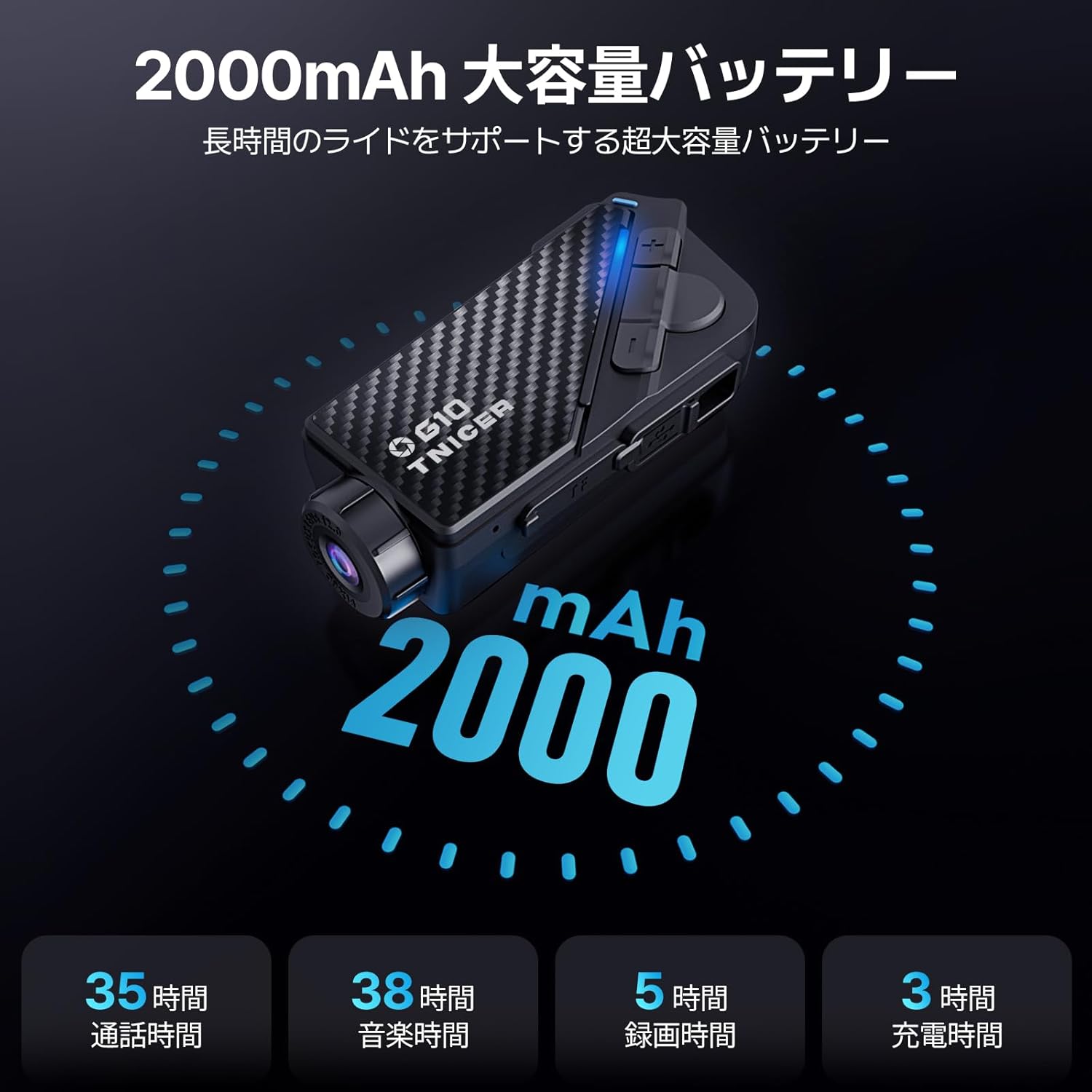
Image 6.1: Battery performance metrics for the TNICER G10.
7. Cura e manutenzione
- Pulizia: Utilizzare un morbido, damp panno per pulire il dispositivo. Non utilizzare prodotti chimici aggressivi o detergenti abrasivi.
- Resistenza all'acqua: The G10 is IP67 waterproof. While it can withstand rain, avoid submerging it in water for extended periods.
- Magazzinaggio: Conservare il dispositivo in un luogo fresco e asciutto quando non viene utilizzato.
- Cura della batteria: For optimal battery life, avoid extreme temperatures and fully charge the device periodically if stored for long durations.
8. Risoluzione Dei Problemi
If you encounter issues with your G10, try the following solutions:
- Il dispositivo non si accende: Assicurarsi che la batteria sia carica. Collegare a una fonte di alimentazione e riprovare.
- Nessun audio dagli altoparlanti: Controllare i collegamenti degli altoparlanti. Assicurarsi che il volume non sia disattivato o troppo basso.
- Interfono non connesso: Ensure both devices are in pairing mode and within range. Try re-pairing the devices.
- Problemi di registrazione video: Controlla che la scheda di memoria sia inserita correttamente e che abbia spazio libero sufficiente. Se necessario, formatta la scheda di memoria (questa operazione cancellerà tutti i dati).
- Problemi di connessione Wi-Fi: Ensure Wi-Fi is enabled on the G10 and your smartphone. Restart both devices and try connecting again.
For further assistance, please refer to the comprehensive troubleshooting section in the full instruction manual or contact customer support.
9. Specifiche
| Caratteristica | Specificazione |
|---|---|
| Marca | TNICER |
| Numero di modello | G10 |
| Risoluzione di acquisizione video | 2K |
| Risoluzione della foto | 5 Megapixel |
| Stabilizzazione dell'immagine | Digitale (EIS) |
| Rotazione dell'obiettivo | 30 gradi |
| Body Rotation | 360 gradi |
| Dimensione del gruppo interfono | Fino a 8 ciclisti |
| Interfono | Fino a 1000 metri |
| Versione Bluetooth | 5.2 |
| Tecnologia di connettività | Bluetooth, Wi-Fi |
| Capacità della batteria | 2000mAh |
| Tempo di registrazione continuo | Fino a 5 ore |
| Tempo di conversazione | Fino a 35 ore |
| Tempo di riproduzione della musica | Fino a 38 ore |
| Tempo di ricarica | Circa 3 ore |
| Supporto per schede di memoria | Up to 256GB TF card (64GB included) |
| Formato di acquisizione video | MP4 |
| Grado di impermeabilità | Grado di protezione IP67 |
| Cancellazione del rumore | CVC & DSP |
| Dimensioni | 20.4 x 10.9 x 8.9 cm (Confezione) |
| Peso | 450 g (Confezione) |
10. Garanzia e supporto
The TNICER G10 comes with a standard manufacturer's warranty. Please refer to the warranty card included in your package for specific terms and conditions. For technical support, product inquiries, or warranty claims, please contact TNICER customer service through the retailer where you purchased the product or visit the official TNICER websito.