
1. Introduzione
Grazie per l'acquistoasing the TNICER G1EX Bluetooth 5.2 Motorcycle Intercom. This device is designed to enhance your riding experience by providing seamless communication, music enjoyment, and navigation assistance. Please read this manual carefully before use to ensure proper operation and to maximize the product's lifespan.
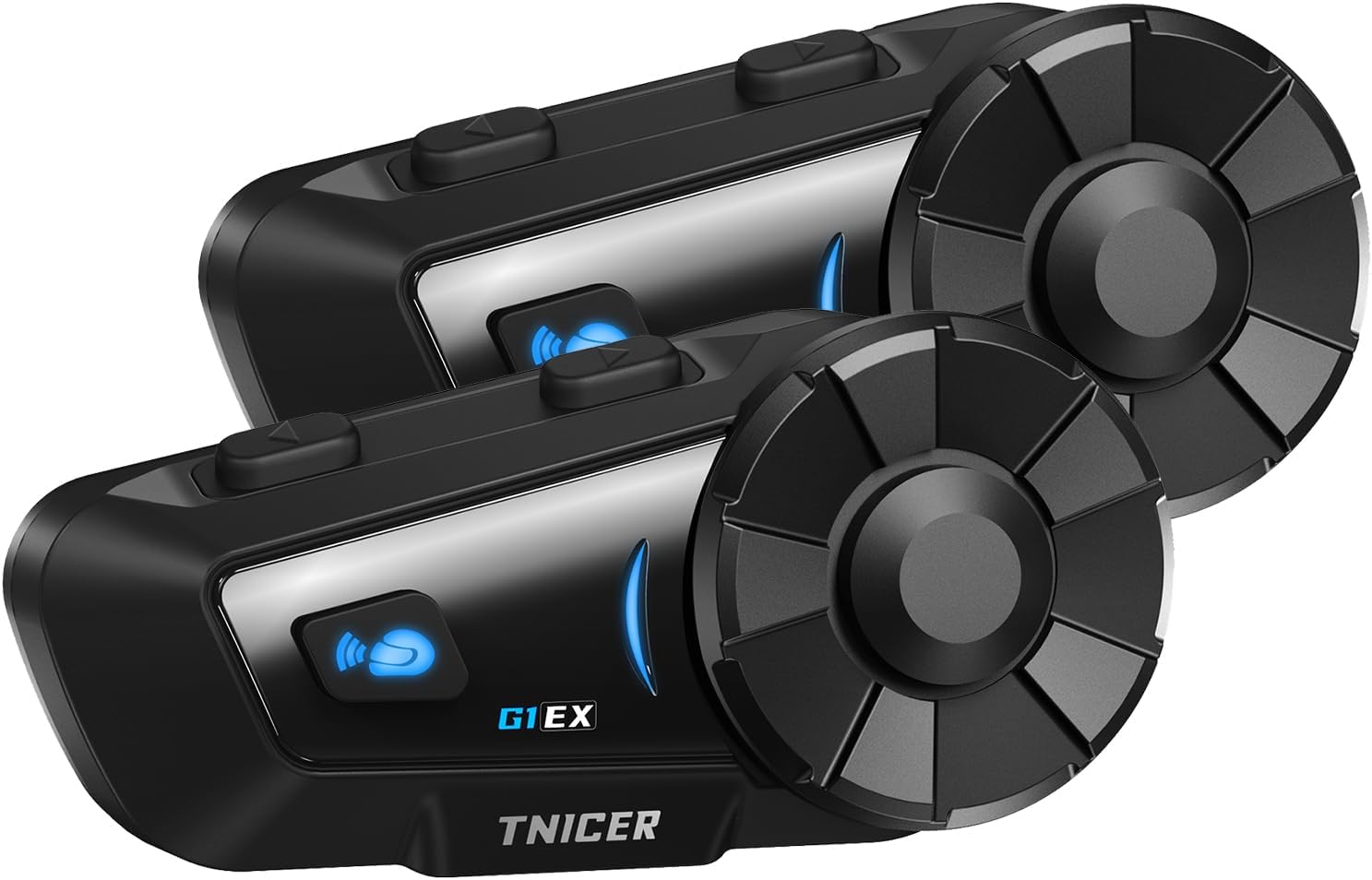
Figure 1.1: Two TNICER G1EX intercom units, showcasing their compact design and control buttons.
2. Prodotto finitoview
2.1 Caratteristiche principali
- Tecnologia Bluetooth 5.2: Ensures stable and high-speed data transmission for clear communication.
- Interfono per 6 passeggeri: Supports simultaneous communication for up to 6 riders with a maximum range of 1000 meters.
- One-Touch Automatic Pairing: Simplifies the connection process between G1EX units and other compatible TNICER models (T2, T4X).
- Cancellazione avanzata del rumore: Features CVC and DSP technologies to reduce wind and engine noise for clear audio.
- Condivisione di musica: Allows riders to share music with their companions.
- Compatibilità universale: Connects with most third-party intercoms on the market.
- Riconnessione automatica: Automatically re-establishes communication if temporarily disconnected.
- Supporto dell'assistente vocale: Compatible with smartphone voice assistants (Siri, Google Assistant).
- Batteria a lunga durata: 1000mAh battery provides up to 25 hours of music playback, 22 hours of talk time, and 300 hours of standby.
- Grado di impermeabilità IP65: Designed to withstand sand, rain, blizzards, and low temperatures (down to 0°C).
- Funzione radio FM: Built-in FM radio for local broadcasts.
- 3.5mm Universal Earphone Interface: Allows for custom speaker replacement.

Figura 2.1: Oltreview of G1EX features including IP65 waterproof, Hi-Fi stereo sound, Bluetooth 5.2, 40mm speaker, 1000mAh battery, FM radio, and music sharing.
2.2 Contenuto della confezione
- G1EX Main Unit (x2)
- 3.5mm Universal Jack (x2)
- Speaker & Arm Microphone (x2)
- Piastra di base (x2)
- Speaker Velcro & Spacer (x2)
- Clip di metallo (x2)
- Microfono in velcro (x2)
- 3M Double-sided Tape (x2)
- Cavo di ricarica USB (x2)
- Manuale di istruzioni (x2)

Figure 2.2: Visual representation of all items included in the TNICER G1EX package.
3. Impostazione
3.1 Carica iniziale
Before first use, fully charge the device. Connect the provided USB charging cable to the G1EX unit and a 5V/1A power source. Avoid using fast chargers as this may damage the battery.

Figure 3.1: The G1EX unit connected to a charger, illustrating its 1000mAh battery capacity and charging time.
3.2 Installazione sul casco
- Attach the base plate to the side of your helmet using either the metal clip or the 3M adhesive tape.
- Slide the G1EX main unit onto the installed base plate until it clicks securely into place.
- Insert the speakers into the helmet's ear pockets. Use the provided Velcro and spacers for optimal fit and sound quality.
- Position the microphone in front of your mouth, ensuring it is close enough for clear voice pickup but not obstructing your vision. Secure with microphone Velcro.
- Connect the speaker and microphone cable to the G1EX main unit's 3.5mm universal earphone interface.
4. Istruzioni per l'uso
4.1 Accensione/spegnimento
- Accensione: Tenere premuto il pulsante di accensione per circa 3 secondi, finché la spia non si accende.
- Spegni: Tenere premuto il pulsante di accensione per circa 3 secondi finché la spia non si spegne.
4.2 Accoppiamento Bluetooth (smartphone)
- With the G1EX powered off, press and hold the Power button for about 5-7 seconds until the indicator light flashes red and blue alternately, indicating pairing mode.
- Attiva il Bluetooth sul tuo smartphone e cerca i dispositivi disponibili.
- Select "G1EX" from the list of devices to connect. Once connected, the indicator light will flash blue slowly.
4.3 Intercom Pairing (Multiple G1EX Units)
The G1EX supports one-touch automatic pairing with other G1EX units and compatible TNICER models (T2, T4X).
- Ensure all G1EX units are powered on and not connected to any other devices.
- On one unit, press the Intercom button once. It will automatically search for and connect to other nearby G1EX units.
- Repeat this process for each unit you wish to connect. Up to 6 riders can be connected simultaneously.

Figure 4.1: Illustration of up to 6 riders connected simultaneously with a 1000m communication range, featuring automatic reconnection.
4.4 Funzioni di base
- Regolazione del volume: Use the rotary dial to increase or decrease volume.
- Riproduzione musicale: After connecting to a smartphone, music will play automatically. Press the Multi-function button once to Play/Pause.
- Traccia successiva / precedente: Rotate the dial forward for the next track, backward for the previous track.
- FM Radio: Press the FM button to turn on/off FM radio. Rotate the dial to change stations.
- Assistente vocale: Press the Voice Assistant button once to activate your smartphone's voice assistant (Siri, Google Assistant).
- Telefonate: The device supports automatic call answering. Press the Multi-function button once to answer/end a call.
- Condivisione di musica: While playing music, press the Music Share button to share your audio with a connected intercom unit.

Figure 4.2: Icons illustrating music sharing, FM radio, voice assistant, and automatic call answering features.
5. Manutenzione
5.1 Pulizia
Pulire l'unità con un panno morbido, damp cloth. Do not use harsh chemicals or abrasive cleaners. Ensure the charging port cover is securely closed to maintain water resistance.
5.2 Conservazione
Conservare il dispositivo in un luogo fresco e asciutto, lontano dalla luce solare diretta e da temperature estreme. Se non lo si utilizza per un periodo prolungato, caricare la batteria fino a circa il 50% ogni pochi mesi per evitare che si scarichi completamente.
6. Risoluzione Dei Problemi
- Nessun potere: Assicurarsi che il dispositivo sia completamente carico. Controllare il cavo di ricarica e la fonte di alimentazione.
- Impossibile associare: Ensure the device is in pairing mode (red and blue flashing light). Make sure other Bluetooth devices are disconnected. Try restarting both the intercom and your smartphone.
- L'interfono si disconnette frequentemente: Ensure units are within the 1000m range and there are no major obstructions. The device features automatic reconnection, so it should re-establish connection when back in range.
- Scarsa qualità audio/rumore eccessivo: Verify the microphone is correctly positioned and not blocked. Check speaker placement in the helmet. The device uses CVC and DSP noise cancellation, but extreme wind conditions may still affect clarity.
- La radio FM non funziona: Assicurati di trovarti in una zona con una buona ricezione del segnale FM.
7. Specifiche
| Caratteristica | Specificazione |
|---|---|
| Modello | G1EX |
| Versione Bluetooth | 5.2 |
| Gruppo interfono | Fino a 6 ciclisti |
| Interfono | Fino a 1000m |
| Capacità della batteria | 1000mAh |
| Tempo di riproduzione della musica | Fino a 25 ore |
| Tempo di conversazione | Fino a 22 ore |
| Tempo di standby | Fino a 300 ore |
| Tempo di ricarica | Circa 2 ore |
| Grado di impermeabilità | Grado di protezione IP65 |
| Cancellazione del rumore | CVC & DSP |
| Interfaccia dell'altoparlante | 3.5mm Universal Jack |
| Peso | Approx. 0.3 kg (per unit) |
| Dimensioni (confezione) | Dimensioni: 20.5 x 10.7 x 8.7 cm |
8. Garanzia e supporto
Specific warranty details are not provided in the product information. For warranty claims, technical support, or further inquiries, please contact the seller or refer to the official TNICER websito. Conserva la ricevuta d'acquisto come prova d'acquisto.