
SEDSEY B0D78Y5BMM
Manuale utente dello smartwatch SEDSEY
Model: B0D78Y5BMM
Introduzione
This manual provides comprehensive instructions for the operation, maintenance, and troubleshooting of your SEDSEY Smart Watch. Please read this manual carefully before using the device to ensure proper functionality and to maximize your user experience.

Figure 1: SEDSEY Smart Watch (Orange Silver variant) with active display and flashlight feature.
Impostare
1. Carica del dispositivo
Before first use, fully charge your smart watch. Connect the magnetic charging cable to the charging points on the back of the watch and plug the USB end into a compatible power adapter (not included) or a computer USB port.
- Tempo di ricarica: circa 2 ore per una carica completa.
- Battery Life: Up to 15 days of working time, or 30 days standby time.

Figure 2: Smart Watch with LED Flashlight and Battery Information.
2. Installazione e associazione dell'app
Per sbloccare tutte le funzionalità del tuo smartwatch, scarica e installa FitCloudPro applicazione sul tuo smartphone.
- Scan the QR code in the watch manual (if provided) or search for "FitCloudPro" in your smartphone's app store (compatible with Android 4.4+ and iOS 8.0+).
- Apri l'app FitCloudPro e segui le istruzioni sullo schermo per creare un account o effettuare l'accesso.
- Abilita il Bluetooth sul tuo smartphone.
- In the FitCloudPro app, navigate to the device pairing section and select your SEDSEY Smart Watch from the list of available devices. Confirm the pairing request on both your watch and smartphone.
Istruzioni per l'uso
1. Navigazione di base
The smart watch features a 1.43" AMOLED HD display. Swipe across the screen to access different functions and menus. Use the physical buttons on the side for power, back, and quick access to features like the flashlight.

Figure 3: 1.43" AMOLED Display Features.
2. Effettuare e ricevere chiamate
The smart watch supports Bluetooth calls. Once paired with your mobile phone, you can dial, receive, and reject calls directly from your wrist using the built-in high-quality speaker and microphone.
- Composizione: Access the dial pad on the watch or select a contact from your synced phonebook.
- Ricezione: When a call comes in, the watch will vibrate and display the caller ID. Tap to answer or reject.

Figure 4: Bluetooth Call and Smart Notification Features.
3. Notifiche intelligenti
Receive notifications for calls, messages, and app alerts (e.g., Twitter, Facebook, Skype, WhatsApp) directly on your watch. Ensure notification permissions are enabled in the FitCloudPro app and your phone settings.
4. Monitoraggio della salute
The smart watch features upgraded sensors for continuous health monitoring.
- Monitoraggio della frequenza cardiaca: Monitoraggio della frequenza cardiaca in tempo reale durante tutto il giorno.
- Monitoraggio del sonno: Tracks your sleep patterns and provides comprehensive analysis.
- Monitoraggio delle attività: Accurately tracks steps, calories burned, distance, and activity time.
View dati sanitari dettagliati e tendenze all'interno dell'app FitCloudPro.

Figure 5: Health Monitoring Features.
5. Modalità sportive
The watch supports over 100 sports modes, including walking, running, hiking, cycling, and more. Select your desired mode before starting an activity to record specific data.
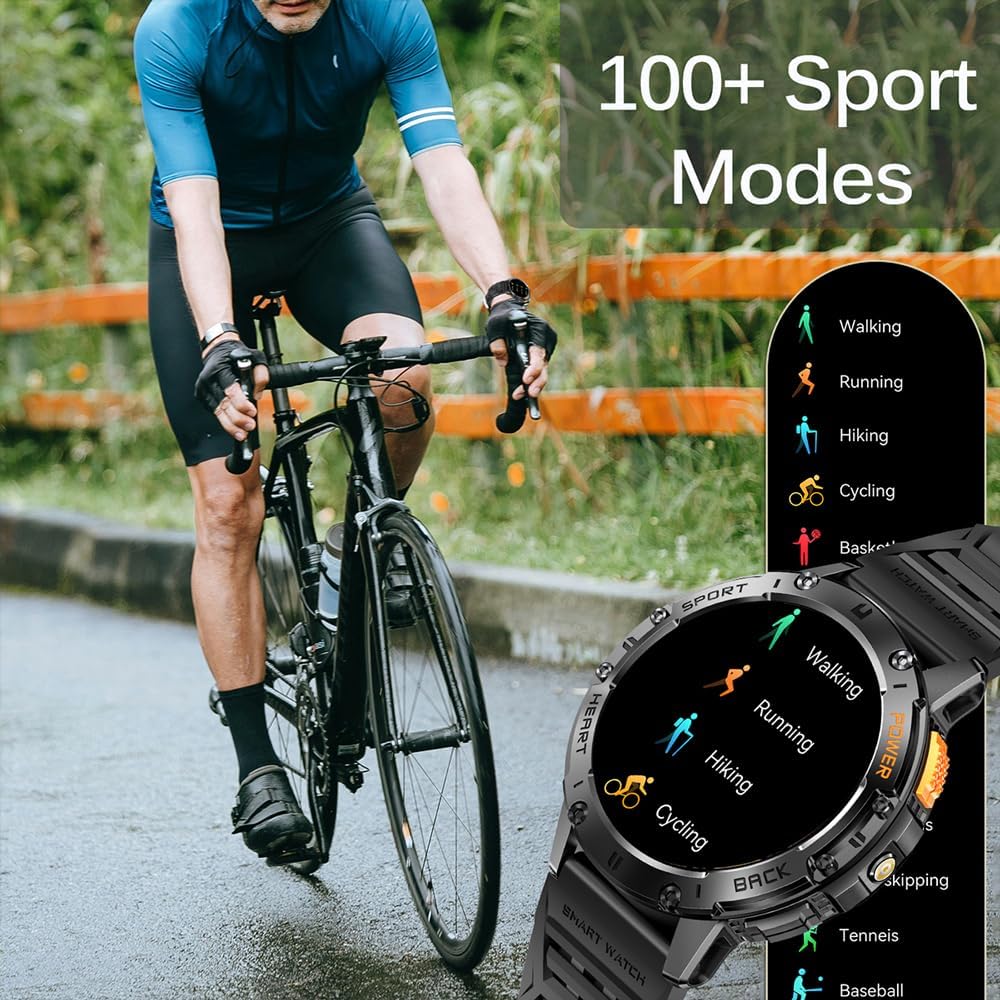
Figure 6: 100+ Sports Modes.
6. Torcia a LED
Activate the built-in LED flashlight for convenience in low-light conditions. This feature is useful for outdoor adventures, night running, or short-term home lighting.
7. Quadranti personalizzabili
Personalize your watch with over 200 watch faces available through the FitCloudPro app. You can also customize watch faces with your own images.
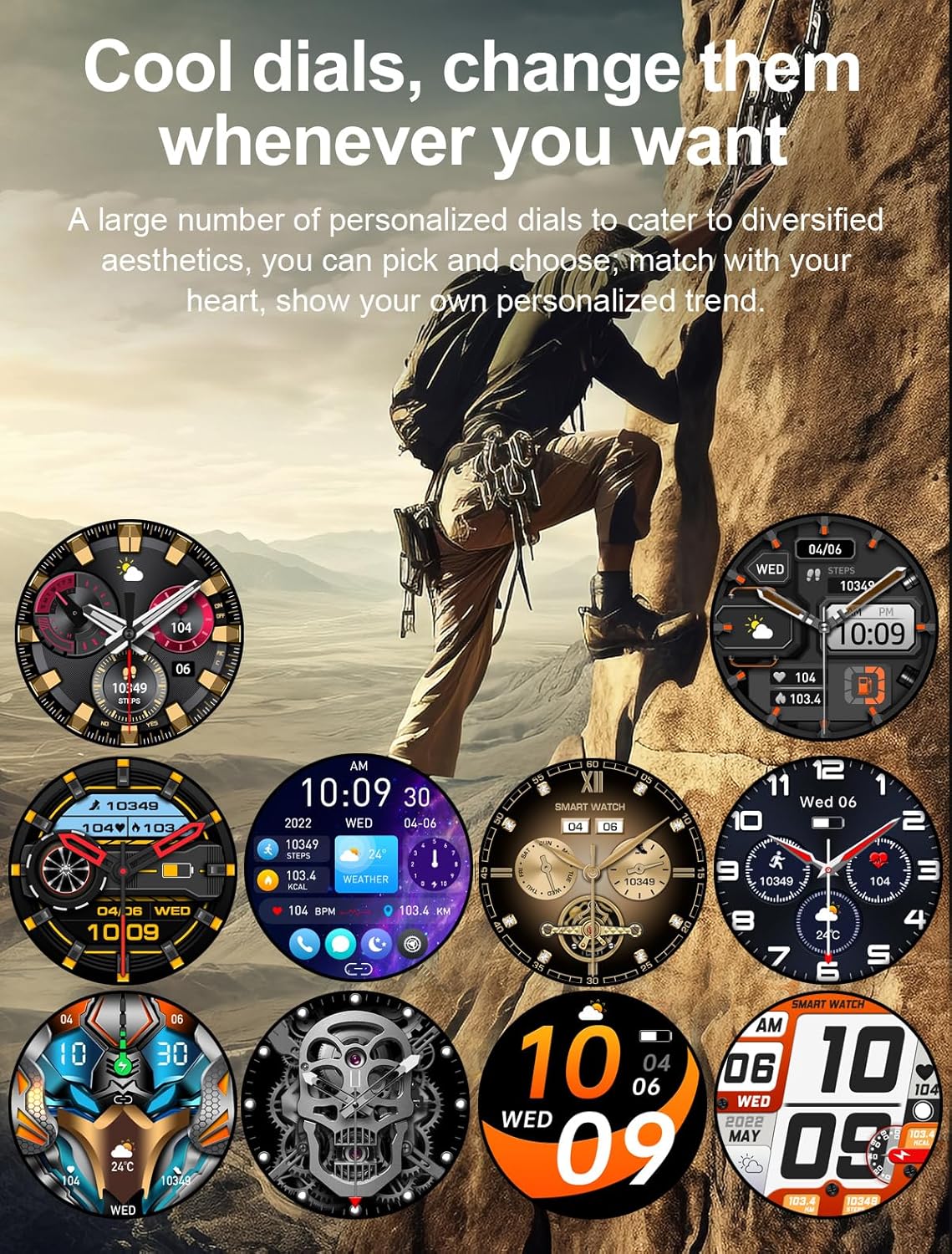
Figura 7: Quadranti personalizzabili.
8. Altre caratteristiche
- AI Voice Assistant
- 7-day Weather Forecast
- Cronometro
- Sveglia
- Controllo della musica
- Controllo della telecamera
- Promemoria sedentario
Manutenzione
1. Pulizia
Regularly clean your smart watch and wrist strap with a soft, dry cloth. If necessary, use a slightly damp panno e asciugare accuratamente. Evitare l'uso di prodotti chimici aggressivi o materiali abrasivi.
2. Resistenza all'acqua
The watch is IP68 waterproof, meaning it can withstand hand washing and rain. However, it is non suitable for diving, saunas, or hot showers. Avoid prolonged submersion in water.

Figure 8: IP68 Waterproof and Additional Features.
3. Conservazione
Quando non viene utilizzato per lunghi periodi, conservare l'orologio in un luogo fresco e asciutto, lontano dalla luce solare diretta e da temperature estreme.
Risoluzione dei problemi
- L'orologio non si accende: Assicurati che l'orologio sia completamente carico. Collegalo al caricabatterie per almeno 10 minuti.
- Impossibile associare il telefono:
- Assicurati che il Bluetooth sia abilitato sul telefono e sull'orologio.
- Assicurati che l'orologio si trovi nel raggio d'azione del Bluetooth del tuo telefono.
- Riavvia sia l'orologio che il telefono.
- Cancella la cache Bluetooth sul telefono (se applicabile) e prova a eseguire nuovamente l'associazione.
- Notifiche non ricevute:
- Check notification permissions in the FitCloudPro app.
- Ensure app notifications are enabled in your phone's system settings.
- Verificare che l'orologio sia correttamente connesso tramite Bluetooth.
- Dati sanitari inesatti:
- Assicurati che l'orologio sia indossato comodamente al polso, né troppo largo né troppo stretto.
- Pulisci l'area del sensore sul retro dell'orologio.
- Si noti che i dati sanitari sono solo a scopo di riferimento e non per diagnosi mediche.
Specifiche
| Caratteristica | Dettaglio |
|---|---|
| Display | 1.43" AMOLED HD (460*460 resolution) |
| Capacità della batteria | 530mAh |
| Tempo di ricarica | Circa 2 ore |
| Durata della batteria | 15 days (working), 30 days (standby) |
| Grado di impermeabilità | Grado di protezione IP68 |
| Connettività | Bluetooth |
| Compatibilità del sistema operativo | Android 4.4+ / iOS 8.0+ |
| Nome dell'app | FitCloudPro |
| Materiale della cassa | Zinc Alloy (Military-grade tested) |
| Dimensioni | 48mm (diameter), 12.9mm (thickness) |
| Wrist Strap Size | 150-260mm |

Figura 9: Dimensioni del prodotto.
Supporto
For any questions or assistance, please contact our customer service. We provide 7/24 service to ensure your satisfaction.
Please refer to your purchase documentation or the FitCloudPro app for specific contact details.
Ask a question about this manual
Ask about setup, troubleshooting, compatibility, parts, safety, or missing instructions. Manuals+ will review the question and use this page’s manual context to help answer it.