
1. Introduzione
Thank you for choosing the MECHEN H1-Pro Bluetooth MP3 Player with WiFi. This device is designed to provide a versatile and enjoyable audio and video experience. Featuring a 4-inch touchscreen and running on Android 9.0, it supports various applications and connectivity options. This manual provides essential information for setting up, operating, and maintaining your device.
2. Contenuto della confezione
Verifica che tutti gli articoli elencati di seguito siano inclusi nel pacco. Se alcuni articoli risultano mancanti o danneggiati, contatta l'assistenza clienti.
- MECHEN H1-Pro MP3 Player
- Cavo USB
- Cuffie
- Pellicola protettiva
- Custodia protettiva
- Manuale d'uso

Image: The MECHEN H1-Pro MP3 Player displayed with its accessories, including a USB cable, headphones, protective film, and a clear protective case.
3. Dispositivo suview
Familiarize yourself with the physical components and controls of your MECHEN H1-Pro MP3 Player.
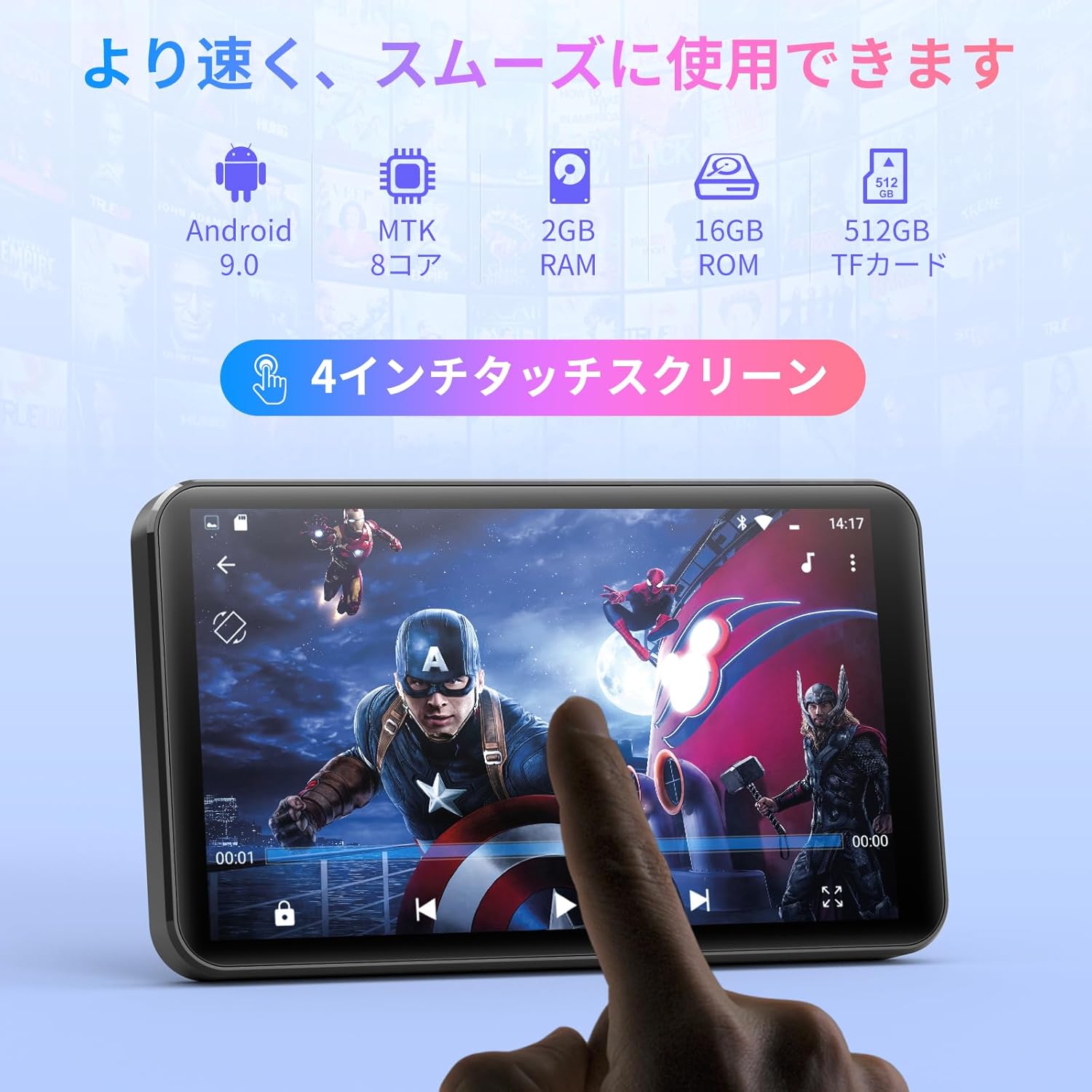
Immagine: Frontale view of the MECHEN H1-Pro MP3 Player, showcasing il suo display touchscreen da 4 pollici.

Immagine: Lato view of the MECHEN H1-Pro MP3 Player, highlighting the power button and volume controls.

Immagine: parte superiore e inferiore views of the MECHEN H1-Pro MP3 Player, illustrating the USB-C charging port, headphone jack, and Micro SD card slot.
4. Impostazione
4.1 Carica iniziale
Before first use, fully charge the device. Connect the provided USB cable to the player's USB-C port and the other end to a USB power adapter (not included) or a computer's USB port. The charging indicator will show the charging status.
4.2 Accensione/spegnimento
- Per accendere: Tieni premuto il pulsante di accensione sul lato del dispositivo finché lo schermo non si illumina.
- Per spegnere: Press and hold the Power button until a power-off menu appears on the screen. Select 'Power Off' to shut down the device.
4.3 Connessione al Wi-Fi
To access online features and download apps, connect your device to a Wi-Fi network.
- Vai a Impostazioni > Rete e Internet > Wifi.
- Attiva/disattiva Wi-Fi On.
- Seleziona la rete Wi-Fi desiderata dall'elenco.
- Inserisci la password se richiesta e tocca Collegare.

Image: The MECHEN H1-Pro MP3 Player screen showing Wi-Fi settings and available networks.
4.4 Inserimento di una scheda Micro SD
The device supports Micro SD cards for expanded storage. Locate the Micro SD card slot on the side of the device. Gently insert the card with the gold contacts facing down until it clicks into place.
5. Istruzioni per l'uso
5.1 Navigazione di base (touchscreen)
The MECHEN H1-Pro features a responsive 4-inch touchscreen. Use standard touch gestures:
- Rubinetto: Per selezionare un elemento o aprire un'app.
- Scorri: Per scorrere gli elenchi o passare da una schermata all'altra.
- Pizzico: To zoom in or out (in supported applications).
5.2 Riproduzione di musica
The device supports various audio formats including MP3, WAV, WMA, APE, OGG, and FLAC for high-fidelity music playback.
- Aprire il Musica applicazione.
- Browse your music library by artist, album, song, or playlist.
- Tocca un brano per avviarne la riproduzione.
- Utilizzare i controlli sullo schermo per riprodurre/mettere in pausa, saltare le tracce e regolare il volume.

Image: The MECHEN H1-Pro MP3 Player screen showing a music playback interface with album art and controls.
5.3 Riproduzione video
Enjoy 720P/1080P full-format HD video playback without conversion. Supported formats include RM, RMVB, FLV, MP4, DAT, MKV, MPG, MOV, TS, etc.
- Aprire il Lettore video applicazione.
- Seleziona un video file dal tuo magazzino.
- Tap to play. Use on-screen controls for playback options.

Image: The MECHEN H1-Pro MP3 Player screen showing a video playing in full-screen mode.
5.4 Connettività Bluetooth
Connect to Bluetooth headphones, speakers, or other compatible devices.
- Vai a Impostazioni > Dispositivi connessi > Bluetooth.
- Attiva Bluetooth On.
- Assicurati che l'accessorio Bluetooth sia in modalità di associazione.
- Selezionare l'accessorio dall'elenco dei dispositivi disponibili per l'associazione.

Image: The MECHEN H1-Pro MP3 Player shown alongside a pair of wireless headphones, indicating Bluetooth connectivity.
5.5 Connettività Wi-Fi e download di app
With Android 9.0 and Wi-Fi, you can download and install various applications from the Google Play Store.
- Ensure the device is connected to Wi-Fi (see Section 4.3).
- Aprire il Negozio di giochi applicazione.
- Accedi con il tuo account Google.
- Cercare and download desired applications (e.g., Spotify, Amazon Music, Audible).

Image: The MECHEN H1-Pro MP3 Player screen showing a variety of installed applications, including music streaming services and web browser.
5.6 Radio FM
Ascolta le tue stazioni radio FM preferite.
- Collegare le cuffie cablate al jack audio da 3.5 mm: fungeranno da antenna.
- Aprire il Radio FM applicazione.
- Utilizzare i comandi sullo schermo per cercare le stazioni o sintonizzarle manualmente.
5.7 File Gestione
Utilizzare il built-in file manager per organizzare il tuo files on internal storage and the Micro SD card.
- Aprire il File Manager applicazione.
- Navigate through folders to view, copy, move, or delete files.
6. Manutenzione
6.1 Pulizia
Pulire il dispositivo con un panno morbido, asciutto e privo di lanugine. Non utilizzare detergenti liquidi o materiali abrasivi.
6.2 Conservazione
Conservare il dispositivo in un luogo fresco e asciutto, al riparo dalla luce solare diretta e da temperature estreme. Se si prevede di non utilizzarlo per un periodo prolungato, assicurarsi che la batteria sia parzialmente carica (circa il 50%) per prolungarne la durata.
6.3 Cura della batteria
To maximize battery life, avoid fully discharging the battery frequently. Use the original charging cable for optimal performance.
7. Risoluzione Dei Problemi
| Problema | Possibile soluzione |
|---|---|
| Il dispositivo non si accende. | Ensure the battery is charged. Connect to a charger for at least 30 minutes. If unresponsive, perform a hard reset by holding the power button for 10-15 seconds. |
| Impossibile connettersi al Wi-Fi. | Check if Wi-Fi is enabled. Verify the Wi-Fi password. Restart your router and the MP3 player. |
| Il dispositivo Bluetooth non si associa. | Ensure Bluetooth is enabled on both devices and the accessory is in pairing mode. Move devices closer together. |
| Le app sono lente o si bloccano. | Close unnecessary background apps. Clear app cache (Settings > Apps > [App Name] > Storage > Clear Cache). Restart the device. Too many apps can lead to slowdowns. |
| Nessun suono dalle cuffie. | Check headphone connection. Ensure volume is not muted or too low. Test with different headphones. |
8. Specifiche
| Caratteristica | Dettaglio |
|---|---|
| Marca | MECHEN |
| Nome del modello | H1-Pro (EU-H11) |
| Sistema operativo | Androide 9.0 |
| Processore | MTK 8-core |
| Memoria RAM | 2 GB |
| Memoria interna | 16 GB |
| Archiviazione espandibile | Micro SD (fino a 512 GB) |
| Dimensioni dello schermo | 4 pollici |
| Tecnologia dello schermo | LCD |
| Connettività | Bluetooth, USB, Wi-Fi |
| Caratteristiche speciali | FM Radio, Equalizer, Video Playback |
| Formati audio supportati | MP3, WAV, WMA, APE, OGG, FLAC |
| Formati video supportati | RM, RMVB, FLV, MP4, DAT, MKV, MPG, MOV, TS, ecc. |
| Capacità della batteria | 2000 mAh |
| Durata della batteria (musica) | Fino a 50 ore |
| Durata della batteria (video) | Fino a 8 ore |
| Dimensioni (P x L x A) | 10.5 x 6.2 x 1.2 cm (4.14 x 2.44 x 0.46 pollici) |
| Peso dell'articolo | 97.5 grammi (3.45 once) |

Image: The MECHEN H1-Pro MP3 Player shown with its physical dimensions and weight specifications.
9. Garanzia e supporto
For warranty information and technical support, please refer to the warranty card included in your package or visit the official MECHEN websito. Conservare la ricevuta d'acquisto come prova d'acquisto per eventuali reclami in garanzia.